What is iMideo? Your AI-Powered Video Creation Partner
Imagine you're a content creator with a brilliant idea for a video. You can see it in your mind—the visuals, the flow, the impact. But then reality hits: you need to learn complex editing software, hire a videographer, or spend hours creating animations. For marketers, designers, and entrepreneurs, this challenge is all too familiar. Creating professional-quality video content has traditionally required significant time, budget, or specialized skills.
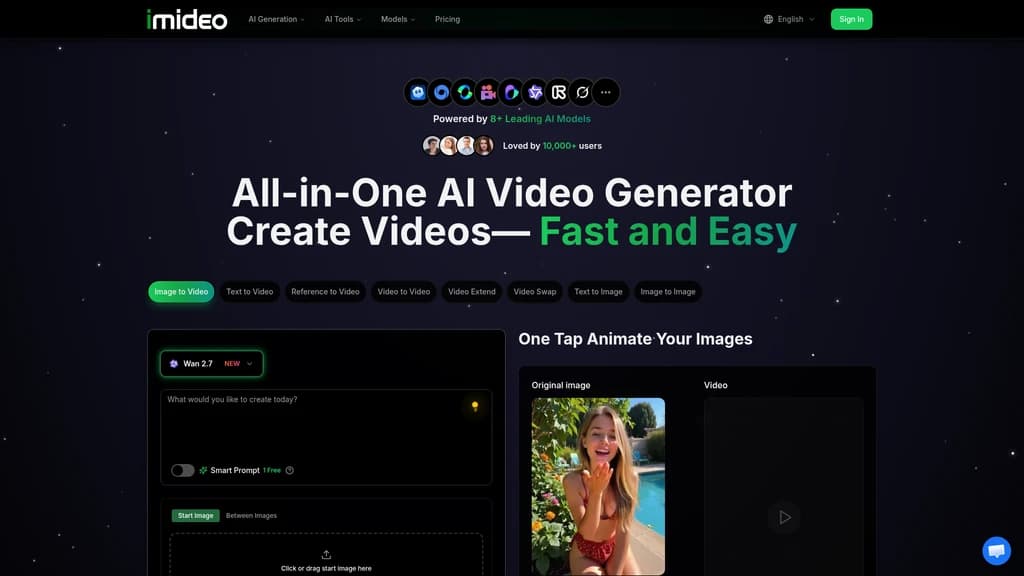
That's where iMideo comes in. We're an all-in-one AI video generator designed to bridge the gap between your creative vision and reality. Our platform integrates 8+ leading AI models—including Veo 3, Sora 2, Seedance, Runway, Kling, PixVerse, Wan, and Grok Imagine—into a single, intuitive interface. Whether you need to transform text into cinematic scenes, animate static images, or enhance existing footage, iMideo provides the tools to do it all without requiring video editing expertise.
Founded by independent developer Jacob Park, a front-end developer and product designer, iMideo has grown to serve over 10,000 active creators, marketers, and businesses. We've been recognized by Startup Fame for our innovative approach to democratizing video creation. Our mission is simple: to make professional video production accessible to everyone, regardless of their technical background or budget.
:::card{type="summary" title="TL;DR: What iMideo Offers"}
- All-in-one AI video generation platform integrating 8+ leading models
- No video editing skills required—just describe or upload
- Transform text, images, or existing videos into professional content
- From idea to finished video in 15-20 minutes
- Trusted by 10,000+ active creators and businesses
:::
Core Capabilities: What You Can Create with iMideo
iMideo isn't just another video tool—it's a comprehensive suite of AI-powered capabilities designed to handle virtually any video creation need. Each feature addresses specific creative challenges you might face in your content workflow.
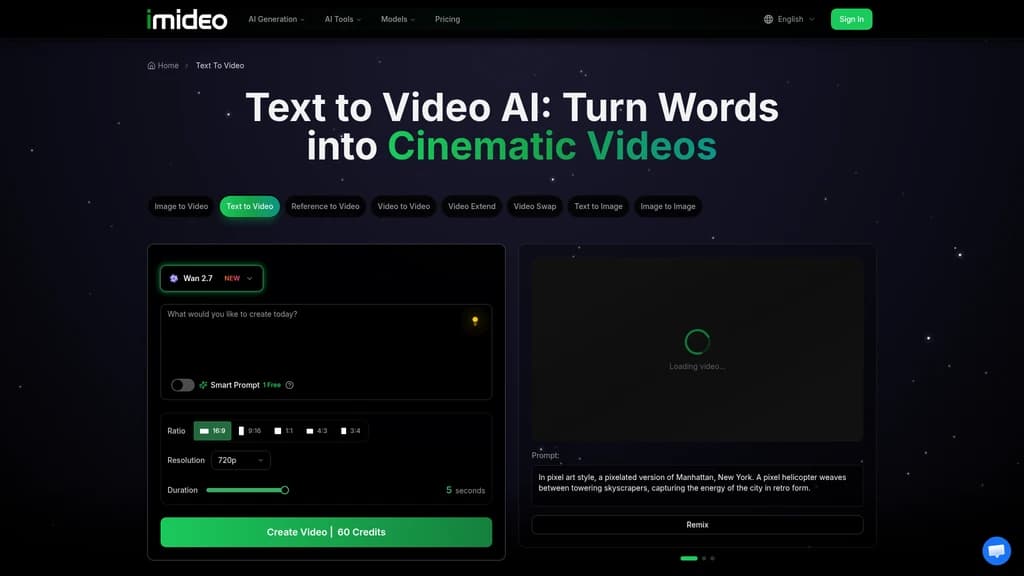
Text to Video lets you transform written descriptions into cinematic scenes. Simply describe what you want to see—like "a futuristic city at night with flying cars"—and our AI models (including Veo 3 and Sora 2) will generate 5-15 second videos in 720p-1080p resolution. Perfect for marketing videos, storytelling, or bringing creative concepts to life.
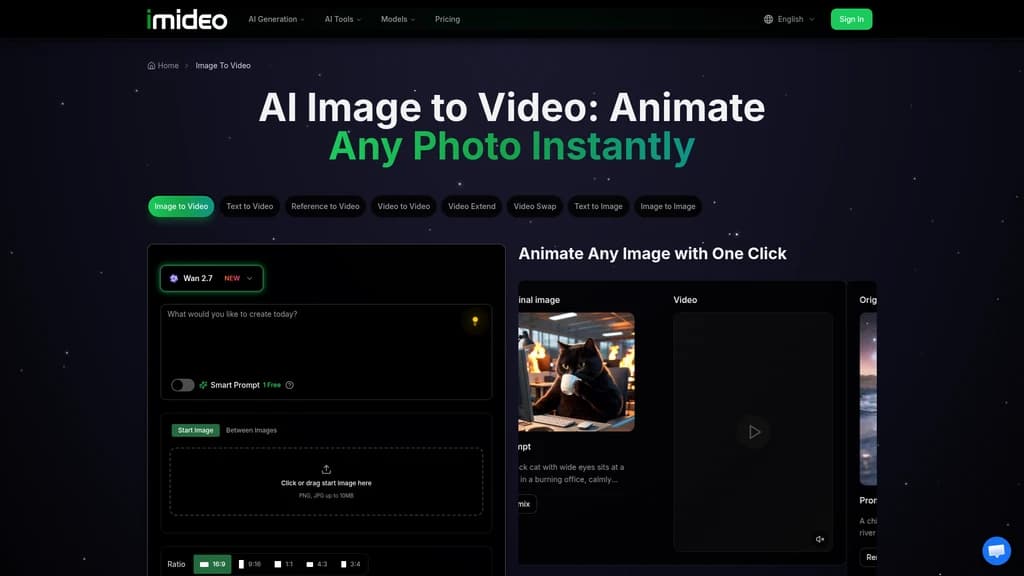
Image to Video breathes motion into static pictures. Upload a product photo, portrait, or landscape, and our AI adds natural movement, depth, and cinematic flow. Supporting 480p-1080p resolution with 5-second outputs, this feature is ideal for product showcases, animated portraits, or making your photography more engaging.
Video to Video allows you to reimagine existing footage. Want to change the style, mood, or setting of a video? Our AI-driven transformation tools can convert your footage into different artistic styles or emotional tones while maintaining 720p-1080p quality.
Reference to Video combines 2-3 images into a unified video scene. This is particularly useful for creating product portfolios or blending multiple character scenes into a cohesive narrative. Generation typically takes 2-3 minutes, giving you professional results without complex editing.
AI Video Effects provide one-click application of cinematic transitions and artistic filters. Instantly enhance your content with professional-grade effects that would normally require hours in editing software.
Auto Subtitle Generator creates accurate captions in 100+ languages with 95% AI accuracy. Essential for social media videos, educational content, or making your videos accessible to global audiences.
AI Talking Avatar transforms any photo into a professional speaking avatar with synchronized speech. Perfect for educational videos, corporate presentations, or personalized messaging without needing on-camera talent.
Video Enhancement Tools include watermark removal, background elimination, and quality upscaling to 4K. These utilities help clean up and improve your existing footage with AI precision.
::::grid :::card{type="advantages"}
- No editing skills needed: Designed for creators, not technicians
- Multiple AI models integrated: Access to 8+ leading models in one platform
- Cloud-based instant processing: Generate videos in seconds to minutes
- Professional output quality: Supports up to 4K resolution
- Comprehensive toolset: From generation to enhancement in one place
:::
:::card{type="disadvantages"}
- Video duration limitations: Most models support 5-30 second outputs
- Resolution varies by model: Some models have specific resolution caps
- Learning curve for optimal prompts: Best results come from well-crafted descriptions
- Credit-based system: Usage is measured in credits rather than unlimited
:::
::::
Who's Using iMideo: Real-World Applications
Understanding how others use iMideo can help you see its potential for your specific needs. Here are the most common applications our 10,000+ users have discovered:
Social Media Content Creation is our most popular use case. Content creators and social media managers use text-to-video to quickly generate engaging content for TikTok, Instagram, and YouTube. One user reported their engagement rates increased by 3x after switching to AI-generated videos, allowing them to post more frequently without sacrificing quality.
Product Marketing teams use image-to-video to transform static product photos into dynamic showcases. A marketing director shared that their AI-generated product videos were so convincing that investors couldn't distinguish them from professionally shot footage—all while saving thousands in production costs.
Wedding Photography Enhancement has revolutionized how photographers deliver their work. By uploading couple portraits and adding subtle motion effects, photographers can offer "living photos" that clients find magical. This enhancement allows photographers to increase their service package value without significant additional work.
Real Estate Showcases benefit dramatically from property photo animations. Real estate agents convert static listing photos into video tours, resulting in significantly higher click-through rates and faster property sales. The dynamic presentations help potential buyers better visualize themselves in the space.
Educational Content creators use text-to-video to produce course introductions and chapter separators. Educators appreciate that they can create dynamic visual content without needing to learn video editing software, while students respond positively to the engaging visuals.
Concept Testing for game developers and designers has become much faster. Instead of creating manual animations for storyboards and concept testing, developers use iMideo to quickly visualize scenes and characters. One game developer reported the process was "significantly faster than traditional animation methods."
Restaurant Marketing teams enhance food photography by adding steam rising or sauce dripping effects. These subtle animations make social media posts look professionally produced without the expense of hiring a videographer or food stylist.
:::card{type="tip" title="💡 Finding Your Starting Point"}
- Social media managers: Begin with Text to Video for quick content generation
- Photographers and designers: Try Image to Video to animate your existing work
- Marketing professionals: Explore AI Talking Avatar for corporate presentations
- Educators and trainers: Use Auto Subtitle Generator for accessible content
- Small business owners: Start with basic enhancements and work up to full generation
:::
iMideo Pricing: Choose the Right Plan for Your Needs
We believe in transparent, straightforward pricing that scales with your creative output. Our credit-based system ensures you only pay for what you use, with different plans offering varying levels of access and support.
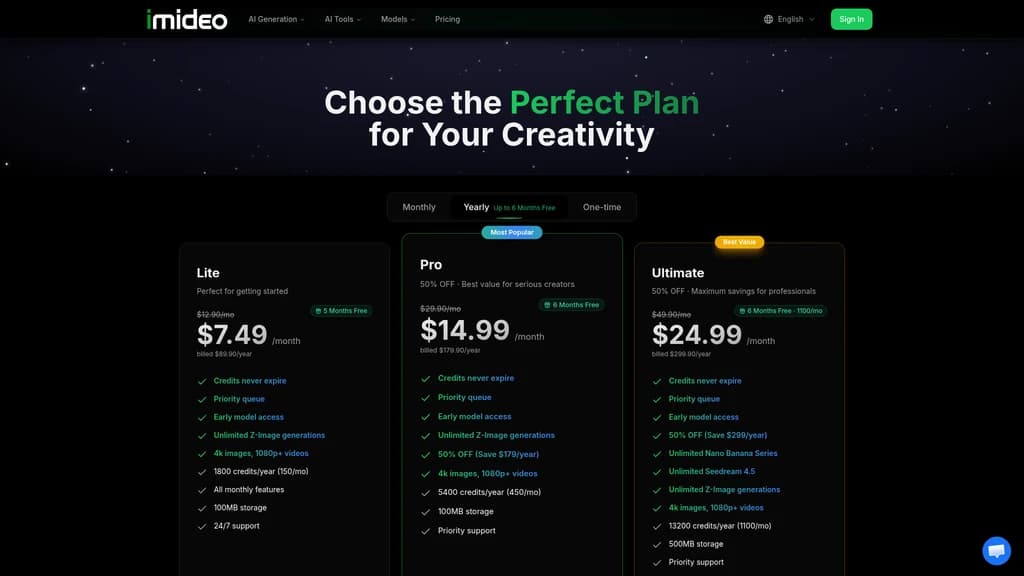
| Plan | Monthly Cost (Annual) | Credits/Month | Storage | Key Features | Best For | |------|----------------------|---------------|---------|--------------|----------| | Lite | $7.49 ($89.90/year) | 150 | 100MB | Basic generation features | Individual creators, hobbyists | | Pro | $14.99 ($179.90/year) | 450 | 100MB | 50% discount on certain models | Small teams, frequent creators | | Ultimate | $24.99 ($299.90/year) | 1100 | 500MB | Unlimited Nano Banana & Seedream 4.5 access | Professional creators, agencies |
All plans offer significant discounts when paid annually. When you register, you'll receive 100 free credits to test the platform without any commitment—no credit card required.
Support varies by plan: Pro and Ultimate subscribers receive 24/7 support and priority assistance, while Lite users have access to community and email support. This tiered approach ensures you get the level of help you need based on your usage intensity.
:::card{type="tip" title="💡 Choosing Your Plan"}
- Start with Lite if you're new to AI video generation or create content occasionally
- Upgrade to Pro if you generate 10+ videos monthly or work with a small team
- Choose Ultimate if you're a professional creator, agency, or need unlimited access to premium models
- Remember: All annual plans offer the best value with significant savings
:::
Getting Started with iMideo: Your First Video in Minutes
Ready to create your first AI-generated video? The process is simpler than you might think. Here's a step-by-step guide to get you from registration to your first creation:
- Register for Free: Visit imideo.net and sign up—no credit card required. You'll immediately receive 100 free credits to start experimenting.
- Choose Your Creation Method: For your first video, we recommend starting with Text to Video. It's the most straightforward way to see the AI in action.
- Craft Your Prompt: Begin with something simple but descriptive. Try "A sunset over mountains with golden light" or "A futuristic robot walking through a city street." The more descriptive your prompt, the better the results.
- Let AI Recommend Models: iMideo's smart system will analyze your prompt and suggest the best AI model for your content. For epic fantasy scenes, it might recommend Kling; for anime styles, Seedance; for photorealistic results, Veo 3.
- Generate and Download: Click generate and wait—processing typically takes from a few seconds to a few minutes depending on complexity. Once complete, download your video in your preferred resolution.
- Explore Other Features: With your remaining credits, try Image to Video with a favorite photo, or test the Auto Subtitle Generator on a short clip.
System Requirements: All you need is a modern web browser—iMideo works on Chrome, Safari, Firefox, and Edge. Supported input formats include PNG and JPG for images, with video outputs available in 480p, 720p, 1080p, and 4K resolutions.
:::card{type="tip" title="💡 Best Practices for New Users"}
- Use your free credits wisely: Test different models to see which produces your preferred style
- Save successful prompts: Create a library of prompts that work well for your content type
- Batch similar content: Generate multiple videos with similar themes in one session
- Start simple: Begin with basic prompts before experimenting with complex descriptions
- Check model specifications: Each AI model has different strengths and output characteristics
:::
Frequently Asked Questions
:::card{type="faq" title="What exactly is iMideo?"} iMideo is an all-in-one AI video generation platform that integrates 8+ leading AI models into a single interface. We enable anyone—regardless of video editing experience—to create professional-quality videos from text descriptions, images, or existing footage. Think of us as your AI-powered video production team available 24/7. :::
:::card{type="faq" title="Do I need video editing experience to use iMideo?"} Not at all. iMideo is specifically designed for users without video editing skills. Our interface guides you through simple steps: describe what you want, upload images, or provide reference materials. The AI handles all the complex rendering and editing work for you. :::
:::card{type="faq" title="How much does iMideo cost?"} We offer three straightforward plans: Lite at $7.49/month (billed annually at $89.90), Pro at $14.99/month (billed annually at $179.90), and Ultimate at $24.99/month (billed annually at $299.90). All plans provide significant savings when paid annually, and you can start with 100 free credits without any payment information. :::
:::card{type="faq" title="Which AI model should I choose for my video?"} iMideo's smart recommendation system analyzes your prompt and suggests the optimal model for your content. Generally: choose Kling for epic fantasy scenes, Seedance for anime and artistic styles, Veo 3 for photorealistic results, and Runway for creative experimental outputs. The platform will guide you based on your specific needs. :::
:::card{type="faq" title="How long does video generation take?"} Generation time varies by model and complexity, ranging from a few seconds to several minutes. Most standard videos generate within 1-3 minutes. Our cloud-based processing ensures you don't need powerful hardware—all rendering happens on our servers. :::
:::card{type="faq" title="Can I use the videos I create for commercial purposes?"} Yes, absolutely. You retain full ownership of all videos you generate with iMideo. You're free to use them for commercial projects, marketing campaigns, social media, client work, or any other purpose without additional licensing fees. :::
:::card{type="faq" title="What file formats does iMideo support?"} For input, we support common image formats including PNG and JPG. Video outputs are available in multiple resolutions: 480p, 720p, 1080p, and 4K, depending on the AI model used. You can download your creations in standard video formats compatible with all major platforms. :::
:::card{type="faq" title="How do I get started with iMideo?"} Simply visit imideo.net, click "Sign Up," and create your account. You'll immediately receive 100 free credits to start creating. No credit card is required for the free trial, so you can explore the platform risk-free before choosing a plan. :::




Comments