

CleanAudio - AI-powered background noise removal for crystal clear audio
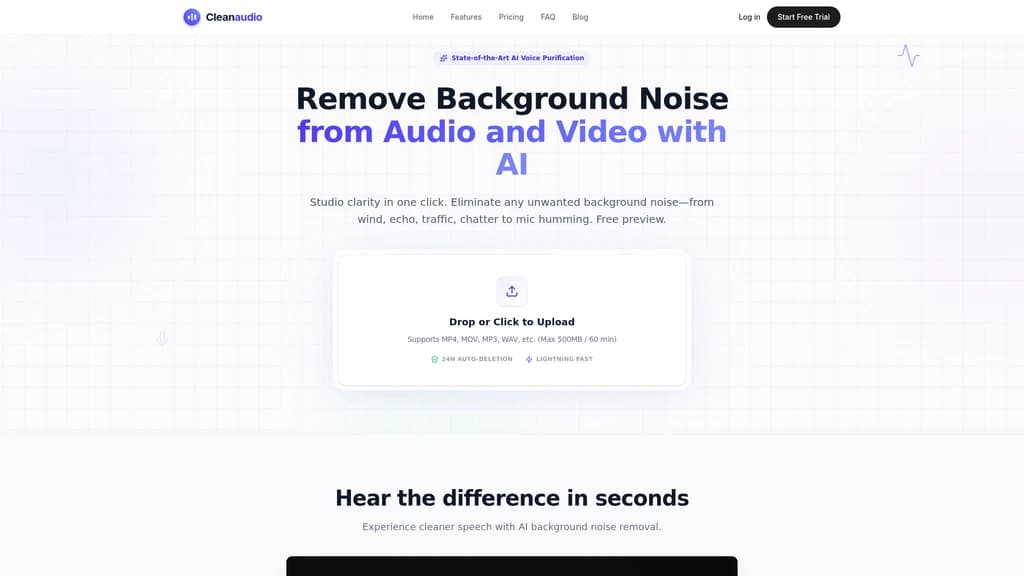
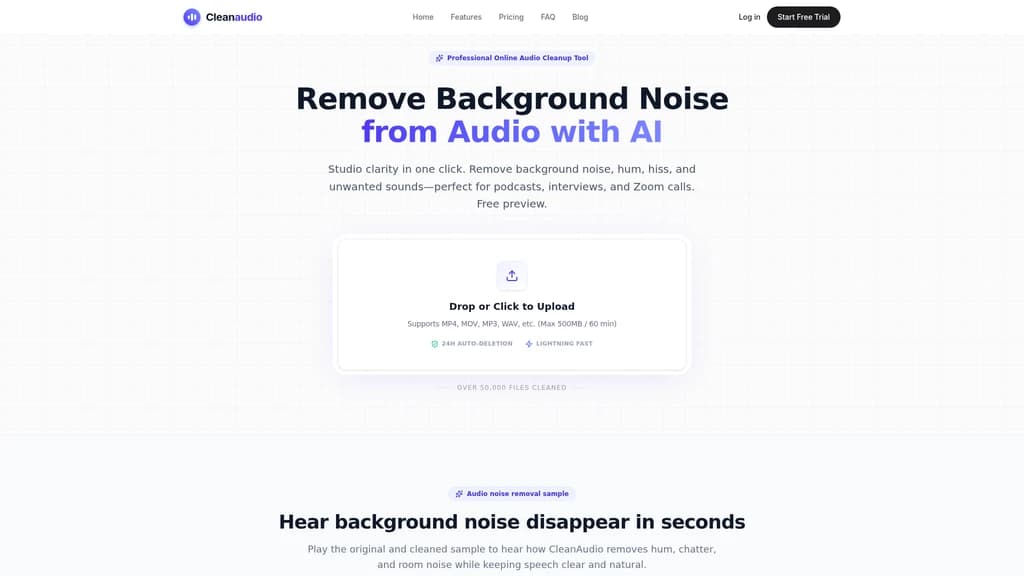
CleanAudio eliminates distracting background noise from your audio and video files with just one click. Powered by deep learning AI trained on thousands of hours of real-world noise data, it automatically detects and removes over 12 types of noise including wind, traffic, hums, fans, and echo. No software installation, no audio engineering skills, and no account required to try. Upload a file, listen to a free 30-second preview, then download studio-quality results. Trusted by over 50,000 podcasters, YouTubers, and remote professionals.
2,211Views
What Is CleanAudio
Picture this: you've just wrapped up a fantastic podcast interview, only to discover your guest's audio is plagued by an air conditioner hum. Or you're editing an outdoor vlog, and the wind noise makes your voice sound like you're inside a jet engine. Maybe you recorded a crucial client meeting on Zoom, but the final playback is riddled with keyboard clatter and room echo.
If you've been in any of these situations, you know the frustration. Traditional audio cleanup means firing up Audacity or Adobe Audition, manually sampling the noise profile, tweaking thresholds, listening back on repeat—and still ending up with a slightly robotic, "underwater" sound. It's time-consuming, technical, and frankly, draining.
CleanAudio is here to change that. It's an AI-powered online audio and video background noise removal tool that runs entirely in your browser. No downloads. No installations. No audio engineering degree required. Just upload your file, let the AI work its magic, and download studio-clear audio in minutes.
Here's what makes it different: CleanAudio's deep learning model has been trained on thousands of hours of real-world audio data. It automatically detects and removes 12+ types of background noise—from HVAC hums and traffic noise to dog barks and room echo—while preserving the natural warmth and clarity of human speech. Already, over 50,000 files have been cleaned on the platform.
Whether you're a podcaster, YouTuber, educator, or someone who just wants clearer audio for a work project, CleanAudio offers a genuinely simple path to professional sound quality.
One-click AI denoising — no manual noise sampling or parameter tweaking needed
Free 30-second preview — hear the results before you pay, no registration required
Browser-based — works on Windows, macOS, iOS, and Android; no software to install
Privacy-first — all files are automatically and permanently deleted within 24 hours; your data is never used to train AI
12+ noise types covered — from wind and traffic to AC hum, echo, pets, and more
The CleanAudio Features Your Workflow Deserves
CleanAudio is built around a simple philosophy: audio cleanup should be fast, effortless, and produce natural-sounding results. Here's how each feature delivers on that promise.
One-Click AI Background Noise Removal
This is CleanAudio's core superpower. You upload your audio or video file, and the AI automatically detects every background noise present—whether it's a low-frequency hum, a high-pitched hiss, or the chaotic chatter of a busy coffee shop. It then separates the speech from the noise using a speech-aware deep learning model trained on thousands of hours of audio data.
No manual noise sampling. No threshold sliders. No trial-and-error.
The result? A typical interview clip gets processed in under 60 seconds, while the same task would take 30+ minutes in Audacity or Adobe Audition. And because the AI is speech-aware, you get clean audio without that dreaded "robotic" quality.
Free 30-Second Preview
One of the biggest anxieties when trying a new tool is wondering whether it will actually work on your specific audio. CleanAudio removes that risk entirely.
Upload any audio or video file, and the AI processes the entire thing—then releases the first 30 seconds as a free preview. You can listen to the cleaned snippet, compare it side-by-side with the original, and decide if the quality meets your standards. No registration. No credit card. Just proof of performance before you commit.
Multi-Format and Multi-Device Support
CleanAudio is a fully web-based SaaS platform. That means you can use it on any device with a modern browser—a Windows PC, a MacBook, an iPhone, or an Android tablet.
The supported formats cover the vast majority of real-world use cases:
Video: MP4, MOV, FLV, MKV, WMV, AVI
Audio: MP3, WAV, AIFF, FLAC, M4A, AAC
So whether you're a vlogger editing a GoPro clip on your phone, or a podcaster working with a high-quality WAV file on your desktop, CleanAudio has you covered.
Video Audio Sync Noise Reduction
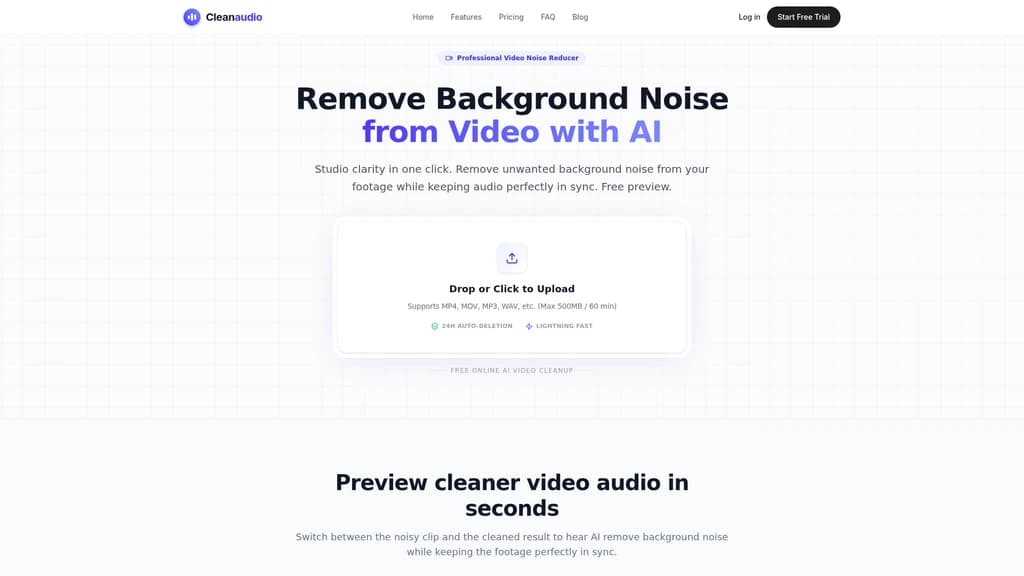
This feature is a game-changer for video creators. When you upload a video file, CleanAudio automatically separates the audio track, runs it through the AI denoising engine, and then seamlessly re-synthsizes it back into the video—perfectly synchronized and with zero loss in visual quality.
Your 4K footage stays at full resolution and frame rate. Your ProRes color grade remains untouched. Only the audio gets the professional treatment. For outdoor vloggers, drone pilots, and anyone shooting in less-than-ideal acoustic environments, this eliminates an entire category of post-production headaches.
Targeted Noise Removal for 12+ Noise Types
Not all noise is created equal, and CleanAudio's AI doesn't treat it that way. The model has been trained to recognize and handle different noise categories with individual optimization strategies. Here are just some of the noise types it can handle:
Hum & Hiss — microphone self-noise, AC line hum
Fans & HVAC — air conditioning, computer fans, refrigerators
Wind & Weather — outdoor wind noise, rain
Traffic & Sirens — road noise, emergency vehicles
Crowd Chatter — coffee shop conversations, office babble
Room Tone & Echo — reverberation, hollow-sounding rooms
Pets & Animals — dog barking, bird sounds
Clicks & Pops — mouth clicks, plosives
Static & Hum — electronic interference
Drones & Mechanical — quadcopter rotors, machinery
Instead of applying a one-size-fits-all filter, CleanAudio adapts its processing to the specific noise profile of your recording. The result is noticeably more natural-sounding than traditional noise gates or spectral editing.
Privacy-First Architecture
For many users—especially those handling sensitive business calls, medical interviews, or confidential projects—privacy isn't a nice-to-have; it's a requirement. CleanAudio takes this seriously.
Every file you upload is processed in an isolated sandbox environment. Files are encrypted both in transit (TLS/SSL) and at rest. And here's the key commitment: all uploaded and processed files are automatically and permanently deleted within 24 hours. No copies are retained. Your content is never used to train or fine-tune the AI models. CleanAudio also complies with CCPA and GDPR regulations.
If you're processing audio daily—especially long-form content—consider the PRO Unlimited plan. It gives you priority queue access, so your files skip the line and get processed faster. For podcast studios and busy creators, this alone can save hours per week.
Who Should Use CleanAudio?
CleanAudio is designed for anyone who records audio or video and wants it to sound professional. Here are eight real-world scenarios where it makes a measurable difference.
1. Podcasters Cleaning Up Remote Recordings
You've recorded a brilliant two-hour interview, but your guest's microphone picked up the hum of an HVAC system. The audio is otherwise perfect. Do you ask for a re-record? Spend hours manually editing in Audacity? With CleanAudio, you simply upload the file, and the AI removes the hum while keeping your guest's voice warm and natural. As podcaster Sarah Jenkins put it: "It literally saved an entire interview episode. The AC hum... CleanAudio stripped it out flawlessly without roboticizing the voices."
2. YouTube Vloggers Dealing with Outdoor Noise
Wind noise and traffic are the sworn enemies of outdoor video creators. You can spend hours in Premiere Pro trying to mask them, or you can upload your MP4 to CleanAudio and get back a pristine audio track in minutes. Mark Thompson, a YouTube tech reviewer, shares: "Being able to just upload the video, kill the traffic noise, and get my 4k video back with pristine audio is a game changer."
3. Remote Consultants and Client-Facing Professionals
Recording client calls on Zoom or Teams often results in subpar audio—background chatter, keyboard noise, microphone quality issues. These recordings are often shared internally or used for documentation. CleanAudio transforms them. Lisa Chang, a remote consultant, says: "Client recordings sound completely different now. The web app is so fast, I prefer it over heavy desktop software."
4. Mobile Journalists Conducting On-the-Go Interviews
When you're interviewing someone in a busy café or on a noisy street with just your phone, background noise is inevitable. With CleanAudio, you can open the browser on your iPhone or Android phone, upload the recording directly, and have it cleaned up in minutes. No laptop, no desktop software, no studio required.
5. Online Educators Enhancing Course Audio
If you're recording course content from home or a classroom, the ambient noise is almost always an issue—fans, air conditioning, room echo. CleanAudio removes these distractions so your students can focus on your teaching instead of straining to hear you. The result: higher engagement, better reviews, and a more professional course presentation.
6. Documentary Filmmakers and Field Recorders
Location interviews are notorious for unpredictable noise—wind gusts, passing traffic, portable HVAC units. Traditional cleanup in iZotope RX can take an entire afternoon and requires deep expertise. CleanAudio handles it in a single upload. For filmmakers on tight deadlines, this is a massive productivity boost.
7. Social Media Short-Form Creators
On TikTok, Reels, and YouTube Shorts, audio quality directly affects retention. A noisy clip gets scrolled past. CleanAudio lets you process short videos from your phone browser and instantly improve the audio quality, giving your content a more polished, professional feel.
8. Drone and Aerial Videographers
Drone footage inevitably includes rotor hum and wind noise. If you're adding a voiceover or using the drone's built-in audio, these noises can ruin an otherwise stunning sequence. CleanAudio's AI specifically targets these low-frequency mechanical sounds, leaving your aerial audio crisp and usable.
If you're producing content daily—podcasts, YouTube videos, client work—the PRO Unlimited plan ($16.99/month) offers the best value with unlimited processing and priority queue access. For occasional use, the Pay As You Go options give you flexibility without a recurring commitment. And if you're just testing the waters, the Free Trial costs nothing and requires no registration.
Pricing and Usage Plans
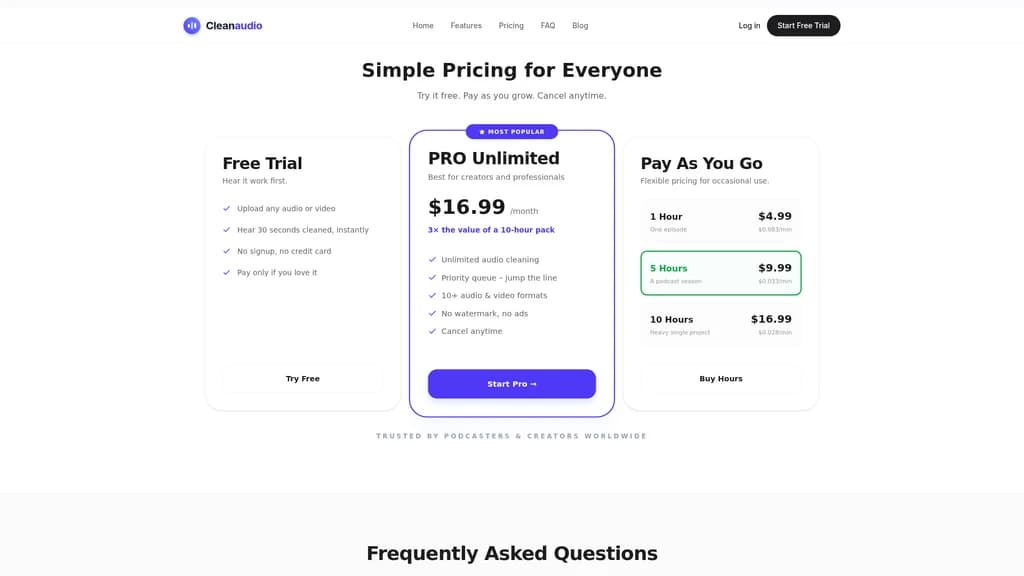
CleanAudio offers three pricing tiers designed to match different usage patterns. Whether you're trying it for the first time, tackling a single project, or processing audio professionally every day, there's a plan that fits.
Plan | Price | What You Get | Best For |
|---|---|---|---|
Free Trial | $0 | Upload any file, get a 30-second clean preview, no registration or credit card needed | First-time users who want to test the quality |
Pay As You Go — 1 Hour | $4.99 | 1 hour of processing, credits valid for 1 year ($0.083/min) | A single episode or interview |
Pay As You Go — 5 Hours | $9.99 | 5 hours of processing, credits valid for 1 year ($0.033/min) | A podcast season or short project |
Pay As You Go — 10 Hours | $16.99 | 10 hours of processing, credits valid for 1 year ($0.028/min) | A major project or multiple episodes |
PRO Unlimited ⭐ | $16.99/month | Unlimited processing (fair use: 30 hours/cycle), priority queue, 10+ formats, no watermark or ads | High-frequency professional creators |
A few important details:
Pay As You Go credits are valid for one year from purchase, so you can use them at your own pace.
14-day money-back guarantee — if you haven't started processing any audio, you can request a full refund by emailing [email protected].
PRO Unlimited includes a reasonable use cap of 30 hours per billing cycle, which comfortably covers the needs of individual creators. You can cancel anytime from your account page.
The AI processing quality is identical across all plans. Whether you're on Pay As You Go or PRO Unlimited, you get the same deep-learning model, the same 12+ noise type coverage, and the same natural-sounding output. The differences are in volume, priority, and convenience.
CleanAudio vs Traditional Audio Noise Removal Tools
You might be wondering: how does CleanAudio stack up against the tools you already know? Let's compare across the dimensions that matter most to creators.
CleanAudio vs Audacity
Audacity is a powerful free tool, but it's far from user-friendly when it comes to noise removal. The workflow goes like this: select a noise sample, open the noise reduction effect, capture the noise profile, select the entire track, apply the effect, tweak the threshold, listen back, adjust again, repeat. For a single clip, this can easily take 30 minutes or more—and the results often sound metallic or hollow.
CleanAudio, by contrast, handles everything automatically. Upload the file, wait under a minute for a short clip, and download. No manual sampling, no parameter tuning, no learning curve.
CleanAudio vs Adobe Audition / Premiere Pro
Adobe's tools are industry standards for a reason—they offer immense control. But that control comes at a cost: a steep learning curve, a Creative Cloud subscription that can run $55+/month, and significant time investment for even basic noise cleanup. For creators who don't need the full Adobe ecosystem, CleanAudio offers a simpler, faster, and more affordable path to clean audio.
CleanAudio vs iZotope RX
iZotope RX is widely considered the gold standard for professional audio restoration. It's also priced accordingly—hundreds of dollars for a license, plus a significant time investment to learn its features. For documentary filmmakers and audio engineers working on complex restoration projects, RX is the right tool. But for the vast majority of creators who just need to remove common background noise, CleanAudio delivers comparable results in a fraction of the time and at a fraction of the cost.
The Core Difference
Traditional tools require you to manually tell the software what the noise is. CleanAudio's AI automatically identifies and separates speech from noise. This fundamental difference means:
No need to identify and sample noise profiles
No risk of removing speech frequencies along with the noise
No "underwater" artifacts or hollow-sounding results
Processing in minutes instead of hours
No software to install — works in any modern browser, on any device
One-click operation — no audio engineering skills required
Privacy-first — files auto-delete in 24 hours, never used for AI training
Free to try — 30-second preview without registration or credit card
Natural-sounding results — speech-aware AI avoids robotic artifacts
File size limit — maximum 500MB / 60 minutes per file
Requires internet connection — no offline mode available
Limited manual control — you can't fine-tune the parameters like in professional DAWs
Frequently Asked Questions
How can I remove background noise from audio or video for free?
Simply upload your MP4, MOV, MP3, or WAV file in your browser. CleanAudio's online AI denoising tool will automatically clean your audio track, preserving speech while removing unwanted noise. Listen to the free 30-second preview, and only pay if you're satisfied with the results. No software download required.
How does CleanAudio compare to Audacity or Premiere Pro?
Traditional tools require you to manually sample noise, adjust thresholds, and listen back repeatedly. CleanAudio is a one-click AI solution that saves hours of editing time. It uses deep learning to separate speech from noise, producing more natural results without the "underwater" artifacts common in traditional noise reduction. Plus, you don't need any audio engineering knowledge to use it.
Are my uploaded files safe? Do you use them to train your AI?
Absolutely safe. All uploaded and processed files are automatically and permanently deleted within 24 hours. CleanAudio explicitly does not use your data to train or fine-tune AI models. Files are encrypted both during transfer (TLS/SSL) and at rest. We comply with CCPA and GDPR regulations, and we only use essential cookies—no tracking or advertising cookies.
What file formats does CleanAudio support?
Video formats: MP4, MOV, FLV, MKV, WMV, AVI. Audio formats: MP3, WAV, AIFF, FLAC, M4A, AAC. This covers virtually all common recording formats from smartphones, professional microphones, cameras, drones, and screen recording software.
<card type="faq" title="What does "unlimited" mean in the PRO Unlimited plan?"> PRO Unlimited is designed for individual creators. The fair use cap is 30 hours of processing per billing cycle—a limit that comfortably covers the needs of most podcasters, YouTubers, and content creators. You can cancel anytime from your account page if your needs change. </card>
What's the difference between Pay As You Go and PRO Unlimited?
Pay As You Go is a one-time purchase with credits valid for 1 year—ideal for occasional use or single projects. PRO Unlimited is a monthly subscription with unlimited processing (under fair use), priority queue access, and support for 10+ formats without watermarks or ads. Both plans use the same AI engine, so output quality is identical.
Can I use CleanAudio on my phone?
Yes! CleanAudio is fully responsive and optimized for mobile browsers. You can record audio or video on your iPhone or Android phone, open the browser, upload the file, and have it cleaned in minutes. No app installation needed.
Is there a refund guarantee?
Yes. CleanAudio offers a 14-day money-back guarantee. As long as you haven't started processing any audio, you can request a full refund by contacting [email protected]. This gives you plenty of time to evaluate whether the tool meets your needs.


Comments