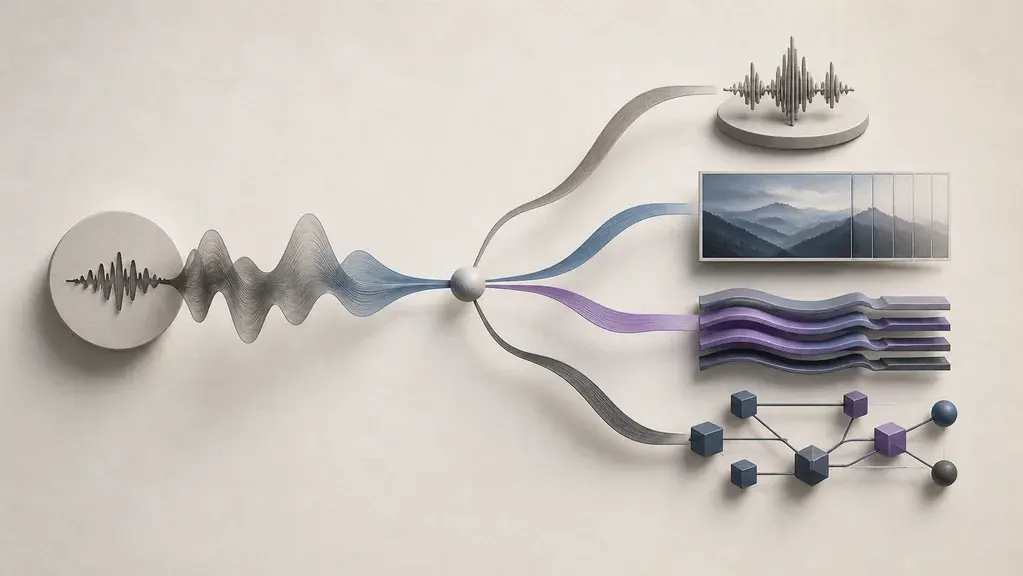

“AI audio” can mean six different jobs
Put a 60-minute meeting recording, a polished narration script, and a live support call into the same search box and the results become incoherent. The recording needs reliable text. The script needs a controlled performance. The call needs a system that can listen, reason, act, and stop speaking the moment someone cuts in.
Products sold as “AI audio” occupy every one of those positions. Sharing a media type does not make a transcription API, noise remover, voice cloner, and real-time agent interchangeable. The useful dividing line is the deliverable:
| Desired result | Workflow to evaluate | A useful first test |
|---|---|---|
| Searchable text, captions, or meeting notes | Transcription | Names, domain terms, timestamps, and speaker labels |
| A clearer version of an existing take | Speech enhancement | Noise removal without lost consonants or metallic artifacts |
| A new spoken performance from a script | Text to speech (TTS) | Pronunciation, pacing, style control, and long-form consistency |
| The same message in another language | Dubbing or speech translation | Translation, timing, speaker identity, accent, and editability |
| Original music, ambience, or an event sound | Music or sound-effect generation | Structure, timing, local edits, exports, and usage rights |
| A live system that listens and responds | Voice agent | Turn detection, first-audio delay, interruption, tools, and recovery |

A localized podcast may cross five rows: clean the recording, transcribe it, translate the approved text, generate the new voices, then mix them against the original bed. Write down the handoff and review point at every stage. The AI Audio product category becomes far easier to use once that path exists.
Existing recordings: transcription and enhancement solve different problems
A noisy interview can produce a flawless transcript and still sound unpleasant in the published episode. It can also sound clean after processing while its automated notes assign quotations to the wrong guest. Transcription extracts language; enhancement changes the recorded signal while trying to preserve the performance. Many projects need both, at different points.
For transcription, headline accuracy is only a starting point. A meeting workflow may fail even when most words are correct because two speakers are merged. A subtitle workflow may capture every sentence but return timestamps that are too coarse for editing. A medical, engineering, or product interview can become unusable when names and acronyms are repeatedly normalized into common words.
Current OpenAI documentation separates completed-file transcription from live microphone, call, or media-stream transcription. It also treats speaker diarization—the assignment of segments to different speakers—as a specialized job. In the documented file workflow, finalized segments can carry speaker, start, and end metadata; partial streaming text does not receive a final speaker assignment until the segment closes. That distinction matters for live captions and meeting interfaces.
Test transcription with material that resembles production:
| Scenario | What to inspect |
|---|---|
| Interview or meeting | Overlapping speech, speaker changes, names, acronyms, and corrected transcript export |
| Captions and subtitles | Segment timing, punctuation, line breaks, numbers, and synchronization after edits |
| Live captions | Partial-result stability, endpoint detection, latency, and recovery after silence or interruption |
| Archive search | Long-file handling, chunk continuity, language detection, and metadata retention |
Prompts or transcription context can improve uncommon spellings and domain vocabulary, but they do not compensate for a bad recording. Preserve the original file and keep a correction path for consequential material.
Enhancement needs a different test. Descript describes Studio Sound as a file-level effect that reduces noise, echo, and other distractions in recorded speech. Its intensity control is important because aggressive processing can suppress parts of the voice; Descript’s own troubleshooting notes that very loud background noise can leave a flattened or silent result.
Listen for what the cleanup removed, not only what it removed from. Plosives, breaths, room tone, consonant edges, laughter, and overlapping voices expose artifacts faster than a polished demo sentence. Keep an unprocessed track, and compare the enhanced file at the volume and codec used for publication.
From script to voice: presets, cloning, and dubbing add different risks
Standard TTS is the lowest-burden route when the goal is a readable narration. The system takes text, a model, and a preset or designed voice, then produces new speech. Good evaluation material includes proper names, abbreviations, dates, emotional changes, long paragraphs, and the target language. A ten-second sample rarely reveals pacing drift or pronunciation inconsistency across a course, audiobook, or support flow.
Voice cloning adds identity. That can be useful for a creator correcting a line, a brand maintaining a licensed voice across campaigns, or an accessibility workflow that preserves someone’s own voice. It also adds questions that preset TTS avoids: who owns the sample, who consented, how consent is recorded, whether the clone can be shared, how it is deleted, and whether it behaves naturally in languages absent from the training material.
ElevenLabs documents two different approaches. Instant Voice Cloning conditions generation on a short reference without updating model weights. Professional Voice Cloning fine-tunes a dedicated model and asks for substantially more clean, consistent speech. Its current documentation recommends at least 30 minutes and says two to three hours can improve results; the product currently requires users to verify and clone their own voice for professional clones. These are ElevenLabs rules, not a universal industry standard.
OpenAI’s current custom-voice workflow likewise separates a consent recording from the sample recording and limits access to eligible customers. Its TTS policy requires clear disclosure that the heard voice is AI-generated. A feature list that stops at “voice cloning” therefore leaves the consequential questions unanswered: consent capture, portability, deletion, sharing, and disclosure.
| Route | Best fit | Added burden |
|---|---|---|
| Preset or designed TTS voice | Explainers, prototypes, support prompts, general narration | Pronunciation review, style consistency, AI disclosure |
| Custom or cloned voice | Licensed brand identity, a creator’s own voice, continuity across edits | Consent, sample quality, access control, language behavior, revocation |
| Dubbing or speech translation | Releasing existing speech in another language | Translation review, speaker mapping, timing, accent, background mix |
A usable dub has to survive more than translation. ElevenLabs documents speaker separation, transcript editing, speaker reassignment, and per-clip regeneration in its dubbing workflows. It also exposes a real trade-off: a stronger match to the source voice can carry more of the original accent or sound less natural in a target language with different phonetics.
Adobe Firefly presents audio translation as speech-to-speech localization intended to preserve tone, cadence, and timing. That is a useful description of the job, but a product claim does not replace review by a fluent speaker. Names, jokes, numbers, legal phrases, lip timing, and culturally specific expressions deserve human approval. For a deeper tool shortlist, use our 2026 AI voice generator guide.
Music and sound effects need editing control and feature-level rights checks
A soundtrack can be excellent for twenty seconds and collapse when the scene changes. A door slam can sound convincing by itself yet miss the cut by half a beat. Music generation has to sustain structure and mood across a duration; sound-effect generation has to place an event with the right attack, length, perspective, and intensity.
Music tools are moving beyond one-shot clips. Google Lyria currently exposes duration, lyrics, vocals, and musical direction, while ElevenLabs describes section-by-section construction and inpainting in Music v2. Those controls change the useful question. If a bridge fails, can it be regenerated without discarding the chorus? Can a track match the exact video length? Are stems, loops, or lossless exports available where the workflow needs them?
Sound effects call for another test set. A door close, UI click, crowd bed, footstep sequence, and timed impact reveal control over transient detail and synchronization. Adobe’s Firefly sound-effect workflow can use text, reference audio, or a performed vocal cue to guide timing and intensity, then place variations on a timeline. Test how the result sits beside dialogue and music, not in isolation.
| Production job | Inspect before committing |
|---|---|
| Background score | Duration control, structural continuity, loop points, local regeneration, loudness |
| Song or vocal track | Lyrics, pronunciation, vocal consistency, section editing, export options |
| Foley or event effect | Timing, attack, perspective, variations, synchronization |
| Ambience | Seamless looping, unwanted voices or identifiable events, frequency balance |
Rights require feature-level checking. Adobe describes the commercially released Firefly sound-effect generator as royalty-free for commercial use under its guidelines, while its Generate Soundtrack help page was still marked beta when checked in August 2026. ElevenLabs states that Music v2 uses licensed training data and is cleared for commercial use. These are provider statements, and plan, region, beta status, distribution channel, and current terms can change what a user may do.
“Commercially safe” is not a promise that no third party can ever object. Record the feature name, plan, terms URL, verification date, and intended distribution before publishing. Our Suno alternatives guide covers music products in more detail; this guide stays with workflow selection.
Voice agents: direct audio or a visible text pipeline
A voice can sound convincing and still make a terrible agent. If it treats a thinking pause as the end of a turn, talks over an interruption, or waits several seconds after a tool call, the conversation breaks. TTS covers only the final output; the product must also manage endpoint detection, background speech, interruptions, tools, credentials, and recovery.
Two architectures dominate current implementations:
- Native speech-to-speech: a live model handles audio input and output directly. This route favors natural timing, lower first-audio delay, and expressive turn-taking.
- Chained pipeline: speech-to-text feeds a text model or agent, which calls tools and sends text to TTS. This route exposes the transcript and each component, making control, substitution, debugging, and review easier.

OpenAI’s current voice-agent guide recommends live speech-to-speech sessions for natural, low-latency conversation, barge-in, and real-time tool use. It positions chained pipelines for predictable workflows and for adding voice to an existing text agent. Google’s Live API documents the same surrounding product needs from another implementation: barge-in, tool use, input/output transcripts, proactive response control, affective dialog, and secure ephemeral tokens for direct client connections.
Choose conditionally:
| Requirement dominates | Better starting architecture |
|---|---|
| Natural pacing, interruption, and minimal conversational delay | Native speech-to-speech |
| Exact transcript visibility and deterministic text rules | Chained pipeline |
| Reuse of an existing text agent and tools | Chained pipeline |
| Component-level vendor substitution or audit logs | Chained pipeline |
| Expressive, fluid tutoring or open conversation | Native speech-to-speech |
Measure the full turn, not a vendor’s model latency in isolation. Capture time to endpoint detection, transcription or audio encoding, reasoning, tool calls, speech generation, network path, and playback buffering. Then test interruptions at awkward moments, slow speakers, a noisy room, a failed tool, and a reconnect. The AI Agents blog category is the better next stop once the audio architecture is chosen.
Test with task-shaped samples, not an official demo
A fair trial can fit in an afternoon. Its value comes from fixed inputs and honest failure records, not a large sample count. Build a small pack from material the system will actually see, use the same files and scripts with each candidate, and record the date, plan, product version, settings, and output format.
Include enough variation to expose failure:
- One clean recording and one noisy recording from the real microphone or channel.
- Two speakers with at least one interruption or overlap.
- Names, product terms, abbreviations, dates, currencies, and numbers.
- A short passage in every production language, reviewed by a fluent speaker.
- A long paragraph that reveals pacing and consistency, not only a demo line.
- One live-agent turn with a tool call, one interruption, and one simulated failure.
- The actual publication codec, loudness target, and playback device.
Score the job, not the spectacle. A transcription result with one repeated company-name error may be easier to correct than a result with unstable speaker boundaries. A voice that sounds impressive for ten seconds may create more editing work across twenty minutes. A dub with slightly lower voice similarity may be preferable when its pronunciation and rhythm sound native.
Use three columns instead of a fake universal score: acceptable without edits, repairable with a known step, and blocking failure. Add time and cost only after identifying which failures require human work. This keeps a low subscription price from hiding an expensive review process.
Before release, check identity, data handling, and provenance
A generated voice is easy to download and hard to recall once distributed. Source recordings may also contain identities, private conversations, and protected material. Data and release rules belong in the initial workflow because switching providers after uploading a voice library rarely restores the original control.
Use a release checklist:
- Input rights: Who owns the script, recording, music reference, and voice sample?
- Speaker consent: Did every person whose voice is cloned or materially imitated consent to that use and distribution?
- Data use: Can submitted audio train a provider’s models, is opt-out available, and does the plan change the default?
- Retention and deletion: How long are source files, clones, transcripts, and outputs retained, and who can delete them?
- Output rights: Do the current feature, plan, region, and channel permit the intended commercial distribution?
- Disclosure: Will listeners be told when they hear an AI voice or interact with a voice agent where policy or law requires it?
- Provenance: Does the output preserve a watermark or Content Credential, and will later editing strip or retain it?
ElevenLabs, for example, documents different default training treatment for general and enterprise data and provides a user setting for future submissions. That supports a practical rule: check the data control on the account that will upload production material rather than relying on a general privacy-page summary.
Google SynthID embeds an imperceptible signal in supported generated audio, including Lyria music. C2PA Content Credentials take another approach by binding signed provenance information to an asset and its history. Both are origin signals. An absent signal does not prove human creation, and a present one does not prove that the content is accurate, authorized, or harmless.
The EU’s Article 50 transparency requirements became applicable on August 2, 2026. Official Commission guidance covers duties for certain interactive and generative AI systems, machine-readable marking, and disclosure for covered deepfakes. Scope, role, context, and exceptions matter; not every synthetic audio file is legally a deepfake, and the rules are not a global substitute for local advice.
If ownership cannot be established, consent cannot be documented, or a deletion path cannot be found, delay release. Those are product requirements, not paperwork to complete after launch.
Make the workflow decision in six steps
Create a one-page selection record before opening pricing tabs:
- Name the input. Existing recording, script, source-language program, creative brief, or live microphone stream.
- Name the finished output. Corrected transcript, repaired take, narration, localized mix, music/effect, or interactive response.
- Set the timing. Offline batch, streamed partial result, or conversational real time.
- Mark control points. Speaker labels, transcript edits, pronunciation dictionary, segment regeneration, tool logs, or human approval.
- Set non-negotiables. Consent, data location, training opt-out, deletion, commercial rights, disclosure, and provenance.
- Test two comparable candidates. Use the same representative sample pack and record repairable versus blocking failures.
The six answers produce the shortlist. Compare products only where the input, output, timing, and release obligations match; otherwise a polished demo will keep beating a less glamorous tool that solves the actual job. Continue with the AI Audio blog category or return to the AI Audio product directory with that selection record beside you.