
Build AI-powered workflows that actually work for your team. Relay.app combines powerful automation with human-in-the-loop oversight, letting you add approvals and decisions right into your workflows. With 100+ integrations and an intuitive interface, it's the automation tool users call the best in the market.
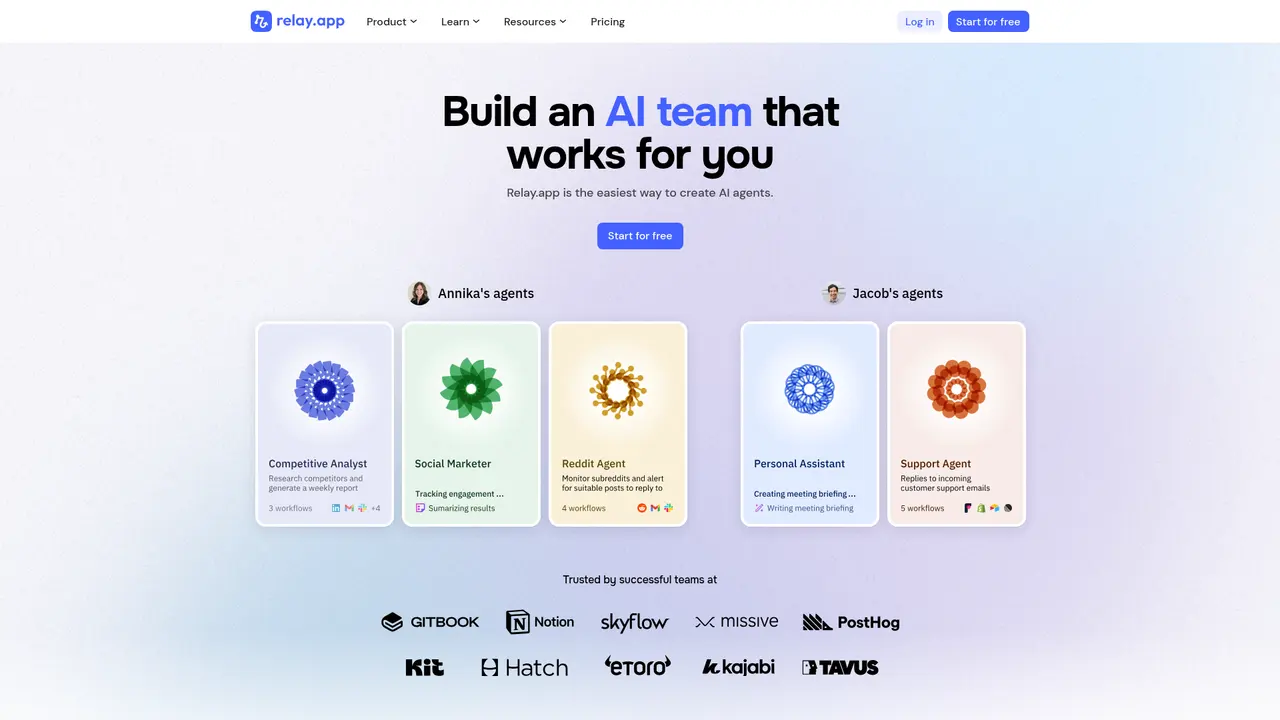


Every team has those repetitive tasks that eat up hours each week—copying data between apps, sending follow-up emails, manually updating records, or waiting for approvals that stall in inboxes. If you've ever felt like you're spending more time moving information around than actually working, you're not alone. This is the exact problem Relay.app was built to solve.
Relay.app is an AI-powered workflow automation platform that helps you build a personal AI team to handle the busywork so you can focus on what actually matters. Unlike traditional automation tools that simply connect apps together, Relay.app brings AI intelligence directly into your workflows while keeping humans in the loop when you need them.
What makes Relay.app stand out is its unique combination of powerful AI capabilities and human oversight. You can add AI to analyze data, extract information, or generate content at any step in your workflow—but you also have full control to insert human review, approval checkpoints, or manual data input wherever necessary. This "human-in-the-loop" approach means you get the efficiency of automation without sacrificing the judgment only humans can provide.
Whether you're a small business owner automating client onboarding, a marketing team streamlining content approvals, or a sales team accelerating lead response times, Relay.app adapts to your needs. The platform integrates with over 100 popular applications—Gmail, Slack, HubSpot, Salesforce, Stripe, Notion, and many more—so it fits naturally into your existing tech stack.
The platform has earned impressive recognition: 4.9 stars on G2, a perfect 5.0 on Product Hunt, and trust from fast-growing companies like Cursor, Lumos, Motion, Ramp, Skyflow, and Tavus. Users consistently describe it as having "the best UI in the market" and being "clearly the future of AI agents working as teammates."
Building effective automation shouldn't require a degree in computer science. Relay.app gives you a complete toolkit to create sophisticated workflows that actually work the way your business does—combining the speed of AI with the judgment of human oversight.
Trigger System powers your workflows with eight flexible ways to start automation. App-based triggers listen for events in your connected tools—new emails, deals, or payments. Time-based triggers run on schedules you define, like every weekday at 5 PM or weekly on Mondays. Form triggers let you collect inputs from anyone via public links. Webhook and mailhook triggers connect to external systems, while batch triggers handle bulk operations.
App Steps provide deep integration with over 100 applications. Rather than generic connections, Relay.app works with real business objects in your tools—Contacts, Companies, Deals, Tickets—and automatically handles nested relationships. When you pull a Contact, you can directly access their Company and associated Deals without extra lookup steps. Your team shares connected accounts, so everyone works from the same data.
AI Steps bring intelligent processing into any workflow. Choose from built-in templates for data extraction, classification, summarization, translation, transcription, text-to-speech, or image generation. Connect to OpenAI GPT, Anthropic Claude, Google Gemini, Mistral, or other models. The platform auto-generates output structures and even supports custom tools and MCP connections for advanced setups.
Human in the Loop is where Relay.app truly differentiates. Add AI review checkpoints that notify you via email or Slack before critical actions proceed. Insert approval gates that pause workflows until someone confirms. Collect missing information from team members or assign specific tasks. Every plan includes these capabilities, with Enterprise offering advanced permission controls.
Beyond these, Webhook & HTTP Steps connect systems without native integrations. Web Scraping extracts content from URLs, captures screenshots, or monitors competitors via RSS. Utilities handle PDF operations, custom JavaScript execution, file conversions, and data transformations—everything you need to process information between steps.
Relay.app serves a diverse range of users—from solo entrepreneurs to enterprise teams—because the platform scales with your needs. Here's who benefits most:
Small Business Owners use Relay to automate office procedures that would otherwise require manual attention. One consulting practice automated their entire coaching business, connecting seamlessly with their existing technology stack. The ROI is clear: time saved translates directly to money saved.
Marketing and Sales Teams run multiple workflows simultaneously—typically 4-10 different automations at once—and save hours every week. Content goes through AI generation, human approval, multi-platform publishing, and performance tracking without anyone manually copying or pasting.
Customer Success Managers automate client onboarding that previously took 30 minutes per new client. With Relay, the entire process completes in about 2 minutes with zero manual errors—from form submission to CRM record creation to welcome email to task assignment.
Sales Teams process leads faster than ever. Multi-channel lead aggregation feeds into AI scoring and categorization, triggering different follow-up sequences based on qualification. Lead response time drops from hours to minutes, with some teams reporting 50%+ efficiency gains.
Non-Technical Users consistently praise how accessible Relay.app is. You don't need to be a programmer to build sophisticated workflows. The platform guides you through the process while never limiting what you can accomplish—it just makes everything easier.
If you're solo or just getting started, the Free plan gives you 500 AI credits and 200 steps monthly—plenty to explore and run light automations. Small teams of 2-10 should consider the Team plan at $69/month for shared workspaces and 2,000 steps. Larger organizations should contact Relay for Enterprise pricing with custom integrations and dedicated support.
One of Relay.app's strengths is how quickly you can go from sign-up to your first working automation. Here's how to hit the ground running:
Step 1: Create Your Account Head to relay.app and sign up with your email or Google account. The free plan generously provides 500 AI credits per month and 200 automation steps—enough to test several real workflows before committing to paid plans.
Step 2: Connect Your Apps Before building your first workflow, connect the applications you use daily. Relay.app supports 100+ integrations including Gmail, Slack, Google Sheets, Notion, HubSpot, Salesforce, Stripe, Zendesk, Linear, Jira, and more. Simply authenticate each connection once, and your team can all use these connections.
Step 3: Start with a Template Don't build from scratch unless you want to. Relay.app's template library includes pre-built workflows for common scenarios like customer onboarding, lead processing, content approval, invoice handling, and periodic reporting. Choose one close to what you need, then customize it.
Step 4: Build Your First Workflow Select a trigger—perhaps a form submission, new email, or schedule. Add steps by selecting your connected apps or AI actions. Configure what each step does, test with sample data, and activate. The visual builder shows your entire flow at a glance.
Step 5: Add Human Checkpoints Remember what makes Relay.app special: insert human oversight where it matters. Add an approval step before AI-generated content goes public, or a review checkpoint before payments process. These pause your workflow until someone takes action.
Start with the template library even if you plan to build custom workflows. You'll learn how others structure their automations, discover features you might miss, and get something working in minutes rather than starting from a blank canvas.
Relay.app uses straightforward, transparent pricing that scales with your usage. No hidden fees, no surprise overages—just clear tiers with generous included resources.
| Plan | Price | Users | AI Credits/Month | Steps/Month |
|---|---|---|---|---|
| Free | $0 | 1 | 500 | 200 |
| Professional | $19/month (annual) | 1 | 5,000 | 750 |
| Team | $69/month (annual) | 10 | 5,000 | 2,000 |
| Enterprise | Custom | Custom | Custom | Custom |
Need more AI credits? You can purchase additional bundles: 10,000 credits for $19/month, all the way up to 1,000,000 credits for $1,199/month. This lets you scale AI usage without upgrading your entire plan.
Who should choose what:
The Free plan is perfect for individuals exploring automation or running light workflows. 500 AI credits handles reasonable AI usage, and 200 steps cover basic needs.
Professional suits solo users ready for serious automation. 5,000 credits monthly handle significant AI processing—extracting data, generating content, summarizing information—while 750 steps support multiple active workflows.
Team adds collaboration features: shared workspaces for up to 10 users, application connections your whole team uses, and 2,000 monthly steps. At $69/month billed annually, it's competitive with similar tools while offering superior AI and human-in-the-loop capabilities.
Enterprise provides custom pricing with everything tailored: unlimited users, dedicated infrastructure, advanced security controls, and a private Slack channel for priority support. Contact Relay directly for a quote.
Most teams should start with Professional at $19/month—you get 10x the AI credits of the free plan and enough steps for multiple automations. Upgrade to Team when you need collaboration. The free plan is great for evaluation, but Professional unlocks what makes Relay.app genuinely powerful.
Yes, absolutely. Relay.app is specifically designed to be accessible to non-programmers while still offering the power advanced users need. One user put it perfectly: "Even though I'm not a programmer, I found it extremely user-friendly while still providing the robustness that more advanced workflows require." The platform guides you through building automations without overwhelming you with technical complexity.
The primary differentiator is human-in-the-loop functionality. Most automation tools are purely automatic—they run end-to-end without pause. Relay.app lets you insert human review, approval checkpoints, and manual data input at any workflow stage. Additionally, users consistently rate Relay.app's UI as more intuitive with better testing capabilities. The combination of AI steps with human oversight creates workflows that are both faster and more trustworthy.
Yes, you can connect your existing accounts for OpenAI, Claude, or other AI providers and pay them directly instead of using Relay.app's built-in AI credits. This works well if you've already negotiated rates or have existing API subscriptions. Your usage bills through your provider, not Relay.app.
Very secure. Relay.app has achieved SOC 2 Type II certification and complies with GDPR requirements for Enterprise plans. They have comprehensive security policies, vendor management processes, and data protection controls in place. Your customer data receives the protection you'd expect from an enterprise-grade platform.
Multiple channels are available: use the in-app feedback tool (click the question mark in the bottom right), email support@relay.app, join their Slack community, or Enterprise customers get a dedicated Slack channel. The team commits to responding within 24 hours—and they're typically much faster.
Yes, you can upgrade, downgrade, or cancel at any time. Upgrades take effect immediately with prorated billing. If you downgrade or cancel, you continue accessing your current plan until the end of your billing cycle—no abrupt cutoffs.
Over 100 integrations are available, including Gmail, Google Sheets, Notion, Slack, HubSpot, Salesforce, Stripe, Zendesk, Linear, Jira, OpenAI, Anthropic, and many more. Every plan can access all integrations with no premium or add-on charges—what you see is what you get.
Build AI-powered workflows that actually work for your team. Relay.app combines powerful automation with human-in-the-loop oversight, letting you add approvals and decisions right into your workflows. With 100+ integrations and an intuitive interface, it's the automation tool users call the best in the market.
1000+ curated no-code templates in one place
One app. Your entire coaching business
AI-powered website builder for everyone
AI dating photos that actually get matches
Popular AI tools directory for discovery and promotion
Cursor vs Windsurf vs GitHub Copilot — we compare features, pricing, AI models, and real-world performance to help you pick the best AI code editor in 2026.
Looking for free AI coding tools? We tested 8 of the best free AI code assistants for 2026 — from VS Code extensions to open-source alternatives to GitHub Copilot.

