

LogoAI - AI-powered logo maker for professional brand identity
Launched on Mar 13, 2026Create stunning logos in minutes with LogoAI's SMART AI engine. Generate unique non-template designs with full brand guidelines. One-time payment gives you permanent access to high-resolution files including PNG, SVG, and PDF. Perfect for small businesses and entrepreneurs seeking professional brand identity.
What Is LogoAI and Why It Matters for Your Brand
Every business starts with a name, but turning that name into a recognizable brand requires a logo that captures your identity, values, and professionalism. Here's the challenge: most small businesses and entrepreneurs don't have the budget for a professional designer, yet they need a logo that makes them look established and trustworthy from day one.
LogoAI is an AI-powered brand building platform designed to solve this exact problem. More than just a logo generator, it creates complete brand visual assets tailored to your business, helping you establish a professional identity without the traditional design agency price tag.
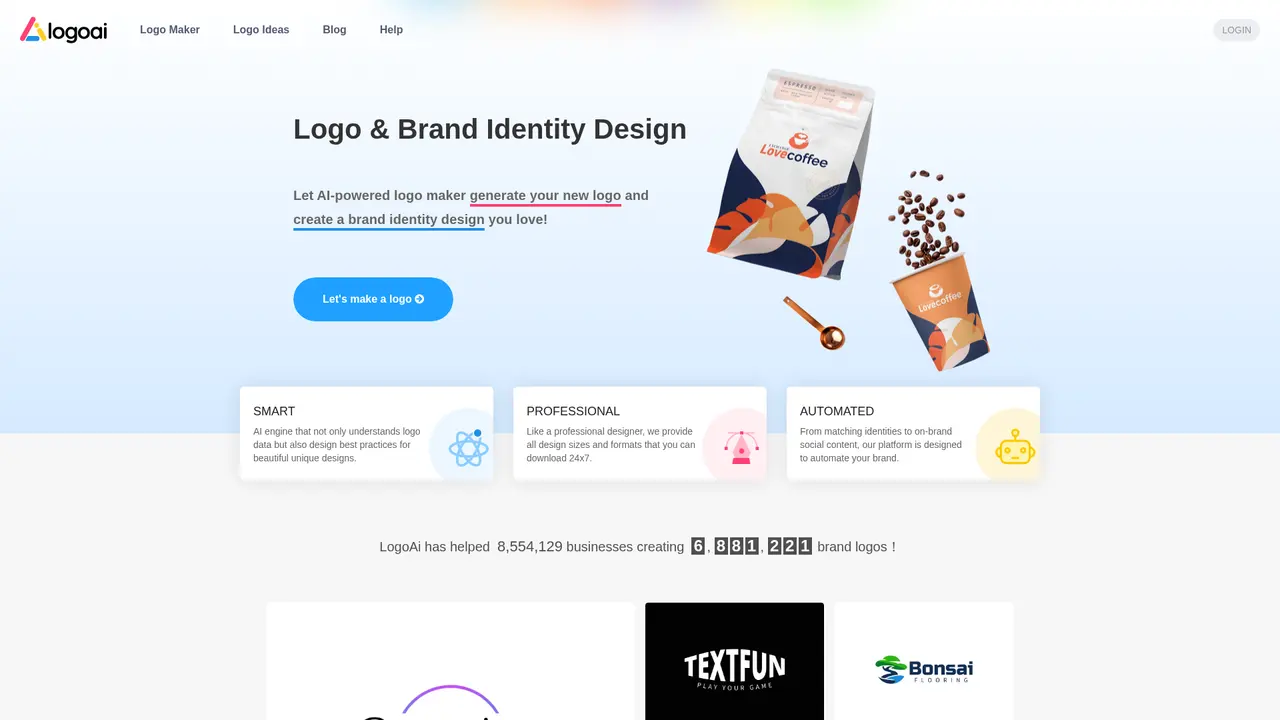
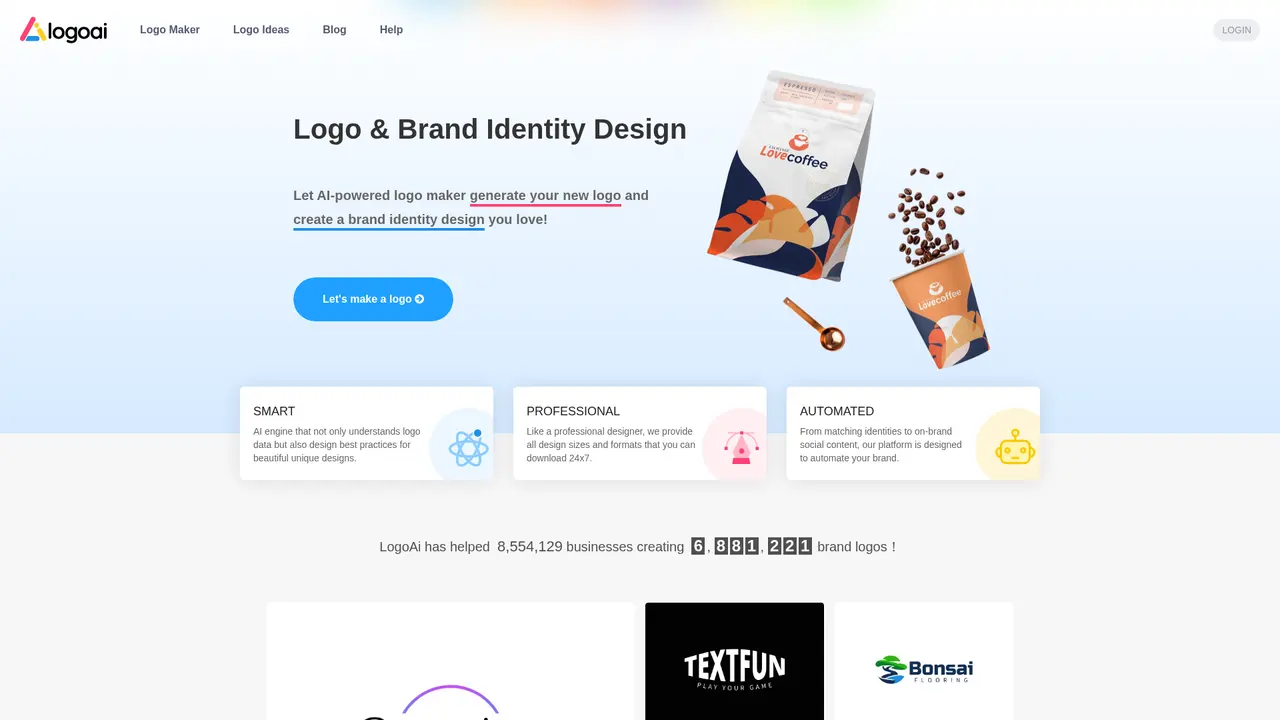
What sets LogoAI apart is its SMART AI Engine—a proprietary technology that doesn't simply recycle templates. Instead, it understands both logo design data and professional design best practices, generating truly unique designs that align with your brand's personality and industry standards. Every logo created is distinct, ensuring your brand stands out rather than looking like a generic template.
The platform has already helped over 8,554,129 businesses create 6,881,221 brand logos, with more than 1 million enterprises trusting LogoAI for their visual identity. This scale of adoption speaks to the platform's reliability and the quality of output it delivers.
Whether you're launching a luxury brand, a tech startup, a photography studio, or a local home improvement business, LogoAI's real client案例 showcase the versatility of its AI—the same technology that powers logos for luxury brands, letter-based monograms, finance companies, music artists, and AI businesses works equally well for any industry you can imagine.
:::card{type="summary" title="TL;DR"}
- SMART AI Engine: Generates unique, non-template logos by understanding design best practices
- One-time payment: Pay once, access your logo download center forever
- Full-format output: JPG, PNG (transparent background), PDF, SVG vector files
- Professional standards: Design quality comparable to human designers, with all standard sizes and formats :::
---
LogoAI's Core Features: What You Can Create
The platform offers a comprehensive suite of brand building tools, each designed to address specific needs while maintaining visual consistency across all your brand assets.
AI Logo Generator
This is the heart of LogoAI. You input your brand name and design preferences—the industry you're in, your preferred style, colors, and any visual elements you have in mind—and the AI generates unlimited design possibilities. The key differentiator is that each generation is unique, not pulled from a template library. The SMART AI Engine analyzes design principles and creates something truly original for your brand.
Professional Design Output
One of LogoAI's strongest advantages is its professional-grade output. You receive files in multiple formats: JPG for general use, PNG with transparent background for versatile application, PDF for print materials, and SVG vector files for unlimited scaling without quality loss. This means you can use your logo on a tiny favicon or blow it up for a billboard—same crisp quality.
Icon Generator
Beyond full logos, you can use AI to create custom brand icons perfect for app icons, favicons, or smaller brand mark applications where a full logo won't work.
AI Image Editor
Need to fine-tune your logo after generation? The built-in AI image editor lets you make adjustments directly on the platform—change colors, adjust spacing, tweak elements—without needing external design tools.
Logo Animation
Static logos are fine for print, but social media and video content demand movement. LogoAI can animate your static logo, creating engaging motion graphics perfect for video intros, social media posts, and website headers.
Business Card Maker
Your logo shouldn't live alone. The business card maker automatically generates matching business cards that incorporate your logo and brand colors, ensuring consistency across all your professional materials.
Complete Brand Identity Package
For businesses that need everything at once, the Brand package includes Logo Mockups (realistic product presentations), Logo Animations, Business Cards, and a Brand PowerPoint template—all coordinated to your brand identity.
:::card{type="tip" title="💡 Which features do you need?"} If you only need a logo for your website and social media profiles, the basic features will serve you well. However, if you plan to print materials or need scalable vector files, upgrading to PRO or BRAND packages is worthwhile—the vector SVG files alone make the difference between a logo that looks professional at any size and one that gets pixelated when enlarged. :::
---
Who Is Using LogoAI
LogoAI serves a diverse range of users, each with distinct needs but sharing one common goal: creating a professional brand identity without the traditional design complexity and cost.
Startup Founders and New Businesses
Launching a business is overwhelming enough without worrying about design. Startups often have limited budgets and no in-house design team, yet they need to look established from day one. LogoAI solves this by generating professional-quality logos in minutes. You input your brand name, and the AI presents multiple design options tailored to your industry and preferences. The turnaround time—literally minutes—means you can focus on what matters: building your business.
Personal Brands and Freelancers
Individual professionals—consultants, coaches, writers, photographers—need credibility. A personal brand logo signals professionalism and helps you appear established, even if you're a one-person operation. The process is straightforward: enter your name, select a style, and download. No design skills required. The output is a commercial-grade logo you can use on your website, social media, email signature, and business cards.
Designers Creating for Clients
Professional designers use LogoAI as a productivity tool. Instead of starting every client project from scratch, they use AI-generated logos as a foundation, then refine and customize. The platform allows transferring logo ownership to clients, or you can provide clients with a download center link so they can access files in whatever format they need—JPG for web, PNG for presentations, SVG for their own designers. This dramatically improves workflow efficiency.
Businesses Undergoing Rebranding
Maybe your logo looks dated. Perhaps your company has evolved and your visual identity no longer represents what you do. LogoAI helps modernize existing logos while preserving brand recognition—the AI can take your current logo elements and generate contemporary interpretations that feel fresh while maintaining the equity you've built in your brand.
E-commerce and Social Media Brands
Online businesses need consistent visual content across multiple platforms. Your Instagram profile needs to match your website, which should align with your packaging and email newsletters. LogoAI's automated brand design ensures all these touchpoints maintain visual coherence without requiring you to manually coordinate every asset.
Multi-brand Companies
If you manage multiple product lines or subsidiaries, maintaining brand family consistency while allowing each brand its own identity is challenging. LogoAI can generate a suite of related logos that share visual DNA but remain distinct—perfect for brand portfolios.
:::card{type="tip" title="💡 Choosing the right package"} For startups and personal brands, the BRAND package ($99) offers the best value—it includes everything you need to launch professionally. For designers working with clients, PRO ($59) provides the vector files your clients will ultimately need. :::
---
LogoAI Pricing: Clear Options, One-time Payment
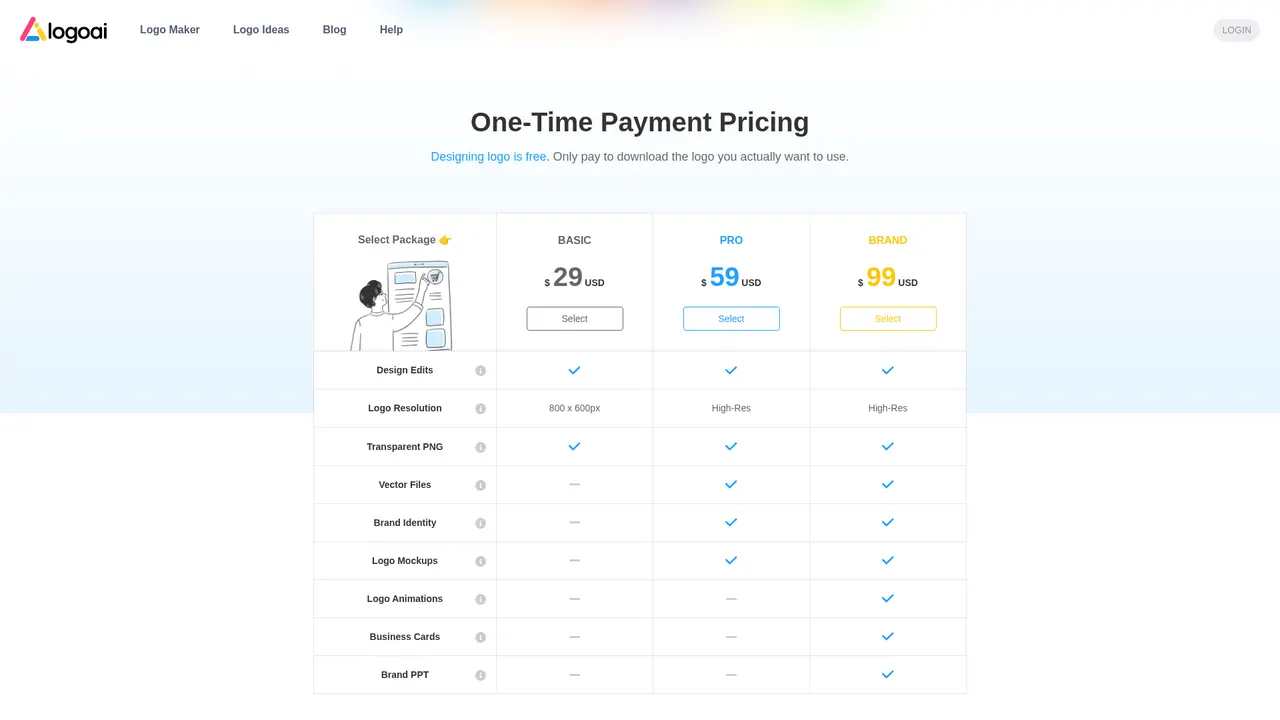
One of the most appealing aspects of LogoAI is its one-time payment model. Unlike many design tools that require monthly subscriptions, LogoAI charges once and you own permanent access to your logo download center. No recurring fees, no surprise charges.
Package Comparison
| Feature | BASIC ($29) | PRO ($59) | BRAND ($99) | |---------|-------------|-----------|-------------| | Resolution | 800×600px | High Resolution | High Resolution | | Formats | PNG | PNG (transparent) + SVG | PNG + SVG + PDF | | Logo Mockups | — | — | ✓ | | Logo Animations | — | — | ✓ | | Business Cards | — | — | ✓ | | Brand PPT | — | — | ✓ | | Best For | Web/Social only | Printing needs | Complete brand launch |
BASIC ($29): Ideal if you only need a logo for digital use—your website, social media profiles, email signatures. You receive PNG files at 800×600px resolution, which works perfectly for online applications.
PRO ($59): Choose this if you need your logo for print materials. You get high-resolution PNG files with transparent backgrounds plus SVG vector files that scale infinitely without quality loss. Essential for business cards, letterheads, and any printed collateral.
BRAND ($99): The recommended option for serious businesses. Beyond the PRO features, you receive Logo Mockups (realistic product previews), Logo Animations for video and social media, Business Cards, and a Brand PowerPoint template. This package gives you everything needed for a complete brand launch.
Additional Services
Designer Manual Fix ($40 extra): If AI-generated designs don't quite hit the mark, you can engage LogoAI's internal designers for manual adjustments. Submit your feedback and receive up to 3 revisions based on your instructions.
Discounts and Loyalty
New users receive exclusive launch discounts. For returning customers, the LOGOPRO coupon code offers tiered loyalty discounts: 40% off for purchases 2-5, 50% off for purchases 6-10, and 60% off for purchases 11 and beyond. The more you use LogoAI, the more you save.
Refund Policy
LogoAI maintains a clear refund policy for customer protection. If you're not satisfied with your purchase, you can request a refund through their published policy—details available at logoai.com/refund.
::::grid :::card{type="advantages"}
- One-time payment: Pay $29-$99 once, no monthly commitment
- Permanent access: Download center stays available forever
- All-inclusive packages: BRAND includes mockups, animations, business cards, PPT
- Vector files included: SVG support in PRO and BRAND at no extra cost
- Loyalty discounts: Returning customers save up to 60% with LOGOPRO code ::: :::card{type="disadvantages"}
- No subscription flexibility: Can't spread cost over time if preferred
- Limited iterations on BASIC: Lower resolution may require upgrade later
- AI-dependent quality: Results depend on input quality; may need Designer Manual Fix for complex requirements ::: ::::
---
Getting Started with LogoAI in Three Simple Steps
Ready to create your logo? The process is designed to be intuitive, even if you've never used a design tool before.
Step 1: Create Your Account
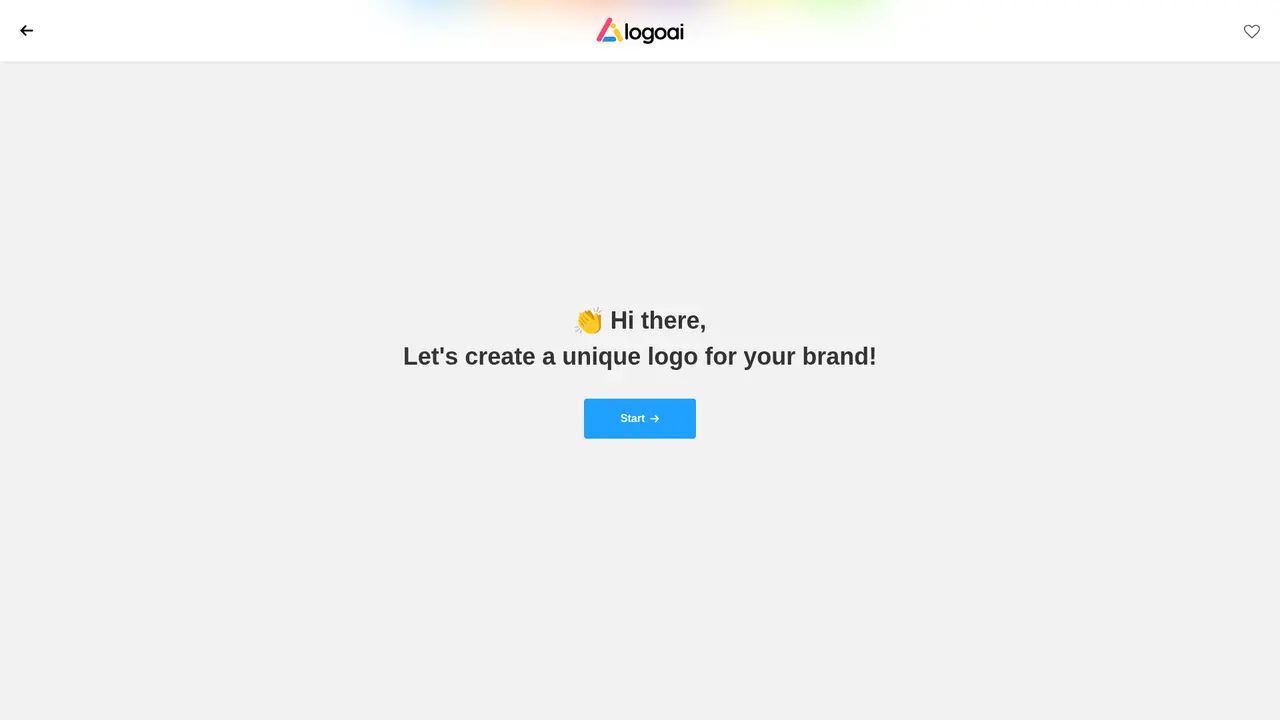
Visit logoai.com and sign up with your email. The registration process takes less than a minute—simply provide your email address and create a password, then you're ready to start.
Step 2: Enter Your Brand Details
Input your brand or business name. Then, the platform prompts you to select preferences: your industry, desired style (modern, classic, playful, minimal), color preferences, and any specific symbols or icons you'd like incorporated. The more information you provide, the more tailored the results.
Step 3: Review, Edit, and Download
LogoAI generates multiple logo designs based on your inputs. Browse through the options, click any design to preview it in context, and use the AI Image Editor to make adjustments if needed. When you find the perfect logo, select your package and download in your preferred formats.
After Purchase: Managing Your Logos
Your logos are stored in your account's "My logos" section. Need to make changes later? Simply log in and click the edit button on any logo to return to the editor. Your designs are saved, and you can modify them whenever needed.
Need Extra Help? Designer Manual Fix
If your logo needs hands-on refinement beyond what the AI editor offers, you can purchase the Designer Manual Fix service ($40). Provide specific instructions to LogoAI's design team, and they'll make up to 3 revisions to get your logo exactly right.
:::card{type="tip" title="💡 Best practices for better results"} Take time to explore multiple designs before committing. Use the free preview feature to see how each logo looks in different contexts—on a website header, as a social media avatar, on dark versus light backgrounds. This comparison helps you choose a design that's versatile and works across all your use cases. :::
---
Frequently Asked Questions
:::card{type="faq" title="Is LogoAI a subscription service or one-time payment?"} LogoAI uses a one-time payment model. You pay once and receive permanent access to your logo download center. There are no monthly or annual subscription fees—you own your logo outright. :::
:::card{type="faq" title="How can I get a discount on my purchase?"} New users receive exclusive promotional discounts automatically applied at checkout. Returning customers can use the coupon code "LOGOPRO" for tiered discounts: 40% off for orders 2-5, 50% off for orders 6-10, and 60% off for orders 11 and beyond. :::
:::card{type="faq" title="Can I design logos for other people or clients?"} Yes. Many users are designers who create logos for clients using LogoAI. You can provide clients with a download center link so they can access files in whatever format they need, or you can transfer logo ownership to a new account so clients can edit their logo directly. :::
:::card{type="faq" title="How do I choose between BASIC, PRO, and BRAND packages?"} Choose BASIC ($29) if you only need a logo for website and social media. Choose PRO ($59) if you need vector files for printing or professional materials. Choose BRAND ($99) if you want the complete package—recommended for businesses launching with comprehensive brand needs. :::
:::card{type="faq" title="Can I edit my logo after purchase?"} Yes. Log into your account, go to "My logos," and click the edit button on any logo to return to the editor. You can modify designs, try different color variations, or adjust elements as needed. :::
:::card{type="faq" title="What is Designer Manual Fix?"} For an additional $40, you can request human designer assistance. Submit specific instructions and LogoAI's internal designers will make up to 3 revisions to adjust your logo according to your feedback. This service is useful for complex requirements that the AI editor can't fully address. :::
Related Content
臺北 GTA
臺北 GTA is a 3D open world game themed around Taipei that runs directly in your web browser with no downloads required. Players can explore iconic Taipei locations including Ximending, night markets, Taipei 101, and the Xinyi District on foot or by riding motorcycles and cars. The game supports keyboard, gamepad, and touch controls, with both Traditional Chinese and English interface options. It is designed for players who enjoy Taiwan-themed content, vehicle games, and free-form open world exploration.

JanvAI
JanvAI is an AI interior design tool that turns user-uploaded room photos into photorealistic redesigned versions in 30 seconds, no professional design skills required. It is built for homeowners, renters, real estate agents, and design enthusiasts who want to visualize new space layouts, furniture arrangements, and color palettes before making physical changes. Users can select from 30+ design styles, generate multiple redesign concepts, and download their final results directly from the platform.

Metal Font Generator
Metal Font Generator is a free online browser tool that lets users create custom 3D metal lettering with full control over finish, perspective, extrusion depth, lighting, and letter spacing. It is built for designers, art directors, visual creators, and teams who need to generate polished dimensional text for posters, album covers, title cards, brand concepts, and campaign visuals without installing dedicated 3D software. All previews are rendered live, and users can export their finished work as a high-resolution transparent PNG file with no paid subscription required.

Unraster
Turns a PNG, JPG, or WebP image into an editable SVG or a PowerPoint slide with native text. Basic SVG is free in the browser. Advanced SVG and PowerPoint use credits, charged only when the file is delivered.


Comments