

- Monthly visits
- 8,857,092
- 2026-09
- Monthly growth 0%
Evernote - Capture notes, tasks, and schedules in one workspace
Evernote is a note-taking and organization app for capturing ideas, documents, tasks, and calendar events. It supports notebooks, search, web clipping, scanning, device sync, collaboration, and AI tools for searching and summarizing content. Apps are available on web, desktop, and mobile.
- AI Productivity
- Note-Taking Apps
- To-Do Lists
- Meeting Notes
- note-taking app
- task and note organizer
- AI meeting notes
Capabilities
Capture and organize notes
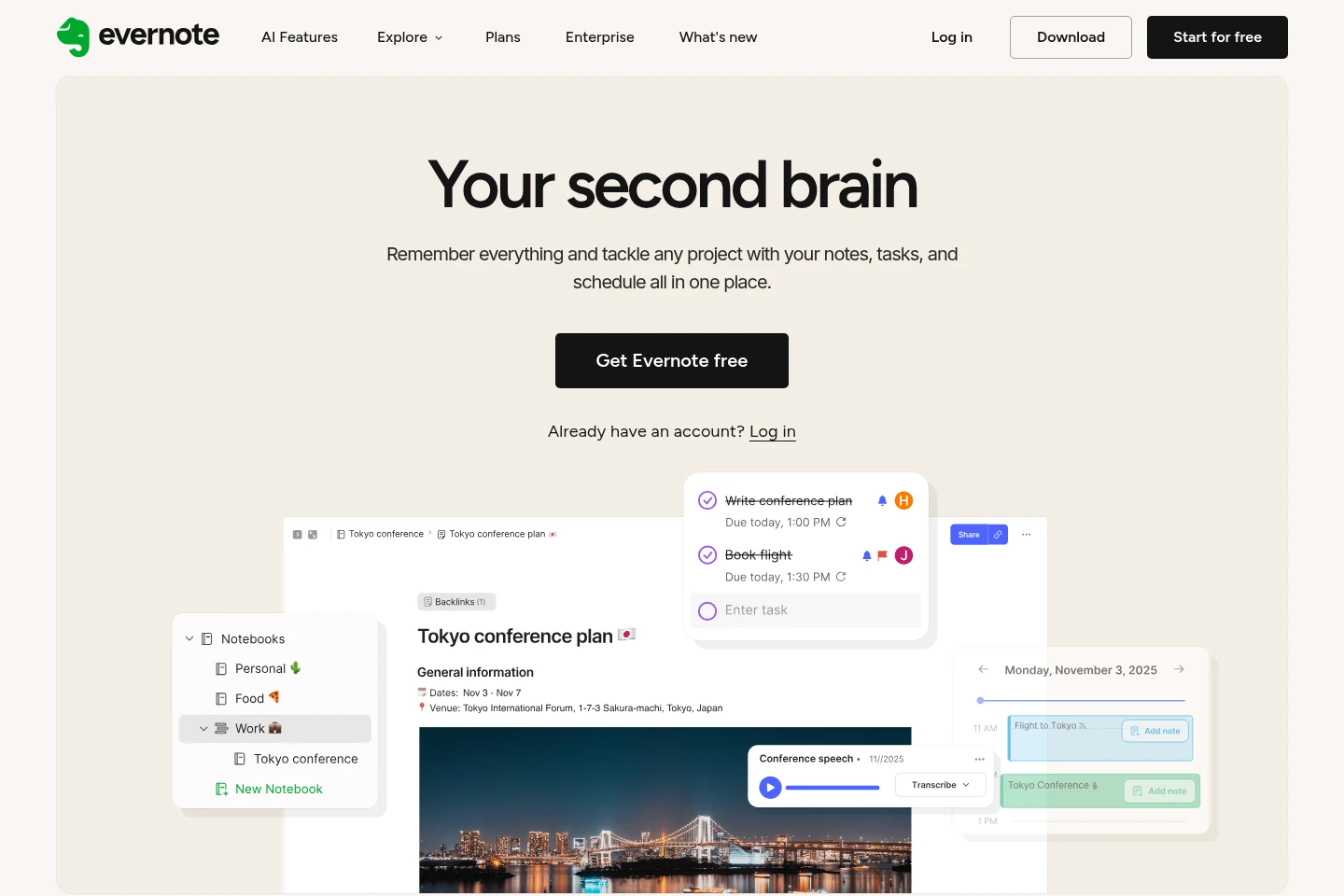
Capture notes, documents, and other content, then organize them in notebooks, spaces, and tags. Notes can include attachments and are synced across connected devices, subject to plan limits.
Search notes and content
Find notes using account search, including advanced Boolean, geographic, and filtered searches on plans that include them. Semantic Search can surface notes related by content.
Manage tasks and events
Create tasks with dates and reminders, assign tasks to others, and connect calendar events to notes. Available task, calendar, and external-calendar limits depend on the plan.
Clip, scan, and share content
Save online material with Web Clipper and capture documents by scanning. Users can share or export notes and notebooks, while available attachment and sharing limits depend on the plan.
Use AI tools with notes
Use AI Assistant chat to search, organize, and enrich notes, generate content, or explore online; AI Meeting Notes can produce summaries and transcripts. AI feature usage limits may apply.
Pricing
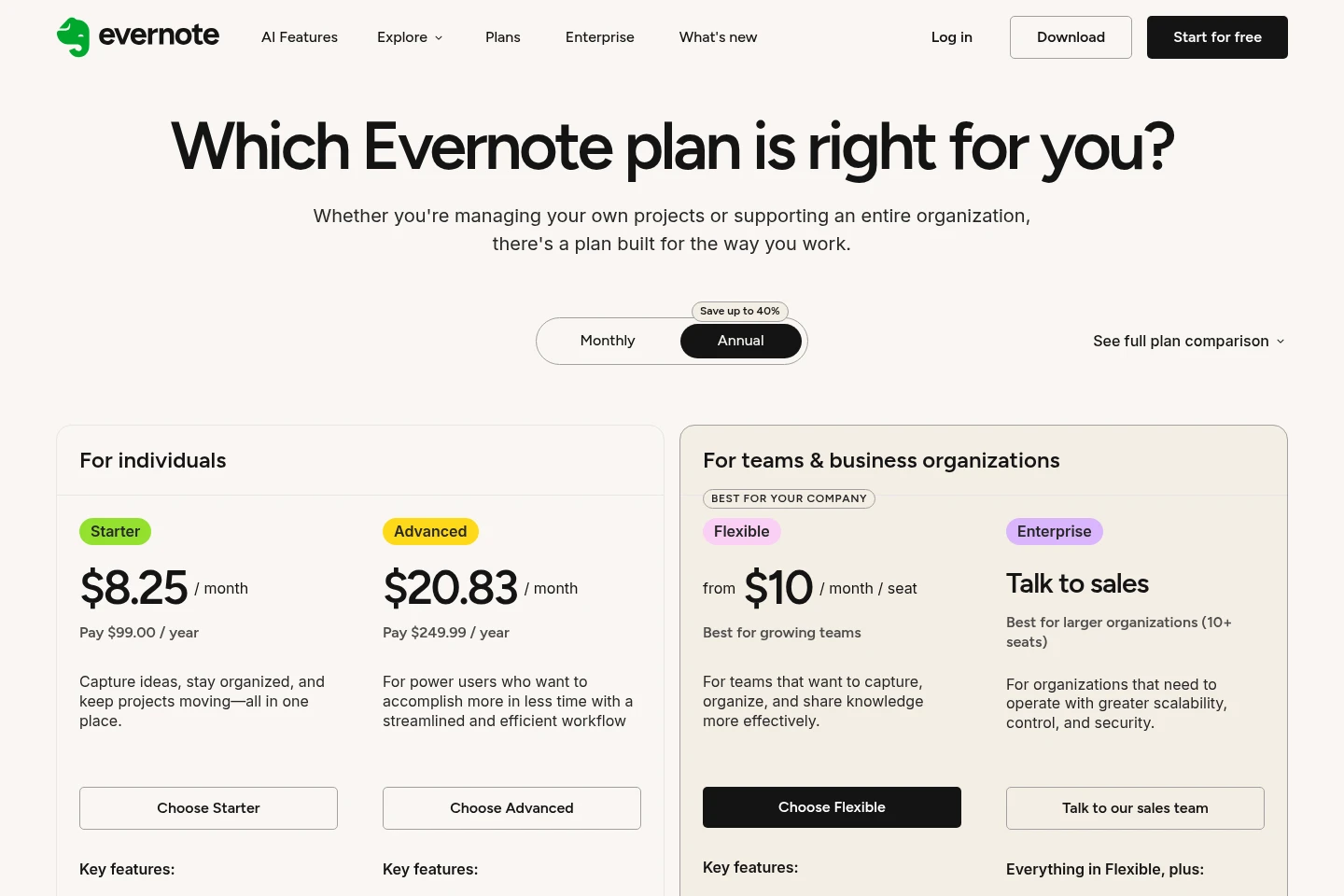
Evernote offers a free plan and paid plans with recurring pricing. Compare note, notebook, attachment, device, storage, and team-administration limits to choose a suitable tier.
| Plan | Price | Included features and limits |
|---|---|---|
| Free | $0 |
|
| Starter | $8.25/month; $99.00/year |
|
| Advanced | $20.83/month; $249.99/year |
|
| Flexible | From $10/month/seat |
|
| Unlimited | Talk to sales |
|
Use cases
Organize notes for personal projects
When ideas, documents, and to-dos need to stay together, create notes and notebooks, add tags and attachments, and connect tasks or calendar events. Search and device sync help retrieve the stored material.
Save and retrieve useful web content
When information found online needs to be kept for later, clip pages with Web Clipper or scan documents into Evernote. Organize saved items and search the account to find relevant notes again.
Record and review meeting information
When conversations need to be retained, use AI Meeting Notes to generate transcripts and summaries, then keep them with related notes and tasks. AI Assistant can retrieve relevant account content through chat.
Limitations
The Free plan allows up to 50 notes, 1 notebook, 1 connected device, 1 GB monthly uploads, and a 1 GB maximum note size.
Starter is limited to 1,000 notes, 20 notebooks, 1,000 attachments, and syncing across up to 3 devices.
AI Assistant has monthly and per-chat usage limits; specific limits can depend on applicable AI features.
Who it is for
People organizing personal notes, projects, and to-do lists
Knowledge workers who capture documents, web content, and meeting notes
Teams that need shared spaces, real-time editing, and assigned tasks
FAQ
Does Evernote have a free plan?
Yes. Free costs $0 and includes up to 50 notes, 1 notebook, 1 connected device, 1 GB monthly uploads, and a 1 GB maximum note size.
How are Starter and Advanced priced?
The displayed prices are $8.25 per month for Starter and $20.83 per month for Advanced, with annual payment shown as $99.00 and $249.99 per year respectively.
Does Evernote offer a team plan?
Yes. Flexible starts at $10 per month per seat and includes team collaboration, shared spaces, and a centralized admin console. The listed price is a starting rate.
What does Evernote AI do?
AI Assistant can search, organize, and enrich notes through chat, while Semantic Search finds related notes and AI Meeting Notes generates summaries and transcripts. Monthly and per-chat usage limits apply to AI Assistant.
Can Evernote run on desktop and mobile?
Yes. The supplied pages link to Mac and Windows downloads and iOS and Android apps, as well as a web login and browser Web Clipper extensions.
Comments