We Tested 5 AI Meeting Assistants So You Don't Have To
The average professional spends over 15 hours per week in meetings — that's nearly two full workdays. And here's the painful part: research based on the Ebbinghaus forgetting curve suggests that up to 80% of meeting information is forgotten within 24 hours if it's not documented.
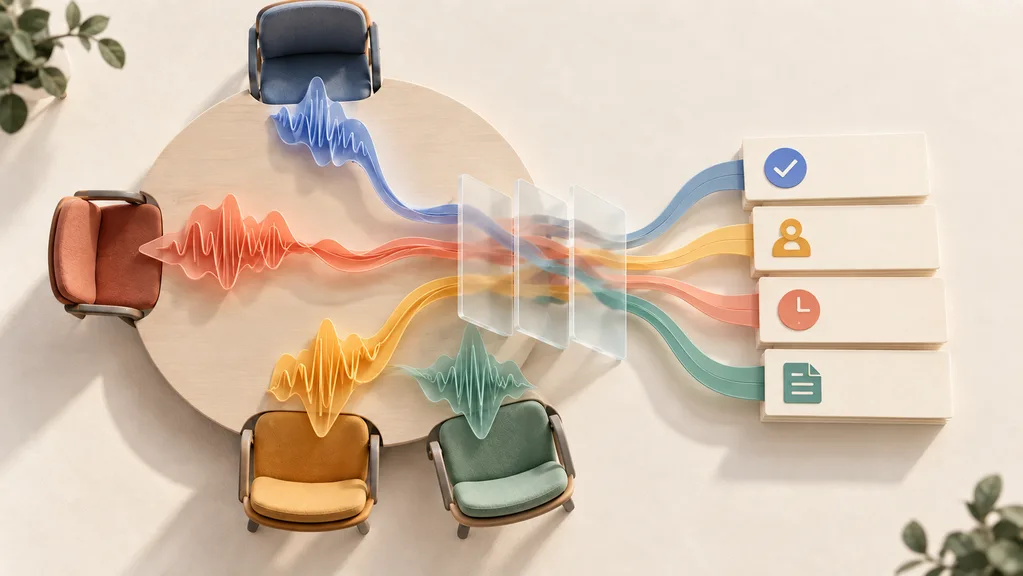
AI meeting assistants promise to fix this. They record your calls, transcribe conversations, generate summaries, and pull out action items — all automatically. But with dozens of tools flooding the market in 2026, which ones actually deliver?
We spent three weeks testing the five most promising AI meeting assistants across 20+ real meetings on Zoom, Google Meet, and Microsoft Teams. We evaluated transcription accuracy, summary quality, integration depth, pricing fairness, and one factor most reviews ignore: whether the tool actually changes your post-meeting workflow.
- Best overall: Otter.ai — unmatched cross-meeting search and real-time transcription
- Best for sales teams: Fireflies.ai — deepest CRM integrations (Salesforce, HubSpot)
- Best free option: Fathom — unlimited free transcription for individuals
- Best for real-time captions: Tactiq — lightweight Chrome extension with live captions
- Best for privacy: Granola — local audio processing, no bot joins your meeting
How We Tested These Tools
We didn't just read feature pages. We ran each tool through real-world scenarios to see how they perform when it matters.
| Dimension | What We Measured |
|---|---|
| Transcription accuracy | Percentage of words correctly captured (estimated against manual review) |
| Summary quality | Did the AI capture key decisions and action items, or just surface-level chatter? |
| Integration depth | How well does it connect with CRM, Slack, Notion, and project management tools? |
| Privacy & compliance | Bot visibility, data handling, SOC 2/GDPR status |
| Pricing fairness | Free tier usefulness, per-user cost at team scale, hidden limits |
We used each tool simultaneously across Zoom, Google Meet, and Microsoft Teams calls. Test meetings included 1:1s, team standups, client calls, and cross-functional planning sessions — all in English with occasional non-native speakers.
Quick Comparison: All 5 Tools at a Glance
| Tool | Best For | Price (Monthly) | Free Tier | Platforms | Bot Visible? |
|---|---|---|---|---|---|
| Otter.ai | Overall transcription | $16.99/mo (Pro) | 300 min/mo | Zoom, Meet, Teams | Yes |
| Fireflies.ai | CRM & sales teams | $10/user/mo (Pro) | 800 min/mo | Zoom, Meet, Teams, Webex | Yes |
| Fathom | Free unlimited use | $16/mo (Premium) | Unlimited (individual) | Zoom, Meet, Teams | Yes |
| Tactiq | Real-time captions | ~$12/mo (Pro) | 10 meetings/mo | Chrome-based meetings | No (extension) |
| Granola | Privacy-first notes | $18/mo (Pro) | Limited free | macOS (any platform) | No (local) |
Key takeaway: If privacy matters, Granola and Tactiq are the only tools that don't inject a visible bot into your meetings. If budget matters, Fathom's unlimited free tier is unbeatable for individuals.
1. Otter.ai — Best for Overall Meeting Transcription
Otter.ai has been in the AI transcription game longer than most competitors, and it shows. The platform offers one of the most polished meeting transcription experiences available, with real-time transcription, speaker identification, and — its killer feature — cross-meeting search that lets you find any conversation from months ago in seconds.
What makes it stand out: OtterPilot, their automated meeting bot, joins your Zoom, Meet, or Teams calls automatically and captures everything without you lifting a finger. After the meeting, Otter generates an AI summary with key takeaways and action items. But where it truly shines is the knowledge search — you can ask "What did Sarah say about the Q3 budget?" and get an instant answer pulled from across all your recorded meetings.
In our testing, Otter delivered an estimated 93-95% transcription accuracy in clean audio conditions with native English speakers. Speaker identification worked correctly about 85% of the time after initial voice training.
- Real-time transcription with live follow-along during meetings
- Cross-meeting search is genuinely useful for referencing past discussions
- OtterPilot auto-joins scheduled meetings — zero manual effort
- Strong speaker identification after initial training
- Integrates with Salesforce, HubSpot, Slack, and Notion
- Visible bot ("Otter.ai") joins meetings — clients notice and may feel uncomfortable
- AI summaries are hit-or-miss; sometimes emphasize minor points over key decisions
- Free tier limited to 300 minutes/month — burns through quickly with daily meetings
- Pricing adds up at $30/user/month for Business tier
- Non-English language support (especially Chinese, Japanese) is noticeably weaker
Pricing: Free (300 min/mo) → Pro $16.99/mo → Business $30/user/mo → Enterprise (custom)
Otter is ideal for English-speaking remote teams who need a reliable, feature-rich transcription tool with powerful search. If you frequently reference past meetings or need to share meeting notes across a large team, Otter's cross-meeting knowledge base is hard to beat. Skip it if bot visibility in client-facing calls is a concern.
2. Fireflies.ai — Best for CRM Integrations & Sales Teams
If your workflow revolves around sales calls, client follow-ups, and CRM data entry, Fireflies.ai was built for you. With 50+ integrations and the deepest CRM connections we've tested, Fireflies turns meeting conversations into structured CRM data automatically.
After connecting HubSpot in our test, every client call automatically logged notes, action items, and call summaries to the correct contact record. That alone saved an estimated 10-15 minutes of manual data entry per call — multiply that across a sales team, and the ROI is immediate.
Beyond CRM, Fireflies offers conversation analytics that sales managers will love: talk-to-listen ratios, topic tracking, sentiment analysis, and custom vocabulary support for industry-specific terminology.
| Feature | Details |
|---|---|
| CRM integrations | Salesforce, HubSpot, Pipedrive, Zoho (native, auto-sync) |
| Conversation analytics | Talk ratio, sentiment, topic tracking, custom vocabulary |
| Free tier | 800 min/month — the most generous among bot-based tools |
| Automation | Auto-create tasks in Asana, Trello, Jira from action items |
| Transcription quality | Very good; consistent across Zoom, Meet, Teams, and Webex |
- Deepest CRM integration in the market — automatic logging saves significant manual work
- Generous free tier with 800 minutes/month
- Conversation analytics (sentiment, talk ratio) useful for sales coaching
- Works across all major meeting platforms including Webex
- Competitive pricing at $10/user/month for Pro
- Bot visibility — "Fireflies.ai Notetaker" joins every meeting as a participant
- Dashboard can feel overwhelming with too many features
- Summaries generated only after the meeting ends, not during
- Limited customization for non-sales use cases
- Advanced analytics locked behind Business tier ($19/user/mo)
Pricing: Free (800 min/mo) → Pro $10/user/mo → Business $19/user/mo → Enterprise (custom)
Our verdict: Fireflies is the clear winner for sales-driven organizations. If your post-meeting workflow involves updating Salesforce or HubSpot, the automatic CRM sync alone justifies the subscription. For non-sales teams, the feature overload may feel unnecessary.
3. Fathom — Best Free AI Meeting Assistant
Fathom has disrupted the AI meeting assistant space with a genuinely radical offer: unlimited free transcription for individuals. No catch, no credit card, no time limits. In a market where competitors charge $10-30/month, Fathom's free tier is a bold move — and it actually works.
In our testing, Fathom stood out for its speed. Summaries were often ready before the meeting even ended — noticeably faster than Otter or Fireflies. The interface is clean and uncluttered, making it easy to find transcripts, highlights, and action items without wading through a complex dashboard.
The highlight clip feature is particularly useful: you can mark key moments during the call and share short video clips with teammates who couldn't attend. It's a simple feature, but one that actually changes how teams communicate about meeting outcomes.
- Sign up at fathom.video — no credit card required
- Connect your Zoom, Google Meet, or Teams calendar
- Fathom's bot automatically joins your next scheduled meeting
- After the call, find your transcript, AI summary, and action items in your dashboard
- Share highlight clips with teammates via link
- Truly free unlimited transcription for individuals — unmatched in the market
- Fastest summary generation we tested (often ready before the meeting ends)
- Clean, intuitive interface — no learning curve
- Highlight clips for sharing key moments with absent teammates
- HubSpot and Salesforce integration for sales use cases (on paid plans)
- Bot visible ("Fathom Notetaker") in participant list
- Team plan jumps to $29/month — a significant leap from free
- Fewer integrations than Fireflies (no Pipedrive, limited project management tools)
- No mobile app — desktop/web only
- AI features capped at 5 meetings/month on the free plan
Pricing: Free (unlimited transcription, individual) → Premium $16/mo → Team $29/mo → Business $20/user/mo
For freelancers, solo consultants, and small teams on a tight budget, Fathom is the no-brainer choice. The free plan is genuinely usable for daily work, and you can upgrade selectively as your needs grow. It's rated 5.0/5 on G2 — the highest score among all tools we tested.
4. Tactiq — Best for Real-Time Captions & Highlights
Tactiq takes a fundamentally different approach from the tools above. Instead of a meeting bot that joins as a participant, Tactiq runs as a lightweight Chrome extension that overlays real-time captions directly on your screen during Google Meet, Zoom (web), and Teams calls.
This distinction matters more than you'd think. There's no bot joining your meeting, no "Tactiq Notetaker" appearing in the participant list, and no awkward explanations to clients. The extension captures live transcriptions in the background while you focus on the conversation.
During testing, the real-time caption experience was smooth and surprisingly accurate. The one-click highlight feature lets you instantly bookmark key moments — far easier than trying to remember timestamps after the call. After the meeting, Tactiq generates AI summaries using customizable templates for different meeting types (standup, 1:1, client call, etc.).
| Feature | Details |
|---|---|
| Delivery method | Chrome extension — no bot, no app install |
| Real-time captions | Live text overlay during meetings |
| AI summary templates | Customizable by meeting type (standup, 1:1, client call) |
| Highlight feature | One-click bookmarking during the meeting |
| Export options | Notion, Google Docs, Slack, email, clipboard |
- No visible bot — runs silently as a Chrome extension
- Real-time captions overlay is genuinely useful for following along
- One-click highlighting during meetings is faster than any competitor
- Customizable AI summary templates for different meeting types
- Lightweight — no heavy app install, works instantly
- Free tier limited to 10 transcriptions/month — quite restrictive
- Requires Chrome browser — no support for desktop apps
- No native CRM integrations (exports only)
- Recording quality depends on your browser audio, not a dedicated capture
- Less feature-rich than full-platform tools like Fireflies or Otter
Pricing: Free (10 meetings/mo) → Pro ~$12/mo → Team ~$20/mo → Enterprise (custom)
Our verdict: Tactiq is perfect for professionals who need meeting insights without the disruption of a bot. If you primarily use Chrome-based meetings and value real-time captions over deep integrations, it's the most unobtrusive option available. The free tier is too limited for daily use, but the Pro plan is reasonably priced.
5. Granola — Best for Privacy-First Note-Taking
Granola is the outlier on this list — and that's exactly why it deserves a spot. While every other tool relies on a cloud-based bot to capture meeting audio, Granola processes everything locally on your Mac. No audio is uploaded to external servers. No bot joins your meeting. No one in the call even knows you're using it.
For lawyers, consultants, HR professionals, and anyone handling sensitive conversations, this is a game-changer. Granola captures your system audio locally, combines it with your own notes (you can type during the meeting), and uses AI to generate structured meeting notes that blend what was said with what you wrote.
The macOS-native experience is polished — it feels like a natural part of your desktop rather than another SaaS dashboard. And the recent addition of task sync to Notion, Asana, and Jira means your action items flow directly into your project management workflow.
- Granola captures system audio locally on your Mac — it listens to the same audio output you hear
- Audio is processed on-device using local AI models — nothing leaves your machine
- Your typed notes during the meeting are merged with the AI transcript
- The combined output generates structured notes with summaries and action items
- You choose what to export — only the processed notes, never raw audio
- True privacy: audio never leaves your device — no cloud processing
- No bot joins your meeting — completely invisible to other participants
- Blends your personal notes with AI transcription for richer output
- Beautiful macOS-native interface
- Task sync to Notion, Asana, and Jira for action item tracking
- macOS only — no Windows, no Linux, no mobile
- No cross-meeting search (each meeting is self-contained)
- Smaller feature set compared to full-platform tools
- Pro plan at $18/month is higher than some competitors
- Requires a relatively recent Mac for smooth local processing
Pricing: Free (limited) → Pro $18/mo
If your hourly rate exceeds $50, Granola's time savings pay for themselves after saving just 30 minutes — which typically happens in the first week. For professionals in 20+ meetings weekly, the ROI compounds quickly. And for anyone in a regulated industry (legal, healthcare, finance), the privacy guarantee may be non-negotiable.
Honorable Mentions
These tools didn't make our top 5, but they're worth knowing about depending on your specific needs:
Krisp — Primarily an AI noise cancellation tool, but now includes meeting transcription and notes. If your team struggles with background noise on calls, Krisp cleans the audio input before it reaches any other transcription tool — our research suggests this directly improves transcription accuracy across the board. Pricing starts at $8/month.
Avoma — A Gong-like alternative built for revenue teams. Combines meeting intelligence with conversation analytics, agenda management, and deal coaching. Best for mid-market sales organizations that want Gong's capabilities without enterprise pricing. Plans start at $19/user/month.
Fellow — Focuses on meeting management rather than just transcription. Collaborative agendas, meeting templates, and action item tracking with strong Google Calendar integration. Best for compliance-driven organizations in healthcare or finance. Free plan includes 5 AI recordings per user, paid plans from $7/user/month.
tl;dv — A reliable "set-and-forget" meeting recorder for Zoom and Google Meet. Strong at generating shareable video clips and detailed transcripts. The free tier is generous with unlimited recordings. Best for teams that need easy video clip sharing and async collaboration.
How to Choose the Right AI Meeting Assistant
With five strong options, the right choice depends on your specific workflow. Here's a decision framework:
| If You Need... | Choose | Why |
|---|---|---|
| Best all-around transcription & search | Otter.ai | Cross-meeting search, mature platform, reliable accuracy |
| Automatic CRM updates after sales calls | Fireflies.ai | Deepest Salesforce/HubSpot integration, conversation analytics |
| Free tool for individual use | Fathom | Unlimited free transcription, fastest summaries, clean UX |
| Real-time captions without a meeting bot | Tactiq | Chrome extension, live captions, no bot visibility |
| Maximum privacy for sensitive meetings | Granola | Local audio processing, no cloud upload, invisible to participants |
By Team Size
- Solo / Freelancer: Start with Fathom (free). Add Granola ($18/mo) if privacy matters.
- Small Team (2-10): Otter.ai Pro or Fireflies Pro — both offer good value at team scale.
- Sales Team: Fireflies.ai is the clear winner for CRM automation. Consider Fathom Team for a budget-friendly alternative.
- Enterprise / Regulated Industry: Granola for privacy-sensitive meetings + Otter.ai Business for general team use.
Many teams combine two tools: a general-purpose assistant (Otter or Fathom) for routine meetings, and a privacy-first option (Granola) for client-facing or sensitive conversations. Most tools integrate with different calendar events, so you can route specific meeting types to specific assistants.
Frequently Asked Questions
What is the best free AI meeting assistant?
Fathom offers the most generous free plan with unlimited transcription for individuals — no time limits, no credit card required. For teams, Fireflies.ai provides 800 free minutes per month, which is enough for most small teams. tl;dv also offers unlimited free recordings on its free tier. The right choice depends on whether you're an individual (Fathom) or need team features (Fireflies).
Can AI meeting assistants work with Zoom, Google Meet, and Teams?
Yes. Otter.ai, Fireflies.ai, and Fathom all support Zoom, Google Meet, and Microsoft Teams natively through meeting bots. Tactiq works across these platforms via its Chrome extension (web versions only). Granola takes a different approach — it captures system audio on macOS, so it works with any meeting platform including Zoom, Meet, Teams, and even phone calls.
Are AI meeting assistants safe for confidential meetings?
It depends on the tool. Most assistants (Otter, Fireflies, Fathom) join meetings as a visible bot and upload audio to cloud servers for processing. This means your meeting content passes through third-party infrastructure. Granola is the safest option — it processes audio locally on your device and never uploads recordings. Tactiq also avoids bot visibility but processes data in the cloud. Always verify each tool's SOC 2 compliance, GDPR status, and data retention policies before using them for sensitive conversations.
How accurate is AI meeting transcription in 2026?
Top AI meeting assistants achieve 93-95% transcription accuracy in optimal conditions (good audio, native English speakers, minimal background noise). Accuracy decreases with heavy accents, overlapping speakers, technical jargon, or noisy environments. Using a dedicated noise cancellation tool like Krisp before your meeting assistant can measurably improve accuracy. For non-English languages, accuracy varies significantly — most tools are optimized for English first.
Do AI meeting assistants replace human note-takers?
For most routine meetings — standups, 1:1s, status updates — yes. AI assistants capture transcripts, generate summaries, and extract action items faster and more consistently than manual note-taking. However, for high-stakes negotiations, sensitive HR discussions, board meetings, or deeply nuanced strategic conversations, human judgment in note-taking still adds irreplaceable context. The best approach is to use AI for the heavy lifting (transcription, action items) and focus your attention on the conversation itself.
Final Thoughts
AI meeting assistants have matured significantly in 2026. The tools on this list aren't just recording and transcribing — they're generating actionable summaries, syncing with your CRM, extracting tasks, and integrating into your daily workflow.
Our top recommendation depends on your priority:
- For most teams: Start with Fathom (free) to experience the category, then evaluate Otter.ai or Fireflies as your needs grow.
- For sales organizations: Fireflies.ai pays for itself through CRM automation alone.
- For privacy-conscious professionals: Granola is the only tool that keeps your conversations truly private.
We'll re-test these tools quarterly and update this article with any significant changes in features, pricing, or performance. Last updated: February 2026.
Disclosure: This article contains affiliate links to some of the tools mentioned. We only recommend products we've personally tested and believe provide genuine value. Our rankings are based entirely on our testing methodology and are not influenced by affiliate partnerships.
References
- Microsoft Work Trend Index 2024 — Meeting hours and workplace trends
- Ebbinghaus Forgetting Curve — Applied research on information retention
- G2 Meeting Assistant Software Reviews — User ratings and feedback (2025-2026)
- Grand View Research — AI Meeting Assistant Market Analysis
- Otter.ai, Fireflies.ai, Fathom, Tactiq, Granola — Official product documentation and pricing pages
- Buffer State of Remote Work Report — Remote work challenges and meeting efficiency data