What is Diagramming AI
If you've ever spent hours wrestling with diagram tools, adjusting every box and arrow manually, you're not alone. Software developers often spend countless hours drawing system architecture diagrams. Project managers struggle to create clear Gantt charts for stakeholder presentations. Technical writers need professional visuals for documentation but lack graphic design skills. The traditional approach to diagramming is time-consuming, requires steep learning curves, and often frustrates users who just want to communicate ideas clearly.
This is exactly the problem Diagramming AI was built to solve.
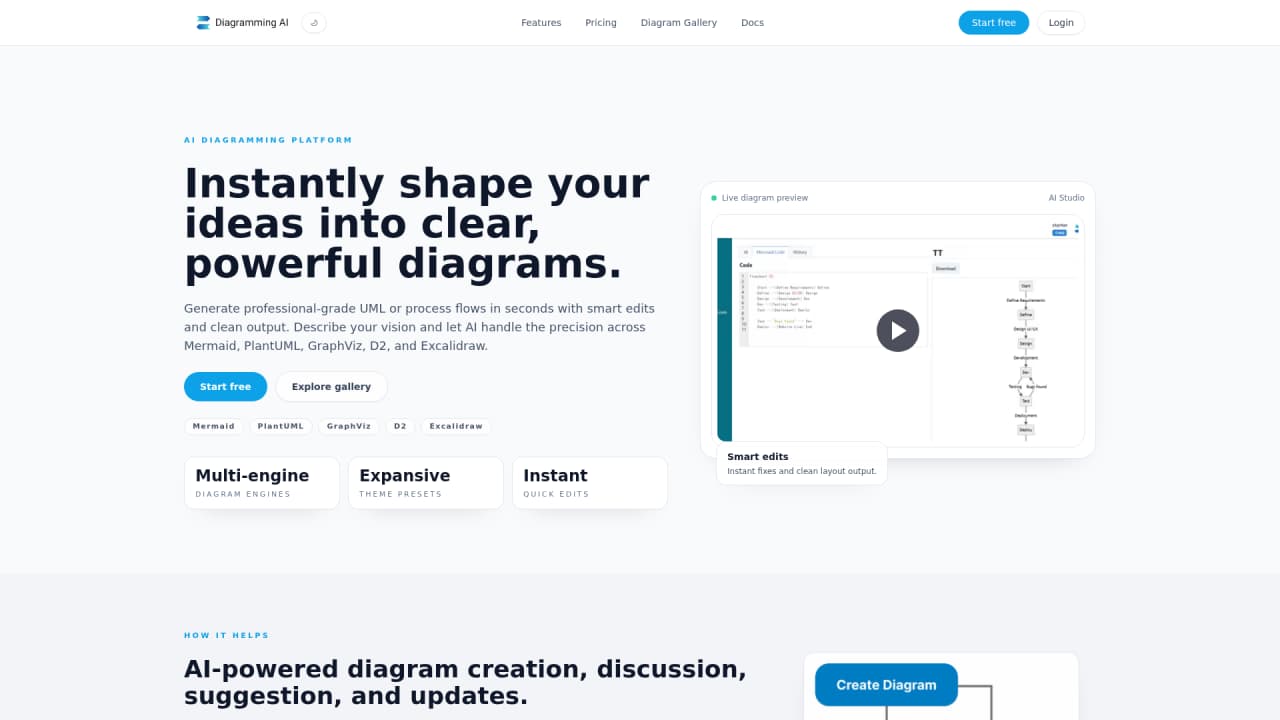
Diagramming AI is an AI-driven multi-engine diagram generation platform that transforms your text descriptions into professional-grade charts in seconds. Instead of manually drawing each element, you simply describe what you need—whether it's a system architecture, a project timeline, or a business process flow—and the AI handles the rest.
What makes Diagramming AI stand out is its flexibility. The platform supports five major diagram languages: Mermaid, PlantUML, Graphviz, D2, and Excalidraw. This means you're not locked into a single format or tool. You can generate flowcharts, sequence diagrams, Gantt charts, class diagrams, ER diagrams, mind maps, AWS architecture diagrams, and more than 30 other diagram types.
Beyond generation, Diagramming AI brings intelligence to every stage of the diagram lifecycle. The AI can discuss your diagrams with you, suggest improvements, and automatically update your charts based on your feedback. When errors occur—because syntax mistakes happen to everyone—the AI intelligently parses error messages and applies corrections.
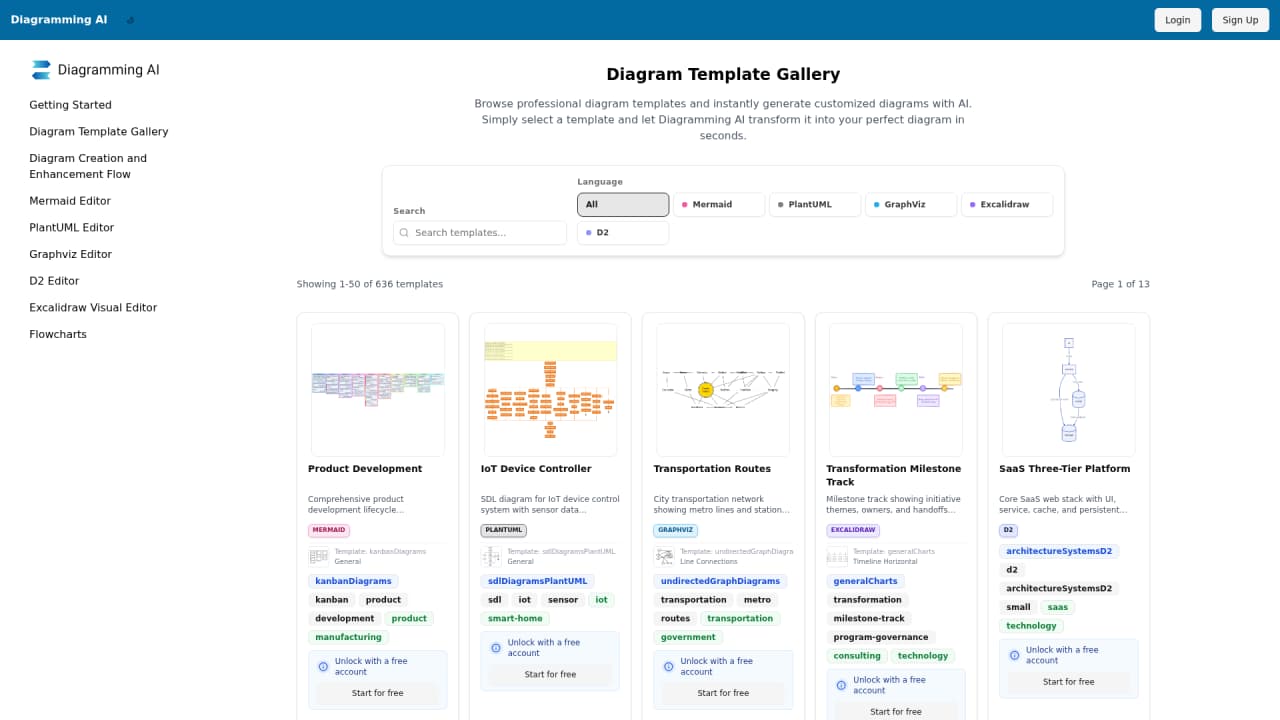
The platform also offers a robust template library with over 636 professional templates, giving you a head start whether you're working with Mermaid.js, PlantUML, or other formats. And with the V-Edit feature, you can convert any text-based diagram into an interactive Excalidraw canvas for fine-tuned visual adjustments.
:::card{type="summary" title="TL;DR"}
- Multi-engine support: Mermaid, PlantUML, Graphviz, D2, and Excalidraw in one platform
- AI-powered generation: Text-to-diagram in seconds using GPT-5-mini, Gemini-2.5-Flash, Claude-4.5-Haiku
- 636+ templates: Ready-made professional templates for 30+ diagram types
- V-Edit visual editing: One-click conversion to Excalidraw for drag-and-drop refinements
:::
---
Core Features of Diagramming AI
Here's what you can actually do with Diagramming AI—and how each feature translates into real value for your work.
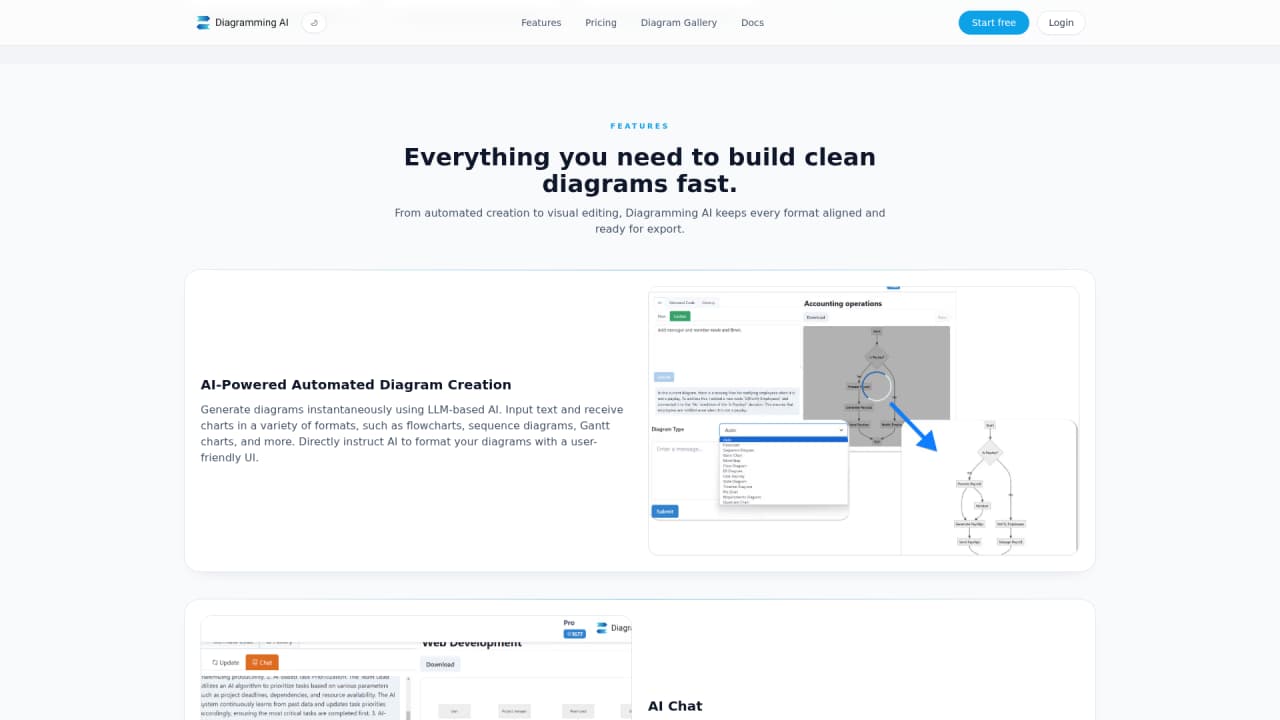
AI-Powered Diagram Generation is the foundation. You input a text description of what you need, and within seconds, the AI generates a complete diagram. Whether you need a flowchart showing user authentication flow, a sequence diagram illustrating API interactions, or a Gantt chart mapping out project milestones, the system handles it. The underlying technology leverages GPT-5-mini, Gemini-2.5-Flash, and Claude-4.5-Haiku models to understand your intent and translate it into precise diagram code.
AI Chat takes the interaction further. Instead of just generating diagrams, you can have a conversation about them. In Discussion Mode, you explore optimization suggestions, ask questions about diagram structure, and get improvement ideas. In Update Mode, you give direct commands—"add another user role here" or "change the timeline to show quarterly milestones"—and the AI updates your diagram in real time. This two-way conversation makes iteration fast and intuitive.
AI-Powered Error Resolution handles the frustrating part of working with diagram code languages. When Mermaid, PlantUML, Graphviz, or D2 code contains syntax errors, the AI reads the error messages, understands what went wrong, and applies intelligent corrections. You spend less time debugging and more time creating.
V-Edit (Visual Editor with Excalidraw Integration) bridges the gap between code and visual design. One click transforms any text-based diagram into an interactive Excalidraw canvas where you can drag elements, resize components, add annotations, and apply hand-drawn styling. This is particularly valuable when you need fine-tuned visual adjustments that go beyond what code can express elegantly.
URL to Diagram and Image to Diagram extend input possibilities. Paste a website URL and get an automatic visualization of its structure. Upload a screenshot or image—via URL, local file, or drag-and-drop—and the AI extracts text and visual elements to generate editable diagrams. These features are available on Lite and higher plans.
Project-Based Code Storage helps you organize work across multiple projects. Create separate projects for different initiatives, store various diagram codes (Mermaid, PlantUML, Graphviz, D2) in one place, and manage everything systematically. This is essential for teams working on complex systems with many interconnected diagrams.
Flexible Export Options ensure your diagrams fit wherever you need them. Export as SVG or PNG for high-quality documents, or generate shareable URLs through Kroki integration. Your diagrams stay editable, so you can update them whenever requirements change.
::::grid :::card{type="advantages"}
- Comprehensive format support: Five diagram languages cover virtually any visualization need
- Intelligent error handling: AI automatically fixes syntax errors across Mermaid, PlantUML, Graphviz, and D2
- Flexible output: Export to SVG, PNG, or shareable URLs via Kroki integration
- Visual refinement: V-Edit provides drag-and-drop customization beyond code capabilities
- Advanced AI models available: Starter and Pro plans unlock GPT-5.2, Gemini-2.5-Pro, and Claude-4.6-Sonnet for higher-quality generation
:::
:::card{type="disadvantages"}
- Learning curve for diagram languages: While AI generates code, understanding the underlying syntax helps for manual tweaks
- Advanced features tied to paid plans: URL to Diagram, Image to Diagram, and premium AI models require Lite or higher
- No offline mode: Requires internet connection for AI generation features
:::
::::
:::card{type="tip" title="💡 Choosing AI Models"} Free users access GPT-5-mini, Gemini-2.5-Flash, and Claude-4.5-Haiku. If you need higher-quality diagram generation—especially for complex system architectures—upgrade to Starter ($6/month) or Pro ($14/month) to unlock GPT-5.2, Gemini-2.5-Pro, and Claude-4.6-Sonnet models. :::
---
Who's Using Diagramming AI
Understanding who uses a tool helps you see whether it fits your needs. Diagramming AI serves a diverse range of professionals across technical and non-technical roles.
Software Developers are among the heaviest users. They need to create system architecture diagrams, sequence diagrams showing how components interact, and timeline visualizations for sprint planning. Traditionally, this required hours of manual work in tools like draw.io or Lucidchart. With Diagramming AI, developers describe their system requirements and get professional diagrams in seconds. The V-Edit feature allows for精细调整 when architecture needs tweaking. A task that previously took hours now takes seconds, with fast iteration support for evolving designs.
Project Managers rely on Gantt charts to visualize project progress and communicate timelines to stakeholders. Diagramming AI's template library includes ready-made Gantt chart structures. You can either start from a template or simply describe your project phases. The AI generates the chart, which you can update in real time as milestones change. Team sharing through exportable URLs makes collaboration straightforward.
Technical Writers need diagrams for documentation but often lack graphic design skills or time. Whether it's API documentation with sequence diagrams or system manuals with architecture overviews, Diagramming AI generates professional visuals from text descriptions. Export to SVG or PNG means seamless embedding into documentation systems.
Business Analysts mapping out业务流程 and功能流程 benefit from the flowchart support and Excalidraw integration. The hand-drawn style option is particularly useful for brainstorming sessions and team discussions where visual clarity matters more than polished graphics.
Data Analysts use the platform for data flow diagrams and process mappings. Complex relationships between data sources, transformations, and outputs become clear visualizations that support analysis and communication.
Educators, Researchers, and Students leverage the 30+ diagram types for concept visualization, research presentation, and learning. From mind maps for study notes to detailed diagrams for thesis publications, the platform supports academic work across disciplines.
:::card{type="tip" title="💡 Quick Start by Role"}
- Developers: Start with V-Edit for fine-grained control over system architectures
- Project Managers: Use Gantt templates from the library for fastest time-to-diagram
- Writers: Export directly to SVG/PNG for clean documentation embedding
- Analysts: Try the hand-drawn Excalidraw style for collaborative brainstorming
:::
---
Diagramming AI Pricing Plans
Choosing the right plan depends on your usage needs, team size, and feature requirements. Diagramming AI offers four tiers designed to scale from individual exploration to professional workflows.
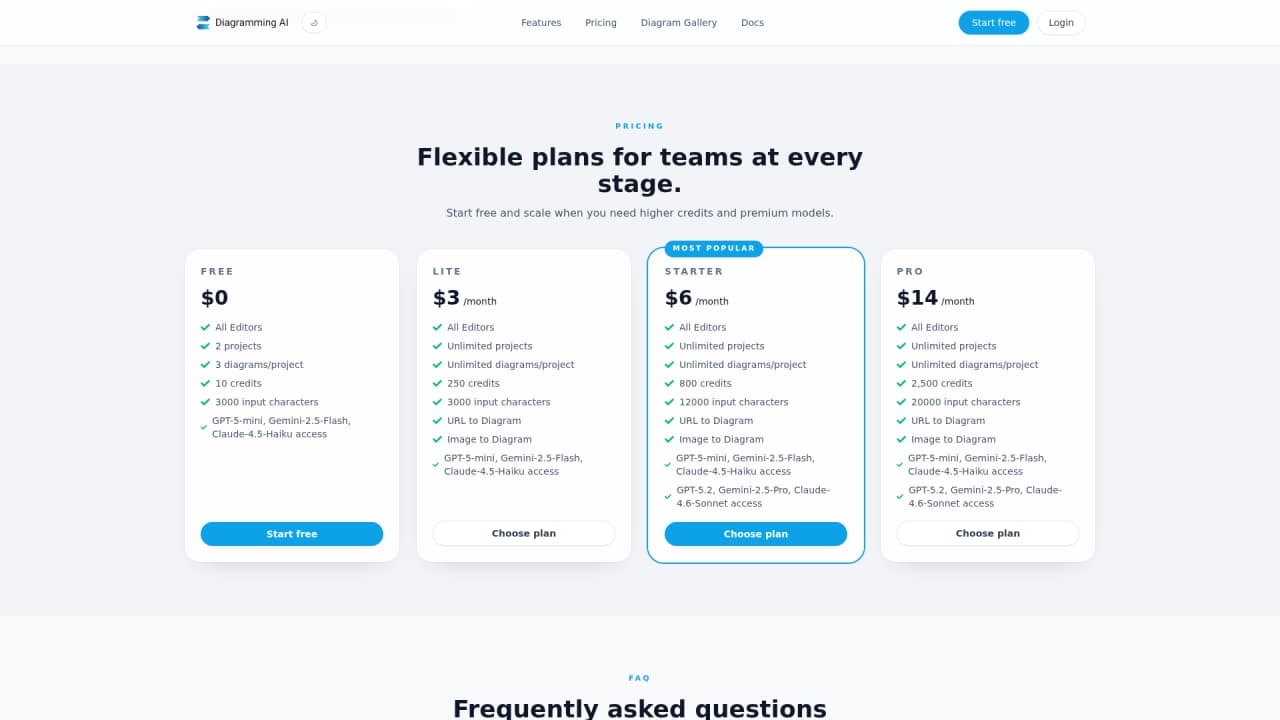
| Plan | Price | Projects | Diagrams/Project | Credits | Input Characters | Advanced Models | URL/Image to Diagram | |------|-------|----------|------------------|---------|------------------|------------------|----------------------| | Free | $0 | 2 | 3 | 10 | 3,000 | ❌ | ❌ | | Lite | $3/month | Unlimited | Unlimited | 250 | 3,000 | ❌ | ✅ | | Starter | $6/month | Unlimited | Unlimited | 800 | 12,000 | ✅ | ✅ | | Pro | $14/month | Unlimited | Unlimited | 2,500 | 20,000 | ✅ | ✅ |
Free Plan is ideal if you're just exploring the tool or have minimal diagram needs. With 2 projects, 3 diagrams per project, and 10 credits, you can test the core AI generation features and see if they fit your workflow. This plan uses the standard AI models (GPT-5-mini, Gemini-2.5-Flash, Claude-4.5-Haiku).
Lite Plan at $3/month removes project and diagram limits, making it practical for regular personal use. The key addition is access to URL to Diagram and Image to Diagram features—powerful capabilities for converting existing content into editable diagrams. You get 250 credits per month with the standard AI models.
Starter Plan at $6/month unlocks the advanced AI models: GPT-5.2, Gemini-2.5-Pro, and Claude-4.6-Sonnet. These models typically produce higher-quality diagrams, especially for complex system architectures. With 800 credits and 12,000 character input limits, you can work on more sophisticated diagrams without constraints. This plan suits professionals who need premium AI quality regularly.
Pro Plan at $14/month maximizes everything: 2,500 credits, 20,000 character inputs, and full access to advanced models. This is the choice for power users, teams, or anyone producing diagrams frequently as part of their work.
Our recommendation: Start with Free to explore capabilities. If you find yourself needing more diagrams or the URL/Image conversion features, Lite at $3/month offers strong value. For the best AI quality, Starter or Pro unlocks the advanced models that make a noticeable difference in diagram clarity and accuracy.
---
Frequently Asked Questions
:::card{type="faq" title="What makes Diagramming AI different from other diagram tools?"} Diagramming AI combines five major diagram languages (Mermaid, PlantUML, Graphviz, D2, Excalidraw) in one platform, with AI-powered generation, discussion, and error resolution. Most tools require you to either draw manually or learn complex syntax. Here, you describe what you need in plain text, and AI handles the technical rendering. The V-Edit feature then lets you fine-tune visuals if needed. :::
:::card{type="faq" title="What diagram types are supported?"} The platform supports over 30 diagram types across its five engine formats: Flowcharts, Sequence Diagrams, Gantt Charts, Class Diagrams, State Diagrams, ER Diagrams, Mind Maps, Network Diagrams, AWS Architecture Diagrams, C4 Models, ArchiMate, and more. That's backed by a template library of 636+ professional templates to get you started quickly. :::
:::card{type="faq" title="Which users benefit most from Diagramming AI?"} The tool serves a broad audience: software developers creating system architectures, project managers building Gantt charts, technical writers adding visuals to documentation, business analysts mapping processes, data analysts visualizing data flows, educators illustrating concepts, researchers presenting findings, and students working on projects. Anyone who needs professional diagrams without manual drawing will find value. :::
:::card{type="faq" title="How does AI Chat work?"} AI Chat offers two interaction modes. Discussion Mode lets you have a conversation about your diagram—ask questions like "How can I simplify this flow?" or "What improvements would make this clearer?" and get AI suggestions. Update Mode is more direct: tell the AI to "add error handling to step 3" or "change the timeline to show weekly milestones," and it updates your diagram in real time. :::
:::card{type="faq" title="Which AI models are available?"} All users can access GPT-5-mini, Gemini-2.5-Flash, and Claude-4.5-Haiku. Starter ($6/month) and Pro ($14/month) plans unlock additional advanced models: GPT-5.2, Gemini-2.5-Pro, and Claude-4.6-Sonnet, which typically produce higher-quality, more accurate diagrams for complex scenarios. :::
:::card{type="faq" title="What is V-Edit (Excalidraw Visual Editor)?"} V-Edit is a one-click conversion feature that transforms any text-based diagram (Mermaid, PlantUML, Graphviz) into an interactive Excalidraw canvas. You can then drag elements, resize components, add annotations, and apply hand-drawn styling. It's perfect when you need visual customization beyond what code-based diagrams offer. :::
:::card{type="faq" title="How does project-based storage work?"} You can create multiple projects to organize your diagrams by initiative, client, or topic. Within each project, you store diagram code in any supported format: Mermaid, PlantUML, Graphviz, or D2. This centralized management makes it easy to find, edit, and reuse diagrams across workstreams. Team collaboration becomes simpler when everyone accesses the same organized diagram library. :::
:::card{type="faq" title="What are the export options?"} Diagramming AI integrates with Kroki to offer three export formats: SVG and PNG for high-quality image files suitable for documents and presentations, and shareable URLs that let others view your diagram in a browser. All exported diagrams remain editable, so you can update them as requirements change and re-export. :::




Comments