

Trify3D - Multi-Model AI Platform for 3D Generation and Comparison
Launched on Jul 27, 2026Creating 3D assets often means gambling on a single AI engine. Trify3D changes that by giving you access to Tripo3D, Meshy, and Rodin in one unified platform. Generate models from text or images, compare outputs side by side, and export production-ready GLB, glTF, OBJ, or STL files. With PBR textures at up to 4K resolution and a shared credit pool across all engines, you get the best result every time without juggling multiple subscriptions.
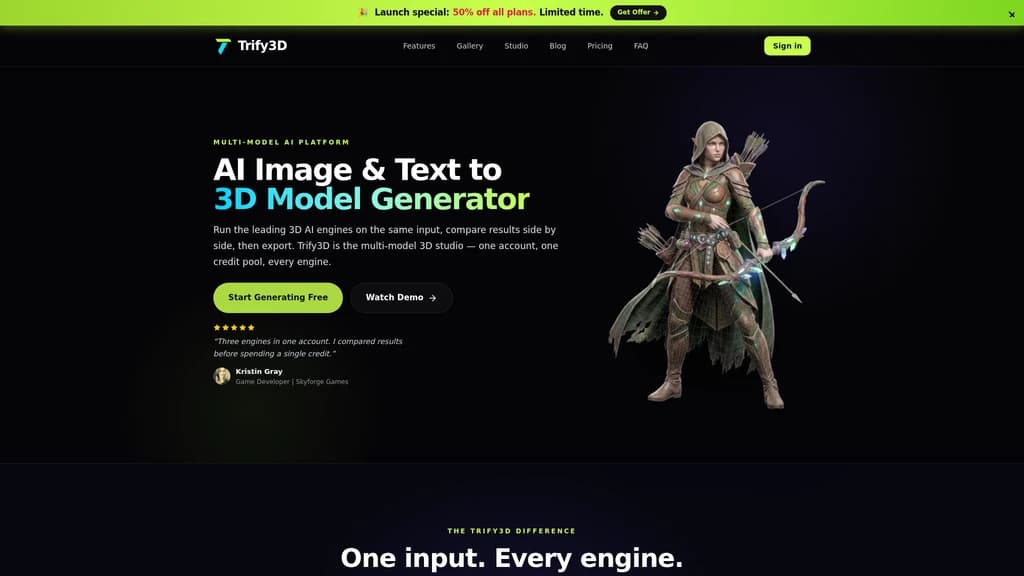
What Is Trify3D
You're a 3D creator, and you've been there: you need a hard-surface prop for your game, so you fire up Tripo3D. It nails the geometry in under a minute. Next, you need an organic creature—now you're switching to Meshy. Then comes a hero asset that needs the highest fidelity possible, and suddenly you're signing up for Rodin too. Three platforms. Three accounts. Three separate bills. It feels like every asset type demands a different tool, and guessing wrong means wasted credits and mediocre results.
That's the core problem Trify3D solves. It is a multi-model AI 3D generation platform that aggregates Tripo3D, Meshy, and Rodin into a single workspace. Instead of choosing one engine and hoping for the best, you feed your input—text or image—once, and Trify3D lets you run all three engines side by side. See the results, compare the quality, and pick the winner. All from one account, one shared credit pool, no toggling between tabs.
The platform has already attracted 18,000+ creators who have collectively generated over 1.2 million 3D models, earning an average rating of 4.8/5 across 80+ countries. It's not just a convenience play—it's a fundamentally different approach to AI 3D generation, one that removes the gamble from engine selection and puts the power of comparison directly in your hands.
:::card{type="summary" title="TL;DR"}
- Multi-Model Comparison — Run Tripo3D, Meshy, and Rodin on the same input, side by side
- Three Engines, One Account — No need to subscribe to three separate platforms
- Shared Credit Pool — Credits work across all engines; no fragmented balances
- Production-Ready Exports — GLB, glTF, OBJ, STL, with full PBR textures :::
Trify3D's Core Features
What makes Trify3D more than just another AI 3D tool is its architecture: it's a platform that *hosts* the best engines rather than trying to replace them. Here's what that means in practice.
Multi-Model Engine Comparison — The Killer Feature
This is Trify3D's crown jewel, and no other platform offers it. You input a single prompt or image, and the system dispatches it to Tripo3D, Meshy, and Rodin simultaneously. The results appear side by side in your workspace, letting you compare geometry quality, texture fidelity, and topology before committing credits to a full generation.
No more creating an asset, deciding you don't like it, and trying a different engine. With Multi-Model Comparison, you preview before you commit.
Engine Comparison: Speed, Cost, and Strengths
Before we dive deeper, here's how the three engines stack up against each other:
| Engine | Generation Time | Credit Multiplier | Best For | |--------|----------------|-------------------|----------| | Tripo3D | ~48 seconds | 1.0x | Hard-surface assets, props, vehicles | | Meshy | ~76 seconds | 1.3x | Organic shapes, characters, creatures | | Rodin | ~90 seconds | 1.5x | Highest fidelity, hero assets, PBR quality |
All three use the same shared credit pool, so you're never locked into a single engine's ecosystem.
Text to 3D
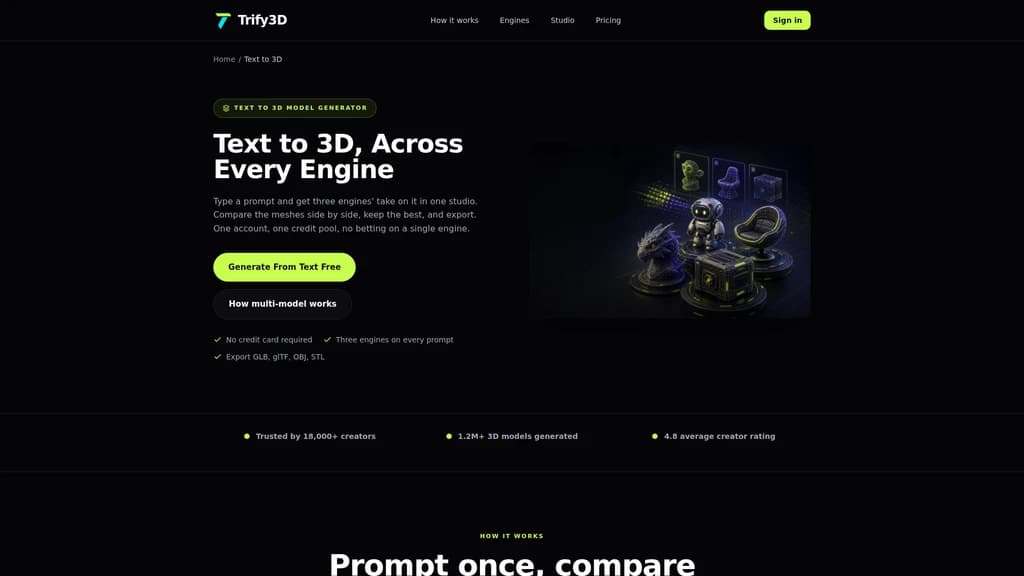
Describe what you want in natural language—"a weathered iron sword with leather-wrapped handle"—and Trify3D generates a fully textured 3D model with PBR materials. You can include material hints ("brushed metal"), perspective cues ("front view"), and style descriptions. The AI handles geometry and UV mapping automatically. Generation takes between 48 and 90 seconds depending on the engine you choose.
Image to 3D
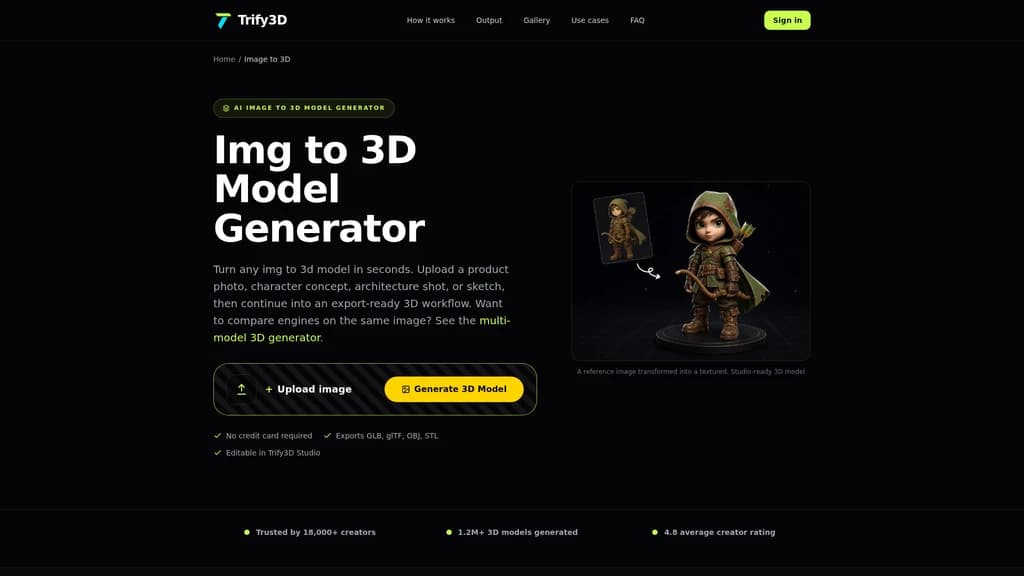
Upload a concept sketch, product photo, or reference image in JPG, PNG, or WEBP format. The platform uses multi-view reconstruction to rebuild it as a textured 3D model, with auto-retopology and UV unwrapping handled automatically. Most previews complete in under a minute, and you see a live progress indicator.
AI Texturing
Already have a mesh? Upload it and let Trify3D's AI Texturing generate a complete PBR texture suite: Albedo, Normal, Roughness, and Metallic maps at up to 4K resolution. You control the style and material properties through a simple prompt, making it easy to re-skin existing assets for different projects.
Multi-Format Export
Export in GLB, glTF, OBJ, and STL formats. GLB is optimized for web and real-time rendering, glTF for DCC tool interchange, OBJ as a universal fallback, and STL for 3D printing slicers. These formats work directly with Unity, Unreal Engine, Blender, Three.js, and any major slicer software like Cura or PrusaSlicer.
::::grid :::card{type="advantages"}
- Multi-Engine Comparison — Exclusive feature; no other platform lets you compare Tripo3D, Meshy, and Rodin on the same input
- Shared Credit Pool — One balance across all three engines; no fragmented subscriptions
- No Installation Required — Everything runs in the browser; upload, generate, export
- Production-Ready Export — PBR textures, auto-retopology, and formats that work in Unity, Unreal, and Blender out of the box ::: :::card{type="disadvantages"}
- No Native FBX or USDZ Export — Need to convert via Blender for these formats
- CSM.ai and Luma Not Yet Integrated — Currently limited to Tripo3D, Meshy, and Rodin (CSM.ai and Luma are in the pipeline but not live) ::: ::::
Who Uses Trify3D?
Trify3D serves a wide range of creators, from indie developers to product design teams. Here are the most common use cases and who should consider each.
Game Asset Creation
Game developers need to churn out props, weapons, environment decorations, and characters—fast. Traditional modeling takes days per asset, and even AI tools can be hit-or-miss depending on the engine. With Trify3D, you drop in your concept art or text prompt, run all three engines simultaneously, and pick the cleanest topology. Export directly to GLB and import into Unity or Unreal. As one user put it: "Running multiple engines on the same reference saved us weeks of trial and error."
E-commerce Product Visualization
E-commerce teams need interactive 3D product previews without hiring a dedicated 3D artist. Upload a product photo, let the AI generate a PBR-textured 3D model, and export to GLB for your product pages or AR experiences. One user reported: "Trify3D turned our product photo into a GLB mockup before the merch page was even written."
3D Printing Rapid Prototyping
Engineers, hobbyists, and makers can go from idea to printable file in minutes. Use text-to-3D or image-to-3D, export to STL, and load it straight into Cura, PrusaSlicer, or Bambu Studio. No manual cleanup needed. A user in this space said: "Export to STL and straight into the slicer. For 3D printing rapid prototyping this is now our default tool."
Concept Prototyping
Product designers moving from sketches or mood boards to spatial prototypes often lose momentum in the translation. Trify3D lets you upload a sketch or reference image and get a textured 3D model back in under two minutes. One designer noted: "From a single product photo to a clean, textured mesh. The auto-retopology output runs smoothly in Unreal."
Indie Developer Quick Validation
Indie developers operate on tight budgets. Instead of subscribing to multiple AI 3D platforms, they get one account, one credit pool, and the ability to compare engines in seconds. For most assets, a single engine suffices. For key items, the multi-model mode lets them quality-check before committing. As one indie dev shared: "Compared Tripo and Meshy in seconds on the same image. Picked the winner, exported GLB, shipped the same day."
:::card{type="tip" title="💡 When to Use Single Engine vs. Multi-Model"} If you're on a tight budget and your asset quality requirements are moderate, stick with a single engine — Tripo3D at 1.0x credits is perfect for hard-surface props. Reserve Multi-Model mode (which consumes ~3.8x credits) for hero assets and key deliverables where quality matters most. :::
Hero Asset Production
When you need the absolute best quality—say, a flagship character or a centerpiece vehicle—guessing the right engine is a risk you can't afford. Multi-Model mode runs all three engines simultaneously. The credit cost is higher, but so is the confidence that you're getting the best possible result. One user called it the killer feature: "Multi-model comparison is the killer feature. No other tool lets me evaluate engines before spending credits."
Pricing Plans
Trify3D's pricing is built around a shared credit system that works across all three engines. You pay for credits, not engine access.
Monthly Subscription Plans
| Plan | Monthly Price | Credits/Month | Key Features | |------|---------------|---------------|--------------| | Starter | $19.90/mo | 1,000 credits | All generation modes + AI Texturing, GLB/glTF/OBJ/STL export, Speed & Quality modes | | Pro (Most Popular) | $29.90/mo | 3,500 credits | Everything in Starter + high-quality mesh + PBR textures, priority generation queue, priority support | | Max | $149.90/mo | 18,000 credits | Everything in Pro + ultra-high-quality mesh + HD PBR textures, dedicated support |
One-Time Credit Packs
| Pack | Price | Credits | |------|-------|---------| | Small | $24.90 | 1,000 | | Medium (Best Value) | $39.90 | 3,500 | | Large | $179.00 | 18,000 |
Free Tier
New users get 50 free credits with no credit card required—enough to test all three engines and evaluate output quality before buying.
How Credits Work
One credit pool covers all three engines. The credit multiplier determines how many credits each generation consumes:
- Tripo3D: 1.0x — A 1,000-credit plan yields ~1,000 generations
- Meshy: 1.3x — Same plan yields ~769 generations
- Rodin: 1.5x — Same plan yields ~667 generations
- Multi-Model Mode: ~3.8x — All three engines simultaneously
:::card{type="tip" title="💡 Which Plan Should You Choose?"} If your primary output is hard-surface props and game assets, go with Starter + Tripo3D (1.0x credits). You'll get the most bang for your buck. If you need hero-quality assets with Rodin's fidelity, the Pro plan gives you priority generation and enough credits for regular high-quality work. For critical assets, the multi-model mode is worth the premium — you'll never waste credits on a subpar result. :::
Ownership
You retain full ownership of every model you generate. Commercial use, resale, and distribution are unrestricted. Just make sure you own the rights to any source images you upload.
---
Trify3D vs. Competitors: Why a Multi-Model Platform
The most common question is: "Why not just use Tripo3D directly? Or Meshy alone?" It's a fair question. Let's break it down.
Head-to-Head Comparison
| Comparison Dimension | Trify3D | Tripo3D (Standalone) | Meshy (Standalone) | Rodin (Standalone) | |---------------------|---------|----------------------|--------------------|---------------------| | Number of Engines | 3 aggregated | 1 | 1 | 1 | | Side-by-Side Comparison | ✅ Yes | ❌ No | ❌ No | ❌ No | | Credit Pool | Shared (1 pool) | Independent | Independent | Independent | | Starting Price | $19.90/mo | Higher (separate sub) | Higher (separate sub) | Higher (separate sub) | | Hard-Surface Quality | Tripo3D excels | ✅ Best | ❌ Weak | ✅ Good | | Organic/Character Quality | Meshy excels | ❌ Weak | ✅ Best | ✅ Good | | Highest Fidelity | Rodin excels | ❌ Weak | ❌ Weak | ✅ Best | | PBR Textures | ✅ Up to 4K | ✅ | ✅ | ✅ | | Export Formats | GLB/glTF/OBJ/STL | Similar | Similar | Similar |
The Core Advantage: You Don't Have to Choose
The fundamental insight behind Trify3D is that no single AI 3D engine is best at everything. Tripo3D is fast and clean for hard surfaces. Meshy handles organic forms and characters with more natural topology. Rodin pushes fidelity to the highest level. If you use only one, you're trading off performance on every asset that doesn't match that engine's strengths.
Trify3D eliminates the trade-off. You keep all three engines in your toolbox and use the right one for the job. Want to double-check a hero asset? Run them all side by side.
When Trify3D Is the Right Choice
- Your team works with multiple asset types — hard-surface props, organic characters, and high-fidelity hero assets
- You're tired of managing multiple subscriptions — one account, one credit pool, one dashboard
- Quality matters on key assets — Multi-Model mode gives you confidence on your most important deliveries
When a Single Engine Might Be Enough
- You only produce hard-surface props — Tripo3D standalone might be more economical
- You only produce stylized characters — Meshy standalone could suffice
- Your budget is extremely tight — A single-engine subscription may cost less upfront
::::grid :::card{type="advantages"}
- Three Engines, One Platform — No need to choose; match the engine to the asset type
- Side-by-Side Comparison — The only platform that lets you preview all engines on the same input
- Shared Credit Pool — One balance, no fragmented subscriptions across platforms
- Single Account Management — All your generated assets, organized in one workspace ::: :::card{type="disadvantages"}
- Faster Credit Burn — Using all three engines naturally consumes credits faster than a single-engine subscription
- Multi-Model Mode Is Costly — Running all engines simultaneously costs ~3.8x credits, best reserved for critical assets ::: ::::
Frequently Asked Questions
:::card{type="faq" title="What's the difference between Trify3D and using Tripo3D or Meshy directly?"} Trify3D aggregates three engines into one platform. If you use Tripo3D directly, you get only Tripo3D. If you use Meshy directly, you get only Meshy. With Trify3D, you access all three from a single account with a shared credit pool, including the ability to compare them side by side on the same input. Think of it as the difference between owning one specialized tool versus having an entire workshop. :::
:::card{type="faq" title="How hard is it to migrate from another tool to Trify3D?"} There's nothing to migrate. Trify3D runs entirely in your browser with no installation required. Upload an image or type a prompt, and you're generating in seconds. Your existing assets stay on your local machine or cloud storage. Trify3D is a new workflow, not a replacement for your existing library. :::
:::card{type="faq" title="How do credits work? Is Multi-Model mode wasteful?"} Credits are consumed differently per engine: Tripo3D at 1.0x, Meshy at 1.3x, and Rodin at 1.5x. Multi-Model mode runs all three, consuming roughly 3.8x credits total. For standard props and everyday assets, a single engine is more than adequate. Reserve Multi-Model mode for hero assets and critical deliverables where quality is paramount — it's an insurance policy, not a daily driver. :::
:::card{type="faq" title="Can I really use generated models commercially?"} Yes. You retain full ownership of every model you generate through Trify3D. You can use them commercially, sell them, distribute them, modify them — no restrictions. The only caveat: make sure you own the rights to any source images you upload for image-to-3D conversions. :::
:::card{type="faq" title="What file formats are supported? Do you support FBX?"} Trify3D supports GLB, glTF, OBJ, and STL. If you need FBX or USDZ, export as GLB and convert using Blender's free import/export tools. GLB is the recommended format for web and real-time rendering, glTF for DCC tool interchange, OBJ as a universal fallback, and STL for 3D printing. :::
:::card{type="faq" title="Do I need 3D modeling skills to use Trify3D?"} No. Text-to-3D works from natural language descriptions. Image-to-3D works from uploaded photos or sketches. Auto-retopology and UV unwrapping are handled automatically. The output is production-ready — you can export and use it immediately in your game engine, slicer, or design tool. :::
:::card{type="faq" title="What's the relationship between Trify3D and CSM.ai or Luma?"} CSM.ai and Luma are in the platform's configuration pipeline but have not yet been fully integrated. Currently, the platform offers Tripo3D, Meshy, and Rodin as the three active engines. CSM.ai and Luma integration will expand the platform's capabilities once complete. :::
Related Content

Tea App Green Flags
Tea App Green Flags is an instant Tea app checker for men. Search by first name, city and age, or by photo, and see within seconds whether you appear in posts on the Tea dating-review app. The search is free; unlocking full posts and comments is paid. Nobody on Tea is told you searched. We also check the "Are We Dating The Same Guy" Facebook groups and help get false or harassing posts removed.
Facecam.ai
Facecam.ai is a browser-based AI tool that provides face swap, real-time voice changing, and VTuber creation capabilities. It works natively with web versions of Google Meet, Zoom, Microsoft Teams, and Discord for live calls, and supports photo, video, and GIF face swap workflows. The platform is designed for individual video call users, streamers, and content creators looking to modify their on-camera presence without specialized desktop software. Many core tools are available for free with no account required, while premium plans unlock extended live face swap hours and watermark-free outputs.

SpriteGen
SpriteGen is an online AI sprite sheet generator for game developers and creators. Describe a character or object, select a frame count, preview the animation, and download a transparent PNG sprite sheet. A free trial and credit-based generation are available.

Try AI Editor
Try AI Editor is a browser-based AI image editor that lets users edit photos using plain English text prompts, with no account registration required. It supports common use cases including background removal, object deletion, old photo restoration, style transfer, and image upscaling. The platform gives out free daily editing credits, never adds watermarks to exported images, and does not store uploaded user photos after processing.


Comments