
Spark - Smart email management for enhanced productivity
Launched on Feb 23, 2025Spark is an innovative email client that redefines how users manage their emails. With an AI-powered writing assistant, it helps you craft perfect emails quickly, ensuring you stay focused on what’s important. Spark's unique features like Priority and Pin functions, Group by Sender, and Smart Inbox allow users to filter out distractions and prioritize their workload. With seamless syncing across devices and collaboration tools for teams, Spark provides a comprehensive solution for efficient email management. Whether you're an individual looking to enhance productivity or a team aiming to collaborate better, Spark has the tools you need to succeed.
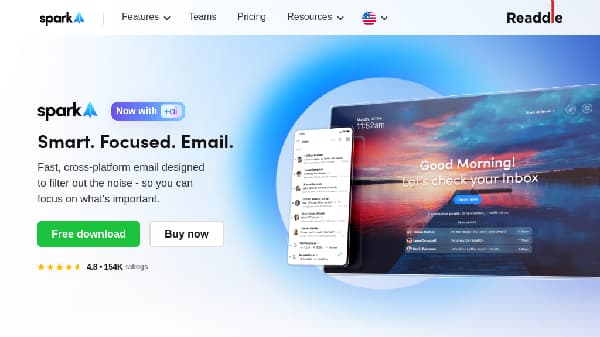
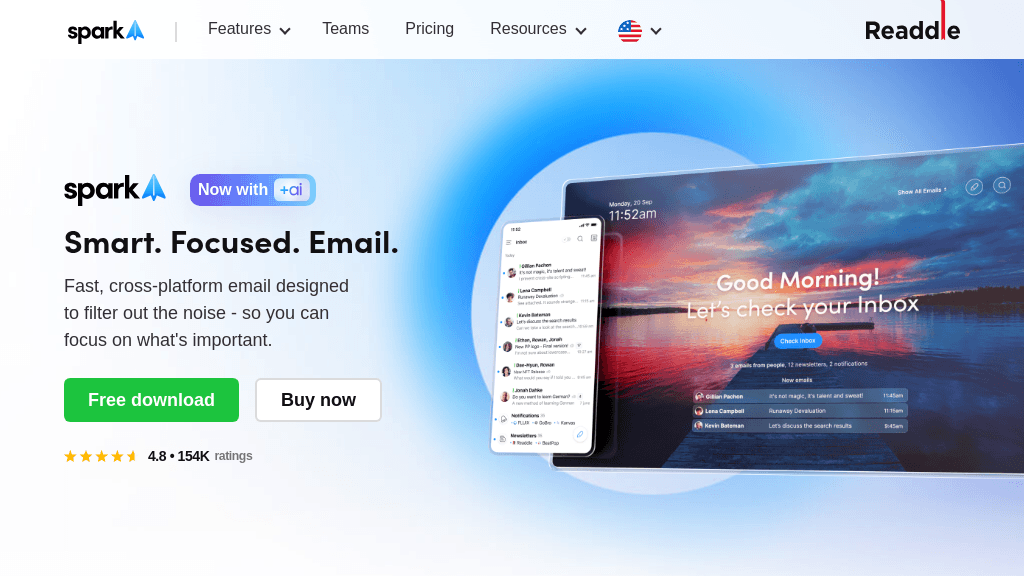
Discover Spark – the ultimate email client that enhances your productivity and transforms how you manage your inbox.
How It Works
Spark operates on the principle of enhancing productivity through intelligent email management and collaboration. Its AI features assist users in drafting emails efficiently, while smart filtering and organization tools help manage inbox clutter. By prioritizing important communications and enabling seamless collaboration, Spark empowers users to focus on their most critical tasks. The Smart Inbox automatically categorizes emails, allowing users to see what matters most at a glance. The integration of collaborative tools facilitates teamwork by enabling real-time communication and task delegation directly within the email client. Security and privacy are paramount, with data managed through secure cloud services, ensuring user information is protected at all times. Overall, Spark transforms email management into a streamlined process that maximizes efficiency and productivity.
Usage
To start using Spark, download the app from the website or your device's app store. Once installed, create an account or log in using your existing email credentials. You can then link all your email accounts for easy access and organization. Customize your Smart Inbox settings to prioritize important emails and set reminders for timely follow-ups. Explore collaboration features if you're part of a team, and make the most of the AI writing assistant for drafting emails quickly.
Individual Productivity
Use Spark to streamline your personal email management and focus on important tasks without distractions.
Team Collaboration
Leverage Spark's collaborative features to improve communication and efficiency among team members.
Email Organization
Organize your inbox effectively with Smart Inbox and Priority features to enhance your workflow.
Time Management
Utilize Send Later and Reminders to manage your time and ensure timely responses to emails.
Secure Communication
Ensure your sensitive emails are secure and private with Spark's data protection features.
AI Email Assistance
Take advantage of the AI writing assistant to craft professional emails quickly and efficiently.
Features
- AI Writing Assistant: Craft perfect emails quickly with Spark's AI-powered writing assistant.
- Smart Inbox: Automatically organize your emails into categories to filter out distractions.
- Priority and Pin Functions: Highlight important emails and pin them for easy access.
- Collaborative Tools: Work with your team in real-time, managing emails and tasks seamlessly.
- Data Privacy and Security: Your data is secure, stored, and encrypted through Google Cloud services.
- Cross-Platform Syncing: Access your emails on all devices with seamless syncing.
Free Access (Monthly): $0
- Basic email features
- No credit card required
- Access on all devices
Premium Individual (Annually): $4.99
- Advanced focus tools
- AI writing assistant
- Priority email management
Premium Teams (Annually): $6.99
- Real-time collaboration
- Shared inboxes
- Team task management
FAQ
- What is Spark mail and how can it help me?
Spark mail is an AI-powered email client designed to enhance productivity by filtering out distractions and prioritizing important emails.
- Can I use Spark mail for free?
Yes, Spark offers core features for free, while advanced tools are available with a premium subscription.
- How does Spark mail ensure my data privacy?
Spark guarantees data privacy by using Google Cloud service for storage and encryption, ensuring your data is never shared with third parties.
- What subscription plans does Spark offer?
Spark offers Free, Premium Individual, and Premium Team plans to cater to individual and team needs.
- How do I manage my Spark subscription?
You can manage your Spark subscription directly within the app settings under 'Spark Account'.
- Does Spark mail work across multiple devices?
Yes, Spark seamlessly syncs across all your devices, allowing you to access your email from anywhere.
- What are the key features of Spark mail?
Key features include AI writing assistance, Smart Inbox, collaborative tools for teams, and advanced organization options.
- Is there a trial period for Spark Premium?
Yes, Spark Premium offers a 7-day free trial to explore all premium features.
Related Content
BrickBookmark
BrickBookmark is a free, local-first open-source browser bookmark manager that requires no registration or login, with all core functions stored locally in the user's browser. It supports Chrome, Edge, and Firefox browsers, and includes built-in bookmark health maintenance tools such as broken link detection, duplicate merging, and title refreshing. The product offers 24-hour trash recovery for accidentally deleted bookmarks, encrypted .bbmk backup, and HTML cross-browser migration capabilities. It is designed for users who prioritize local data storage, avoid cloud-based bookmark services, and want to maintain a well-organized, healthy bookmark library.
TwitterViewer
TwitterViewer is a web tool that lets users access public X (formerly Twitter) posts, threads, replies, profiles, and media without requiring an X account or login. It also includes built-in tools to download X videos and GIFs, run advanced public content searches, and check the reported location of public X accounts. The service is private by default with no third-party trackers, and adapts its layout for desktop, tablet, and mobile devices. It is designed for casual users who want to view shared X links, researchers, journalists, and anyone who needs to access public X content without creating an account.
Wonderslide
Wonderslide is an AI presentation maker that builds fully structured, designed presentations in approximately 15 minutes from user text descriptions and uploaded documents, spreadsheets, PDFs, or drafts. It lets users review and edit presentation outlines before design, and supports iterative chat-based edits to adjust content without rebuilding the entire deck. The tool can perform web search to add verified current data with source links, and automatically generates styled tables, graphs, and diagrams to match the presentation's tone. It is designed for trainers, marketers, sales managers, startup founders, and students who need to create professional presentations efficiently.
AgileHero
AgileHero is an all-in-one agile project management workspace that combines kanban boards, backlog tools, roadmaps, whiteboards, retrospectives, metrics, and a team wiki. It supports real-time sync across boards, cards, and whiteboards, and includes built-in estimation poker, sprint planning, and dependency management features. The platform integrates AI agents via MCP to convert user requests directly into actionable work items, with full permission controls and visible audit trails for all automated actions. It is designed for software development teams and cross-functional groups running agile sprints and collaborative project workflows.
Comments