

- Monthly visits
- 1,413
- 2026-09
- Monthly growth +61.3%
Solice - Turn your materials and ideas into reviewable videos
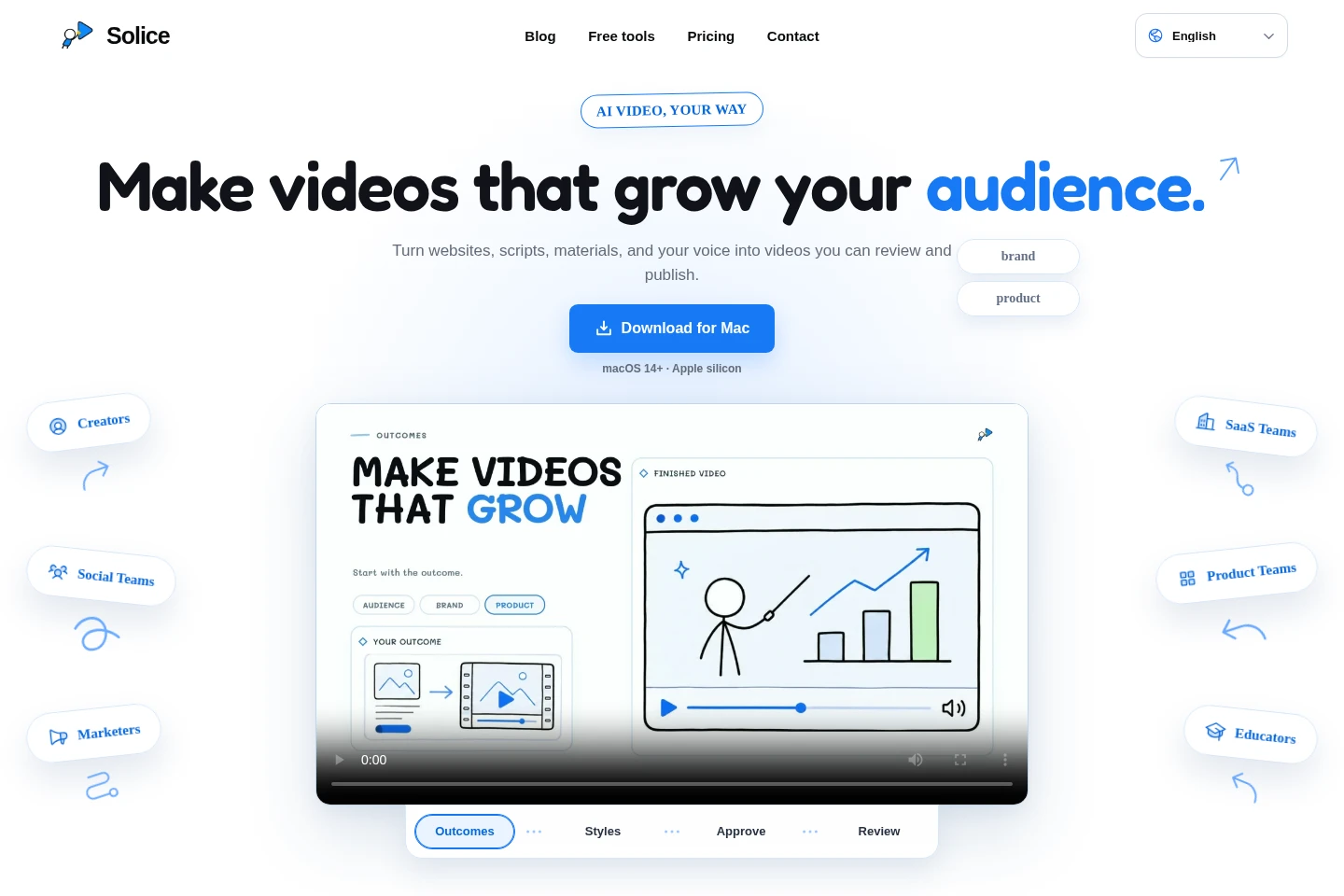
Solice is an AI video maker for turning websites, scripts, documents, images, audio, videos, and ideas into videos. It develops the creative direction, story, script, structure, and scenes, then lets you review and refine the result. Create reusable personal templates and narrate videos with a recording of your voice. A Mac app is available for macOS 14+ on Apple silicon.
- AI Video
- Video Generators
- Scriptwriting
- Text to Speech
- AI video maker
- website to product video
- reusable video templates
Capabilities
Source-to-video creation
Turns source materials and a goal into a video, producing the creative direction, story, script, structure, and scenes. Inputs can include websites, videos, images, documents, audio, rough ideas, or mixed materials; no script is required first.
Website product videos
Creates a product video from a website link, focusing the video on the product value that matters. Paste a URL as the source, then review and adjust the proposed video.
Reusable personal templates
Builds a personal video template from reference videos, images, websites, and other materials. Tune the resulting template and reuse it for later videos.
Video review and refinement
Lets you review the proposed story and scenes before the final video and refine the direction, template, narration, visuals, or individual scenes. Changes can be made without rebuilding the whole project.
Recorded voiceover
Uses a recording of your voice to narrate videos. Record your voice once and use it for narration in your video projects.
Video production and export
Produces complete videos for export, with official templates and cloud storage for project media included in the listed plans. Available credits and personal-template or voice limits depend on the plan.
Pricing
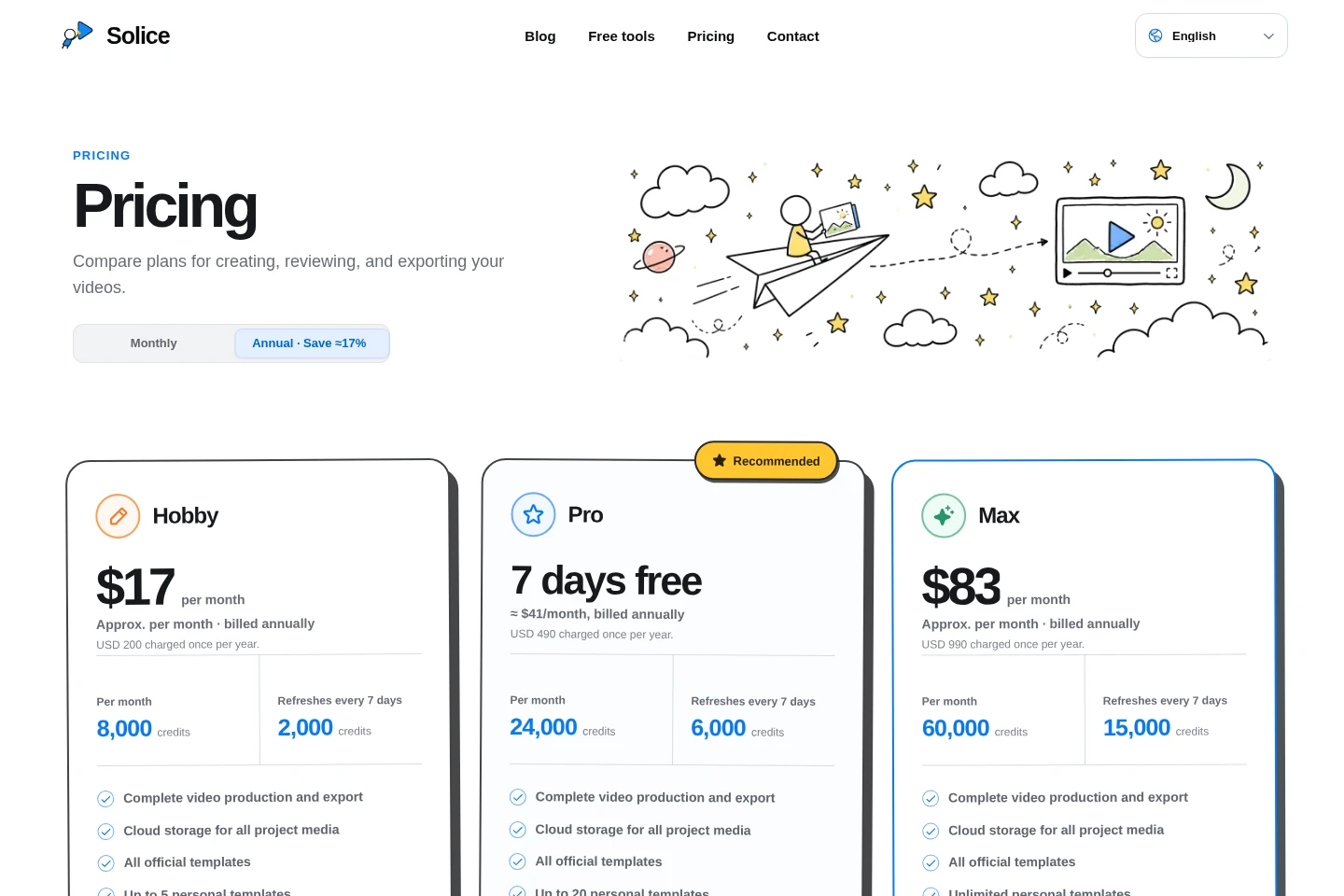
Solice offers paid plans with monthly or annual billing. Compare credit quotas and refreshes, personal-template and voice limits, and the annual charge before choosing a plan.
| Plan | Price | Included features and limits |
|---|---|---|
| Hobby | $17/month; $200/year billed annually |
|
| Pro | 7 days free; then $49/month or $490/year billed annually |
|
| Max | $83/month; $990/year billed annually |
|
Annual plan cards show approximate monthly equivalents, but annual billing is charged once per year. The listed annual totals are USD 200 for Hobby, USD 490 for Pro, and USD 990 for Max. Pro has a seven-day free trial.
Use cases
Create a repeatable social video series
When you want to turn scripts, long videos, or timely ideas into a recurring Shorts, Reels, or TikTok series, provide the source and goal to Solice. It develops a video direction and scenes that you can review and shape.
Make a product video from a website
When a product website needs a video introduction, feature update, or growth video, paste its link as source material. Solice builds a product-focused video for review and refinement.
Turn product materials into a tutorial
When screenshots, recordings, or workflows need explaining, use them as source materials for a demo, tutorial, or onboarding video. Review the proposed story and scenes, then adjust the result.
Create a lesson or story video
When a lesson or children's story needs a visual presentation, provide the lesson or story materials and goal. Solice develops a playful, easy-to-follow learning video that can be reviewed and refined.
Limitations
The downloadable Mac app requires macOS 14 or later and an Apple silicon Mac.
The Hobby plan includes up to 5 personal templates; Pro includes up to 20; Max lists unlimited personal templates.
Personal voice limits vary by plan: Pro includes up to 3 and Max up to 10; no Hobby voice quota is stated.
Credits are plan-specific and refresh every 7 days; the listed plan quotas differ.
Who it is for
Video creators who want to turn source materials into repeatable video formats
Social and marketing teams creating video series, product videos, and audience-growth content
SaaS and product teams explaining products, features, workflows, and onboarding
Educators and storytellers turning lessons or children's stories into visual videos
FAQ
Do I need to write a script first?
No. Provide references or source materials and the outcome you want. Solice develops the creative angle, story, script, structure, and scenes for you.
What can I start with?
You can start with a website, video, image, document, audio clip, rough idea, or a mix of materials. Add your goal, and Solice turns useful parts into a coherent video direction.
Can Solice create a template from my references?
Yes. Solice can use the visual language and production pattern in videos, images, websites, and other references to create a personal template you can tune and reuse.
What kinds of videos can I make?
You can create product explainers, growth videos, social shorts, personal-brand series, visual stories, tutorials, onboarding, and child-friendly learning videos from your materials.
Can I review and refine what Solice creates?
Yes. Review the proposed story and scenes before the final video, then adjust the direction, template, narration, visuals, or individual scenes without rebuilding the whole project.
How is Solice different from a traditional video editor?
Solice starts with your materials and goal and develops the creative foundation, including the story and script. You can still review and shape the result rather than starting with a timeline and supplying the creative plan yourself.
Comments