

SciFig - AI-powered scientific figure generator for researchers
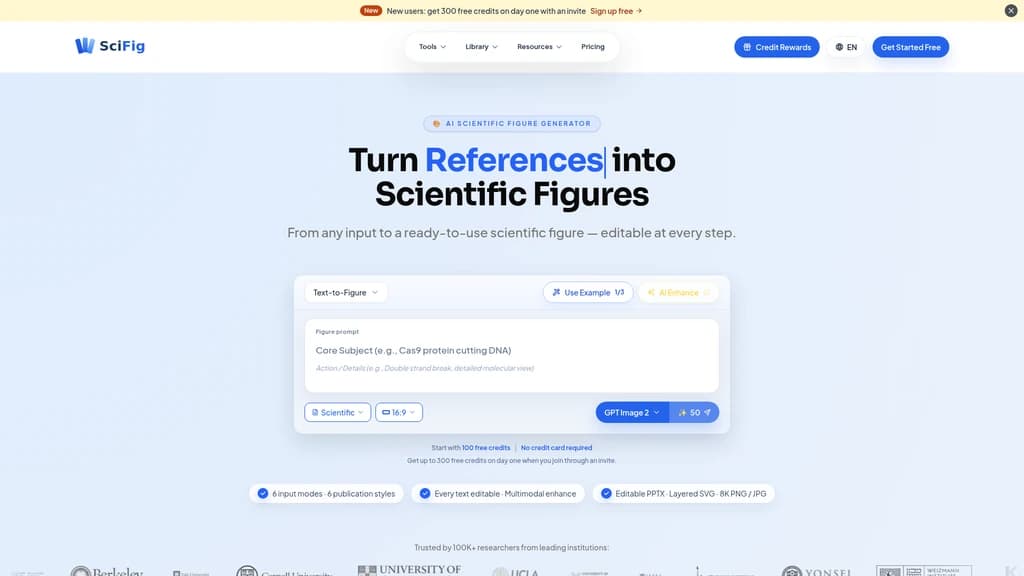
Creating publication-ready scientific figures often takes hours or days of painstaking manual work. SciFig is an AI-powered platform that turns text descriptions, sketches, photos, PDFs, and references into professional scientific illustrations in seconds. With 6 input modes, 6 publication styles, and fully editable vector exports in PPTX and SVG, researchers can generate, refine, and customize every element down to individual labels and colors. Trusted by 100,000+ researchers from top institutions worldwide, SciFig helps scientists communicate their discoveries faster and more effectively.
- AI Design
- Illustration Generation
- Image Generation
- Content Creation
- Image Editing
525Views
What Is SciFig?
If you've ever spent days—or even weeks—tweaking labels, resizing arrows, and wrestling with Illustrator or PowerPoint just to get a single figure ready for journal submission, you're not alone. Researchers across every discipline face the same bottleneck: scientific figures are essential, but creating them is painfully slow.
Traditional tools fall short in different ways. Adobe Illustrator and PowerPoint require manual drawing from scratch with no AI assistance. Template-based platforms like BioRender lock you into a fixed library—if your concept isn't in their database (say, a semiconductor band diagram or a catalytic cycle), you're out of luck. And general-purpose AI image generators like Midjourney produce beautiful but non-editable pixels that can't be tweaked when a reviewer asks you to change a label.
That's where SciFig comes in.
6 input modes: Text, Sketch, Reference, PDF, Photo, and Vector Canvas
6 publication styles: Scientific, Line, 3D, Editorial, Sketch, Watercolor + Auto
Editable vector exports: PPTX (editable PowerPoint objects) & SVG (layered vectors)
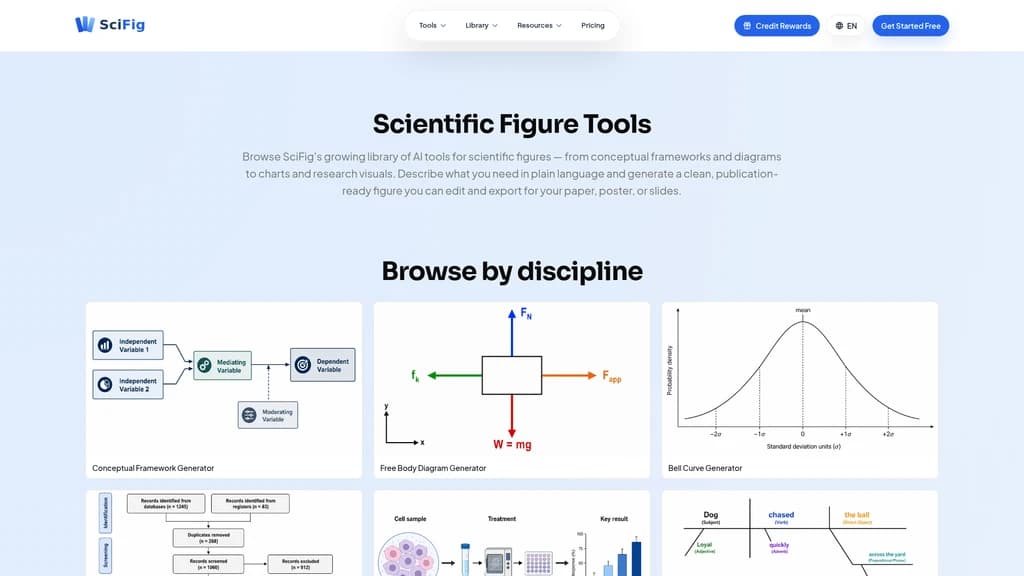
11 scientific disciplines: Biology, Chemistry, Physics, Engineering, CS, Energy, Ecology, Bioengineering, Astronomy, Agriculture, Materials Science
Trusted by 100K+ researchers from Stanford, MIT, UC Berkeley, Yale, Cambridge, and more
SciFig is an AI Scientific Figure Platform purpose-built for researchers. Instead of starting from a blank canvas or a limited template library, you describe what you need—in plain language, a sketch, a reference image, or even an entire PDF—and SciFig generates a publication-ready scientific figure in seconds. Every element remains fully editable, from individual labels and colors to entire layouts.
The result? Users report 10x faster scientific figure creation. What used to take a full day in Illustrator now takes minutes. And compared to hiring a professional scientific illustrator ($200–$400 per figure), SciFig costs just pennies per draft.
The Features Your Team Actually Needs
SciFig isn't another locked-down AI image generator. It's built from the ground up to give researchers control, speed, and flexibility at every stage of figure creation. Here are the capabilities that make the biggest difference in real lab workflows.
Text-to-Figure: Describe It, Get It
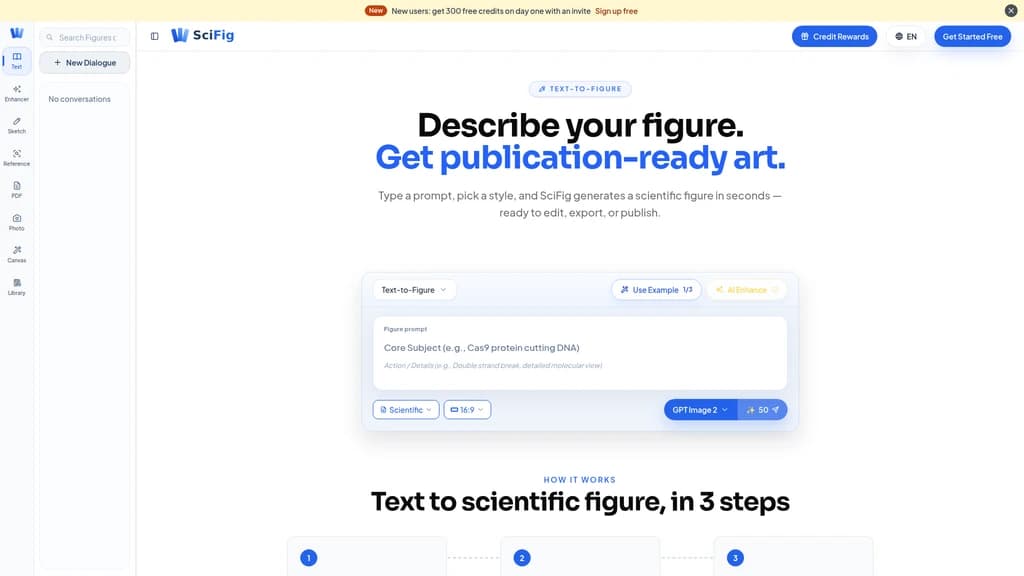
This is SciFig's flagship feature—and probably the one you'll use most often. You simply describe what you want in natural language, and the AI generates a publication-grade scientific figure in seconds.
You can use it to describe something like "CRISPR cutting DNA with PAM site," and SciFig will produce multiple layout variations automatically. The AI understands scientific context across all 11 disciplines, so you don't need to "prompt engineer" your way around biology-specific terminology.
Behind the scenes, you can choose from three AI models: GPT Image 2 (recommended for journal papers), Nano Banana Pro (ideal for slides and posters), and Nano Banana 2 (great for routine figure work). You can also select from 6 publication styles—Scientific, Line, 3D, Editorial, Sketch, Watercolor—or let Auto mode pick the best match.
Six Ways to Get a Figure Started
Text isn't your only option. SciFig offers six input modes so you can start from whatever you already have:
Sketch-to-Figure: Snap a photo of your whiteboard sketch, upload it, and SciFig transforms it into a clean vector figure. Great for brainstorming sessions where you drew something rough but need a polished version for your paper. (50 credits per use, available on Starter+ plans)
PDF-to-Figure: Upload an entire paper or grant proposal PDF. SciFig's LLM reads and understands the content, then generates visual figures based on the core concepts. Real user story: a 40-page grant application went from "no figures" to "all key concepts visualized" in under an hour. (50 credits per use, Plus+ plans)
Reference-to-Figure: Found a figure style you love in someone else's paper? Upload it as a reference, and SciFig generates your own figure in a matching style. (50 credits per use, Plus+ plans)
Photo-to-Figure: Turn lab equipment photos or microscope images into clean, annotated scientific diagrams. Perfect for the Methods section of your paper. (50 credits per use, Plus+ plans)
Vector Canvas: Edit Every Element, No Exceptions
Unlike Midjourney or other pixel-based AI tools where you're stuck with whatever was generated, SciFig's Vector Canvas gives you element-level control. Every shape, color, label, and arrow can be individually selected and edited.
You can use it to:
Click any text label and change its content, font, or size
Move individual elements around the canvas
Change colors to match your institution's branding or journal guidelines
Undo/redo any change with full history
Once an image is vectorized (150 credits per path), you can edit it infinitely within the Canvas for free.
Editable PPTX & SVG Export: The Reviewer-Proof Feature
This is the feature that users consistently call a game-changer. SciFig exports figures as editable PowerPoint objects (PPTX) or layered SVG files—not flat images.
You can use it to open your figure in PowerPoint and click on any label, arrow, or shape to edit it directly. No need to go back to Illustrator or SciFig. The layered SVGs work in Illustrator, Inkscape, Figma, and Affinity Designer.
When a reviewer asks you to "change the arrow color from red to blue" or "make the labels larger," it's a 10-second fix in PowerPoint instead of a full regeneration.
Figure Enhancer: Refine Without Starting Over
Already generated a draft but need to tweak the labels? Use Figure Enhancer to modify text content, fonts, sizes, and positions without regenerating the entire figure. It also supports resolution upgrades—4K (50 credits) and 8K (75 credits)—for high-resolution posters and journal covers.
6 input modes give you flexibility to start from text, sketches, PDFs, photos, references, or canvas
6 publication styles plus Auto mode adapt to any journal or presentation format
Editable vector exports (PPTX/SVG) let you tweak individual elements post-generation
Covers 11 scientific disciplines — one platform for the entire institution
Non-template AI generation — no fixed library, no topic limitations
Fully editable end-to-end — from generation through final export
Free plan is limited to only 2 input modes (Text-to-Figure and Figure Enhancer)
High-resolution exports (4K/8K) consume additional credits
Advanced features (all 6 modes, SVG export) require a paid plan
Who Actually Uses SciFig?
SciFig is designed for anyone who needs to create scientific figures—but different types of users tend to lean on different features. Here's how real researchers and teams are using it.
Researchers Preparing Journal Submissions
If you're submitting to a journal that requires 300 DPI figures, SciFig has you covered. 1K resolution meets 300+ DPI at standard single-column width, and 2K covers full-page width. Users typically use Text-to-Figure to generate a first draft in seconds, then refine labels and layout with Figure Enhancer. End-to-end, it takes minutes instead of days.
"I used to spend an entire day modifying figures. Now I describe what I need in a sentence and get publication-ready figures in minutes." — Dr. Wei L., Postdoc, Stanford
Grant Applicants Racing Against Deadlines
Grant deadlines are brutal, and last-minute figure creation is a common nightmare. The PDF-to-Figure mode is a lifesaver here: upload your completed grant proposal, and SciFig reads the entire document, understands the key concepts, and generates visual figures for each one.
"PDF-to-Figure mode saved my grant deadline." — Kevin C., PhD, Caltech (Computational Chemistry)
A 40-page application can go from text-only to fully visualized in under an hour—figures that would otherwise take days to commission from a scientific illustrator.
Teams Migrating from BioRender
BioRender works fine for topics in its template library, but many researchers hit its ceiling fast. When a biologist needs to illustrate a semiconductor concept or a chemist needs a catalytic cycle, BioRender simply can't help.
"My lab migrated from BioRender to SciFig for the flexibility and richer export options." — Maria S., PhD, UCL (Neuroscience)
SciFig's non-template approach means any concept, in any discipline, can be visualized—no waiting for a new template pack to be released.
Lab PIs and Team Managers
Principal Investigators often spend significant time coaching students and postdocs on figure creation. SciFig changes that dynamic entirely.
"In my 15-person lab, students now generate journal-quality figures themselves. I just review and approve." — Prof. Yuki T., PI, ETH Zürich (Systems Biology)
This frees up the PI's time for actual science while giving junior researchers the tools to produce publication-ready work independently.
Conference Poster Creators
Meeting deadlines for AAPS, ASH, ASHG, ASTRO, or E-MRS conferences? SciFig's 4K and 8K resolution outputs are ideal for A0 posters and journal covers. The blog at scifig.ai/blog provides specific guides for each major conference.
Authors Responding to Reviewer Feedback
Perhaps the most frequent pain point: a reviewer asks you to change a single label, but your figure is a flat image. With SciFig, every element is editable. Click the label, change the text, re-export. No regeneration needed.
"AI gets you 99% there. You handle the last 1%." — That's the SciFig philosophy.
If your lab frequently needs figures across multiple disciplines, or if you often encounter concepts that standard template libraries don't cover, SciFig's diverse input modes will be the most natural fit. The ability to start from text, PDFs, sketches, or photos means you're never stuck starting from scratch.
Choosing the Right Plan for Your Workflow
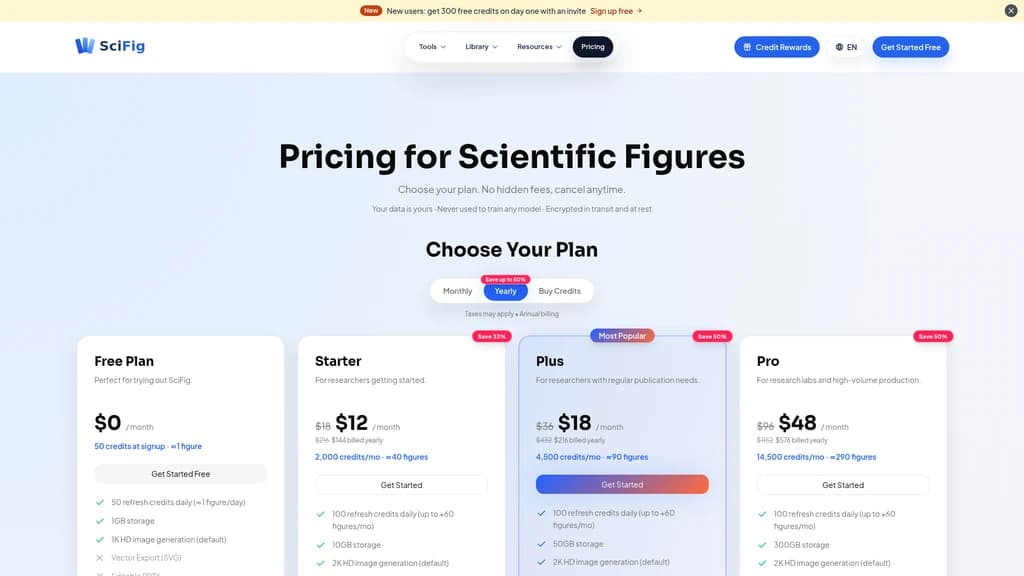
SciFig uses a credit-based system that scales with your usage. One credit isn't one figure—depending on resolution and features, a single figure typically consumes between 25 and 150 credits. Here's a transparent breakdown of every plan.
Pricing Comparison
Plan | Monthly (billed monthly) | Monthly (billed yearly) | Credits/Month | Daily Refresh | Storage | Default Resolution | Input Modes | Key Features |
|---|---|---|---|---|---|---|---|---|
Free | $0 | $0 | 50 signup + 50 daily (~1 fig/day) | 50 credits | 1GB | 1K HD | Text-to-Figure, Figure Enhancer | Non-commercial evaluation only |
Starter | $18 | $12 (save 50%) | 2,000 (~40 figs) | 100 credits | 10GB | 2K (upgrade to 4K) | Text, Enhancer, Sketch | SVG export, editable PPTX, full publication rights |
Plus | $36 | $18 (save 50%) | 4,500 (~90 figs) | 100 credits | 50GB | 2K (upgrade to 8K) | All 6 modes | Full feature set |
Pro | $96 | $48 (save 50%) | 14,500 (~290 figs) | 100 credits | 300GB | 2K (upgrade to 8K) | All 6 modes | Full feature set |
What's Included
Free plan is great for evaluation. You get 50 credits on signup plus 50 credits refreshed daily—enough to generate about one figure per day. Note: figures from the Free plan are for non-commercial evaluation only and cannot be used in publications.
Starter plan ($12/month yearly) adds Sketch-to-Figure, SVG/PPTX export, and full publication & commercial rights. This is where SciFig becomes genuinely useful for active research.
Plus plan ($18/month yearly) unlocks all 6 input modes including PDF-to-Figure, Reference-to-Figure, and Photo-to-Figure. Recommended if you need diverse figure creation capabilities.
Pro plan ($48/month yearly) delivers 14,500 credits per month (~290 figures) with 300GB storage—designed for high-volume labs and departments.
Additional Benefits
Credit Packs: Purchase additional credits that never expire
Referral Program: Earn 200 credits per invited friend (up to 10 friends = 2,000 credits)
Institutional Billing: SciFig provides official invoices, PO support, and institutional billing. You can categorize it as "scientific visualization software" in grant budgets
Annual plans save up to 50% compared to monthly billing
Stripe Climate: 0.5% of every purchase contributes to Stripe Climate
If you're unsure, we suggest starting with Starter (yearly at $12/month). It covers the most common needs—Text-to-Figure and Sketch-to-Figure—with full publication rights and commercial use. For frequent figure creation across multiple input modes, Plus ($18/month yearly) is the sweet spot. Heavy users and lab-wide deployments are best served by Pro ($48/month yearly) .
Frequently Asked Questions
How is SciFig different from BioRender or Nano Banana?
BioRender is a fixed template library—if your concept isn't in their database, you can't create it. SciFig generates unique figures from text, PDFs, photos, or sketches, with no template limitations. Unlike Midjourney or Nano Banana's "locked pixels," SciFig's every label and shape is clickable and editable. You also get editable PPTX and SVG exports, which neither BioRender nor Midjourney offers.
Can SciFig figures meet journal 300 DPI requirements?
Absolutely. 1K resolution exceeds 300+ DPI at standard single-column width, and 2K covers full-page width at 300+ DPI. For A0 posters and journal covers, 4K and 8K resolution upgrades are available. SciFig is built for publication-grade output.
Is my research data safe with SciFig?
Yes. SciFig explicitly states: "We do NOT use your private uploads, prompts, or generated figures to train our models." All files are encrypted end-to-end in transit and at rest. SciFig is fully compliant with GDPR and CCPA/CPRA regulations. Payments are handled securely by Stripe.
Do I own the copyright to my figures? Can I use them in publications?
Paid plans (Starter, Plus, Pro) grant you full publication rights and full commercial use rights. SciFig claims no ownership over your figures and does not request usage permission. The Free plan is limited to non-commercial evaluation purposes only—figures created on the Free plan cannot be used in published papers.
How fast does SciFig generate figures?
Initial drafts are generated in seconds. The complete end-to-end workflow—from blank page to exportable figure—takes just minutes. Users consistently report 10x faster figure creation compared to traditional tools.
What happens to my figures if I cancel my subscription?
All your figures, prompts, and uploaded content remain permanently accessible after cancellation. You can still log in to view, download, or re-export them. Any purchased Credit Packs never expire.
Can I get reimbursed by my institution or lab?
Yes. SciFig provides official invoices, purchase order support, and institutional billing options. You can categorize it as "scientific visualization software" in your grant budget. Many researchers successfully submit it for lab fund reimbursement.
Does SciFig work for chemistry, physics, or engineering?
Yes. SciFig natively supports 11 scientific disciplines: Biology, Chemistry, Physics, Engineering, Computer Science, Energy, Ecology, Bioengineering, Astronomy, Agriculture, and Materials Science. You can browse real examples filtered by discipline on the Inspiration page.


Comments