
- Monthly visits
- 5,697
- 2026-09
- Monthly growth +5.7%
RouteSketcher - Turn map sketches into GPX routes for GPS art
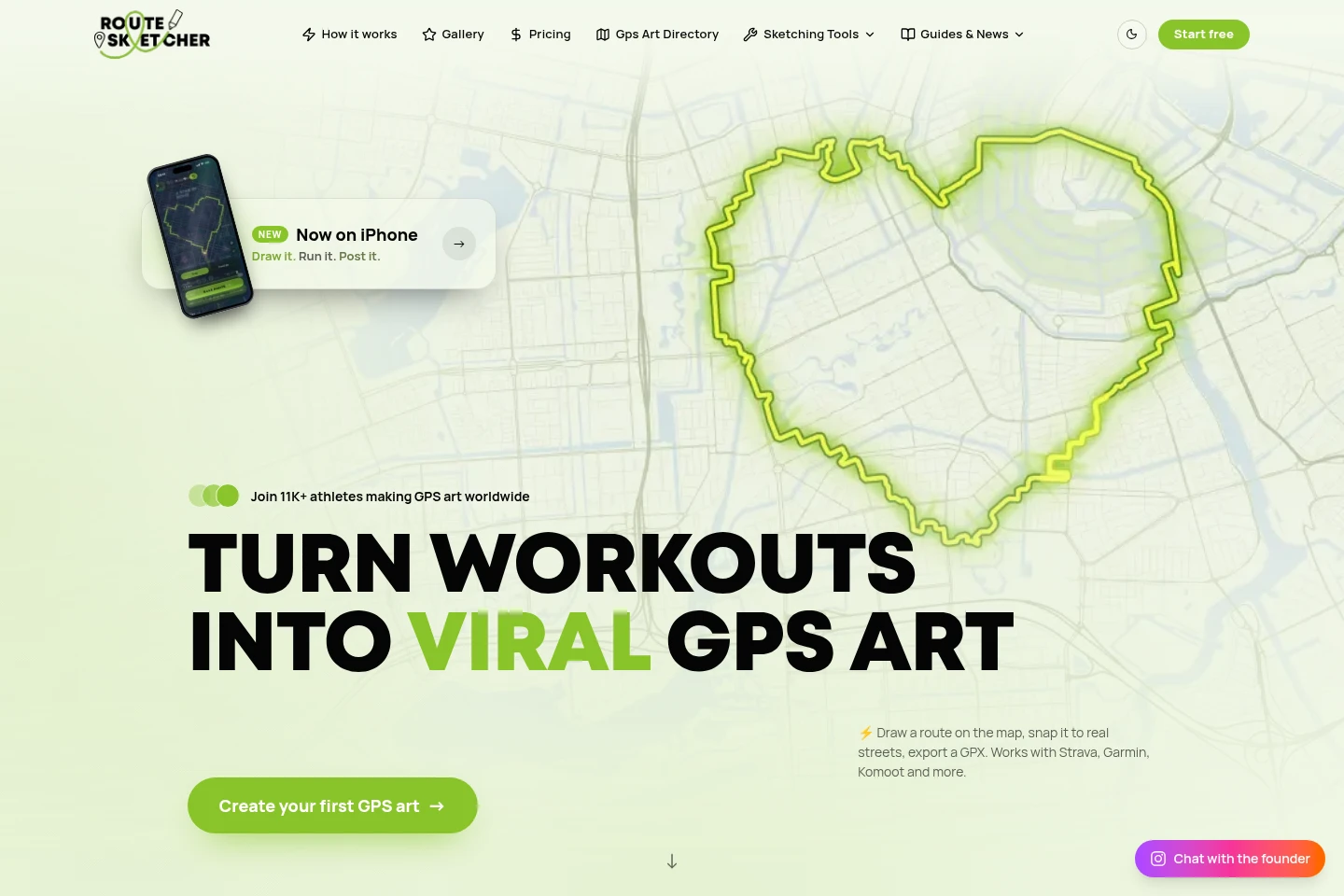
RouteSketcher lets you draw shapes on a map, snap them to real streets and export routes as GPX files for Strava, Garmin, Komoot and compatible devices. Create designs freehand, choose ready-made shapes, use AI-generated doodles, trace photos or import GPX files. The free GPS Art Explorer includes two sketches; GPS Artist offers unlimited sketching for a one-time payment.
- AI Lifestyle
- Trip Planners
- Image Generators
- Video Generators
- GPS art route planner
- GPX drawing export
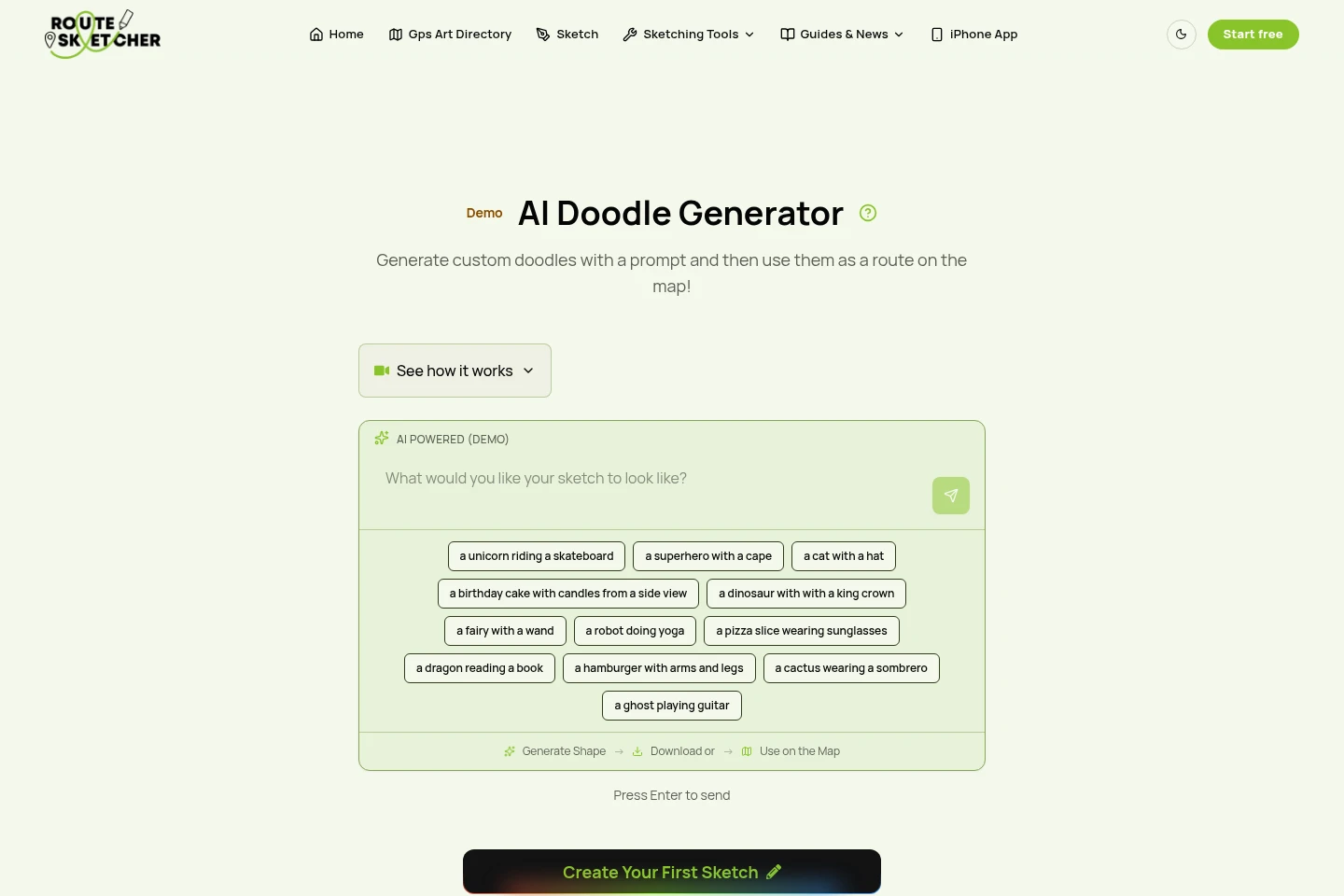
- AI doodle routes
Capabilities
Map route sketching
Draw a shape on a map and turn it into a route that follows real streets. Sketch freehand, choose a ready-made shape, position and resize it over a location, then use street and path data to snap its lines to roads, trails or cycleways.
AI doodle generation
Generate a doodle from a text prompt and use its outline as a route on a map. Describe the shape you want, generate it with the AI Doodle Generator, then download the doodle or place it on the map; the generator is identified as beta in the plans.
Photo tracing
Convert an uploaded photo into a route by tracing its image. Upload a photo and use automatic tracing to create a route outline; the homepage describes this process as taking 20 seconds.
GPX import and export
Import GPX routes and export sketches as GPX files for compatible outdoor apps and devices. Download a route to use with services including Strava, Garmin Connect and Komoot, or follow it on a compatible watch.
Social image and video export
Export artwork for sharing on social platforms. Download a transparent PNG or video overlay, and create a short flyover video from a saved sketch for Instagram, TikTok or Stories.
Pricing
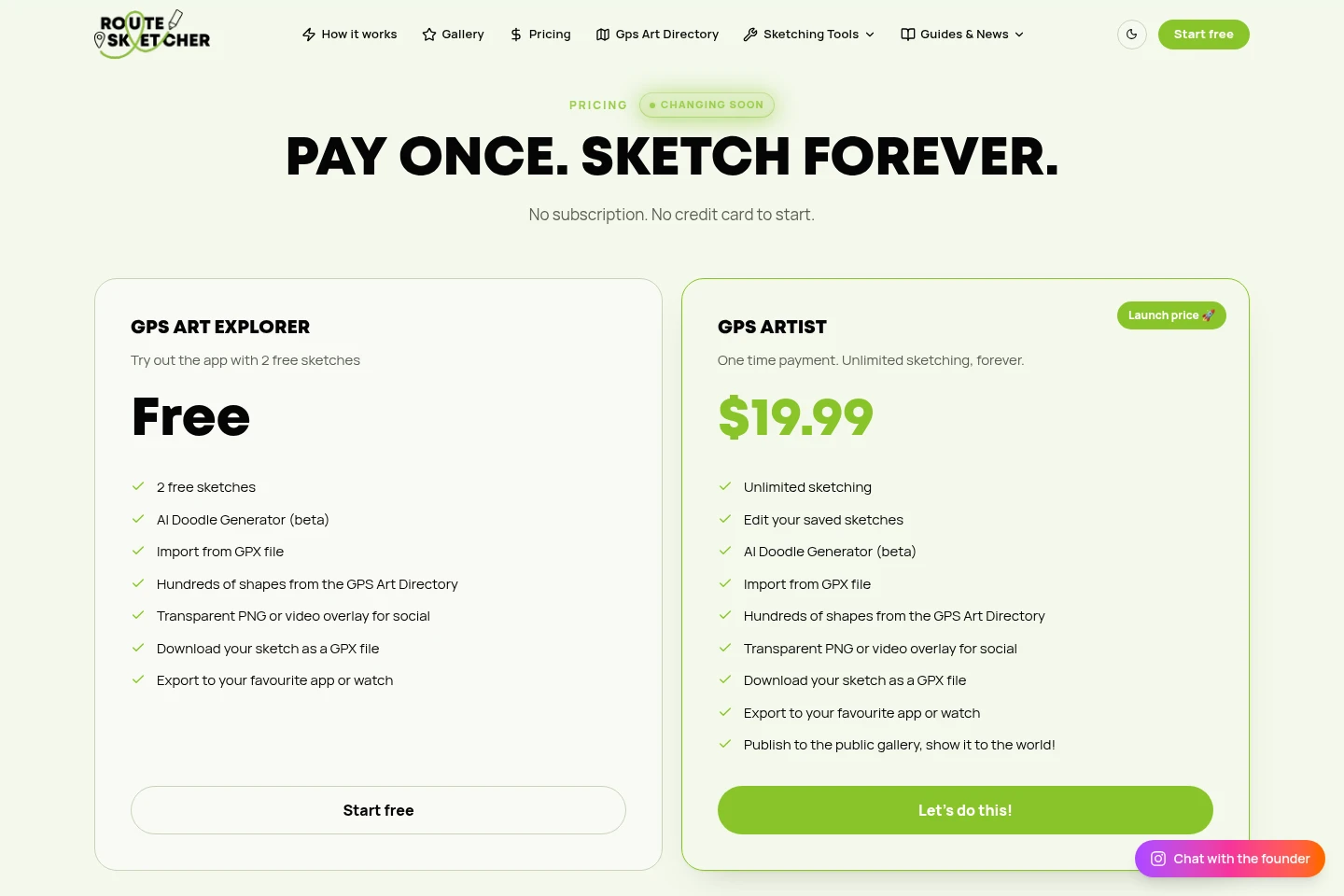
RouteSketcher offers a free plan and a one-time-payment plan, with no subscription. Compare sketch limits and whether you need saved-sketch editing or public-gallery publishing when choosing.
| Plan | Price | Included features and limits |
|---|---|---|
| GPS Art Explorer | Free |
|
| GPS Artist | One-time payment; launch price shown without an amount |
|
The pricing section says there is no subscription and no credit card is needed to start. The GPS Artist launch price is labeled as changing soon; no amount is shown in the supplied pricing content.
Use cases
Plan a GPS art running route
When planning a run, walk or ride that should draw a shape on a map, sketch or select a design and position it over a city. Snap it to real streets and paths, export the GPX, then follow it with a compatible app or watch.
Turn a photo into a route
When a photo should provide the outline for GPS artwork, upload it and use automatic tracing to make a route. The traced route can be placed on the map and exported as a GPX file.
Share a finished GPS art design
After creating a sketch, export a transparent PNG or video overlay for social sharing. GPS Artist users can also publish a creation to the public gallery, while saved sketches can be turned into short flyover videos.
Limitations
The GPS Art Explorer plan is limited to two sketches; unlimited sketching is listed for GPS Artist.
Who it is for
Runners, cyclists and walkers creating GPS art routes
Outdoor route planners who want map designs exported as GPX
GPS art creators who want to publish designs in a public gallery
FAQ
How does RouteSketcher create a GPS art route?
Draw freehand on the map, choose a ready-made shape or describe a shape for the AI to draw. Position it over a location, snap it to real streets and paths, then export the route as a GPX file.
Which apps and devices can use exported routes?
Any app or device that accepts GPX files can use an exported route. The site names Strava, Garmin Connect, Garmin watches, Komoot, Suunto, Coros and Wahoo, among others.
Can I use a route without snapping it to roads?
Yes. The FAQ says you can download the unsnapped freehand version instead of using road snapping. It mentions open spaces such as beaches, parks and tracks as examples.
What does the free GPS Art Explorer include?
GPS Art Explorer is free and includes two sketches, the AI Doodle Generator in beta, GPX import, shapes from the GPS Art Directory, transparent PNG or video overlay export, and GPX downloads.
Does RouteSketcher offer refunds?
Yes. Purchases are refundable within 15 days by emailing [email protected] with the purchase details. After 15 days, purchases are final.
Comments