

- Monthly visits
- 6,469
- 2026-09
- Monthly growth +93.7%
RealVisXL - Photo-realistic AI image generation powered by Stable Diffusion XL
Tired of AI-generated images that look artificial and unconvincing? RealVisXL is an open-source Stable Diffusion XL checkpoint merge model built for photorealism. It generates stunningly realistic portraits, product shots, and scenes with authentic skin textures and natural lighting. With both a high-quality Standard version and a Lightning variant for near-instant results, it offers flexibility for every creative workflow. Free to download and run locally or try instantly in your browser.
- AI Image
- Image Generation
- Self-hosted
- Stable Diffusion
- Custom Training
- Open Source
485Views
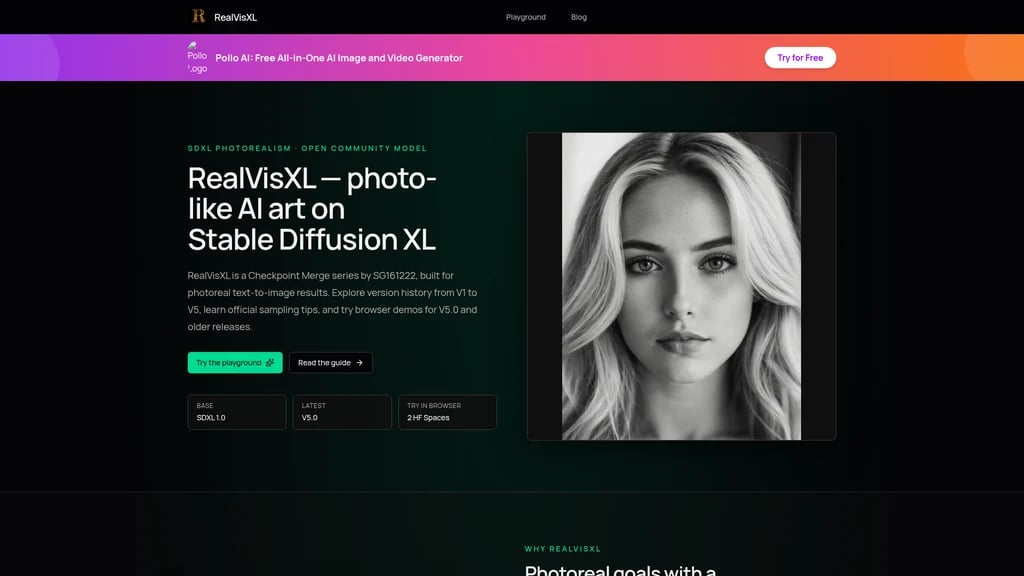



What Is RealVisXL? The First Step From "AI Glow" to "Photo-Real"
If you've spent any time with AI image generators, you've probably noticed it: that subtle plastic sheen on skin, the unnatural lighting that screams "this was made by a computer," or the way faces look almost right but somehow off. It's what the community calls "the AI look" — and for anyone trying to create believable portraits or realistic scenes, it's a frustrating wall to hit.
This is exactly where RealVisXL comes in. It's an open-source Checkpoint Merge model built on Stable Diffusion XL 1.0, purpose-built to solve one thing: generating images that look like they were taken with a camera, not generated by an algorithm. Created by independent developer SG161222 (Evgeny), the latest versions — V5.0 and V5.0 Lightning — were released in August and September 2024, representing the most refined iteration of this approach so far.
Instead of trying to do everything at once (cartoons, paintings, 3D renders, and photos all in one model), RealVisXL focuses its training on photorealism. It's a specialized tool for a specific job, and that focus shows in the results. The model merges weights from ProtoVision XL and DynaVision XL — two other community models — to achieve better skin texture, more natural lighting, and overall scene realism that's hard to find in general-purpose alternatives.
The community has certainly noticed. RealVisXL V5.0 sees 194,187 monthly downloads on HuggingFace, with 188 likes and 59 community Spaces actively using it. There are also 10 Adapters, 5 Finetunes, and 1 Quantization built on top of it — a strong sign that the community finds it worth extending.
The model is released under the CreativeML Open RAIL++-M license (openrail++), which means it's completely free and open-source. No paywalls, no premium tiers, no hidden fees.
Photo-Real Focus: Specialized for generating camera-like images, not general-purpose art
Two Speed Modes: Choose between maximum quality (V5.0) or lightning-fast iteration (V5.0 Lightning)
100% Free & Open Source: Released under openrail++ license, no paid plans or hidden costs
Standard or Lightning? Choosing the Right Speed for Your Workflow
One of the first decisions you'll face with RealVisXL is which version to start with. The model series offers two distinct variants, each optimized for a different phase of creative work. Let's break down how they differ and when to use each.
V5.0 Standard: Maximum Quality, No Compromises
The V5.0 Standard edition is built on the full SDXL 1.0 foundation. It's designed for situations where image quality is the top priority — final renders, portfolio pieces, or any output where you want every pixel to count.
For best results, official recommendations suggest:
Sampler: DPM++ SDE Karras (30+ steps) or DPM++ 2M Karras (50+ steps)
CFG Scale: Standard range (7-12 is typical)
Clip Skip: 1 (this is important — we'll explain why shortly)
Think of the Standard edition as your finishing tool. You use it when you've settled on a concept and need the highest possible quality output.
V5.0 Lightning: Speed for the Creative Process
The V5.0 Lightning variant takes a different approach. It's based on SDXL Lightning, a specialized architecture that dramatically reduces the number of inference steps needed.
Here's what makes it different:
4-6 steps instead of 30-50
CFG 1-2 instead of the standard range
DPM++ SDE family samplers recommended
The trade-off is straightforward: you get significantly faster generation at the cost of some fine detail. But here's the good news — compared to the earlier V3.0 Turbo version, V5.0 Lightning is described by the author as "less noisy," meaning image quality has improved noticeably even in this fast variant.
If your GPU is limited or you need to generate a large number of variations quickly, start with the Lightning version to explore compositions and ideas. Once you've found a direction you like, switch to the Standard version for the final refined output. This two-phase workflow saves hours of waiting time.
When to Use Which
Scenario | Recommended Version | Why |
|---|---|---|
Final product images, portfolio pieces | V5.0 Standard | Maximum quality and detail |
Brainstorming, rapid ideation | V5.0 Lightning | Speed lets you explore more options |
Limited GPU resources | V5.0 Lightning | Runs well on modest hardware |
Print or high-resolution output | V5.0 Standard | Better foundation for upscaling |
Batch testing prompts | V5.0 Lightning | 4-6 steps vs 30-50 steps per image |
How Photo-Real Is Achieved? Breaking Down the Core Capabilities
You might be wondering: what actually makes RealVisXL's output look more "real" than other models? Let's walk through the key mechanisms, using a format of what problem it solves → how it works → how you can use it.
Photorealism Engine: From "AI Skin" to Real Skin
The problem: Most models generate faces with a distinct smoothness — like everyone's skin has been airbrushed into oblivion. Pores, fine lines, and natural skin texture are missing.
How it works: RealVisXL's Checkpoint Merge combines weights from ProtoVision XL and DynaVision XL, two models specifically tuned for realistic human features. The merge process essentially teaches the model to prioritize natural texture patterns over the "idealized smooth" look that many base models default to.
How you can use it: For portraits, use standard parameters (DPM++ SDE Karras, 30+ steps) and include negative prompts like "bad hands, bad anatomy, ugly, deformed, extra limbs." The model handles skin texture naturally, but anatomy correction prompts still help with hands and facial structure.
Clip Skip 1: A Small Setting with Big Impact
The problem: Most Stable Diffusion models default to Clip Skip 2, which means the CLIP text encoder skips its final layer. This can make images more loosely connected to your prompt — sometimes creative, but often less accurate.
How it works: V5.0 is optimized for Clip Skip 1, meaning it uses the full output of the CLIP encoder. The model's training was aligned with this setting, so using Clip Skip 2 can subtly degrade the prompt-image alignment.
How you can use it: When loading RealVisXL V5.0 in ComfyUI, Forge, or Automatic1111, set Clip Skip to 1. This is a common gotcha for users switching from other community models — forgetting to change this setting will give you noticeably worse results.
Hires.fix: Pushing Beyond Base Resolution
The problem: AI models generate at a fixed base resolution (typically 1024×1024 for SDXL). If you need larger images, you'll get blurry results or artifacts.
How it works: Hires.fix (also called "high-resolution fix") first generates an image at base resolution, then upscales it with additional inference steps to add detail. RealVisXL provides specific recommendations:
Sampler: DPM++ 2M Karras
Steps: 25+
Denoise: 0.1-0.3 (lower = closer to original)
Upscale Factor: 1.1-1.5
Recommended Upscalers: 4x-NMKD-Superscale-SP_178000_G or 4x-UltraSharp
For Lightning version users, Hires.fix is remarkably fast: just 3 steps with Denoise 0.5.
How you can use it: Apply Hires.fix when you need images beyond 1024×1024. Start with a low denoise (0.2) and small upscale factor (1.5x), then increase gradually if you need more.
Photo-real output: Skin texture and lighting far exceed general-purpose models
Dual speed modes: One model family covers both quality and speed needs
Full platform support: Works in ComfyUI, Forge, Automatic1111, and Diffusers
Strong community: 194K monthly downloads, 59 Spaces, active ecosystem
Completely free: Open-source with no paid tiers
Not general-purpose: Specialized for photorealism; not ideal for anime, painting, or abstract styles
Learning curve: Clip Skip 1 setting and sampler choices require initial setup
Compute needed: Standard version requires more GPU time (30-50 steps per image)
Who's Using RealVisXL? Real Scenarios From Creative Workflows
To help you decide if this model fits your needs, let's look at how different types of users are putting RealVisXL to work.
Portrait Creators Seeking Believable Faces
The challenge: You need character portraits that look like real people — for game characters, book covers, or personal projects. Most AI models give you that "AI glow" that breaks the illusion.
The approach: Use the Standard version with DPM++ SDE Karras at 30+ steps, Clip Skip 1, and comprehensive negative prompts. The model's natural texture handling means your portraits will have realistic skin pores, hair strands, and catchlights in the eyes.
Result: Portraits that could pass for photography, with natural skin texture and believable lighting.
Fashion and Product Designers
The challenge: Commercial photoshoots are expensive. You need visual assets for rapid prototyping, mood boards, or client presentations — but you can't justify a full production budget for early-stage exploration.
The approach: Generate fashion-style shots or product scenes using RealVisXL's realistic rendering. The Lightning version handles quick iterations (4-6 steps), while the Standard version delivers presentation-ready quality.
Result: High-quality product visualization in minutes, with significantly lower upfront costs for creative validation.
Game and Film Concept Artists
The challenge: Concept development requires exploring dozens of visual directions quickly. Traditional methods — sketching, 3D blocking, or reference gathering — simply can't keep up with the velocity needed.
The approach: Use V5.0 Lightning for the ideation phase. Generate 20-30 variations in the time it would take to produce 2-3 with traditional methods. Once a direction is selected, switch to V5.0 Standard for the final concept render.
Result: Dramatically faster iteration cycles. Creative teams can explore more visual directions before committing to a final concept.
Privacy-Conscious Local Creators
The challenge: Cloud-based AI tools mean your prompts and generated images are processed on someone else's servers. For sensitive projects, this isn't acceptable.
The approach: Download the model weights from HuggingFace or Civitai and run them locally in ComfyUI, Forge, or Automatic1111. With approximately 3 billion parameters and standard GPU requirements, this is achievable on most modern graphics cards.
Result: Complete offline operation. Your data never leaves your machine, and you're not dependent on internet connectivity or third-party service availability.
Developers Integrating AI Generation
The challenge: You want to add image generation to your own application or workflow without building a model from scratch.
The approach: Use the HuggingFace Diffusers library to load the model with a single line of code: pipe = DiffusionPipeline.from_pretrained("SG161222/RealVisXL_V5.0"). The checkpoint merge format integrates seamlessly with existing Stable Diffusion pipelines.
Result: Fast integration with standard hardware requirements. The model's 3B parameter size keeps inference feasible on modest GPUs.
AI Art Beginners Learning the Ropes
The challenge: Stable Diffusion has a steep learning curve. Samplers, CFG scales, Clip Skip, and scheduler options can overwhelm newcomers.
The approach: Start with the Playground at realvisxl.com — no installation required. Use the official recommended parameters as your starting point, then experiment with one variable at a time.
Result: A structured learning path. Begin with working settings and gradually build understanding through hands-on experimentation.
Start with the Playground. It requires no installation, no GPU, and no registration. Just type a prompt and see what happens. Once you're comfortable with the concepts, download the model for local use when you need more control.
Two Ways to Start: From Zero to Your First Image Today
Ready to give RealVisXL a try? Here are the two simplest paths to start generating.
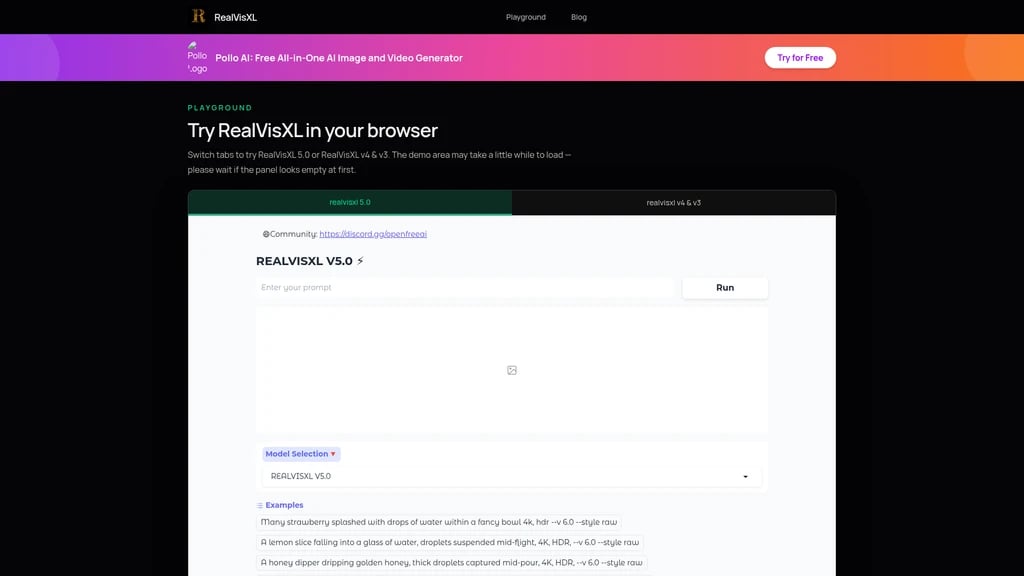
Method 1: Online Playground (Zero Installation)
This is the fastest way to see what RealVisXL can do:
Visit realvisxl.com/playground
Choose between two tabs:
V5.0 tab (powered by seawolf2357/REALVISXL-V5) — the latest standard version
V4/V3 tab (powered by ddosxd/realvisxl) — for comparing with older versions
Enter your prompt and generate
No sign-up, no GPU needed, no software installation. This is also a great way to compare versions side-by-side to see the improvement from V4/V3 to V5.0.
Important note: The Playground embeds third-party HuggingFace Spaces. Your prompts and generated images are processed by the Space operators and HuggingFace. For privacy-sensitive work, use Method 2.
Method 2: Local Installation (Full Control)
For complete control over your workflow and data:
Step 1: Download the model
From HuggingFace:
SG161222/RealVisXL_V5.0(standard) orSG161222/RealVisXL_V5.0_LightningFrom Civitai: model 139562
Files are in Safetensors format, approximately 3B parameters
Step 2: Load in your preferred tool RealVisXL works with:
ComfyUI — node-based workflow, highly customizable
Automatic1111 — feature-rich web UI
Forge — optimized for lower VRAM
Diffusers library — for developers integrating into applications
Step 3: Apply the right parameters
Setting | Standard (V5.0) | Lightning (V5.0) |
|---|---|---|
Clip Skip | 1 (critical!) | 1 (critical!) |
Sampler | DPM++ SDE Karras | DPM++ SDE family |
Steps | 30-50+ | 4-6 |
CFG Scale | 7-12 | 1-2 |
Hires.fix | DPM++ 2M Karras, 25+ steps, Denoise 0.1-0.3 | ~3 steps, Denoise 0.5 |
A standard GPU with at least 6-8GB VRAM is sufficient for most use cases. The model runs in F32 precision by default.
Frequently Asked Questions
What's the difference between RealVisXL V5.0 and V5.0 Lightning? Which should I choose?
First, understand the core difference: V5.0 Standard is built on SDXL 1.0 and optimized for maximum quality, requiring 30-50 inference steps. V5.0 Lightning is built on SDXL Lightning and optimized for speed, requiring only 4-6 steps with a very low CFG of 1-2.
Second, think about your workflow stage. If you're exploring ideas and need to generate many variations quickly, Lightning is the better choice — it's roughly 10x faster per image. If you've settled on a concept and need the highest quality for a final output, Standard is the way to go.
Finally, consider your hardware. If you're running on a modest GPU or need to batch-generate hundreds of images, Lightning's lower computational requirement makes it more practical. Many experienced users keep both versions installed and switch between them depending on the task.
Is RealVisXL really free? Are there any hidden costs?
First and foremost: yes, RealVisXL is completely free and open-source. The model weights are available for download from HuggingFace and Civitai with no payment required. The realvisxl.com website itself does not offer any paid plans, credit wallets, or checkout functionality.
Second, the model is released under the CreativeML Open RAIL++-M license, which explicitly allows free use, modification, and redistribution subject to the license terms. There are no "premium features" locked behind a paywall.
Finally, it's important to distinguish between the model itself and the infrastructure you choose to run it on. If you use the online Playground, that's free as well. If you run it locally, you'll need compatible hardware (a GPU), but the model software itself carries no cost.
How do I start using RealVisXL? What hardware do I need?
First, understand that there are two starting paths. The simplest is the online Playground at realvisxl.com/playground — no hardware needed, no installation, no registration. Just open the page and start generating. This is ideal for testing and learning.
Second, if you want to run locally, you'll need a GPU with at least 6-8GB VRAM. The model has approximately 3 billion parameters and runs in F32 precision. Tools like ComfyUI, Automatic1111, or Forge are free to install and support RealVisXL natively. Download the Safetensors weights from HuggingFace or Civitai.
Finally, for the smoothest experience, follow the recommended parameters for your chosen version: for Standard use Clip Skip 1, DPM++ SDE Karras with 30+ steps; for Lightning use Clip Skip 1, DPM++ SDE with 4-6 steps and CFG 1-2. Start with these settings before experimenting.
Is my data safe when using the Playground? What about prompts and generated images?
First, it's important to understand that the Playground at realvisxl.com embeds third-party HuggingFace Spaces — it's not a proprietary service. Your prompts and generated images are processed by the Space operators (seawolf2357 for V5.0, ddosxd for V4/V3) and within HuggingFace's infrastructure.
Second, because these are third-party services, the data handling follows their privacy policies, not realvisxl.com's. If you're working with sensitive concepts or private information, this is an important consideration.
Finally, for complete data privacy, the solution is straightforward: download the model and run it locally. With local operation in ComfyUI or Forge, your prompts and outputs never leave your machine. This is the recommended approach for any work involving confidential or proprietary material.
Can I use RealVisXL for commercial purposes?
First, the model is released under the CreativeML Open RAIL++-M license, which permits commercial use subject to specific restrictions. You should review the full license text on the model's HuggingFace page for complete terms.
Second, the key restrictions in the RAIL++-M license relate to prohibited uses — you cannot use the model to generate certain harmful content categories (specifically defined in the license), and there are requirements around responsible use and disclosure.
Finally, it's your responsibility to understand and comply with the license terms in your specific use case. If you're building a commercial product or service that incorporates RealVisXL, consult with legal counsel to ensure full compliance with the openrail++ license and any applicable local laws.
Is there a RealVisXL V6? When will it be released?
First, as of the latest available information, no V6 version has been released. The current latest versions are V5.0 and V5.0 Lightning, published in August and September 2024 respectively.
Second, the official blog at realvisxl.com has explicitly stated that the site does not fabricate release dates or benchmark comparison data. This means any claims about V6 availability or release timelines should be treated with skepticism unless they come directly from the official HuggingFace collection or Civitai page.
Finally, if you're watching for future updates, the best sources are the official HuggingFace collection ("RealVisXL (SDXL)" with 12 model items) and the Civitai model page (model 139562). These are where the author SG161222 posts new versions first.
Who created RealVisXL? How can I support the project?
First, RealVisXL was created by SG161222 (Evgeny), an independent developer in the Stable Diffusion community. On HuggingFace the account is registered as Evgeny, while on Civitai the username is SG_161222. This is not a company product — it's a labor of love from a community creator.
Second, if you'd like to support the project, you can contribute through the author's Boosty page at boosty.to/sg_161222. This is a direct sponsorship platform that helps fund continued development. The author also has several other models available, including ParagonXL, NovaXL, and RealDreamXL on Mage.Space.
Finally, beyond direct financial support, the strongest support you can offer an open-source project is community engagement — using the model, sharing your results, and reporting feedback through the available channels ([email protected]). The 194,000+ monthly downloads, 188 HuggingFace likes, and 59 community Spaces are testaments to how much the community values this work.


Comments