

- Monthly visits
- 62,483
- 2026-10
- Monthly growth +9%
Rakazo - Persistent AI bots that work across your apps and devices
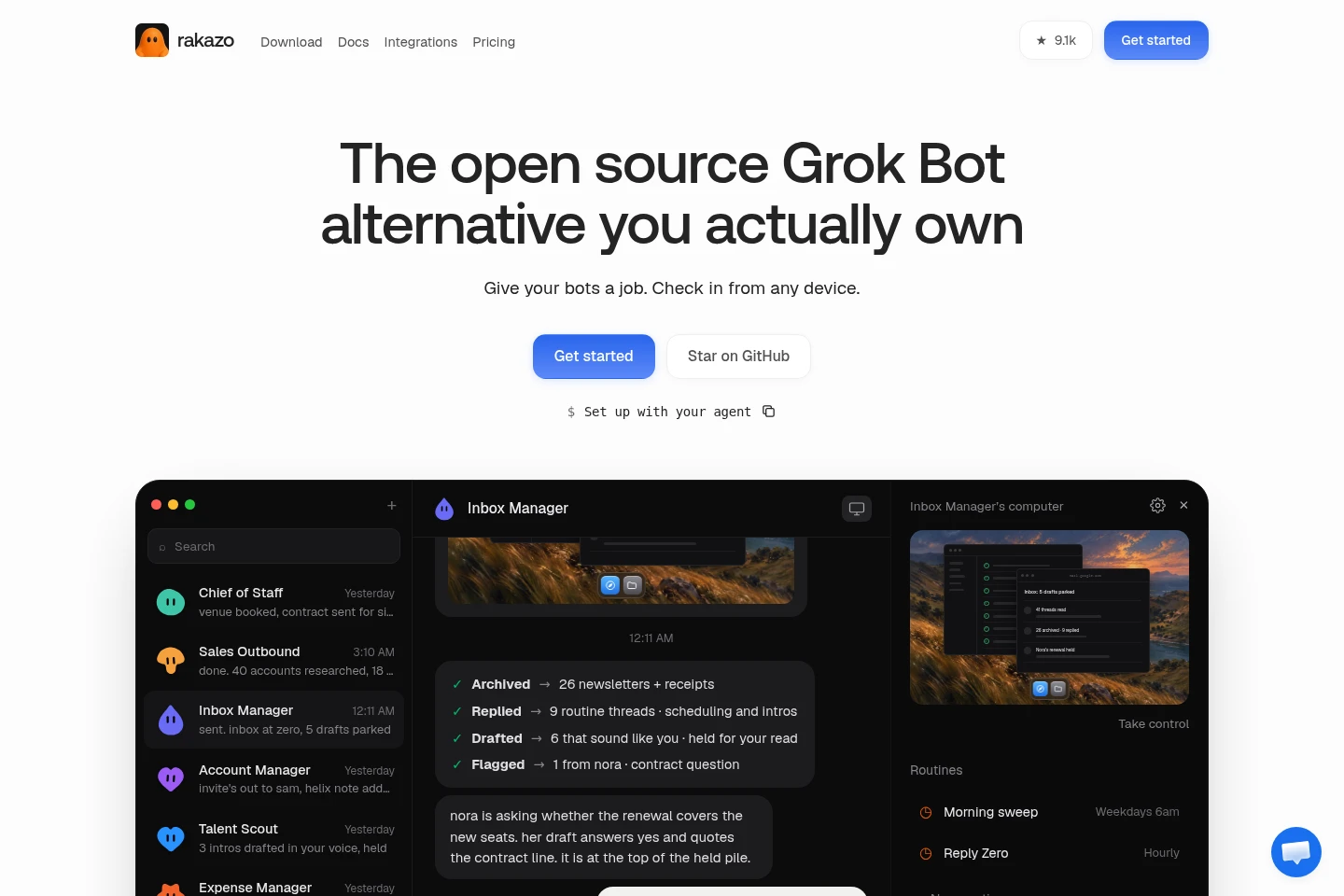
Rakazo is an open-source platform for persistent AI bots that handle tasks across connected apps and computers. Bots can use routines, memory, browser and shell tools, and integrations such as Gmail, GitHub, Notion, and MCP servers. Run it on your own machine for free or choose hosted plans; connect a model or use Rakazo credits.
- AI Agents
- General AI Agents
- Workflow Automation
- Agent Hosting
- open-source AI agents
- self-hosted AI bots
- AI task automation
Capabilities
Persistent task bots
Bots carry out assigned work using connected apps and computer tools, and retain conversations, memory, and schedules. Assign a template or a custom job; each bot can use a browser and shell, with approval pauses for actions crossing boundaries you set.
App and MCP integrations
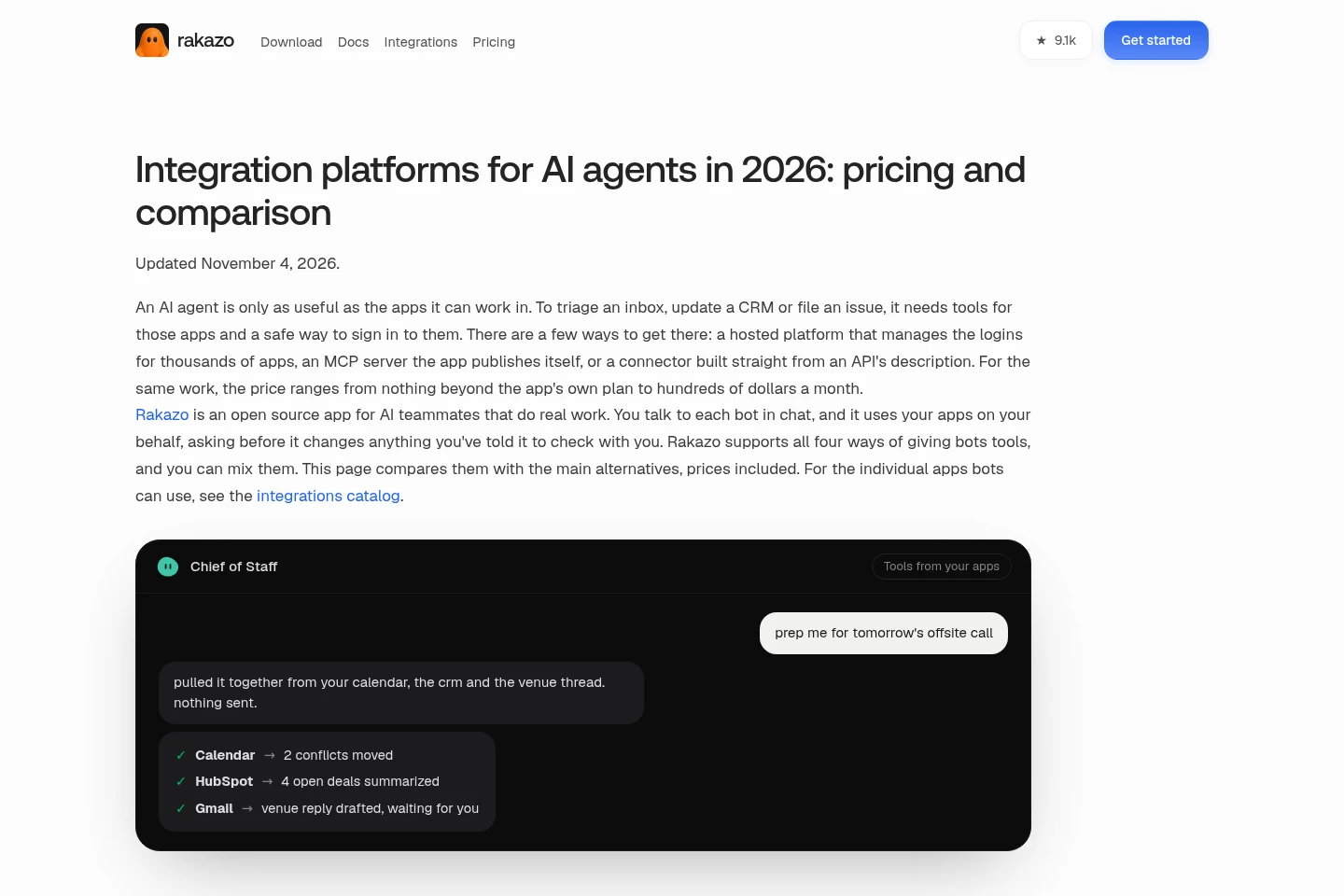
Connect bots to apps and tools, including Gmail, GitHub, Notion, and MCP servers. Use app integrations, MCP servers, or API connectors; configure credentials and access as required by the selected integration.
Routines and event triggers
Bots start work on a schedule or in response to configured events. Set routines, webhooks, GitHub events, or watched changes; supported messaging and event integrations vary between hosted and self-hosted deployments.
Computer task execution
Bots use a computer to run code, edit files, and browse, then can pause for approval. Choose a hosted bot computer or a self-hosted computer option; hosted computer hours count only while the bot uses the computer, which pauses when idle.
Bot messaging
Message bots through the Web app and supported messaging services. Mention a bot in Slack or Microsoft Teams, or use mobile messaging options; some services are currently limited to self-hosted deployments.
Pricing
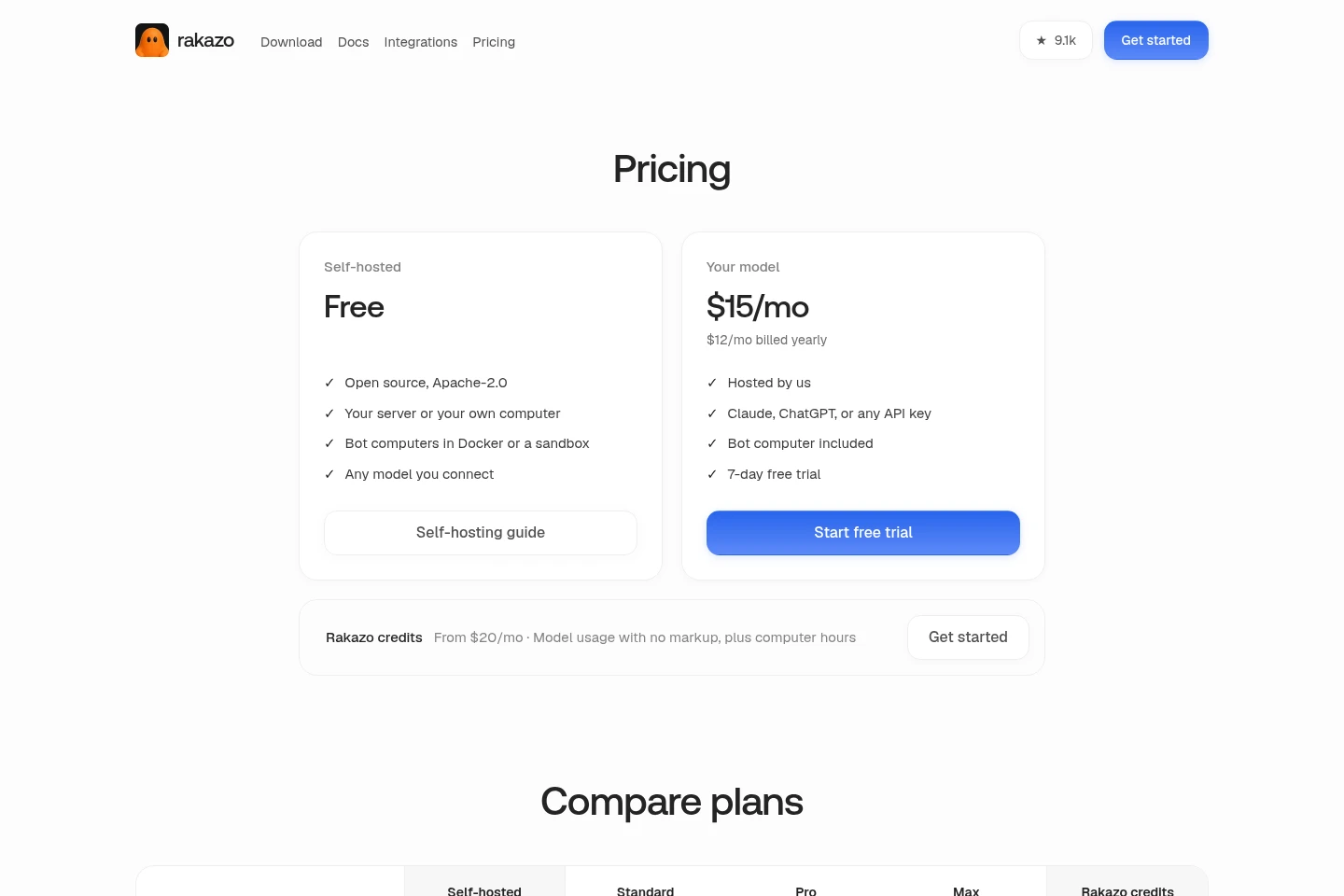
Rakazo offers a free self-hosted edition and paid hosted subscriptions, plus Rakazo credits from $20/mo. Compare hosting, model access, bot-computer hours and resources, and trial availability when choosing a plan.
| Plan | Price | Included features and limits |
|---|---|---|
| Self-hosted Free | Free |
|
| Standard | $15/mo; $12/mo billed yearly |
|
| Pro | $49/mo |
|
| Max | $99/mo |
|
| Rakazo credits | From $20/mo |
|
Hosted bot-computer hours are counted only while a bot uses its computer, which pauses when idle. The hosted-plan FAQ states there are no overage charges.
Use cases
Sort email and prepare reply drafts
When an inbox needs attention, assign a bot to review messages and sort routine threads. It can archive messages, draft replies, and flag items for review; you can approve or send drafts rather than having the bot send them automatically.
Research prospects and draft follow-ups
When preparing sales outreach, give a bot a prospect-research and follow-up task. It researches accounts and prepares drafts for review through connected apps and computer tools; the user can decide what to send.
Review applications and shortlist candidates
When applications need screening, assign the Talent Scout template to review applications and shortlist candidates. The bot can use connected tools for the task, with approval controls available for actions you designate.
Make code changes and triage issues
When code or software issues need work, assign a coding task to a bot with computer access. It can make code changes, browse files, and work with GitHub; computer use may require hosted hours or a configured self-hosted computer.
Limitations
Some messaging services, local models, local MCP servers, image and video generation, and other listed integrations are self-host-only and are not yet available on Rakazo Cloud.
Hosted bot computer hours are counted only while a bot uses its computer; the computer pauses when idle.
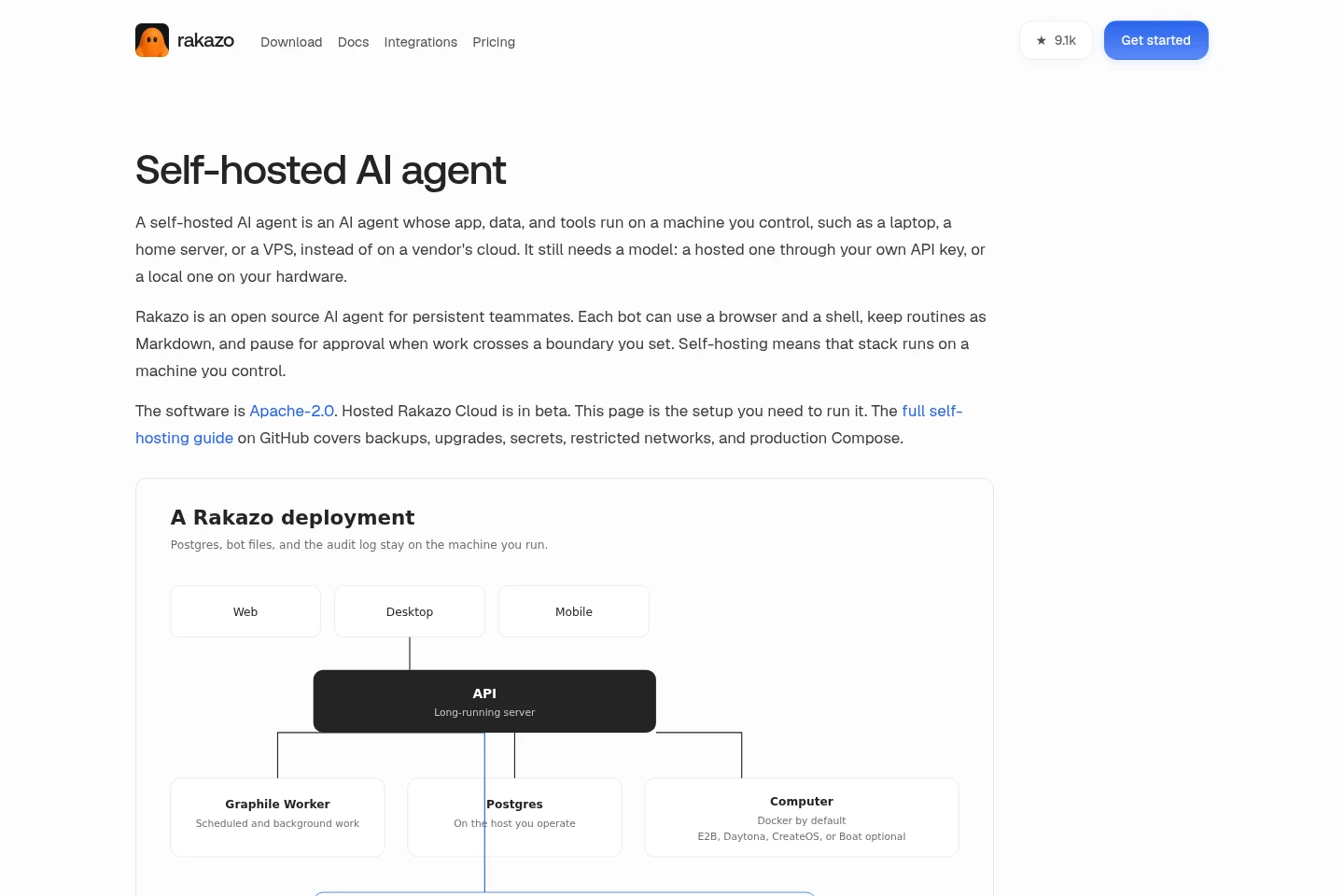
Self-hosting the Rakazo agent does not self-host a hosted model; prompts and context are sent to the model provider unless a local model server is configured.
Using Claude Pro or Max requires self-hosting Rakazo from a source checkout and running it through the official Claude Code CLI; ChatGPT sign-in is available on eligible plans.
Who it is for
People who want bots to handle repeatable work across connected apps
Developers who want to run and configure AI bots on their own computers or servers
Teams that want to assign bot tasks through Slack, Microsoft Teams, or supported messaging apps
FAQ
Can I use my Claude Pro/Max or ChatGPT Plus/Pro subscription?
Yes, subject to the stated setup conditions. Sign in with ChatGPT on an eligible plan. For Claude Pro or Max, self-host Rakazo from a source checkout for yourself and run it through the official Claude Code CLI signed in to your account; an API key is another option.
Can I run a local model?
Yes. Point a bot to a local OpenAI-compatible server such as Ollama or LM Studio. Each bot can use a different model.
What does the hosted plan include?
Hosted plans include a cloud computer and a monthly allowance of computer hours that increases by plan. Up to five computers can run at once, and there are no overage charges; computer hours count only while a bot uses its computer, which pauses when idle.
Comments