

NoobAI XL - Open-source anime SDXL model built for beginners and booru-native workflows
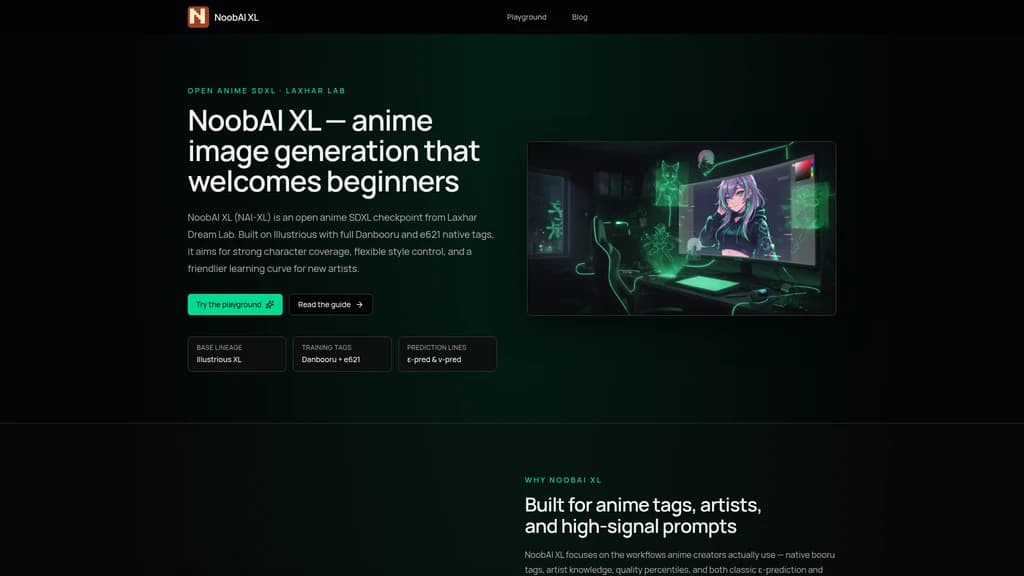
Launched on Jul 27, 2026Most anime AI models assume you already understand complex technical workflows. NoobAI XL changes that by bringing native Danbooru and e621 tag support to Stable Diffusion XL. You can generate high-quality anime characters using the simple tag language your community already speaks — artist names, character names, and aesthetic labels all work out of the box. The model comes in two branches: classic ε-prediction for seamless compatibility and v-prediction for richer colors. Fully open-source and free to download on Hugging Face and Civitai, it is built by Laxhar Dream Lab for everyone from absolute beginners to experienced LoRA trainers.
What Is NoobAI XL? Let's Start with "Two Ways to Do Anime AI"
If you've ever tried generating anime art with AI, you probably ran into a wall pretty quickly. Most models assume you already know what CFG scale means, which sampler to pick, what a VAE does, and how to craft long, elaborate natural-language prompts. But what if you just want to draw your favorite character? What if terms like "Euler ancestral" or "CLIP skip" sound like a foreign language?
You're not alone. This is exactly the pain point NoobAI XL was built to solve.
NoobAI XL is an open-source anime-focused Stable Diffusion XL (SDXL) text-to-image model developed by Laxhar Dream Lab. The name says it all — "Noob" is a friendly, self-aware nod to beginners. This model is designed for people who are new to AI art, but powerful enough for experienced artists who want a more intuitive workflow.
The Core Idea: Speak the Language Artists Already Know
The key breakthrough behind NoobAI XL is its native support for Danbooru and e621-style tags. If you've spent any time in anime art communities, you already know how this works: `1girl, hat, blue_sky, masterpiece` — these short, descriptive tags are the natural language of anime creators. NoobAI XL understands this language natively because it was trained on the complete Danbooru and e621 datasets, covering millions of labeled images.
Instead of writing long paragraphs like *"a young woman with blue eyes wearing a hat standing under a blue sky with clouds, high quality, detailed face..."*, you simply type: `1girl, hat, blue_sky, masterpiece, best quality`. That's it. The model speaks your language.
Who Built It and Where Does It Stand?
NoobAI XL comes from Laxhar Dream Lab, a six-person team (L_A_X, li_li, nebulae, Chenkin, Euge, and Yidhar). It builds on Illustrious XL, one of the strongest anime SDXL baselines from OnomaAI Research. The model has gained significant traction:
- ε-pred 1.1 (latest classic branch): 80.9k downloads, 146 likes on Hugging Face
- v-pred 1.0 (modern color-rich branch): 47.3k downloads, 68 likes
- Active community on Civitai, featured in dozens of AI tool directories
- Sponsored by Lanyun Cloud (cloud computing), Civitai & Seaart (AI art platforms)
:::card{type="summary" title="Three Things You Need to Know"}
- Native tag support: Use Danbooru and e621-style tags — the language anime creators already speak
- Dual prediction branches: Choose between ε-pred (classic, compatible) and v-pred (richer colors, modern sampling)
- 100% free and open-source: Download on Hugging Face and Civitai, try in your browser, no hidden costs :::
Core Features of NoobAI XL
Let's walk through what this model can actually do for you — not as a list of technical specs, but as tools that solve real problems.
1. Native Danbooru & e621 Tag System — "Like Drawing in Your Native Language"
The problem it solves: Natural language prompts are unintuitive for anime creators. Writing long descriptive paragraphs slows you down and produces inconsistent results.
How it works: NoobAI XL was trained on the complete Danbooru dataset (all images up to its training date) and the e621 dataset. This means it understands the tag system that anime artists have been using for years — character names, artist names, aesthetic tags, composition descriptions — all as first-class input.
How you use it: Instead of writing paragraphs, use compact tags: `1girl, hat, blue_sky, masterpiece, best quality`. You can even mix in short natural language descriptions alongside tags for hybrid control.
2. Dual Prediction Modes: ε-pred & v-pred — "One Path for Smooth Transition, One for Richer Color"
The problem it solves: New users need compatibility with existing SDXL tools. Experienced users want to explore better color performance.
How it works: The model comes in two independently trained branches. ε-prediction (ε-pred) follows the classic SDXL prediction method, compatible with virtually all existing tools. v-prediction (v-pred) uses a more modern approach that produces richer, more vibrant colors and works well with ZTSNR (Zero Terminal SNR) sampling.
How you use it: Start with ε-pred (the `noobai-XL-1.1` download) — it works with your existing setup. When you're ready to explore, switch to v-pred (`noobai-XL-Vpred-1.0`) — just remember to set `prediction_type: v_prediction` and use the Euler sampler. Recommended settings for both branches: CFG 4~5, Steps 28~35, Euler sampler.
3. Quality-Aware Training — "Teaching the Model What 'Good-Looking' Means"
The problem it solves: Generated images often have deformed hands, blurry faces, and poor composition. You waste time regenerating.
How it works: NoobAI XL uses a quality percentile tag system based on multi-source aesthetic scoring. Each image in the training data was ranked, and quality tags correspond to percentile ranges:
- masterpiece: top 5% (>95th percentile)
- best quality: 85-95th percentile
- good quality: 60-85th percentile
- normal quality: 30-60th percentile
- worst quality: bottom 30% (≤30th percentile)
How you use it: Start every prompt with quality anchors: `masterpiece, best quality, newest, absurdres, highres`. This dramatically reduces common issues like hand deformities and facial blurring — fewer retries, better results.
4. Deep Character & Artist Knowledge — "Put Rei Ayanami in a Hayao Miyazaki Style"
The problem it solves: You want a specific character rendered in a specific artist's style. Most models can't precisely control both simultaneously.
How it works: The extensive Danbooru dataset includes detailed labeling for thousands of characters and artists. The model learns to associate both simultaneously, making style transfer precise.
How you use it: Combine character tags with `artist:xxx` tags: `arlecchino (genshin impact), artist:john_kafka, artist:nixeu, chromatic aberration, film grain`. The model understands both the character's visual identity and the artist's stylistic signature — and blends them naturally.
5. Open-Source Ecosystem & LoRA Compatibility — "You're Not Using a Model, You're Joining a Community"
The problem it solves: No single model can cover every style, character variant, or aesthetic preference.
How it works: NoobAI XL is fully open, supporting LoRA (Low-Rank Adaptation) training via the sd-scripts framework. The team has also released a dedicated ControlNet series (normal, depth, canny) for even finer control. Model weights are distributed as safetensors.
How you use it: Download the base model → find or train a LoRA for your specific need → apply it on top. The Civitai community maintains dedicated LoRA recommendation lists and training tutorials. Share your own work to contribute to the ecosystem.
::::grid :::card{type="advantages"}
- 100% free and open-source: No hidden paywalls, no credit systems
- Tag-native workflow: Use the language anime creators already speak
- Dual prediction branches: Choose classic compatibility or modern color richness
- Active community: Hundreds of shared LoRAs, guides, and discussions ::: :::card{type="disadvantages"}
- No commercial use: Default license prohibits monetization — check specific model cards
- v-pred requires specific settings: Must use Euler sampler and correct prediction_type
- Hardware requirements: Needs at least 6GB GPU VRAM for local use ::: ::::
How to Use NoobAI XL: From Online Playground to Local Deployment
Whatever your skill level, there's a path that works for you. Let's walk through the options from simplest to most powerful.
Option 1: Online Playground (Zero Setup, First 5 Minutes)
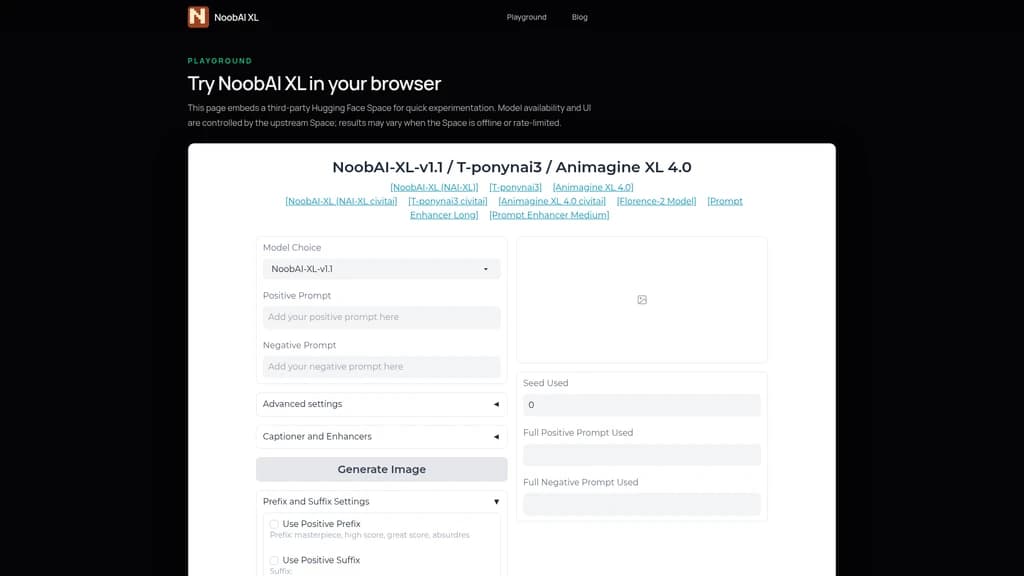
Head to noobaixl.org/playground. A Hugging Face Space loads directly in your browser — no GPU, no installation, no account registration needed.
Your first prompt: Type `masterpiece, best quality, 1girl, hat, blue_sky` and hit generate. In under a minute, you'll have your first NoobAI XL image.
The Playground is perfect for testing tag combinations before moving to a local setup. Just keep in mind: it's a third-party Space, so it's subject to rate limits and availability.
Option 2: Local Deployment (Speed & Batch Generation)
If you want unlimited generation at full speed, download the model and run it locally. Here's your best entry points:
- 🏆 reForge (most recommended): Download and run — it works out of the box with NoobAI XL
- ComfyUI: Node-based workflow for precise parameter control (example workflows available)
- A1111 WebUI: Classic choice — switch to the dev branch for best compatibility
- Diffusers: Python API with full code examples for developers
Hardware note: You'll need a GPU with at least 6GB VRAM. If your hardware falls short, use Diffusers with xformers for memory optimization — or stick with the Playground.
Recommended Inference Parameters (Use Across All Platforms)
:::card{type="tip" title="💡 Pro Tip for Beginners"} Start with the ε-pred 1.1 version — it's compatible with virtually all existing workflows. Once you're comfortable, switch to v-pred to explore richer colors and modern sampling. :::
| Parameter | Recommended Value | |-----------|------------------| | Sampler | Euler | | CFG Scale | 4~5 | | Steps | 28~35 | | Resolution | 832×1216 (or similar 2:3 ratio) |
How to Write Your First Prompt
Here's a simple formula that works:
Quality tags → Character/Subject → Artist/Style tags
Example: `masterpiece, best quality, 1girl, hat, blue_sky, artist:john_kafka`
Quick tip: Short tags work better than long paragraphs. The model was trained on tags, so it understands them more precisely. Use `artist:` prefix to control art style, and always start with quality anchors.
Who Uses NoobAI XL? Real-World Scenarios
Not sure if this model is for you? Let's look at five common scenarios and see which one fits your situation.
Scenario 1: You're New to AI Art and Just Want to Draw a Character
The problem: Terms like CFG, sampler, and VAE mean nothing to you. You just want to generate a nice image of your favorite character and feel encouraged, not overwhelmed.
The solution: NoobAI XL was literally designed with you in mind — "Noob" isn't a label, it's a promise. The Playground requires zero setup, and the tag system uses vocabulary you already know.
Step-by-step:
- Go to noobaixl.org/playground
- Type: `character_name, masterpiece, best quality`
- Click generate
The result: Your first satisfying image in under 5 minutes. No technical knowledge required.
:::card{type="tip" title="💡 If You're Completely New"} Start with the Playground to experience how intuitive tag-based prompting feels. You'll quickly see why `1girl, hat, blue_sky` produces better results than typing a long English paragraph. Once you're hooked, then consider local deployment. :::
Scenario 2: You're a Fan Artist Who Wants Exact Character + Style Control
The problem: You want Arlecchino from Genshin Impact rendered in John Kafka's dark, grungy style. Most models either nail the character but miss the style, or get the style but lose the character's identity.
The solution: NoobAI XL's deep character and artist knowledge lets you combine both simultaneously.
Step-by-step:
- Start with quality tags: `masterpiece, best quality`
- Add the character: `arlecchino (genshin impact)`
- Add artist tags: `artist:john_kafka, artist:nixeu`
- Add aesthetic modifiers: `chromatic aberration, film grain, horror (theme)`
The result: Precise style transfer where the character's visual identity and the artist's signature style coexist naturally.
Scenario 3: You're Migrating from Another SDXL Model
The problem: You have a working SDXL setup and don't want to change your toolchain. But you want better tag response and character knowledge.
The solution: Download the ε-pred branch — it's fully compatible with your existing workflow.
Step-by-step:
- Download `noobai-XL-1.1` from Hugging Face
- Place it in your `models/Stable-diffusion` directory
- Load it with your existing workflow (same samplers, same settings)
- Switch from natural language prompts to tag-based prompts
The result: Zero learning curve. Your tools work the same way — but your outputs show better tag response and character accuracy immediately.
Scenario 4: You Want to Train Your Own LoRA
The problem: The base model can't cover that one specific art style or character version you need. You need customization.
The solution: Use the sd-scripts framework to train a LoRA on top of NoobAI XL.
Step-by-step:
- Download the base model weights
- Prepare your dataset (5-20 high-quality images)
- Train using sd-scripts (v-pred LoRA tutorials available from Laxhar Lab)
- Load the trained LoRA on top of the base model
- Use the dedicated ControlNet series (depth, canny, normal) for additional precision
The result: A customized model that excels at your specific need. The community already shares dozens of NoobAI XL-specific LoRAs.
Scenario 5: You're Building a Production Workflow
The problem: Online tools have rate limits. You need to generate hundreds of images with consistent quality.
The solution: Download the model locally and use ComfyUI or reForge for batch generation.
Step-by-step:
- Prototype prompts in the Playground
- Move to ComfyUI for precise node-based control
- Scale to batch generation with reForge
- Use the unified parameters (Euler, CFG 4-5, Steps 28-35) for consistent results across platforms
The result: Fully offline, no rate limits, complete parameter control. The same prompt produces the same result whether you're in the Playground, ComfyUI, or A1111.
What Users Say About NoobAI XL
The best way to understand a tool is through the people who use it every day. Here's what the community consistently highlights:
"The artist tag recall and character knowledge are impressively broad." — Community feedback on Civitai
This is the most common positive theme: users consistently find that NoobAI XL "remembers" a wide range of artists and characters, making style-controlled generation reliable and intuitive.
"I was intimidated by AI art tools, but the name 'Noob' made me feel like it was okay to not know everything. The Playground got me my first good result in minutes." — A beginner user's experience
The name itself lowers the psychological barrier. Combined with the zero-setup Playground, it creates a welcoming entry point that many other models lack.
"I switched from my previous model to NoobAI XL for the tag system alone. I don't have to fight the prompt anymore — it just understands what I mean." — An experienced user migrating from another SDXL model
The community is notably active on Civitai, with dedicated LoRA recommendation lists, discussion forums, and example galleries. The development team at Laxhar Dream Lab has openly stated (as of June 2025) that they have no funding plans, no startup ambitions — they're committed to keeping NoobAI XL community-driven and independent.
One thing to keep in mind: users report that the v-pred branch requires careful attention to parameter settings. Always check the official configuration guide when switching to v-pred for the first time.
Frequently Asked Questions
:::card{type="faq" title="Is NoobAI XL completely free? Will it ever charge?"} Yes, completely free. The model weights are available for download on Hugging Face and Civitai at no cost. The website offers a free Playground trial through an embedded Hugging Face Space. There are no paid plans, no user accounts, no generation credit systems — and the development team has publicly stated they have no funding or startup plans. This is a community-driven open-source project, not a commercial product trying to convert you later. That said, always check individual model cards, as community merge models may have different licenses. :::
:::card{type="faq" title="What's the difference between ε-prediction and v-prediction? Which one should I choose?"} Think of ε-pred as the "classic" path and v-pred as the "modern" path. ε-prediction uses the traditional SDXL prediction method. It's compatible with virtually all existing tools (A1111, ComfyUI, reForge, etc.) and requires no special configuration. If you're new, start here — everything just works. v-prediction is a newer approach that produces richer, more vibrant colors and works well with ZTSNR-friendly samplers. However, it requires specific settings: you must use the Euler sampler and set `prediction_type: v_prediction`. The payoff is noticeably more saturated and visually rich outputs. Our recommendation: use ε-pred to learn the model, then explore v-pred when you want to push color quality. Both branches use the same recommended CFG (4-5) and steps (28-35). :::
:::card{type="faq" title="Can I use NoobAI XL for commercial purposes?"} The default license (inherited Fair AI Public License 1.0-SD) prohibits all commercial use — this includes monetizing the model itself, derivative models, LoRAs, and generated products. If you're creating art for a commercial project, you need to check the specific model card on Hugging Face or Civitai for the exact license terms. Some community merge models may have different licenses (some more permissive, some the same). Why the restriction? The model builds on Illustrious XL, which carries forward specific licensing terms. If commercial use is essential for your workflow, look for community variants with permissive licensing — but always verify before using. :::
:::card{type="faq" title="Can my computer run NoobAI XL? What are the hardware requirements?"} As an SDXL model (3 billion parameters), NoobAI XL requires a GPU with at least 6GB of VRAM for comfortable local use. Here's what that means in practice: if you have an NVIDIA GTX 1060 6GB, RTX 2060, RTX 3060, or anything better, you're good to go. You can use Diffusers with xformers for additional memory optimization. If your hardware doesn't meet these requirements, don't worry — use the online Playground at noobaixl.org/playground. It runs on remote servers and works in any modern browser, no GPU needed. Start there, and only invest in local deployment when you're ready to scale up. :::
:::card{type="faq" title="What's the relationship between NoobAI XL and Illustrious XL?"} NoobAI XL is fine-tuned from Illustrious XL, which was developed by OnomaAI Research as one of the highest-quality anime SDXL baseline models. Think of it this way: Illustrious XL provides the strong foundation (excellent base understanding of anime aesthetics, anatomy, and composition), and NoobAI XL builds on top of it with three key additions: (1) much broader tag coverage from the complete Danbooru and e621 datasets, (2) a beginner-friendly design philosophy that makes the model more forgiving and easier to prompt, and (3) the dual ε-pred/v-pred branches for different user preferences. If you're familiar with Illustrious, you'll find NoobAI XL feels familiar but more responsive to tags and more accessible overall. :::
:::card{type="faq" title="How do I write good prompts? Any tips?"} Here's a proven formula that works across all NoobAI XL branches: Quality tags → Character/Subject → Artist/Style tags. Start with `masterpiece, best quality` to set the quality floor. Add your character or subject: `1girl, hat, blue_sky`. Then control style: `artist:john_kafka`. A complete example: `masterpiece, best quality, 1girl, hat, blue_sky, artist:john_kafka, cinematic lighting`. Key tips: (1) Short tags work better than long natural language sentences — the model was trained on tags, so it understands them more precisely. (2) Use `artist:` prefix to control art style — this is where NoobAI XL really shines. (3) Add the `very awa` tag (top 5% aesthetic score) for an extra quality boost. (4) Experiment with negative tags like `worst quality, lowres, bad anatomy` to push quality further. :::
:::card{type="faq" title="Where can I find community support and tutorials?"} The NoobAI XL community is active across multiple platforms. QQ Groups: 427280545, 677964513, 852429527, 914818692, 635772191, 870086562 (primarily Chinese-speaking). Discord: Laxhar Dream Lab SDXL NOOB — find the invite link on the Civitai model page. Civitai: The model page (civitai.com/models/833294) has active discussions and example galleries. Feishu Wiki: Comprehensive Chinese-language guide at the Feishu link on the official website, plus a dedicated LoRA recommendation list. Official Blog: noobaixl.org/blog for the beginner's guide and updates. Email: [email protected] for direct inquiries. The community is notably welcoming — reflecting the "Noob-friendly" philosophy of the project itself. :::
Related Content

Tea App Green Flags
Tea App Green Flags is an instant Tea app checker for men. Search by first name, city and age, or by photo, and see within seconds whether you appear in posts on the Tea dating-review app. The search is free; unlocking full posts and comments is paid. Nobody on Tea is told you searched. We also check the "Are We Dating The Same Guy" Facebook groups and help get false or harassing posts removed.
Facecam.ai
Facecam.ai is a browser-based AI tool that provides face swap, real-time voice changing, and VTuber creation capabilities. It works natively with web versions of Google Meet, Zoom, Microsoft Teams, and Discord for live calls, and supports photo, video, and GIF face swap workflows. The platform is designed for individual video call users, streamers, and content creators looking to modify their on-camera presence without specialized desktop software. Many core tools are available for free with no account required, while premium plans unlock extended live face swap hours and watermark-free outputs.

SpriteGen
SpriteGen is an online AI sprite sheet generator for game developers and creators. Describe a character or object, select a frame count, preview the animation, and download a transparent PNG sprite sheet. A free trial and credit-based generation are available.

Try AI Editor
Try AI Editor is a browser-based AI image editor that lets users edit photos using plain English text prompts, with no account registration required. It supports common use cases including background removal, object deletion, old photo restoration, style transfer, and image upscaling. The platform gives out free daily editing credits, never adds watermarks to exported images, and does not store uploaded user photos after processing.


Comments