

MorphLogo - AI-powered logo animation studio for brands and creators
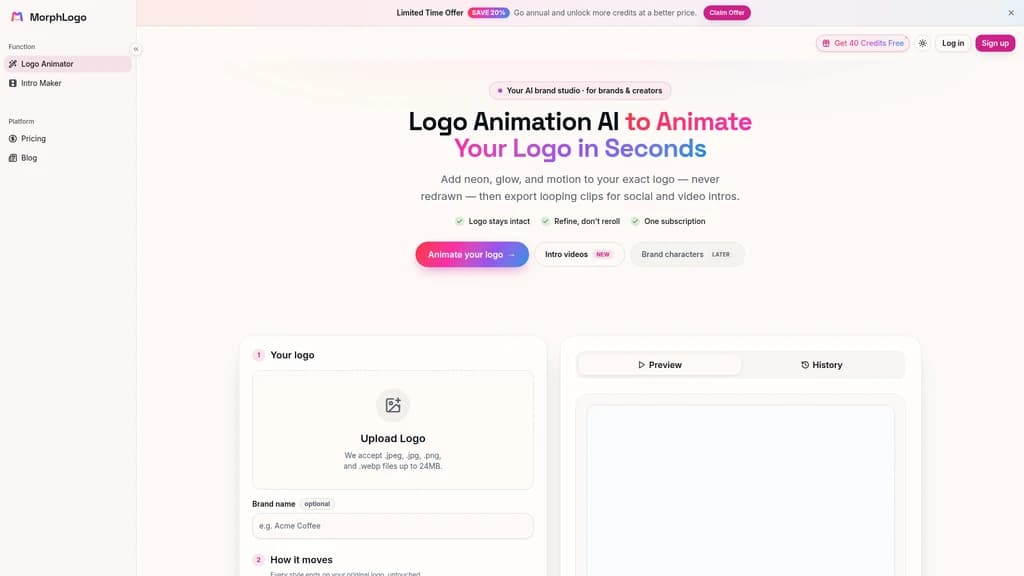
Static logos no longer capture attention in today's fast-moving digital landscape. MorphLogo brings your brand mark to life with AI-powered animation that preserves every detail of your original design. Upload your logo, choose from 16 preset styles or describe your vision, and get a polished animated logo in about 60 seconds. Export in 4K, MP4, GIF, or WebM for any platform. No design skills, no timeline, no redraws — just your logo in motion.
- AI Video
- Video Generation
- Logo Design
- Template Library
- Content Creation
481Views
What Is MorphLogo
Your brand's logo is the face of your company — but in today's fast-moving digital landscape, a static PNG or JPEG barely gets a second glance. Think about it: your audience scrolls through Instagram Reels, watches YouTube intros, and glances at TikTok videos. A static logo feels flat, even invisible, in those high-energy moments.
The traditional route to an animated logo isn't pretty. You either need After Effects skills (and hours to spare), or you pay a design agency a small fortune and wait weeks for a result. For most startups, creators, and even established brands, that's simply not sustainable.
That's where MorphLogo comes in. It's an AI-powered logo animation studio that takes your real logo file — the actual one your brand uses — and brings it to life. No redraws, no reinterpretations. Your logo's shape, color, and proportions stay exactly as they are. The AI animates around your logo, not over it.
Think of it as your personal brand motion designer, available 24/7, with zero learning curve.
Here's why the market is taking notice. MorphLogo has been listed on respected tool directories like Fazier, Findly.tools, SimilarLabs, and ToolListed. It offers a 40-credit free trial with unlimited downloads, no watermarks, and full commercial use included. That's not a teaser — it's a genuine try-before-you-buy experience.
Your real logo, never redrawn — shape, color, and proportions stay intact
Renders in ~60 seconds — no timeline, no keyframes, no waiting
16 preset animation styles + prompt-driven customization — from cinematic reveals to glitch bursts
4K exports & multiple formats — MP4, WebM, GIF, WebP for any platform
MorphLogo's Core Features
Every feature in MorphLogo is built with one thing in mind: making your brand look premium without the premium price tag. Here's what you can actually do with it.
Your Real Logo, Not a Redraw. This is the feature that sets MorphLogo apart from every other AI animation tool. You upload your actual logo file (JPEG, JPG, PNG, or WebP), and the AI uses it as the first and last frame of the animation. No generative AI reinterpreting your brand mark. No weird distortions. Your brand identity stays intact — period. You can use it to create a 4-10 second animation that genuinely looks like your logo, just in motion.
Prompt-Driven Animation. Not a fan of the presets? Or maybe you have a very specific vision. You can describe the movement, lighting, and camera effect in natural language, and the AI translates your words into animation. Sophie Park, a Product Designer, put it simply: "Prompt-driven logo animation nailed the reveal and lighting I described." You can use it to get hyper-specific — "a slow cinematic zoom with a soft golden light sweeping from the left" — and watch it happen.
16 Preset Animation Styles. Sometimes you just want to pick and go. MorphLogo offers 16 professionally designed styles, each powered by its own AI rendering pipeline. From Liquid Morph and Cinematic Reveal to Neon Pulse, Hologram, Energy Shockwave, Gold Shimmer, 3D Orbit, Glitch Burst, Particle Assembly, and Ink Bloom — there's a flavor for every brand personality. You can use it to match your brand's tone: Gold Shimmer for luxury, Glitch Burst for gaming, Soft Float for wellness.
Multi-Format, Multi-Ratio, Multi-Resolution Export. One animation, infinite use cases. Export as MP4, WebM, GIF, or WebP. Choose from 16, 1, or 9 aspect ratios. Render in SD 480p, HD, 1080p, or 4K — all from a single generation. Oliver Reed, an Agency Owner, confirmed: "4K exports look crisp." You can use it to create a single animation and repurpose it for your website header, Instagram Reels, and LinkedIn profile without re-rendering.
Lightning-Fast Rendering (~60 Seconds). From upload to finished export, MorphLogo takes roughly 60 seconds. No queuing, no waiting lists, no "we'll email you when it's ready." You can use it to iterate on the fly — try a style, preview it, switch to another, all in minutes.
AI Sound Effect Sync. (Pro and above) Your animation doesn't have to be silent. MorphLogo's AI generates a sound effect that matches the motion — whooshes for cinematic reveals, impacts for energy bursts. You can use it to create a complete, polished video asset without visiting a second tool.
Zero design skills required — no After Effects, no timeline, no keyframes
Your logo stays yours — never redrawn or reinterpreted
~60 second turnaround — from upload to export
4K exports — broadcast-ready quality
Free trial limit — 40 credits get you started, but heavy users will need a paid plan
Sound effect sync — only available on Pro and above
Who's Using MorphLogo
MorphLogo isn't a one-size-fits-all tool — it's a versatile solution for different roles and workflows. Here's how real professionals are putting it to work.
Social Media Managers. Lily Nguyen needed her brand's animated logo to look premium across every channel. Her workflow: upload the logo, select a 1 or 9 ratio, pick a style like Neon Pulse or Bounce Pop, and export in ~60 seconds. Her verdict? "Our animated logo looks premium on every channel, especially 9 Reels." If you're juggling multiple platforms and need consistent, high-quality branded motion content, this is your shortcut.
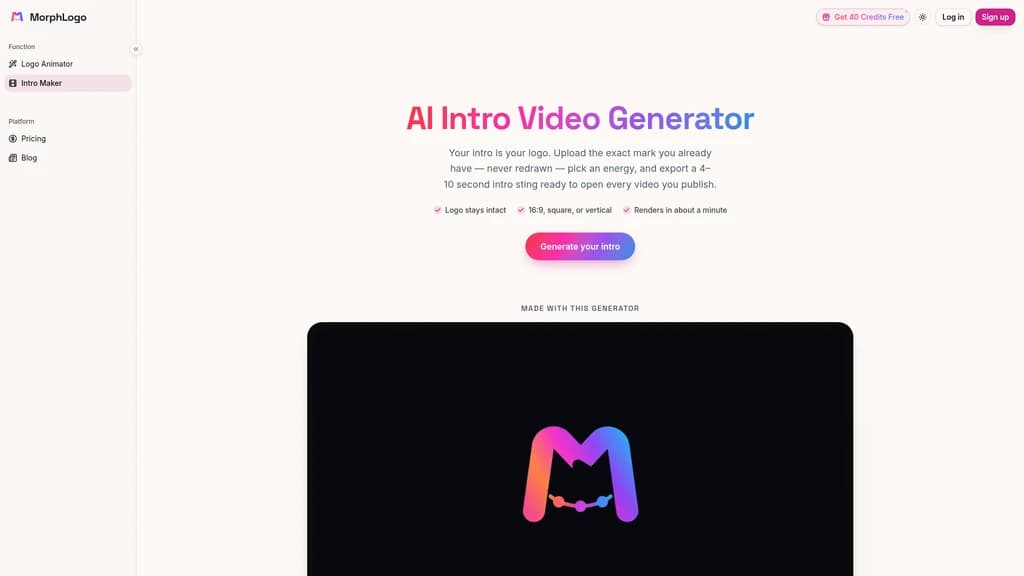
Brand Designers & Video Creators. Emily Carter was preparing a launch video and needed a professional intro — fast. She used MorphLogo's AI Intro Video Generator, uploaded the logo, selected Cinematic Reveal, and exported a 16 MP4. "This logo animation AI made our launch video in minutes," she says. If you're producing YouTube intros, podcast opens, or course trailers, this workflow saves hours.
Agency Owners & Marketing Leads. Daniel Kim runs a marketing team that delivers branded assets for multiple clients. His approach: upload different client logos, assign distinct animation styles to each, and export them in batches. "This logo animation generator spun up animated logos for a whole campaign in an afternoon," he reports. If you're managing client work at scale, MorphLogo turns a multi-day task into a single-session workflow.
Startup Founders. Kenji Sato needed a polished intro for his company's pitch deck. He uploaded his logo, chose Cinematic Reveal, exported in 4K, and embedded the animation into his investor video. "The best AI logo animation tool I've used — a polished intro in one afternoon," he says. If you're fundraising or building your brand's first impressions, this gives you agency-level quality without the agency price tag.
Indie Creators & Freelance Designers. Marcus Lee (Indie Maker) and Hana Ito (Freelance Designer) both rely on MorphLogo for one simple reason: no design team required. "Easiest animated logo maker out there — no designer, no timeline," Marcus says. Hana agrees: "MorphLogo makes logo animation effortless — upload, style, export." If you're a solo creator wearing multiple hats, this tool handles your brand motion so you can focus on what you do best.
Start with your 40 free credits to experiment across different styles. Try Cinematic Reveal for a premium feel, Bounce Pop for social media energy, and Glitch Burst for gaming or tech vibes. You'll quickly discover which style resonates with your brand's personality — before committing to a plan.
Getting Started in 3 Simple Steps
MorphLogo is designed to be the easiest animated logo maker you'll ever use. Here's exactly how to go from zero to animated in minutes.
Step 1: Sign Up. Head to morphlogo.com and create your account. You'll instantly receive 40 free credits — no credit card required. That's enough to generate several animated logos and explore different styles to find your brand's perfect match.
Step 2: Upload Your Logo. Drag and drop your logo file. Supported formats are JPEG, JPG, PNG, and WebP, with a maximum file size of 24MB. For the best results, use a logo with a transparent background in PNG format — this ensures clean edges and seamless integration with any background color or video.
Step 3: Choose Your Animation & Export. Pick from 16 preset styles or write your own prompt-driven description (e.g., "a slow cinematic zoom with golden light"). Hit generate, wait about 60 seconds, and preview the result. Once you're satisfied, export in your choice of MP4, WebM, GIF, or WebP, at any resolution from SD 480p up to 4K, and in 16, 1, or 9 aspect ratios.
That's it. No software installation, no timeline editing, no learning curve. MorphLogo works entirely in your browser on any device or operating system.
Always use a transparent-background PNG when uploading your logo. This ensures the AI animates around clean edges rather than a white or colored box. Also, double-check your file is under 24MB before uploading — most logos are well within this limit.
MorphLogo's Pricing Plans
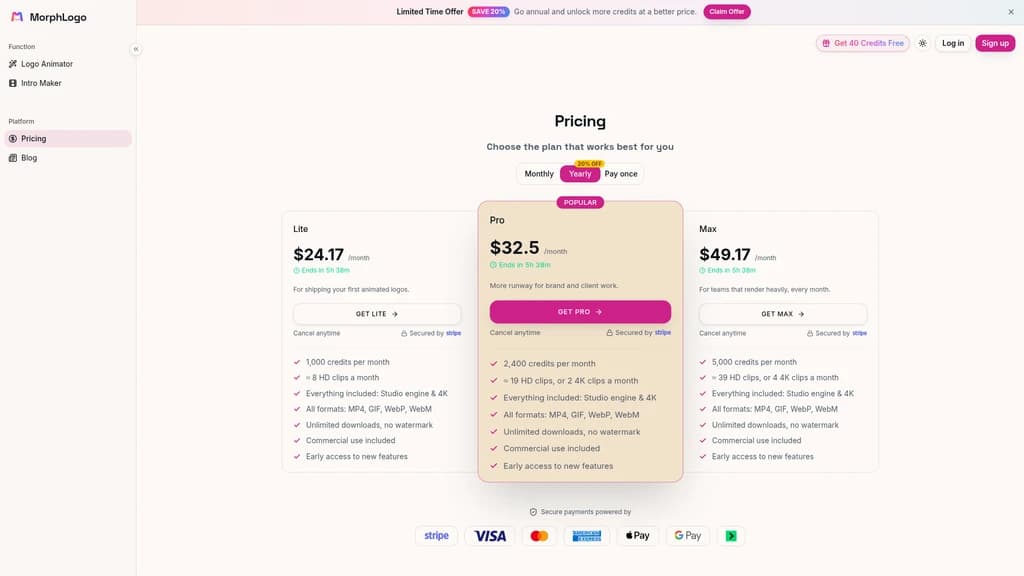
MorphLogo uses a credit-based pricing model. Each credit represents a unit of rendering resource, and every animation you generate consumes credits based on resolution and complexity. All paid plans include the full Studio engine, 4K rendering, all export formats, unlimited downloads, no watermarks, commercial use rights, and early access to new features.
Here's a clear breakdown of the three plans:
Plan | Monthly Price (Launch) | Monthly Credits | Approximate Output |
|---|---|---|---|
Lite | $24.17/month | 1,000 credits | ≈ 8 HD videos/month |
Pro (Popular) | $32.50/month | 2,400 credits | ≈ 19 HD or 2 4K/month |
Max | $49.17/month | 5,000 credits | ≈ 39 HD or 4 4K/month |
Annual discount: All plans are available with a 20% savings when billed annually. That brings the Lite plan down to roughly $19.34/month, Pro to $26.00/month, and Max to $39.34/month.
Which plan is right for you?
Lite is ideal for individual creators, freelancers, or anyone testing the waters. If you need a few animated logos each month for personal projects or occasional social media posts, this is your sweet spot.
Pro (labeled Popular for good reason) suits most active users — social media managers, marketers, and small teams who generate branded content regularly. The 2,400 credits give you room to experiment while covering your production needs.
Max is built for agencies, studios, and high-volume creators. With 5,000 credits monthly, you can batch-process client logos, produce 4K exports regularly, and never worry about running out mid-campaign.
Free trial: Sign up and get 40 free credits immediately — no payment information required. You can experience the full Studio engine, test different styles, and export real results before deciding on a plan.
Payment & cancellation: All payments are processed securely through Stripe, supporting Visa, Mastercard, American Express, Apple Pay, Google Pay, and Link. You can cancel your subscription at any time.
Frequently Asked Questions
Is there a free AI logo animation tool?
Yes. When you sign up for MorphLogo, you get 40 free credits immediately. No credit card required, no hidden fees. You can generate real animated logos, export them without watermarks, and use them commercially — all before paying a cent.
How long does one render take?
From upload to finished export, MorphLogo typically renders in about 60 seconds. There's no queue, no waiting list, and no "we'll notify you when it's done." You upload, select your style, and your animation is ready in roughly a minute.
What file formats can I upload?
You can upload JPEG, JPG, PNG, and WebP files, with a maximum size of 24MB. For the best results, we recommend using a transparent-background PNG — it ensures the cleanest edges and most professional look.
What export formats are supported?
MorphLogo supports MP4, WebM, GIF, and WebP formats. This covers everything from high-quality video files for websites to lightweight animated GIFs for social media and WebP for modern web use.
Can I control how the animation moves?
Absolutely. You have two ways to control the motion: choose from 16 preset animation styles (like Cinematic Reveal, Neon Pulse, or Glitch Burst), or use natural language prompts to describe exactly what you want — "a slow reveal with particles flying outward" — and the AI brings your vision to life.
Do I need design or After Effects skills?
Not at all. MorphLogo is built for people who have zero motion design experience. There are no timelines, no keyframes, no layers to manage. It's upload → choose → export. That's it.
What resolutions are supported?
You can export in SD (480p), HD, 1080p, and 4K. Whether you need a small GIF for social media or a crisp 4K video for a conference presentation, MorphLogo has you covered.
Will MorphLogo redraw or redesign my logo?
Never. Your original logo file is used as the first and last frame of the animation. Its shape, colors, and proportions are preserved exactly as-is. The AI generates motion effects around your logo, not over it. What you get is your real logo — just in motion.


Comments