


InstaText - AI-powered editing tool for native-quality writing
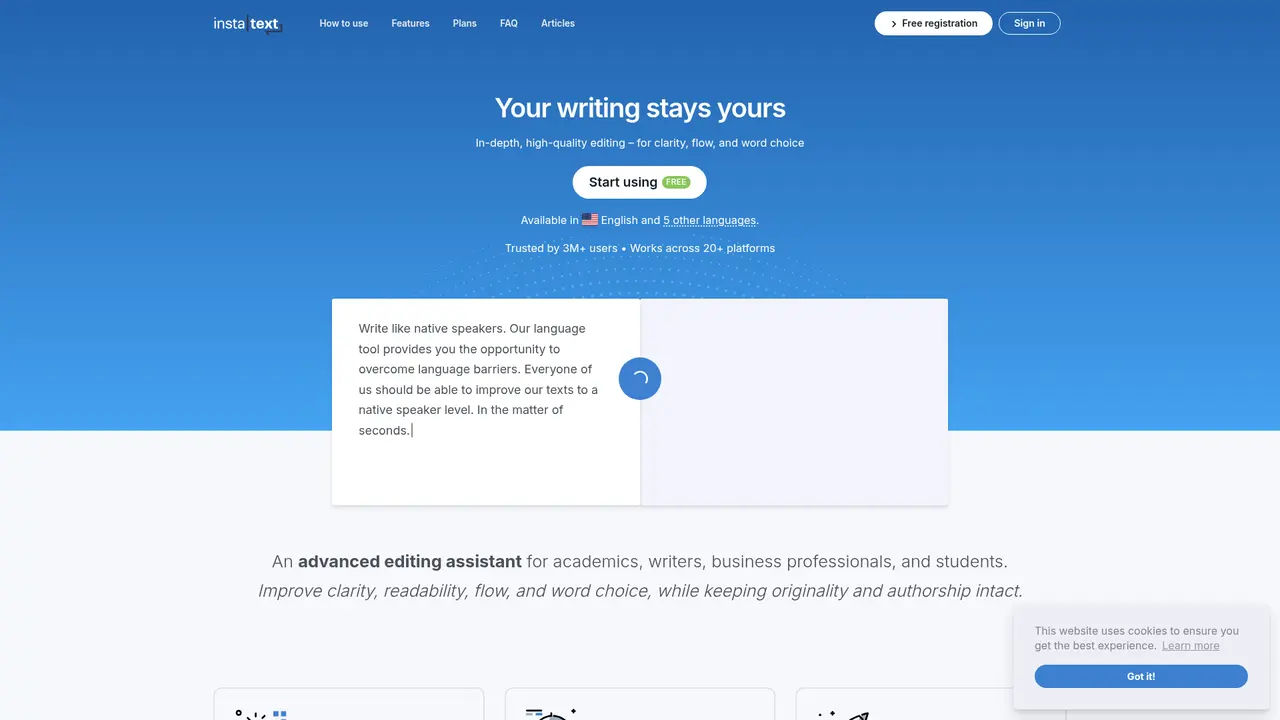
Launched on Feb 23, 2025InstaText is an AI-powered editing assistant that improves your writing without rewriting it. Unlike grammar checkers, it enhances clarity, readability, flow, and vocabulary while preserving your voice. Perfect for academic papers, business documents, and non-native English writers. One-click improvement with full control over every suggestion.
What is InstaText
Have you ever spent hours refining an academic paper only to receive rejection after rejection? Or sent a business email and wondered if it sounded professional enough? Perhaps you've felt that your writing, despite being grammatically correct, still reads like a translation rather than something a native speaker would produce. You're not alone—and these are exactly the problems InstaText was built to solve.
InstaText is an AI-powered advanced editing assistant that helps you improve your English writing without rewriting it from scratch. Unlike tools that generate new content or simply check for errors, InstaText enhances your existing text—clarifying meaning, improving readability, smoothing flow, and elevating word choice while preserving your authentic voice.
The core philosophy is simple: improvement, not generation. InstaText analyzes your sentences at the structural, semantic, and pragmatic levels to ensure your message doesn't just sound correct—it communicates effectively. Every suggestion is fully visible, and you decide whether to accept or reject each one. There's no black box, no mysterious AI "hallucinations," and no loss of authorship.
What makes InstaText different is its one-click深度编辑 approach. You paste your text, click improve, and receive a complete set of suggestions—no prompt engineering required, no wading through multiple options, no time-consuming back-and-forth. The process is fast, efficient, and completely under your control.
This approach has resonated with writers worldwide. InstaText is trusted by students, researchers, and professionals at institutions including UC Berkeley, Stanford, Princeton, and Cambridge. A marketing specialist reported increasing daily written output by more than 10% after adopting InstaText, while academic institutions have documented doubling their production of high-quality articles and significantly shortening publication cycles.
Whether you're a non-native English speaker striving for native-level fluency, an academic aiming for journal acceptance, or a business professional seeking polished communication, InstaText meets you where you are and helps you get to where you want to be.
:::card{type="summary" title="TL;DR"}
- AI-powered deep editing that improves clarity, readability, flow, and word choice
- Preserves your authentic voice—every suggestion is visible and optional
- One-click improvement with no prompt engineering required
- Works directly in 20+ platforms including Google Docs, Gmail, Slack, and Word
- GDPR compliant with zero text storage—your writing stays yours :::
InstaText's Core Features
Think of InstaText as having a skilled editor sitting beside you, except one who can process your entire document in seconds and explain every change they propose. That's the essence of what these features deliver.
Deep Editing is what sets InstaText apart from basic grammar checkers. While traditional tools catch typos and punctuation errors, InstaText goes far deeper—analyzing sentence structure, semantic meaning, and pragmatic context to improve how your ideas actually come across. The result is text that doesn't just avoid mistakes; it communicates more effectively. Whether you're working on an academic paper, a business proposal, or creative writing, this level of refinement makes a measurable difference.
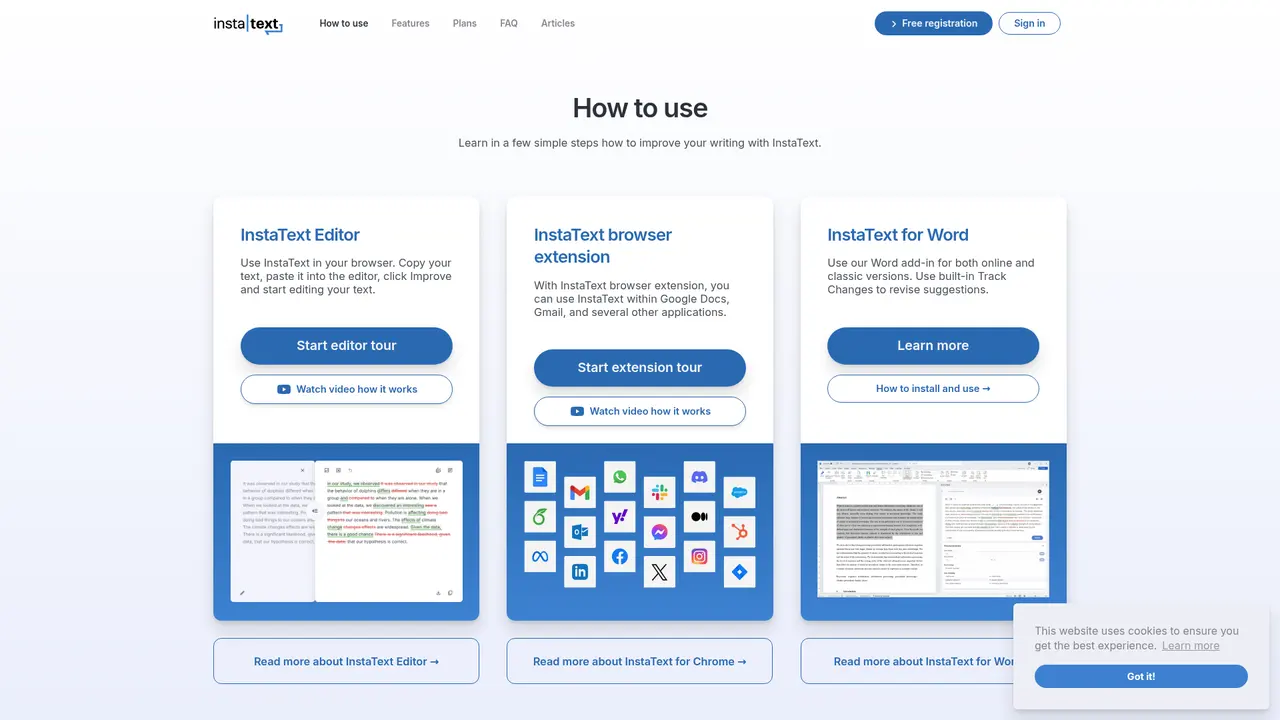
The Browser Extension brings InstaText directly into the tools you already use. Available for Chrome, Edge, Brave, and other Chromium-based browsers, it integrates seamlessly with over 20 platforms: Google Docs, Gmail, Slack, WhatsApp, Discord, Overleaf, Outlook, LinkedIn, Facebook, Notion, Jira, Confluence, and more. No copying, no pasting, no context switching. Your writing environment stays the same—you just gain an intelligent editing layer.
For users who work primarily in Microsoft Word, the Word Plugin offers full integration with both the online and desktop versions. It works natively with Word's Track Changes feature, so you can see modifications in the same format you've always used for editorial workflows. And if you're working with LaTeX documents in Overleaf, the extension preserves your formatting while improving your content—a critical feature for academic writers.
Personal Dictionary lets you build a custom vocabulary that InstaText respects. Add industry-specific terminology, brand names, or stylistic choices that are part of your voice. The AI automatically preserves these entries during editing, so you never have to re-enter your professional vocabulary or worry about "corrections" that would be inappropriate for your field.
Language Settings give you control over the variety and tone of English you want to achieve. Choose between American and British English, and select formal or informal register. These settings ensure that InstaText's suggestions align with your target audience and communication context.
The One-Click Improvement feature eliminates friction. Paste your text, click improve, and receive a comprehensive set of suggestions in a single operation. There's no need to learn prompting techniques or configure complex settings—you get results immediately.
Finally, the Suggestion Review Mechanism ensures you remain the author. Every change is highlighted, every modification is explained, and you choose what to accept. Your voice, your tone, your words—InstaText enhances them without replacing them.
::::grid :::card{type="advantages"}
- Preserves your voice: Every edit is visible and optional—you stay in complete control
- Deep editing, not surface fixes: Improves meaning, flow, and impact, not just grammar
- Seamless integration: Works where you work—in 20+ apps without leaving your workflow
- Academic-ready: Supports LaTeX, integrates with Track Changes, respects authorial voice
- Zero text storage: Complete privacy with immediate deletion after processing ::: :::card{type="disadvantages"}
- Free tier limitations: Daily limit of 5 improvements (1,500 characters each) may feel restrictive for heavy users
- No mobile app: Currently browser extension and desktop-focused, less ideal for on-the-go editing ::: ::::
Who's Using InstaText
One of the best ways to understand whether InstaText is right for you is to see how others with similar needs are using it. The platform serves a remarkably diverse range of writers, but certain use cases appear repeatedly.
Academic Researchers and Students represent one of InstaText's strongest user communities. Non-native English speakers often struggle to meet the linguistic standards of top-tier journals, facing repeated rejections despite strong research. InstaText helps elevate clarity and readability to meet those standards—without inventing new content or compromising the author's original arguments. Universities including UC Berkeley, Stanford, and Cambridge have adopted InstaText, with institutions reporting significant increases in paper acceptance rates and reductions in publication timelines.
Business Professionals rely on InstaText to polish their email communication, proposals, and reports. When every email to a client or every pitch to leadership needs to project competence, the difference between "good enough" and "professional" matters. Users report feeling more confident in their written communication, knowing that their messages land with the right tone.
Content Creators and Social Media Managers use InstaText to maintain professional quality across LinkedIn posts, Facebook updates, and marketing copy. In a world where your written content shapes your personal brand, having every post reflect careful crafting makes a tangible difference. One marketing professional documented a 10%+ increase in daily written output after integrating InstaText into their workflow.
Non-Native English Speakers working in international environments find InstaText particularly valuable. The tool addresses that common frustration of writing that "feels like a translation"—polishing syntax and word choice until the text reads as naturally as something written by a native speaker. This builds genuine confidence in English writing ability over time.
Team Leaders and Project Managers use InstaText to standardize documentation quality across Confluence, Jira, and Notion. When everyone on a team writes more clearly, collaboration improves and misunderstandings decrease.
:::card{type="tip" title="💡 Choosing the Right Integration"} Match your primary use case to the right tool: For academic papers with LaTeX, use the browser extension in Overleaf. For business documents with editorial workflows, use the Word plugin with Track Changes. For general communication (email, Slack, LinkedIn), the browser extension handles everything seamlessly. :::
Quick Start
Getting started with InstaText takes just a few minutes, and you can begin improving your writing almost immediately—even before committing to a paid plan.
Step 1: Create Your Account
Visit instatext.io/registration/ and create a free account. You only need an email address to get started.
Step 2: Try the Free Version
The free tier gives you 5 improvements per day, with each improvement capped at 1,500 characters. This is enough to test the waters—edit a paragraph of your writing, review the suggestions, and decide if the approach works for you.
Step 3: Install the Browser Extension
Head to instatext.io/extension-onboarding/ to add InstaText to Chrome, Edge, Brave, or Opera. Once installed, the extension icon appears in your browser toolbar, ready to assist whenever you're writing in a supported application.
Step 4: Install the Word Plugin (Optional)
If Word is your primary writing environment, install the plugin through Microsoft AppSource. It works with both Microsoft 365 online and desktop versions.
Step 5: Experience the Basic Workflow
The simplest way to understand InstaText is to try it: paste any text into the editor, click "Improve," and review the suggestions. Each change is highlighted and categorized—you'll see what was modified and why. Click to accept or reject each suggestion individually, or accept all with one click.
Step 6: Configure Your Preferences
Before diving in, spend 60 seconds setting up your environment. Add your professional terminology to the Personal Dictionary so InstaText always preserves terms specific to your industry. Adjust your Language Settings to choose between American or British English and formal or informal tone.
:::card{type="tip" title="💡 Best Practices for New Users"} Start by adding 10-15 of your most frequently used professional terms to the Personal Dictionary—this trains InstaText to recognize your vocabulary from day one. Also, run a few test edits with different language settings (formal vs. informal, US vs. UK English) to find the combination that feels most natural for your writing context. :::
InstaText's Pricing Plans
Transparency matters when you're evaluating a tool that handles your writing. InstaText offers a clear pricing structure designed to match different usage levels, from occasional users to teams and institutions.
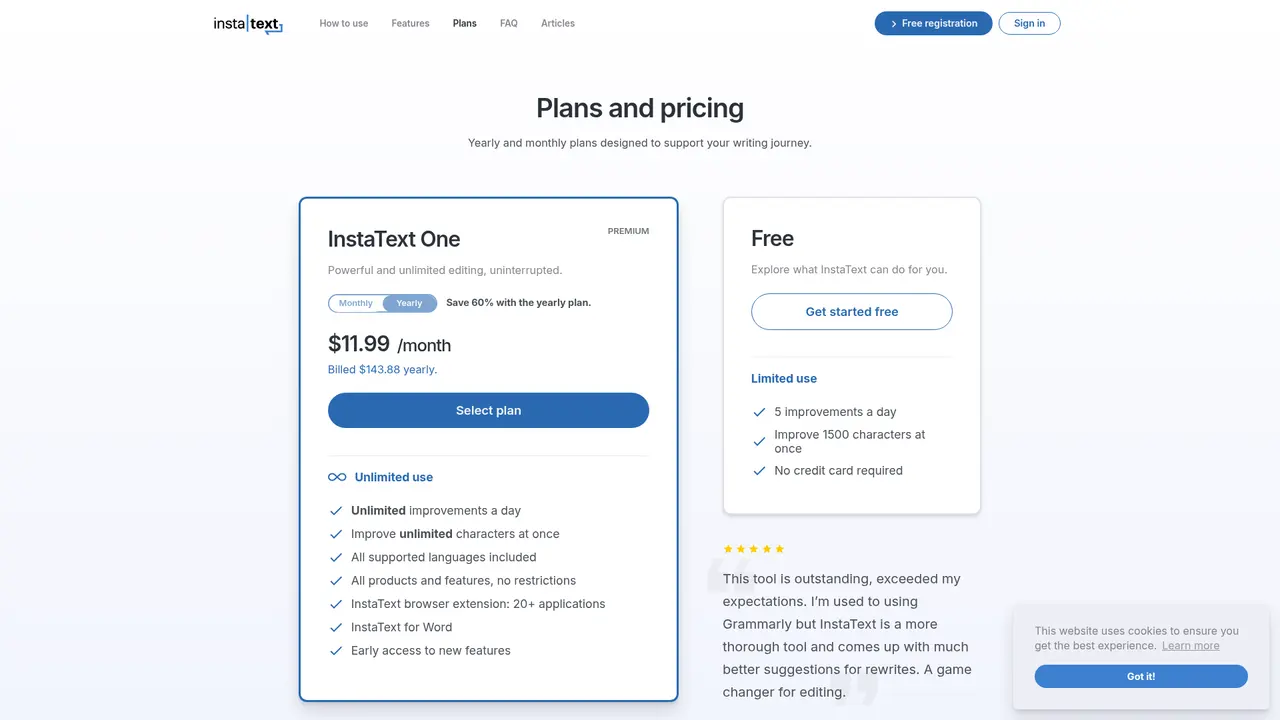
| Plan | Price | Key Features | Best For | |------|-------|--------------|----------| | Free | $0 | 5 improvements/day, 1,500 characters/improvement | Trial users, light editing needs | | InstaText One (Monthly) | Full price | Unlimited improvements, all features | Regular users | | InstaText One (Annual) | ~40% of monthly | Unlimited improvements, all features, 60% savings | Committed long-term users | | Team Plan | Custom pricing | Bulk licensing, priority support, education discounts | Organizations and academic institutions |
Free Version: Perfect for evaluation. Five daily improvements give you a genuine sense of how InstaText handles different types of writing. Many users start here and upgrade once they experience the value firsthand.
InstaText One (Monthly): The standard paid plan, giving you unlimited improvements with full access to all features—browser extension, Word plugin, personal dictionary, language settings, and everything else.
InstaText One (Annual): The best value for serious users. Paying annually reduces your cost to approximately 40% of the monthly price—a 60% savings that makes long-term use significantly more affordable. If you plan to use InstaText regularly, this is the recommended choice.
Team Plan: Designed for organizations needing multiple seats. Bulk pricing makes it cost-effective for departments, and education institutions receive dedicated discounts. Bank transfer is available for larger team purchases, and invoice management supports VAT/GST numbering for business accounting.
Payment Methods: InstaText processes payments through Paddle.com, a UK FCA-authorized electronic money institution. Accepts credit cards, PayPal, Google Pay, Apple Pay, and Alipay. Team plans can also use bank transfer.
Cancellation and Refunds: You can cancel your subscription at any time from your account settings. Your access continues until the current billing period ends—no further charges. InstaText currently does not offer refunds, but cancellation stops future billing immediately.
Invoicing: Receipts are emailed instantly upon purchase. You can add VAT or GST numbers during checkout for proper business invoicing.
Frequently Asked Questions
:::card{type="faq" title="How is InstaText different from Grammarly?"} Grammarly excels at proofreading—catching grammar mistakes, spelling errors, and punctuation issues. InstaText goes further by providing deep editing that improves clarity, readability, flow, and word choice at the sentence and semantic level. Additionally, InstaText provides one definitive suggestion per issue rather than multiple options to choose from, making the editing process faster and more decisive. :::
:::card{type="faq" title="How does InstaText differ from ChatGPT?"} ChatGPT generates new text based on your prompts, which can sometimes change your original meaning or introduce information you didn't intend. InstaText improves *your* existing text without generating new content. Every suggestion is visible, every change is traceable, and your authorial voice remains completely intact. For academic and professional writing where accuracy matters, this distinction is crucial. :::
:::card{type="faq" title="Will InstaText change my writing style?"} No. InstaText improves the *expression* of your ideas—not the ideas themselves. Your voice, your tone, and your word choices are respected. Each suggestion requires your approval before becoming part of your document. You remain the author; InstaText is simply a more capable editor. :::
:::card{type="faq" title="Is InstaText suitable for academic writing?"} Absolutely. InstaText is used by researchers at leading institutions including UC Berkeley, Stanford, Cambridge, and Princeton. It has helped multiple research institutions significantly improve paper acceptance rates and reduce time to publication. Because InstaText improves existing text without generating new content, authorial identity is fully preserved—which meets the ethical standards of virtually all academic journals. :::
:::card{type="faq" title="Does InstaText store my text?"} Never. InstaText processes your text and immediately deletes it. The only data retained is the minimal metadata required for billing purposes. Your writing is never used to train or improve the service. This commitment is backed by full GDPR compliance. :::
:::card{type="faq" title="Is there a free version?"} Yes. The free plan provides 5 improvements per day, with each improvement limited to 1,500 characters. This is sufficient to test the tool and handle light editing needs. Upgrading to InstaText One removes all limits. :::
:::card{type="faq" title="What languages does InstaText support?"} InstaText primarily supports English (both American and British varieties) with the ability to adjust tone between formal and informal. It also offers support for multiple other languages including Spanish, French, German, Italian, and Portuguese, with more being added over time. :::
Related Content

Copy.ai Review 2026: AI Copywriting Made Easy
Our honest Copy.ai review for 2026. We test Content Agents, AI Workflows, pricing ($29-$249/mo), and compare it to Jasper and Writesonic. Find out if it's worth it for your marketing team.

Rytr Review 2026: Is This Budget AI Writer Worth It?
Our hands-on Rytr review for 2026. We test features, pricing, content quality, and compare it to Jasper & ChatGPT. Find out if Rytr is the best budget AI writing tool.

Word Changer - Free AI tool to rewrite and improve your writing instantly
Writing always using repetitive words or need to avoid plagiarism? Word Changer is a free AI writing assistant that instantly rewrites any text with richer vocabulary and appropriate tone. Get multiple versions with one click, adjust formality level, check readability - all for free!

Unite - AI-powered platform for romantic fantasies and dream couple moments
Explore romantic fantasies and create special moments for your dream couple. This AI-powered platform lets you generate personalized romantic content and experience exclusive AI-created romantic experiences.
Comments