What Is Ideogram
Ever tried generating an image with AI only to find the text looks like it went through a blender? Or maybe you've wanted to create a comic with the same character across multiple panels, but every generation gives you a completely different face? Yeah, we've all been there.
Here's the thing — most AI image generators are great at pretty pictures, but when it comes to rendering readable text or keeping characters consistent, they kind of fall apart. That's exactly where Ideogram comes in.
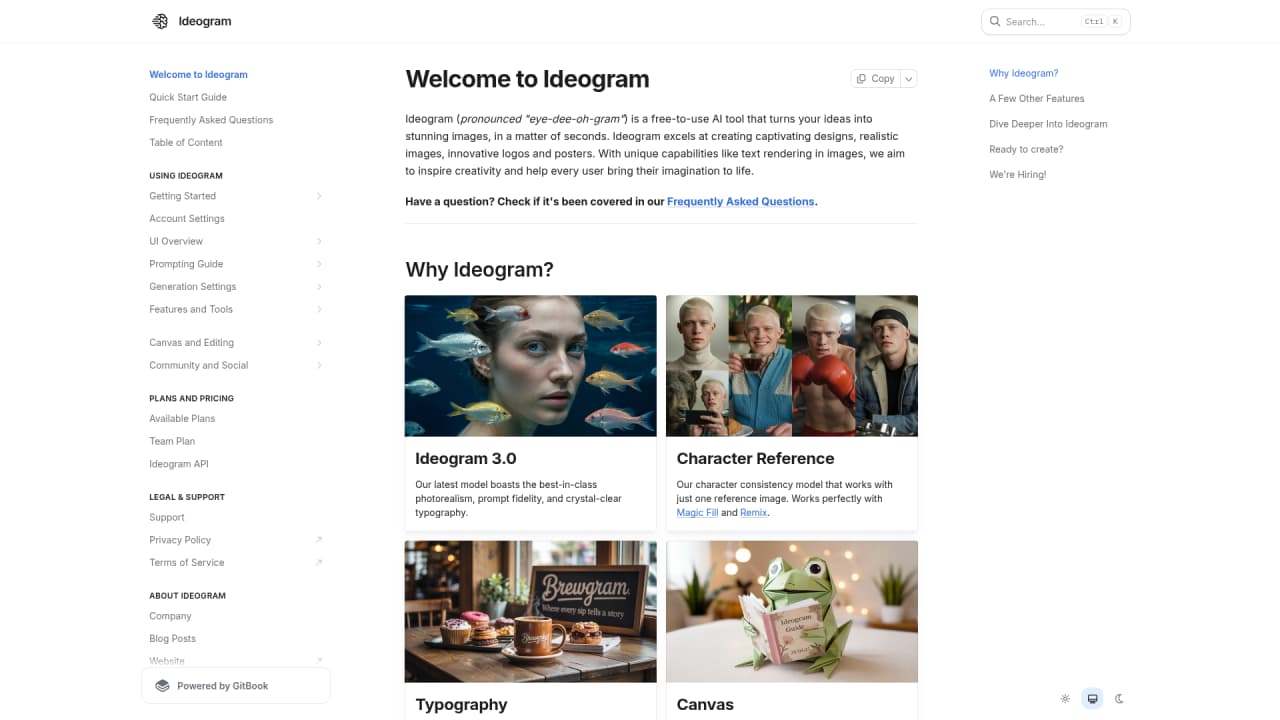
Ideogram is an AI image generation tool that's specifically built to handle two things most other tools struggle with: accurate text rendering and character consistency. Their latest Ideogram 3.0 model delivers top-tier photorealism, prompt fidelity, and crystal-clear typography — meaning you can actually generate images with readable text in them. No more garbled letters or warped words.
The team behind Ideogram AI is focused on one simple mission: helping people become more creative. Whether you're a designer, marketer, content creator, or just someone who wants to bring their ideas to life, Ideogram gives you the tools to do it fast.
Oh, and they have an iOS app too — so you can create stunning images right from your phone.
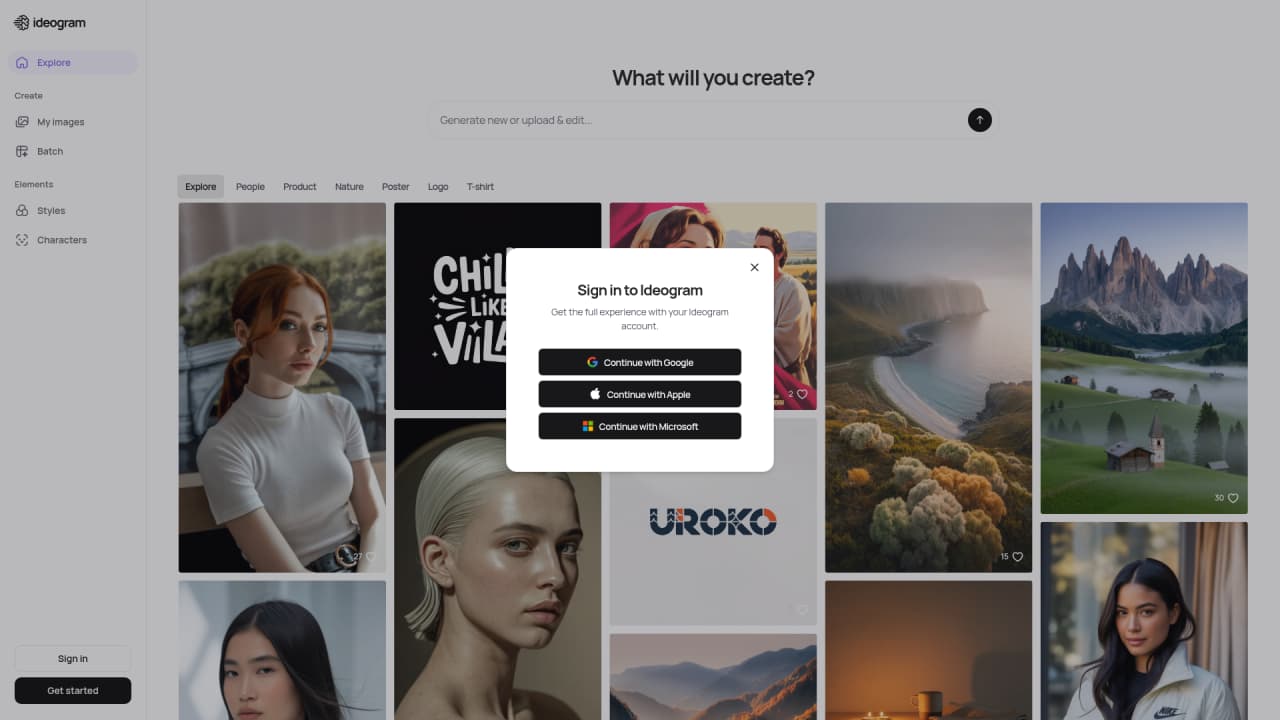
AI-powered image generation with industry-leading text rendering
Character Reference keeps your characters consistent across all images
Ideogram 3.0 model delivers premium quality, prompt accuracy, and clear typography
Available on web and iOS
What Ideogram Can Actually Do For You
Let's talk about what you can do with this tool — no boring feature lists, just the good stuff.
The Ideogram 3.0 model is their newest and most powerful engine. It handles photorealistic images better than ever, follows your prompts more accurately, and — here's the big one — renders text clearly enough to use in real projects. We're talking logo-quality text inside images, not the gibberish most AI tools spit out.
That's thanks to their Typography feature. If you've ever tried making a logo or branded merchandise with other AI tools, you know the struggle. Ideogram solves it. You can generate promotional posters, t-shirt designs, brand assets — anything that needs text — and the words actually look right.
Now, the Character Reference feature is honestly a game-changer for comic creators and brand teams. Upload one reference image, and Ideogram keeps that character looking the same across every single generation. Unlimited uses on paid plans. You can even use it with Magic Fill and Remix to tweak specific parts while keeping the character intact.
Beyond that, you've got Magic Fill & Extend for editing and expanding images directly in the canvas, an Infinite Canvas that lets you organize as many projects as you want, and Batch Generation — upload a CSV with up to 500 prompts and generate them all at once. That's a huge time-saver for e-commerce or marketing teams.
There's also Magic Prompt that turns your quick ideas into detailed, optimized prompts, and Style Reference that lets you apply a specific artistic style to your generations.
Industry-leading text rendering: Generate readable text in images — perfect for logos, posters, POD designs
Powerful character consistency: Keep characters identical across unlimited generations with just one reference
Ideogram 3.0 quality: Top-tier photorealism, prompt accuracy, and typography clarity
Free plan limitations: Limited to 10 slow credits per week, only 2 canvases
Batch generation: Only available on Pro and Team plans
Who's Actually Using Ideogram
So who is this tool for? Let me break it down with some real scenarios.
Logo designers — you need text in your designs to actually be readable. Traditional AI tools? Forget about it. Ideogram's Typography feature makes it possible to generate professional logos with clean, accurate text.
Brand marketing teams — need to pump out tons of visual content while keeping everything on-brand? Style Reference + Character Reference ensures your brand elements stay consistent across every image.
POD (print-on-demand) creators — designing t-shirts, posters, merch? Ideogram handles the text-plus-image combo that makes your designs stand out.
Social media content creators — constantly need fresh visuals? Magic Prompt helps you generate ideas fast, and Batch Generation lets you create dozens of images in one go.
Comic and story creators — this is where Character Reference shines. One reference image, and your main character looks the same in every panel. Finally!
E-commerce sellers — need product images with different backgrounds or angles? Background Control + Extend feature lets you swap out backgrounds and expand your shots professionally.
Developers — want to add AI image generation to your app? Ideogram's API makes integration straightforward.
💡 Quick tip: If precise text rendering is your priority, Ideogram is your best bet. If you're more focused on photorealistic portraits, you might want to compare a few tools to see what fits your needs.
Pricing — What's It Gonna Cost You
Let's be real about pricing. Ideogram's got options for everyone, from casual users to enterprise teams.
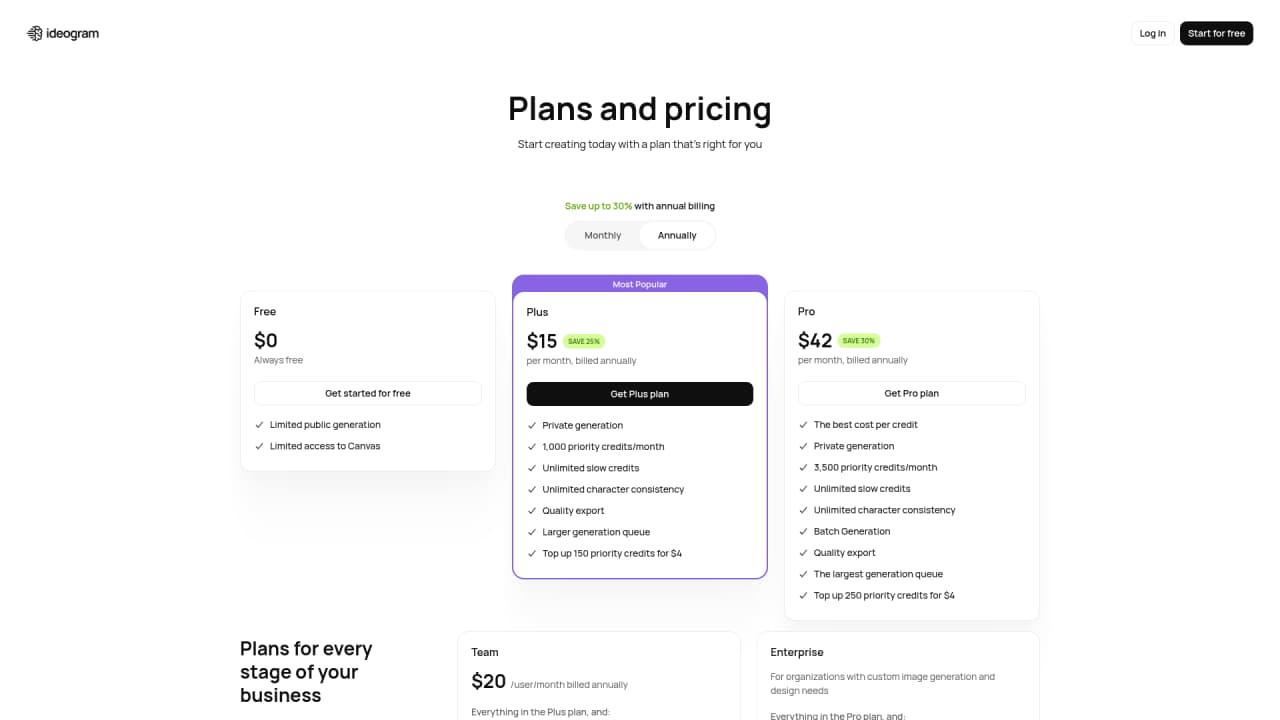
Here's the full breakdown:
Plan | Price | Priority Credits | Key Features | Best For |
|---|
Free | $0/month | 10 slow credits/week | 2 canvases, 1 concurrent generation | Trying it out |
Plus | $20/month ($15/month yearly) | 1,000/month | Unlimited slow credits, unlimited character consistency, unlimited canvases, 8 concurrent generations | Individual creators |
Pro | $60/month ($42/month yearly) | 3,500/month | Batch generation, 32 concurrent generations, best credit value | Power users, small teams |
Team | $20/user/month (yearly) | 1,500/user/month | Centralized billing, early access to collab features | Growing teams |
Enterprise | Custom | Custom | Everything in Pro + custom model training, API bulk discounts, priority support | Large organizations |
How credits work: Different models and rendering modes use different amounts. For example, Ideogram 3.0 Turbo uses 2 credits for 4 images, while 3.0 Quality uses 6 credits. The older 2.0 and 2a models are cheaper if you want to save credits.
Which plan should you pick?
Free: Perfect if you just want to test the waters
Plus: Great for individual creators who need unlimited access
Pro: Best bang for your buck if you're serious about generating lots of images
Team: When you're working with others and need shared billing
Enterprise: When you need custom solutions and priority support
Frequently Asked Questions
What are Priority Credits?
Priority Credits let you generate images instantly. They're only available through paid subscription plans or by purchasing top-ups.
What happens when I run out of Priority Credits?
No stress — you can still generate images using Slow Credits. They're unlimited but take longer to process.
Can I generate private images that aren't visible to others?
Yes! Paid plan users can use private generation to keep their images hidden from the public.
How do I update my credit card or billing info?
Just log into your account and update it in the settings. Pretty straightforward.
How do I cancel my subscription?
You can cancel anytime through your account settings. No complicated process or hidden steps.




Comments