
Gazouya - Japanese text-to-image AI tool that turns your prompt into high quality art and photos in seconds, no registration required.
Launched on Sep 10, 2026Gazouya is a no-registration Japanese AI image generation tool that converts text prompts into high quality illustrations, photos and visual assets. It supports over 100 different art styles, and works for marketing creatives, web designers, content creators and individual artists to produce original visuals for business or personal use without requiring advanced technical skills.
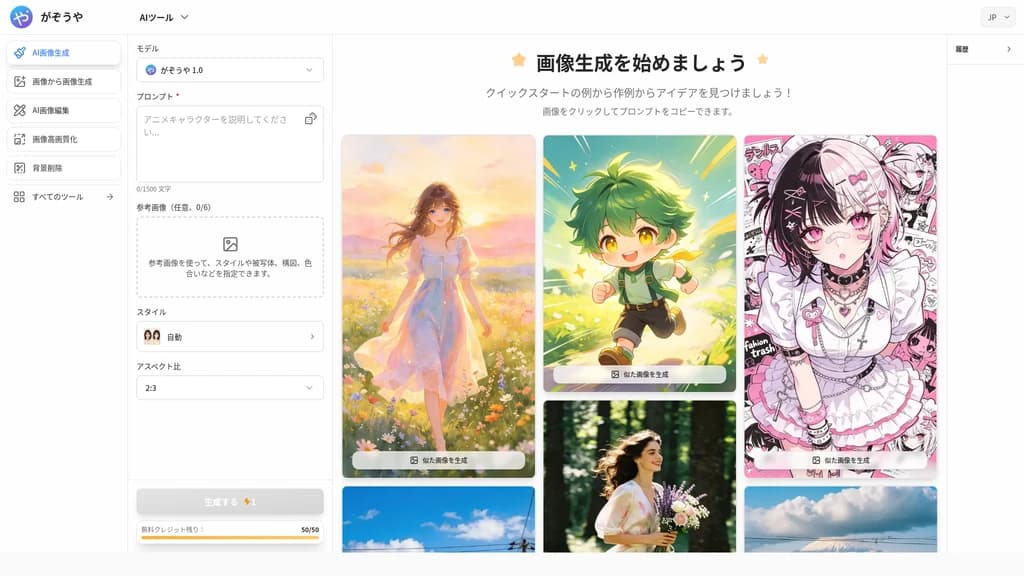
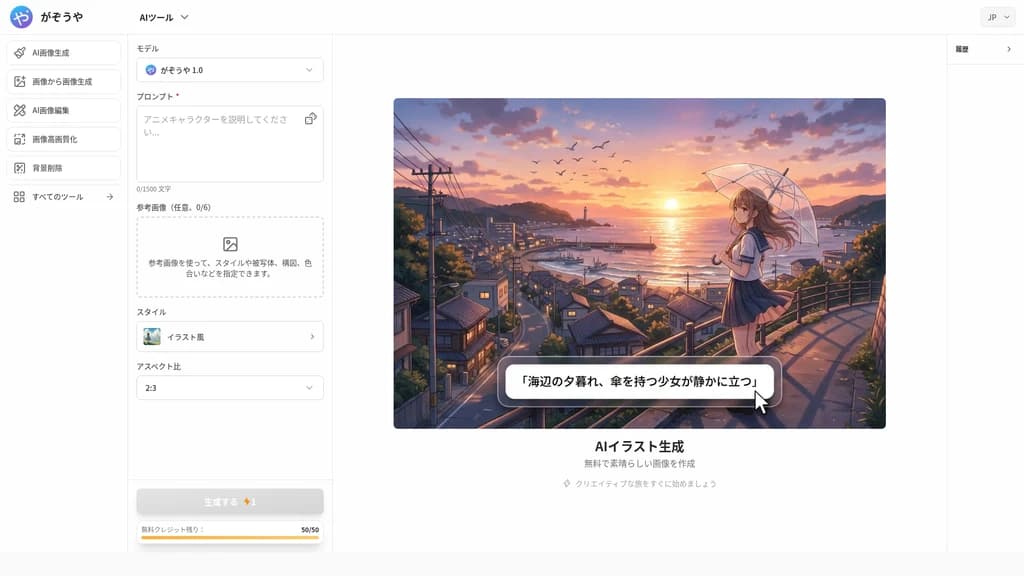
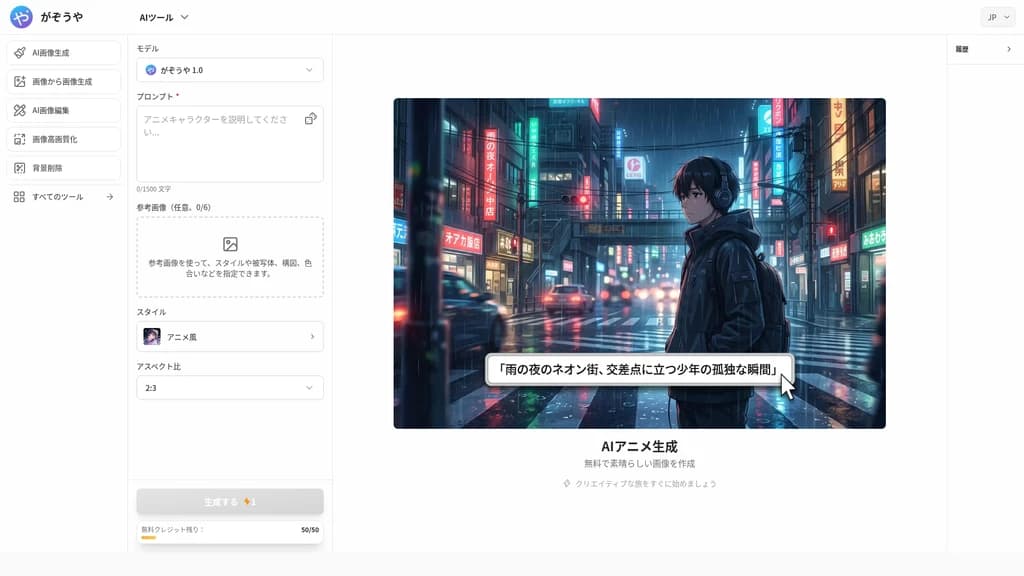
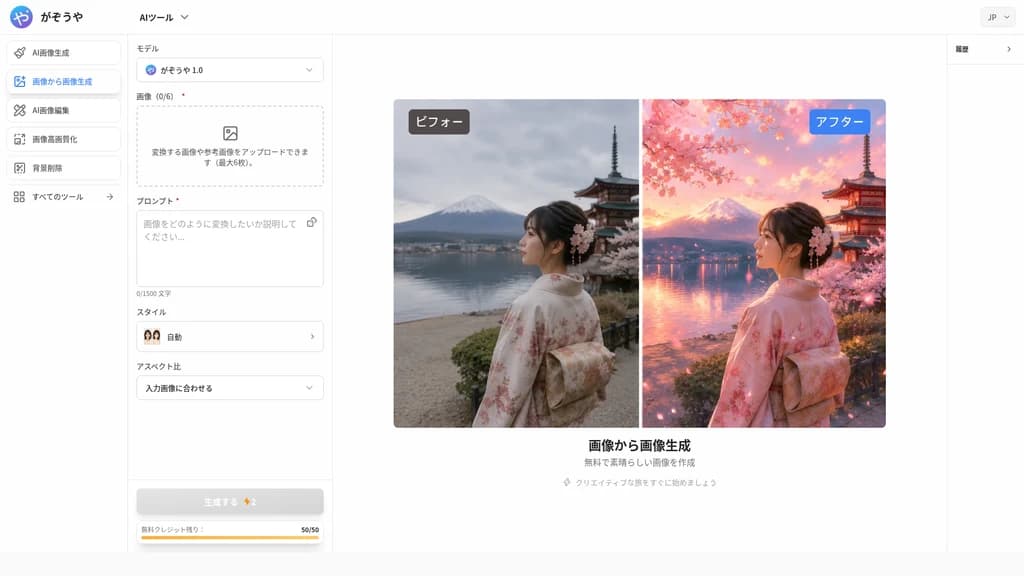
Core Workflow
Gazouya has a 3-step generation process that requires no prior technical knowledge:
Enter the description of your desired image in natural Japanese
Adjust output settings including image size and select your preferred style
Generate the final image in seconds, then save it directly to your local device
Supported Generation Modes
Gazouya includes multiple specialized generation tools for different use cases:
General AI image generator for all purpose visual creation
Dedicated AI illustration generator for character design and concept art
AI anime generator that uses a specialized high quality model for anime style visuals
AI manga generator that creates authentic comic style artwork
Image-to-image AI tool that converts existing photos to new styles such as Studio Ghibli aesthetic
AI photo editor for post-generation touch-ups and adjustments
One-click free background remover tool for generated images
Available Art Styles
The platform supports more than 100 different expression styles, including anime, 3D rendering, photorealistic, classic oil painting, hand drawn, and many other formats. You do not need to learn any complex software to switch between styles, you can select your target style directly from the settings menu.
Use Cases
Business and Marketing
Marketing staff and web creators can generate custom visual assets for SNS ads, banner creatives, and campaign materials in seconds. It produces original visuals that cannot be found in standard stock photo libraries, so you can build unique branded visuals without paying for expensive photoshoots. Users report that custom generated visuals can improve campaign response rates significantly.
Commercial Design
Design teams can quickly generate logo concept drafts, social media icons, and advertising banner materials. Consistent style generation supports brand aligned production workflows, helping design teams iterate on visual concepts far faster than traditional manual workflows. It is also suitable for sharing visual ideas with clients during design proposals, to eliminate miscommunication caused by vague text descriptions.
Personal Use
Users can create custom desktop wallpapers and mobile device backgrounds that match their personal preferences, to replace generic stock assets that come pre-installed on devices. Individual artists and creators can use the tool to explore new creative directions and get continuous inspiration for original works.
Related Content
Tea App Green Flags
Tea App Green Flags is an instant Tea app checker for men. Search by first name, city and age, or by photo, and see within seconds whether you appear in posts on the Tea dating-review app. The search is free; unlocking full posts and comments is paid. Nobody on Tea is told you searched. We also check the "Are We Dating The Same Guy" Facebook groups and help get false or harassing posts removed.
Facecam.ai
Facecam.ai is a browser-based AI tool that provides face swap, real-time voice changing, and VTuber creation capabilities. It works natively with web versions of Google Meet, Zoom, Microsoft Teams, and Discord for live calls, and supports photo, video, and GIF face swap workflows. The platform is designed for individual video call users, streamers, and content creators looking to modify their on-camera presence without specialized desktop software. Many core tools are available for free with no account required, while premium plans unlock extended live face swap hours and watermark-free outputs.
SpriteGen
SpriteGen is an online AI sprite sheet generator for game developers and creators. Describe a character or object, select a frame count, preview the animation, and download a transparent PNG sprite sheet. A free trial and credit-based generation are available.
Try AI Editor
Try AI Editor is a browser-based AI image editor that lets users edit photos using plain English text prompts, with no account registration required. It supports common use cases including background removal, object deletion, old photo restoration, style transfer, and image upscaling. The platform gives out free daily editing credits, never adds watermarks to exported images, and does not store uploaded user photos after processing.
Comments