

FLUX 3 Video - Your independent guide to FLUX 3 AI video generation
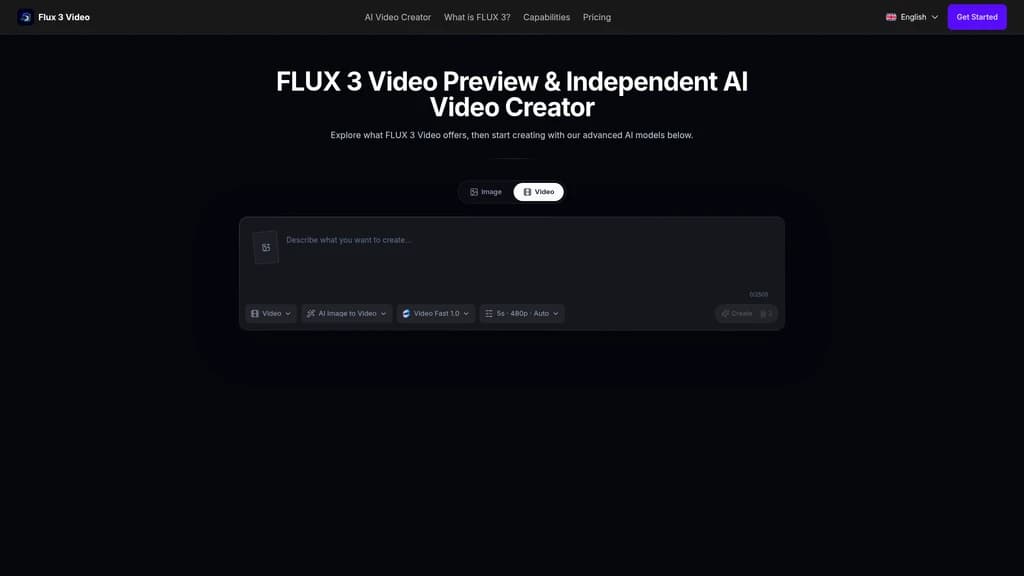
Want to explore next-generation AI video generation but can't access the official FLUX 3 yet? FLUX 3 Video is an independent platform that offers a transparent preview of what's coming. You can generate videos right now using Wan 2.5 Fast and Quality models while learning about FLUX 3's upcoming multimodal capabilities. Every output is clearly labeled so you always know what you're getting. Start creating AI videos today with text-to-video, image-to-video, and multi-reference frame controls.
- AI Video
- Video Generation
- Self-hosted
- Content Creation
- Multi-language
446Views

What Is FLUX 3 Video? Let's Start With the Basics
You've probably heard the buzz around FLUX 3. The AI video generation landscape is evolving fast, and Black Forest Labs' upcoming model promises native audio-video generation, clips up to 20 seconds, multi-language dialogue, and cinematic camera control. It sounds incredible—but there's a catch.
FLUX 3 is still in Early Access. Unless you're part of a select group of beta testers or enterprise partners, you simply can't use it yet. Meanwhile, you're watching competitors experiment with AI video, create stunning content, and move ahead. You might be asking yourself: Is there any way to start working with this technology right now, without having to wait?
That's exactly where FLUX 3 Video comes in.
A Transparent Bridge to Tomorrow's Technology
FLUX 3 Video is an independent information and tool platform—not an official Black Forest Labs product, and it never claims to be. Think of it as a well-informed guide who says, "Let me show you what's coming, and here's something very close you can actually use today."
Here's the honest deal:
The platform currently uses Wan 2.5 Fast and Wan 2.5 Quality models for video generation—not the official FLUX 3 model
Every single output is labeled with the actual model name used, so you're never misled
When FLUX 3's official integration becomes available, it will be added as a separate, clearly labeled option
This transparency-first approach solves a real problem in the AI space: too many platforms "borrow" the names of hot new models without being honest about what's actually running under the hood. FLUX 3 Video does the opposite—it tells you exactly what you're working with.
Independent platform, not an official product — FLUX 3 Video has no affiliation with Black Forest Labs
Usable right now with Wan 2.5 models — you can generate actual videos today, while FLUX 3 remains in Early Access
Every output is transparently labeled — the model name is always shown, so you know exactly what generated your video
Core Features of FLUX 3 Video: What You Can Actually Do With It
Let's walk through the tools available to you right now. Each feature is designed around a simple principle: give you as much creative control as possible, with as little friction as possible.
Text-to-Video: Describe It, and It Appears
This is the feature you'll probably use most often. Instead of learning complex video editing software, you simply describe what you want to see—subject, action, environment, camera movement, lighting, even pacing and sound—and the model generates a video based on your description.
How it works: You enter a text prompt, and the Wan 2.5 model interprets your description frame by frame. Choose between Fast mode (quick drafts to test ideas) or Quality mode (final-grade output with more detail).
What you can do with it: Rapid prototyping of creative concepts. Imagine you're brainstorming a commercial—instead of drawing storyboards or waiting for a production team, you type "a silver coffee cup on a wooden table, morning sunlight from the left, slow zoom in" and get a video in minutes. That's the power of text-to-video.
Image-to-Video: Bring Static Artwork to Life
Have a beautiful illustration, product photo, or design that you wish could move? Upload it as a starting frame, and the model generates a video that continues naturally from that image.
How it works: The uploaded image becomes a reference frame that the model uses as its starting point. It then predicts and generates the subsequent motion, keeping the style and composition consistent.
What you can do with it: Transform static product shots into dynamic social media clips. Animate character illustrations for your next video project. Create motion for concept art without hiring an animator.
Multi-Reference Frame Generation: Precise Control Over Your Video
Sometimes you need more than just a starting point—you want to control the beginning and the end. That's where multi-reference frame generation shines.
How it works: You provide a first frame and a last frame (first-and-last-frame mode), and the model automatically generates all the intermediate frames to create a smooth transition between them. You can also use multiple reference images for additional control.
What you can do with it: Perfect for product transition animations—show your product from one angle at the start and another at the end, with the model filling in the rotation. Great for narrative content where you need precise control over the opening and closing shots.
Fast vs. Quality: Two Workflows for Different Needs
Not every video needs to be a masterpiece. Sometimes you just need a rough draft to test an idea. That's why FLUX 3 Video offers two modes using the same underlying model:
Wan 2.5 Fast: Optimized for speed. Use this when you're iterating on concepts, testing prompts, or need a quick preview. Think of it as your "rough sketch" mode.
Wan 2.5 Quality: Optimized for output fidelity. Use this for final renders, client presentations, or any scenario where visual quality matters most.
This dual-workflow approach gives you the freedom to experiment without burning credits on every attempt, then switch to Quality mode only when you're ready for the final output.
Transparent Model Labeling: No Tricks, No Confusion
This isn't a "feature" in the traditional sense, but it might be the most important one. Every video generated on FLUX 3 Video includes a clear label showing which model produced it.
Why this matters: In an industry where some platforms blur the lines between demo and reality, this transparency builds trust. You always know what you're working with—no surprises, no hidden switches.
Video Download: Save Your Work
Once your video is generated, you can download it directly. All plans include commercial licensing, so you're free to use the output in your projects, whether that's social media content, client work, or personal creative projects.
Transparent and trustworthy — every output is labeled with the actual model name
No waiting for official release — generate videos right now, not months from now
Ready to use immediately — no complicated setup, just describe or upload
Multiple input methods — text, single image, multiple reference images, first-and-last-frame
Commercial license included — all plans allow commercial use of generated content
Current model is Wan 2.5, not official FLUX 3 — expectations should be set accordingly
Limited performance data available — no published speed benchmarks or resolution specifications
Some planned features still in development — FLUX 3 integration and additional capabilities are on the roadmap
Who's Using FLUX 3 Video? Real-World Scenarios
Maybe you're still wondering, "Is this actually useful for what I do?" Let's walk through the most common scenarios where creators like you find real value.
Scenario 1: Rapid Creative Concept Visualization
The problem: You're in a brainstorming session. You have a vivid scene in your mind—a futuristic cityscape with neon reflections on wet pavement, a slow drone shot moving through skyscrapers. But explaining it to your team with words alone is slow and imprecise. By the time you find reference images, the creative momentum is gone.
The solution: Open FLUX 3 Video's playground, type your description, and generate a concept video in minutes.
The result: Your idea goes from "let me describe it" to "let me show you" instantly. Decisions get made faster. The team aligns on the vision before resources are spent on production.
Scenario 2: Animating Static Illustrations
The problem: You're an illustrator or designer with a portfolio of stunning static artwork. You'd love to bring some of those pieces to life as short animated clips for social media or your portfolio, but you don't have animation skills or the budget to hire a motion designer.
The solution: Upload your illustration as a starting frame in the Image-to-Video feature. Add a brief text description of the motion you want—"leaves gently swaying in wind, soft parallax depth effect."
The result: A single illustration becomes a 3-5 second animated loop. Post it on Instagram, Twitter, or your portfolio site. The engagement difference between static art and motion is immediate.
Scenario 3: Product Showcase Videos on a Budget
The problem: You run an e-commerce brand or a small business. Product photography is expensive. Product video? Even more so. But social media algorithms love video content, and customers convert better when they see products in action.
The solution: Take your existing product photos, use them as reference frames, and generate short product showcase videos.
The result: A $50 one-time investment can produce dozens of product videos for your store, social media ads, and email campaigns. No studio rental, no videographer, no editing software subscription.
Scenario 4: Storyboard to Preview Conversion
The problem: You're a filmmaker or video creator. You've drawn storyboards or created mood boards, but sharing these static visuals with clients or collaborators rarely conveys the pacing, timing, and emotional rhythm of the final piece.
The solution: Use the first-and-last-frame feature to set your opening and closing shots, then let the model generate the transition. Your storyboard becomes a moving preview.
The result: Clients see the "feel" of your video before you shoot a single frame. Approvals come faster. Revisions happen earlier, when they're cheaper and easier.
Scenario 5: High-Frequency Social Media Content
The problem: You need to post 3-5 video pieces per week across multiple platforms. Your content calendar is aggressive, but your production pipeline is just you, a laptop, and limited hours in the day.
The solution: Use text-to-video generation to batch-produce short-form content. Describe the scene, generate, download, edit, and publish. Repeat.
The result: What used to take days per video now takes hours. You maintain your posting cadence without burning out.
Scenario 6: Learning AI Video Generation Technology
The problem: You're genuinely curious about where AI video generation is heading. FLUX 3's capabilities—native audio, multi-language dialogue, action prediction—sound revolutionary, but you can't access the official version yet.
The solution: Use FLUX 3 Video as a learning platform. Experiment with prompts, understand how different inputs affect outputs, and build intuition for prompt engineering and model behavior.
The result: By the time FLUX 3 becomes publicly available, you'll already understand the paradigms. You'll be ready to hit the ground running instead of starting from zero.
If you're a content creator with a limited budget, start with the OneTime $50 plan (100 credits). It's enough to test all the features—text-to-video, image-to-video, multi-reference frames—without committing to a subscription. Think of it as your "test drive" package.
FLUX 3 Video Pricing: How to Pick the Right Plan for You
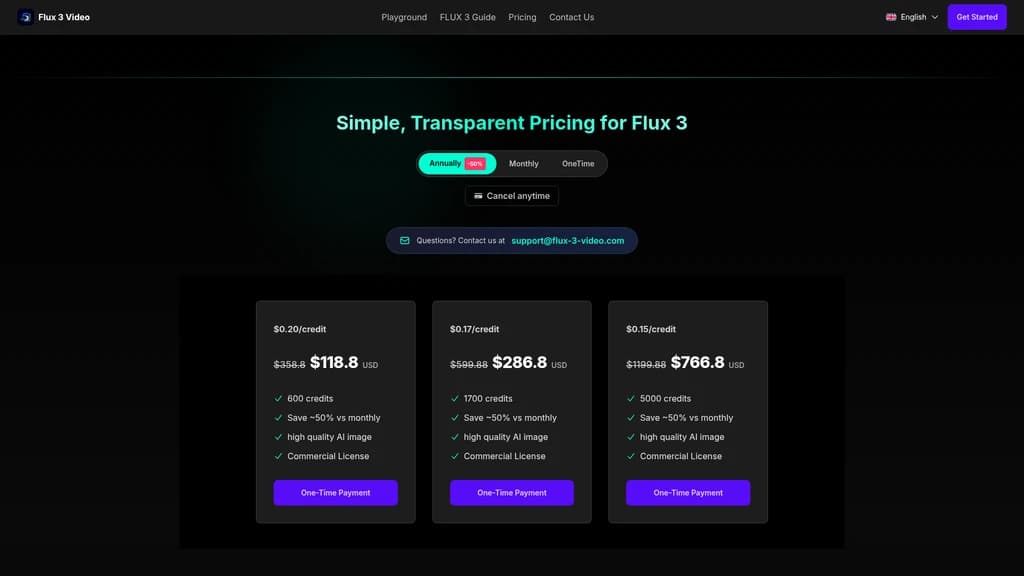
FLUX 3 Video uses a credit-based system: every generation consumes a certain number of credits from your balance. The more credits you buy, the lower your per-credit cost. Here's how the plans break down.
Plan | Credits | Per Credit | Total Price | Duration | Best For |
|---|---|---|---|---|---|
OneTime $50 | 100 | $0.50 | $50 | One-time | Beginners exploring the tool |
OneTime $100 | 220 | $0.45 | $100 | One-time | Light creators |
Plan A (Monthly/Yearly) | 600 | $0.20 | $358.8/mo or $118.8/yr | Subscription | Monthly moderate users |
Plan B (Monthly/Yearly) | 1,700 | $0.17 | $599.88/mo or $286.8/yr | Subscription | High-frequency creators |
Plan C (Monthly/Yearly) | 5,000 | $0.15 | $1,199.88/mo or $766.8/yr | Subscription | Professional production teams |
Why This Pricing Makes Sense
The credit model works like a bulk discount. If you're just testing the waters, the OneTime plans let you explore with zero ongoing commitment. Once you confirm the tool fits your workflow, you switch to a subscription and enjoy a significantly lower cost per credit.
A few important details:
OneTime plans are watermark-free — your generated videos are clean and ready to use
All plans include commercial licensing — you own the right to use your creations in business projects
Annual subscriptions offer significantly lower effective rates than monthly billing
Subscription credits require active membership — if you cancel, you lose access to remaining credits
New users: Start with OneTime $50. For $50, you get 100 credits to explore every feature. Test text-to-video, try image-to-video, experiment with multi-reference frames. If the tool fits your workflow after burning through those credits, then upgrade to a subscription for the lower per-credit rate.
Frequent creators: Go directly to Plan B (yearly). The per-credit cost drops from $0.50 to $0.17, saving you nearly 66% per generation.
Teams and agencies: Plan C yearly ($0.15/credit) is the most cost-efficient option. At 5,000 credits, you have room for team members to experiment and produce without worrying about running out mid-month.
What Users Are Saying: Real Experiences, Honest Feedback
While FLUX 3 Video is relatively new, the patterns emerging from user feedback tell a consistent story. Here's what creators are experiencing.
The Highlights
"The transparency alone is worth it." Users consistently appreciate that every output shows which model generated it. In a market where some platforms make vague claims, knowing exactly what you're working with builds genuine trust.
"Multiple input methods make a real difference." The ability to switch between text prompts, starting frames, and first-and-last-frame control means you're not forced into one workflow. Creators report using different modes for different types of projects.
"One-time plans remove the fear of commitment." The $50 and $100 one-time packages are frequently mentioned as a low-risk entry point. Users like that they can test thoroughly before deciding on a subscription.
The Criticisms
"It's not the real FLUX 3 yet." The most common disappointment comes from users who expected the official FLUX 3 model. Setting proper expectations is important—this is a Wan 2.5-based preview, not the real thing.
"Performance data is missing." Users report uncertainty about generation times and output quality specifications. Clearer benchmarks would help manage expectations.
"No privacy policy or terms of service." Some security-conscious users note the absence of standard legal pages (/privacy and /terms return 404). This is a legitimate concern for creators handling sensitive or commercial projects.
The Verdict
FLUX 3 Video positions itself as a window into the future, not a finished product. Users who approach it with that understanding tend to be satisfied. This is a platform for curious creators, early adopters, and anyone who'd rather start learning now than wait for the official release. If you're looking for a polished, final-product experience, you might want to wait. If you're eager to explore and learn, dive in.
Frequently Asked Questions
What's the relationship between FLUX 3 Video and Black Forest Labs?
This is the most common question, and for good reason—the name "FLUX 3" naturally makes people think it's an official product. Here's the full picture.
First, FLUX 3 Video is an entirely independent platform. It has no affiliation with, endorsement from, or operational connection to Black Forest Labs.
Second, the platform uses a different model (Wan 2.5) for its current video generator, not the official FLUX 3 model. This is stated clearly throughout the site.
Third, and most importantly, every generated output includes a label showing the actual model used. This dual-transparency approach—clear upfront statements plus per-output labeling—ensures you're never misled about what you're using.
Think of it this way: FLUX 3 Video is like a trusted tech reviewer who says, "I can't give you the unreleased product, but here's something very similar you can use right now, and I'll tell you exactly what it is every step of the way."
What model is currently available for video generation, and how is it different from FLUX 3?
Let's break this down clearly.
First, the current video generator runs on Wan 2.5 Fast and Wan 2.5 Quality workflows. Wan 2.5 is an excellent open-source video generation model with strong capabilities in text-to-video and image-to-video tasks.
Second, Wan 2.5 and FLUX 3 are fundamentally different technologies. FLUX 3 promises native multi-modal capabilities—it generates audio and video together, supports multi-language dialogue, handles various visual styles, and even includes action prediction for physics-aware motion. Wan 2.5, while impressive, is primarily a video generation model without this integrated multi-modal architecture.
Third, FLUX 3 is still in Early Access, with Black Forest Labs planning a phased rollout that includes video and audio APIs, image compositing tools, action prediction partnerships, and eventually a public-weight FLUX 3 Dev release.
The key takeaway: use Wan 2.5 now to learn the workflows and build your intuition. When FLUX 3 becomes available on this platform (added as a clearly labeled separate model), you'll already know how to use it effectively.
Can I use generated videos for commercial projects? Are there copyright concerns?
Short answer: yes, you can use them commercially—with a few important nuances.
First, all plans on FLUX 3 Video include a Commercial License. This means you have the right to use videos you generate for business purposes, including client work, marketing materials, social media content, and commercial products.
Second, OneTime plans are explicitly watermark-free, so your commercial output is clean and professional from the start.
Third, and this is important to understand: AI-generated content has varying acceptance policies across different platforms. Some stock footage sites, content marketplaces, and publishers have specific rules about AI-generated material. Before using your generated videos in a commercial context, we recommend checking the usage policies of any platform where you plan to publish or sell the content.
Also, keep in mind that AI video generation is a rapidly evolving legal area. While the Commercial License gives you permission from the platform's side, we recommend staying informed about broader AI content regulations in your jurisdiction.
OneTime plans vs. subscription plans — how do I choose?
This is really about matching the pricing model to your usage pattern. Let's work through it step by step.
First, consider your usage frequency. Are you experimenting occasionally, or planning to generate videos daily? If you're in the "curious explorer" category, a OneTime plan ($50 for 100 credits or $100 for 220 credits) is plenty to test the tool thoroughly. If you're producing content regularly, a subscription's lower per-credit cost makes more economic sense.
Second, compare the effective costs. OneTime plans cost $0.45-$0.50 per credit but require no ongoing commitment. Subscription plans drop the per-credit cost to $0.15-$0.20—a savings of 60-70% per generation—but require continuous payment. The math favors subscriptions for anyone generating more than a few dozen videos per month.
Third, think about the "try before you commit" strategy. Here's the recommended approach: start with OneTime $50. Use those 100 credits to test all features, experiment with different prompts, and confirm that the tool fits your workflow. If it does, upgrade to the appropriate subscription tier. This is like renting a car before buying one—you make sure you like the drive before making a long-term commitment.
One final note: annual subscriptions offer significantly lower effective monthly costs than month-to-month billing. If you're confident about long-term use, the annual option is the most economical choice.
When will the official FLUX 3 be available?
This is the million-dollar question, and honesty matters here.
First, FLUX 3 is currently in Early Access, with access limited to select partners and enterprise users. Black Forest Labs has announced a phased rollout plan that includes video and audio APIs, image compositing and editing tools, and partnerships for action prediction technology.
Second, a public-weight version called FLUX 3 Dev is on the roadmap. This would be an open multi-modal skeleton that the community can experiment with, similar to how previous FLUX models had stepped releases.
Third, the exact timeline depends entirely on Black Forest Labs' development progress, which means we can't give you a specific date. What we do know is that the FLUX 3 ecosystem will roll out in stages, not all at once.
Here's the practical takeaway: instead of waiting and wondering, use platforms like FLUX 3 Video with Wan 2.5 as a learning tool in the meantime. The skills you build—prompt engineering, understanding input modalities, working with model outputs—will transfer directly when FLUX 3 arrives. You'll go from "starting from zero" to "already experienced" the day it launches.


Comments