

- Monthly visits
- 3,967
- 2026-09
- Monthly growth +141.3%
DocSpring - Fill, generate, and sign documents through an API
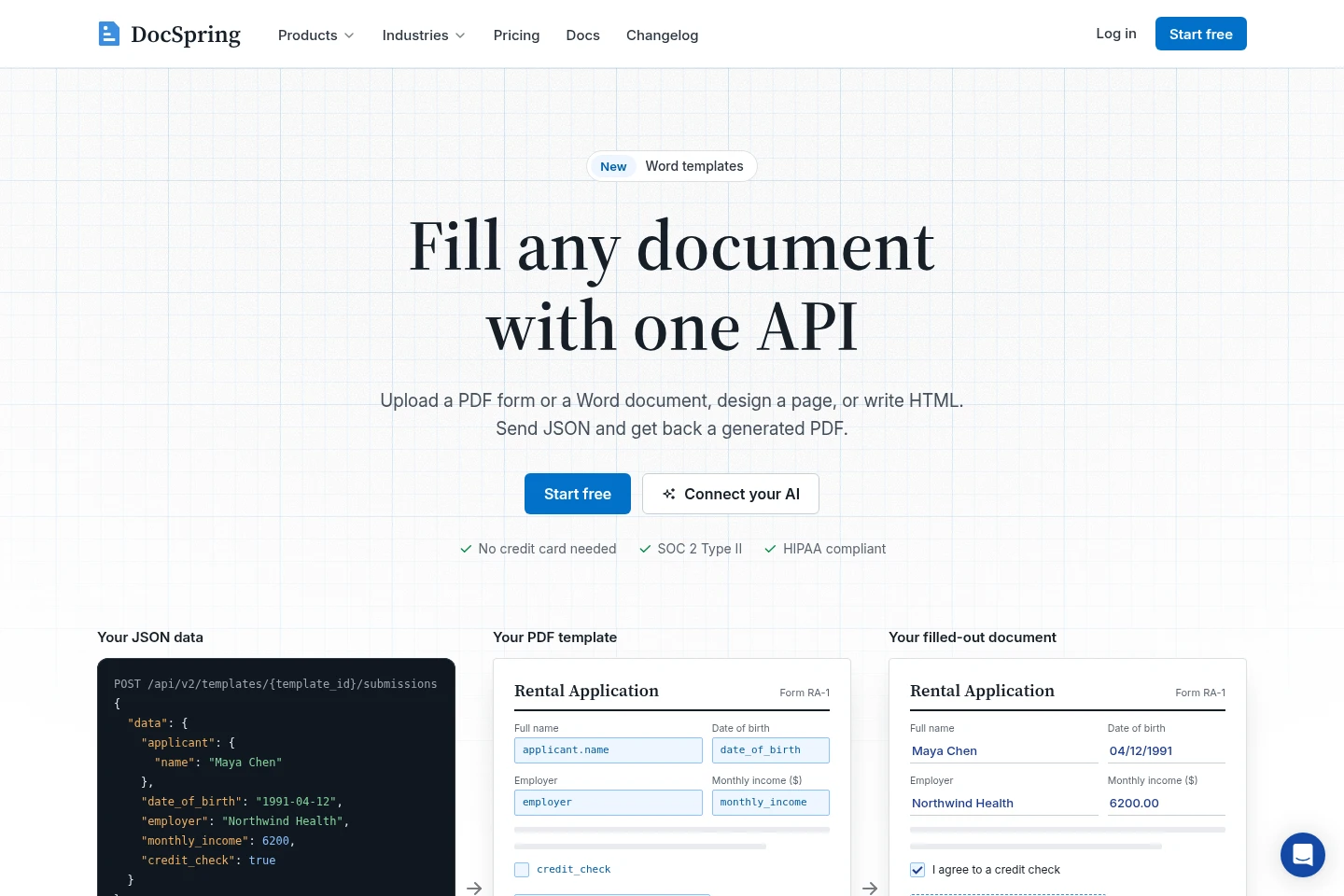
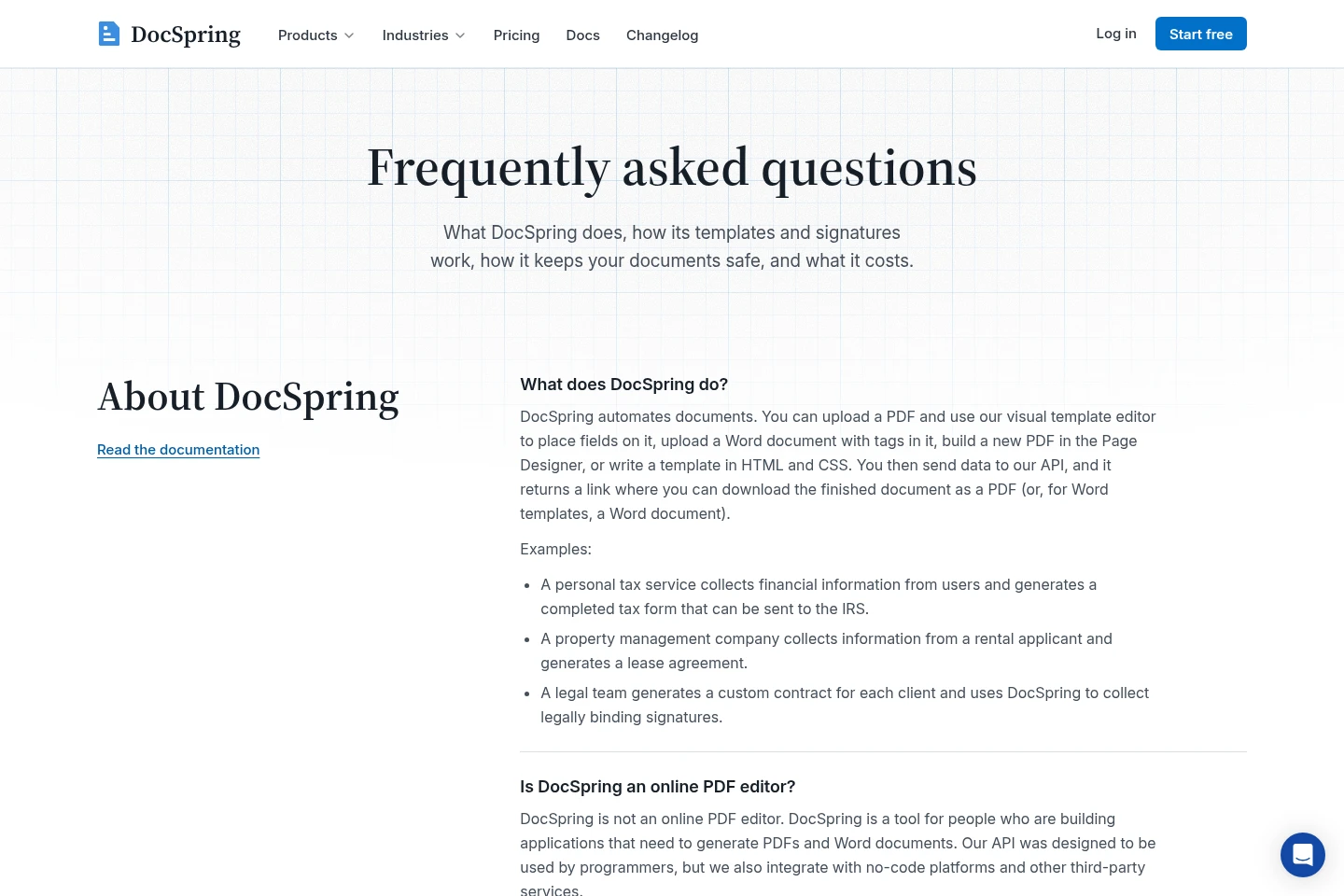
DocSpring turns PDF forms, Word documents, Page Designer layouts, and HTML templates into filled documents using JSON data sent from an app or script. It provides hosted or embedded web forms and signature requests, with signed PDFs that include an audit trail. Developers can also use its API and SDKs to automate document workflows.
- AI Productivity
- Document Generators
- Form Builders
- Workflow Automation
- Healthcare
- Finance
- Insurance
- Legal
- Accounting
- Real estate
- PDF filling API
- document generation API
- web forms for PDFs
Capabilities
PDF document automation
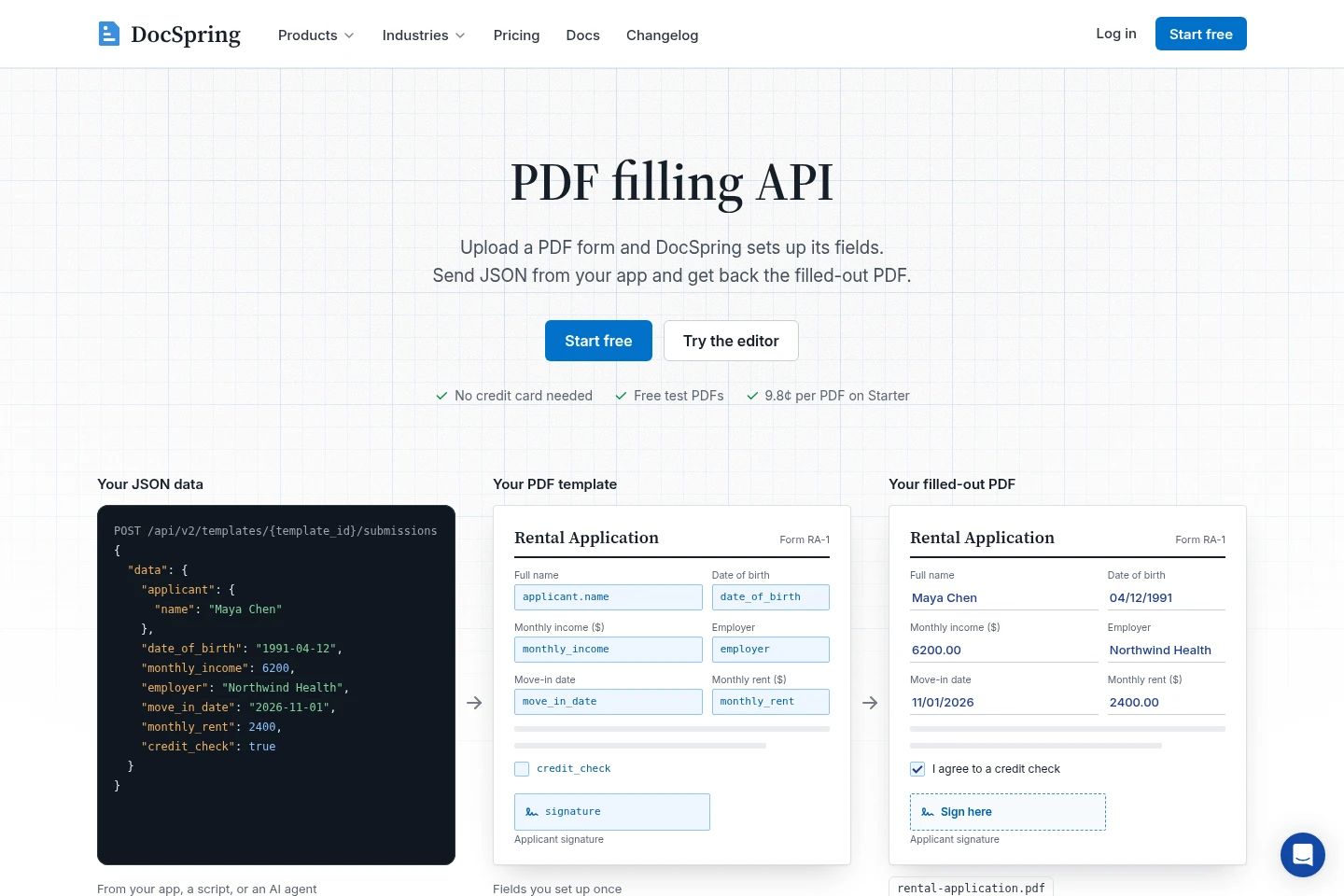
Fill PDF templates with JSON data and return completed PDFs. DocSpring imports fields from fillable PDFs or detects boxes on flat PDFs; users can review and edit detected fields before publishing.
Document template generation
Create documents from Word, HTML and CSS templates, or pages built with Page Designer. Send structured data to generate PDF or Word files; HTML templates can use Liquid, while Word templates support tags, conditions and loops.
Hosted and embedded forms
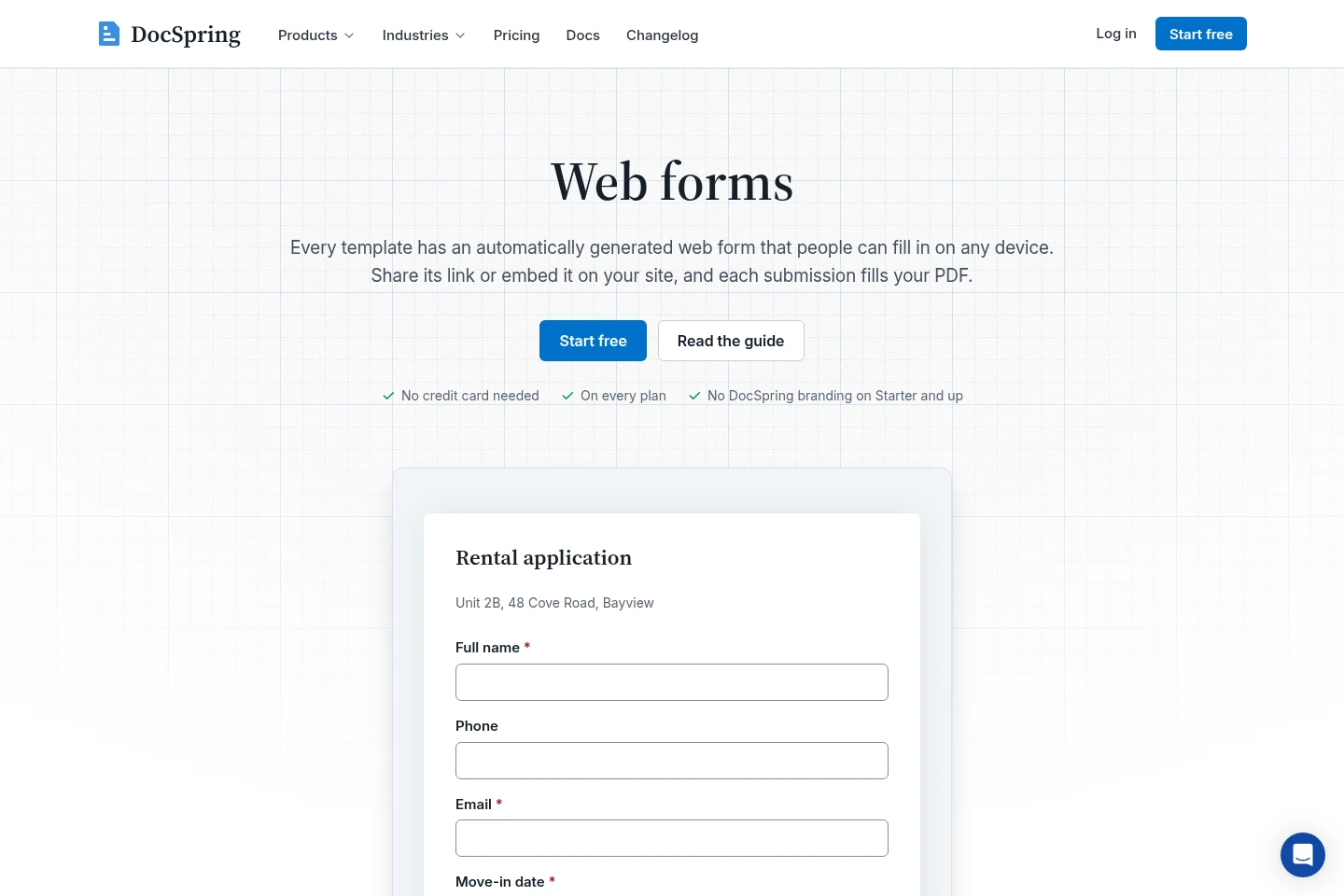
Collect information through a hosted form link or a form embedded in an app, then return a filled PDF. Forms support required fields, conditional visibility, prefilled and hidden fields, and can omit DocSpring branding on Starter and higher plans.
Electronic signature requests
Send documents to one or more signers by email and receive signed PDFs with an audit trail. Signing links, reminders and embedding are available; live signature requests on Developer require a first payment.
AI field setup
Use AI to set up fields on uploaded PDF forms. It can find fields on flat PDFs, assign names and data types, and add conditional logic, required fields and totals; users review the fields before publishing.
Pricing
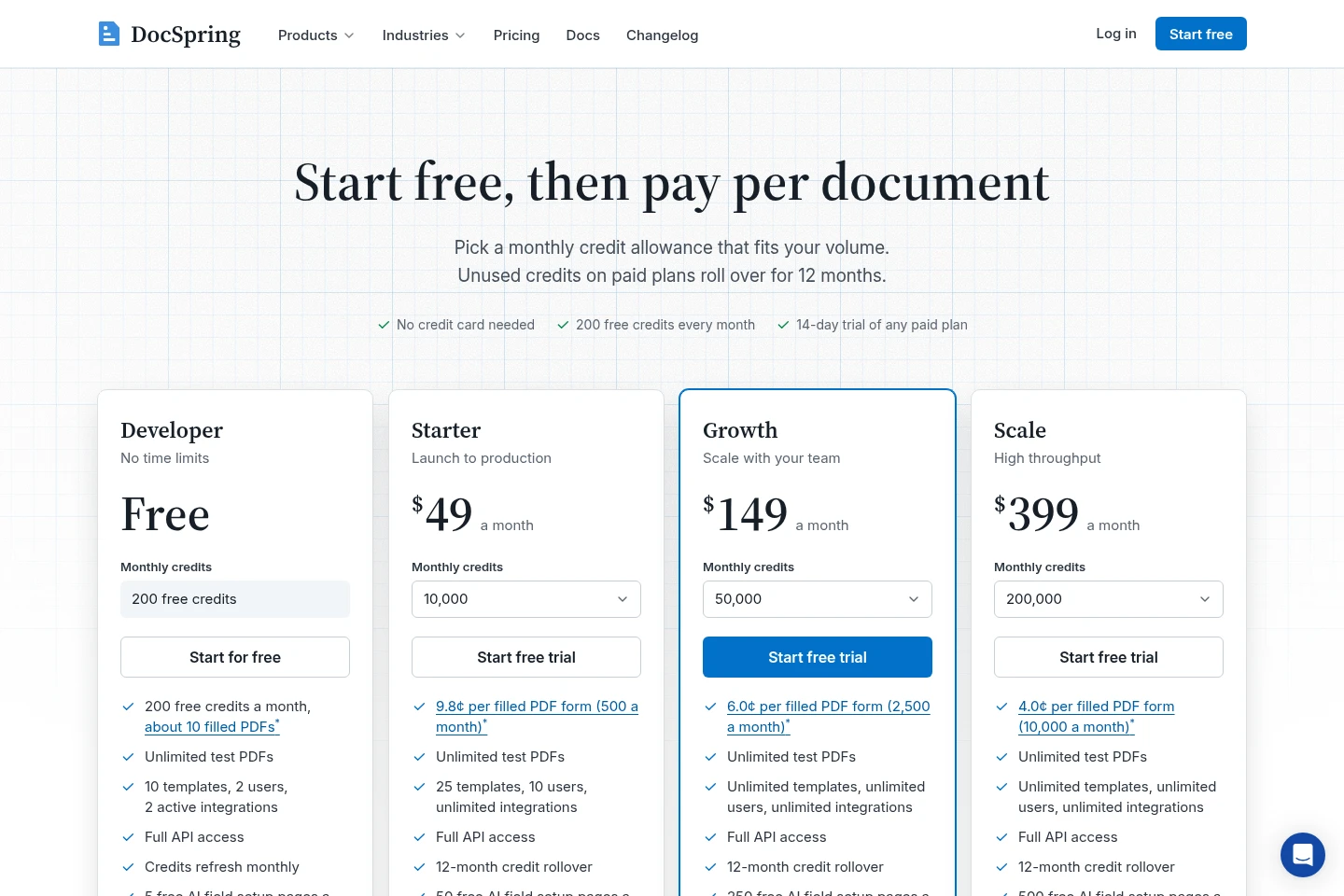
DocSpring offers a free plan and paid monthly subscriptions. Compare monthly credits, template and user limits, AI field setup pages, signature features, branding, support and included compliance terms when choosing a plan.
| Plan | Price | Included features and limits |
|---|---|---|
| Developer | Free per month |
|
| Starter | $49 per month |
|
| Growth | $149 per month |
|
| Scale | $399 per month |
|
| Enterprise | Contact sales for pricing |
|
Paid-plan trials last 14 days and include the paid plan's features, plus the free plan's 200 credits and five free AI pages. Subscribe at any time to receive the selected plan's monthly credits. Registered nonprofits, charities, schools and universities can get Starter free.
Use cases
Automate filling PDF forms
When an application or business process requires repeated PDF forms, map the form fields to template data and send JSON through the API. DocSpring returns a completed PDF for each submission.
Generate documents from application data
When a workflow needs personalized Word files or PDFs, create a Word, HTML, CSS or Page Designer template and submit structured data. The service produces the requested document formats.
Collect information with online forms
When people need to submit information without using an internal app, share a hosted form link or embed the form on a site. Submitted answers populate the matching document fields.
Collect signatures on documents
When a document needs one or more signatures, send signers a request with a link by email or embed the signing page. DocSpring returns the signed PDF with an audit trail.
Limitations
Developer plan live signature requests are available only after the first payment; the plan otherwise includes signature requests.
The hosted web form demo uses made-up answers, and its generated PDFs are deleted after one hour.
The free Developer plan includes DocSpring branding on hosted forms; removing it requires Starter or a higher plan.
Protected health information requires a signed BAA before submission; the BAA is available on paid plans, not Developer.
Who it is for
Developers integrating document generation and PDF filling into an app or script
Operations teams that process recurring forms and need completed PDFs from submitted data
Organizations collecting information and signatures through hosted or embedded forms
FAQ
What does DocSpring do with submitted data?
It uses template data to fill a document and returns the resulting file. PDF forms, Word templates, Page Designer layouts and HTML templates are supported through the document workflow.
Can DocSpring fill a flat PDF?
Yes. It can detect fields on flat PDFs as well as import fields from fillable PDFs. You can review and change the detected fields in the editor before publishing.
Can people submit forms without an API integration?
Yes. Each template can have a hosted web form that people open from a link, and forms can also be embedded on a site or in an app. Submissions fill the template's PDF.
Does DocSpring support document signing?
Yes. You can send a signature request to one or more signers, and signed PDFs include an audit trail. Developer plan live signature requests become available after the first payment.
Can I submit protected health information?
Only after a Business Associate Agreement is signed. DocSpring offers BAAs on paid plans, including Starter, but not on the free Developer plan; contact support to request one.
How does the free plan work?
Developer is free with no time limit and includes 200 credits each month, 10 templates, two users, two active integrations and five free AI field setup pages monthly. Credits refresh monthly, and no credit card is required.
Comments