

- Monthly visits
- 5,725
- 2026-09
- Monthly growth +55.2%
Chiaro - Turn photos of art and landmarks into audio guides
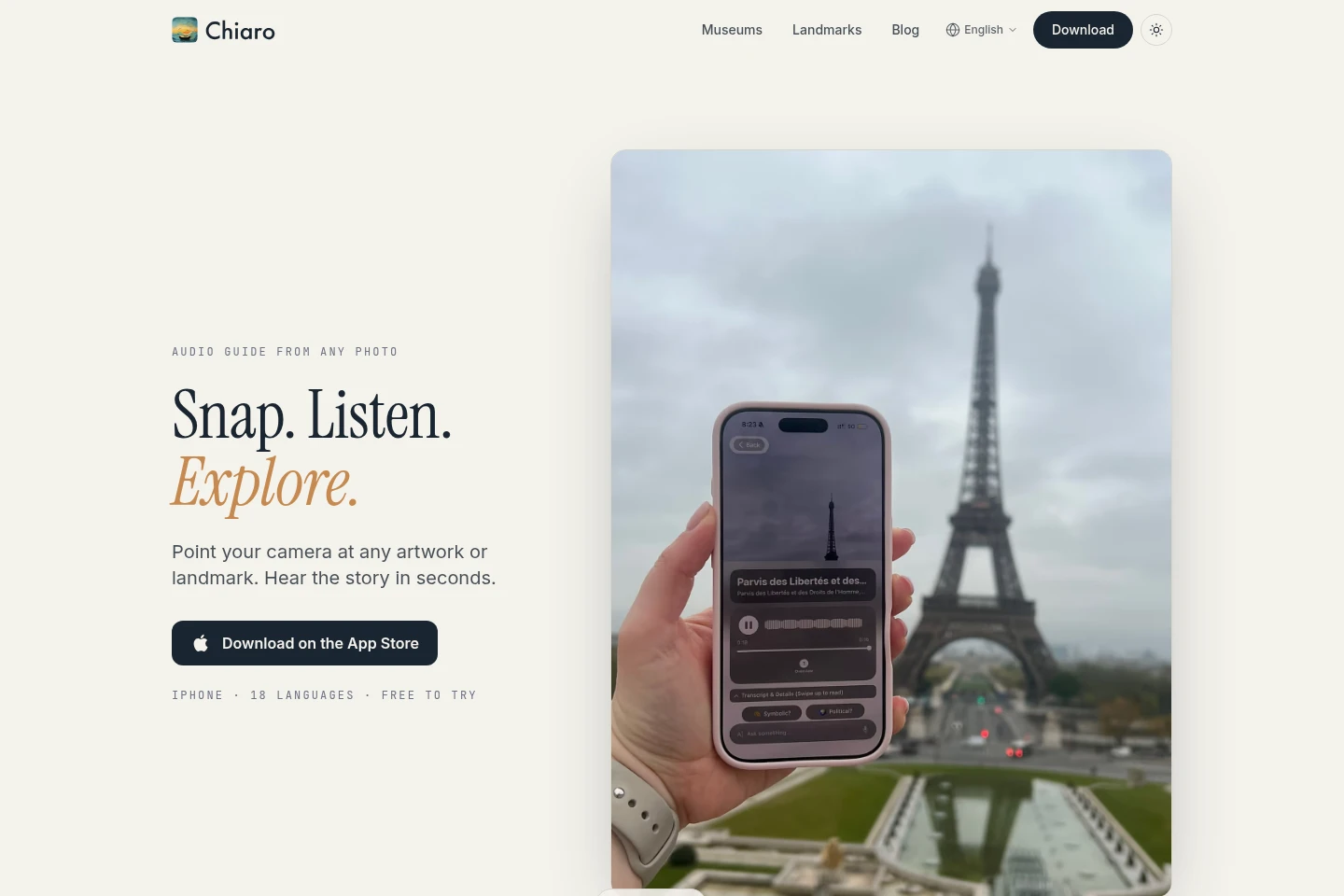
Chiaro is an iPhone audio guide that identifies artwork and landmarks from a camera photo and tells their stories aloud. Ask questions by typing or speaking, get answers that can check the web for current information, and use maps, pins and trip recaps to explore. The app offers guide content in 18 languages; free museum and landmark guides are also available in a browser without an account.
- AI Lifestyle
- Trip Planners
- Image Recognition
- Text to Speech
- Travel
- photo audio guide
- artwork and landmark guide
- travel audio guide
Capabilities
Photo-based audio guides
Turns a photo of an artwork or landmark into an audio story. Point the iPhone camera at a painting, sculpture, building or landmark; Chiaro identifies it and plays its story aloud.
Spoken and typed questions
Answers questions aloud, with short or deeper responses depending on the question. Ask by typing or speaking; for questions about current information, Chiaro checks the web.
Map exploration and pins
Shows selected nearby places on a map and saves places for later. Explore the map, take photos that become pins, or pin a place from a map, chat or Filo.
Trip planning and recaps
Creates a day plan and recaps visited places in short stories. Choose a place or Surprise me for a plan with opening hours, weather and a rain backup; after leaving a city, receive a recap.
Browser museum and landmark guides
Provides five-stop guides for museums and landmarks in a browser without an account. The site lists 40 museum guides and 49 landmark guides, available to try before a visit.
Pricing
The pages do not specify paid plans or subscription terms. The iPhone app is described as free to try, and browser museum and landmark guides are free; compare the available guide access rather than plan prices.
Use cases
Learn about an artwork or landmark
When visiting a museum or looking at a landmark, point the iPhone camera at it to hear an audio story. Chiaro describes what it is, who made it and why it matters, with deeper context for museum artworks.
Ask a question while exploring
When a detail about a place or artwork raises a question, type or say it in Chiaro. The app answers aloud and checks the web when the answer depends on current information.
Plan a day and review a trip
When preparing to explore a place or reflecting on a visit, choose a destination or Surprise me for a day plan, then use Chiaro's city and trip recaps to revisit what you saw.
Limitations
The camera-based identification and audio guide app is presented for iPhone; the supplied pages do not identify an Android app.
Who it is for
Museum visitors who want spoken context about artworks while looking at them
Travelers exploring landmarks and cities who want photo-triggered audio stories and trip plans
People previewing museum or landmark stops who want free browser guides without an account
FAQ
How does Chiaro create an audio guide from a photo?
Point the iPhone camera at an artwork or landmark. Chiaro identifies what you are looking at and plays its story aloud.
Can I ask Chiaro questions?
Yes. Type or say a question, and Chiaro answers out loud. When an answer concerns something current, it checks the web.
Which languages are available for guides?
Chiaro describes its guide content as available in 18 languages. English, Spanish and Portuguese also offer a choice of accent; the guide voice can be selected as a woman's or a man's.
Can I try museum and landmark guides without the app?
Yes. The website offers five-stop guides for 40 museums and 49 landmarks in a browser, free and without an account.
What does Chiaro include for planning a trip?
Choose a place or tap Surprise me to get a day plan with opening hours, weather and a rain backup. Chiaro also provides recaps after leaving a city and after a trip.
Comments