

- Monthly visits
- 2,764
- 2026-09
- Monthly growth +272%
CamoText - Anonymize sensitive text locally before using AI
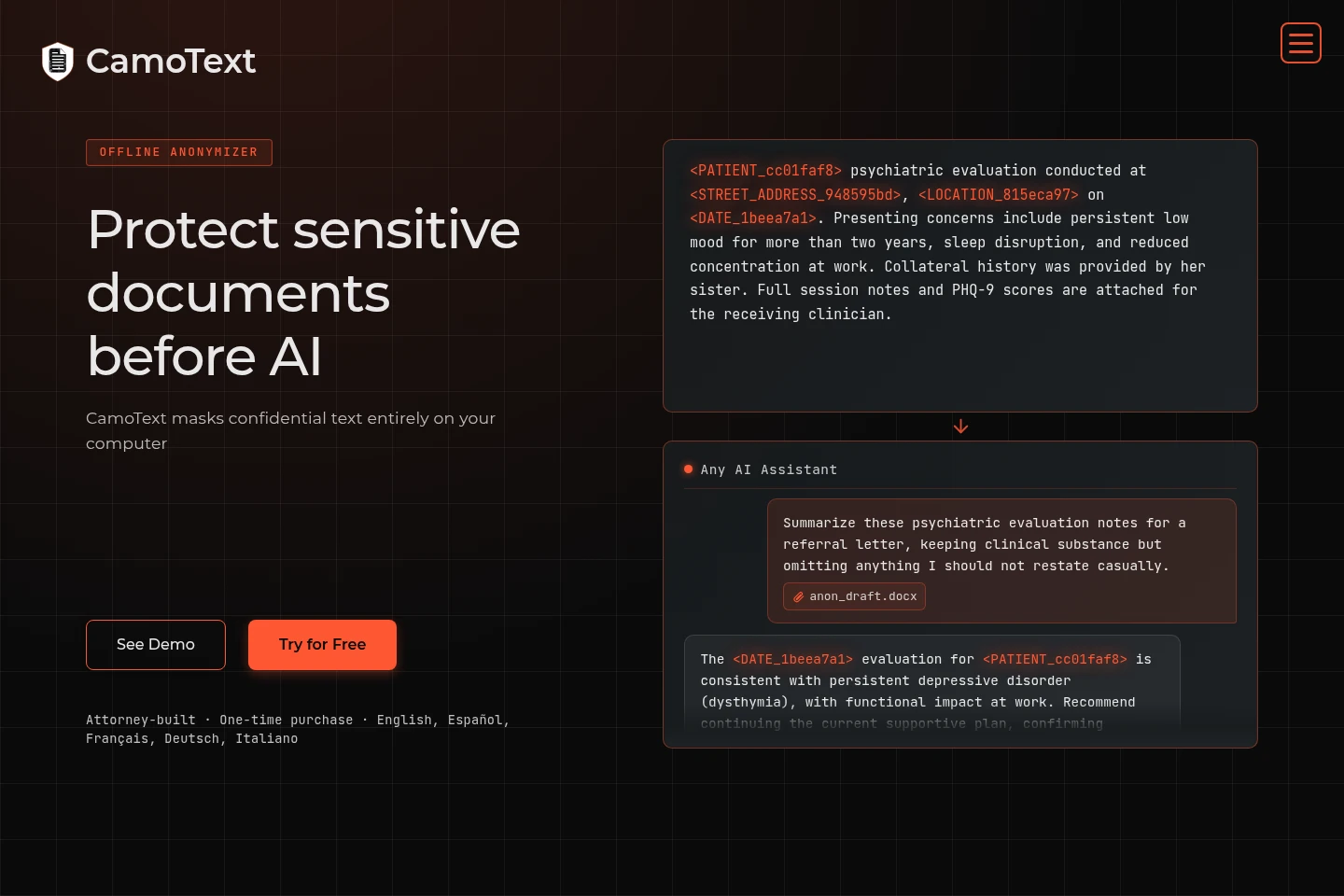
CamoText is a desktop app and CLI for masking sensitive text and metadata on your device before using AI services. It detects more than 30 data types, supports pasted text and documents, and offers batch processing, review, custom tags, and local de-anonymization. Processing works offline; the original files remain unchanged and new metadata-free outputs are created.
- AI Data Tools
- Data Redaction
- Healthcare
- Mental health
- Legal
- offline text anonymizer
- AI document redaction
- PII masking software

Capabilities
Offline text anonymization
Masks sensitive text and metadata locally and creates a new clean output. Paste text or load supported documents, review detected findings, and anonymize by selection, file, or folder without an internet connection.
Sensitive data detection
Detects more than 30 types of sensitive data, including names, identifiers, financial details, and locations. Review detections, use custom tags, and revert false positives before producing the anonymized output.
Batch file processing
Processes multiple files or a folder in batch and creates separate outputs. Select files, review findings, and use the app's configuration and conflict-handling options where available.
Local de-anonymization
Reinserts terms into anonymized text locally when an anonymization key is available. Use the optional key and review the result before sharing or using it.
CamoTextCLI
Provides a headless command-line interface for scripting and automation. Add CamoTextCLI to Pro or International for additional configuration options compatible with desktop app settings.
Pricing
CamoText offers one-time purchases, not recurring subscriptions. Compare the language support and included features; each paid edition also offers an optional CamoTextCLI add-on for $20.
| Plan | Price | Included features and limits |
|---|---|---|
| Pro | $69 one-time, plus tax |
|
| International | $89 one-time, plus tax |
|
A 10-day free trial is available for the English desktop app, with no account or credit card required. After the trial, limited pasted-text use remains free; upgrade to retain all features. The trial is English-only.
Use cases
Prepare sensitive documents for AI analysis
When documents contain personal or confidential information, mask sensitive text and metadata on the device before sending text to an AI service. Review the findings and use the resulting anonymized output as AI input.
Anonymize files in a batch
When several documents or a full folder need privacy processing, load them into batch mode and apply local anonymization. Review the output files; the source files remain unchanged.
Restore selected terms after AI use
When anonymized text needs its original terms restored, use the locally stored anonymization key to reinsert terms into the text. This is optional and takes place on the device.
Limitations
CamoText processes text; images are not supported, and PDFs without detected text cannot be processed because bundled OCR is not provided.
Supported file types are .txt, .md, .docx, .pdf, .xlsx, .csv, and .rtf; speed can vary with device hardware and accuracy can vary with file type and formatting.
Recognition language support depends on the edition: Pro includes a model for English names and organizations, while International supports English, Spanish, French, German, and Italian.
Detected items and anonymization accuracy are not guaranteed; human review is necessary to find omissions, revert false positives, or mask additional text.
Who it is for
People who use AI services with personal or confidential text and need to mask it locally first
Legal professionals handling client documents who need an offline step before AI review
Therapists and social workers handling private notes who need local anonymization before AI use
FAQ
How can I use AI privately with CamoText?
Mask personal, confidential, and identifying information locally before using an AI service. CamoText creates anonymized text on your device; you decide what to send to the service.
What happens to the original file?
The original remains unchanged. CamoText extracts text, removes metadata, and writes a new output; it can reproduce formatting in Word, Markdown, and Excel outputs.
Which languages does CamoText support?
International supports English, Spanish, French, German, and Italian in its interface and bundled models. Pro includes a bundled model for recognizing English names and organizations.
Does CamoText require internet access or a subscription?
No. After installation, CamoText processes files locally without cloud servers, internet access, or API calls; it is licensed as a one-time purchase.
What are CamoText's file and accuracy limits?
It processes supported text-based file types but does not support images or PDFs without detected text because it has no bundled OCR. Accuracy varies by file type and formatting, so human review is necessary.
Comments