

- Monthly visits
- 562
- 2026-09
Bytesweep - A graphical du that knows what not to delete
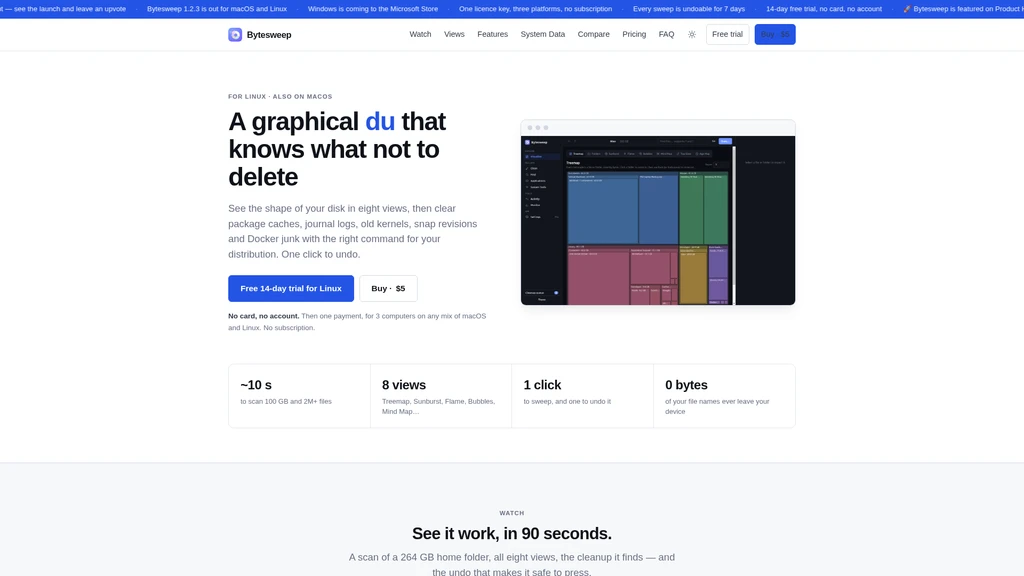
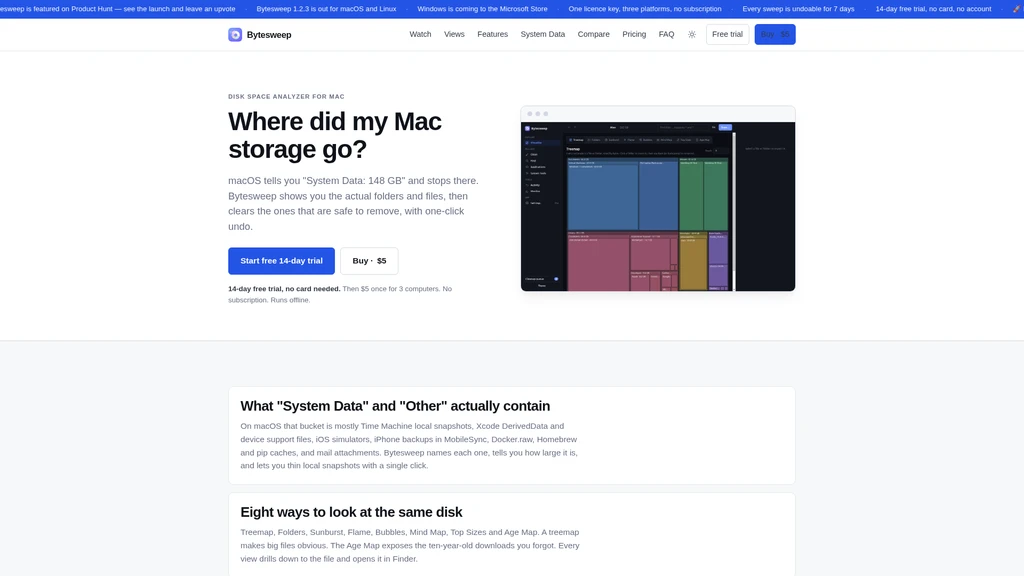
Bytesweep is a cross-platform disk space analyzer and safe cleanup tool for macOS and Linux, designed to give users full visibility into their storage usage with 8 distinct interactive visualization views. It classifies files into clear safety tiers to prevent accidental deletion of critical data, with one-click sweep and one-click undo functionality that moves all removed items to a local restore point. The tool runs entirely offline except for minimal license checks, requires no user account, and uses a one-time perpetual payment model that unlocks access for up to 3 devices.
- AI Productivity
- Privacy Focused
- Debugging
- Offline Capable
- Real-time
- Open Source
110Views
Core Capabilities
Bytesweep scans any mounted volume including internal disks, external drives, USB sticks, and NAS shares. It completes a scan of 100 GB with over 2 million files in roughly 10 seconds, with no file names or folder data ever transmitted off the user's device. The tool keeps your last scan saved locally, and refresh operations run 5 times faster than a full scan by only rechecking files that have changed.
Eight distinct interactive storage views are available, all clickable down to the individual file level:
Treemap: Rectangles sized by file size, to immediately identify the largest files
Folders: Card-based view matching the familiar Finder layout with extra size and last-modified metadata
Sunburst: Concentric ring visualization that lets you click to dive into subfolders or back out to parent directories
Flame: Horizontal bar layout where bar width equals file size, making large deep-nested files easy to spot
Bubbles: Nested circular visualization that highlights large hidden folders
Mind Map: Radial branching view with thicker branches for higher byte usage
Top Sizes: Ranked list of the largest files and folders across the current scan
Age Map: Groups files by last-modified date to show old, forgotten storage that can be reclaimed
Safety Classification System
Bytesweep sorts all detected files into four distinct tiers by risk level before any deletion is permitted:
Refused: Operating system files, home folder root, volume roots, and the tool's own restore points cannot be deleted at all, with no active deletion button available
Irreplaceable: Private keys, unpushed git history, virtual machine disks, photo libraries, open app databases and other critical files are named explicitly, and their deletion button stays disabled until the user confirms they understand the risk
Yours: User documents, source code, installed applications, and files modified in the last 24 hours are called out for explicit user review before any action
Safe to sweep: Caches, build outputs, and dependency folders that automatically rebuild when needed are marked as safe for one-click removal
Workflow
Select any drive or folder to start a full on-device scan, with no cloud processing involved
Browse storage through the 8 visualization views, filter by file type, find duplicates and similar photos, and review the automatically generated usage overview that identifies what type of workload the disk is used for
Run a one-click Safe Sweep that only clears pre-vetted safe items, or manually select items for removal. All removed items go to a local restore point on the same disk
Undo any sweep in one click. Restore points are kept for 7 days by default, and can be manually adjusted to a different retention period. After the retention period ends, files are permanently deleted.
Platform Specific Features
For macOS, Bytesweep detects and cleans the "System Data" hidden volume sections that Apple does not expose to native users: Time Machine local snapshots, Xcode DerivedData, old iOS simulators and backups, Docker.raw files, orphaned app support files, and package manager caches from Homebrew, pip, and npm.
For Linux, the tool runs distribution-native cleanup commands for package caches, old kernels, journal logs, core dumps, unused snap revisions and flatpak runtimes, and Docker leftover data without blind file deletion.
Pricing and Usage Terms
The full 14-day trial unlocks all 8 visualization views, the file inspector, duplicate detection, live monitor, and up to 10 manual sweep actions per day with no credit card or account required.
The one-time $5 Bytesweep Pro license unlocks unlimited sweeps, full undo and restore functionality, the complete uninstaller, similar photo detection, developer mode for cleaning stale project dependency folders, cloud file eviction for iCloud/OneDrive/Dropbox/Google Drive, system maintenance tools, scheduled weekly disk reports, cross-machine storage summary sync for up to 3 devices, and all free 1.x version updates. It comes with a 14-day no-questions-asked money back guarantee.
The tool works offline for 14 days without connecting to the license server, and only makes a single network call to validate your license key when it does connect. No telemetry, analytics, or crash reporting data is ever sent off the device.


Comments