

- Monthly visits
- 2,960
- 2026-09
- Monthly growth +505.3%
BlurData - Redact and pseudonymize documents locally, without uploads
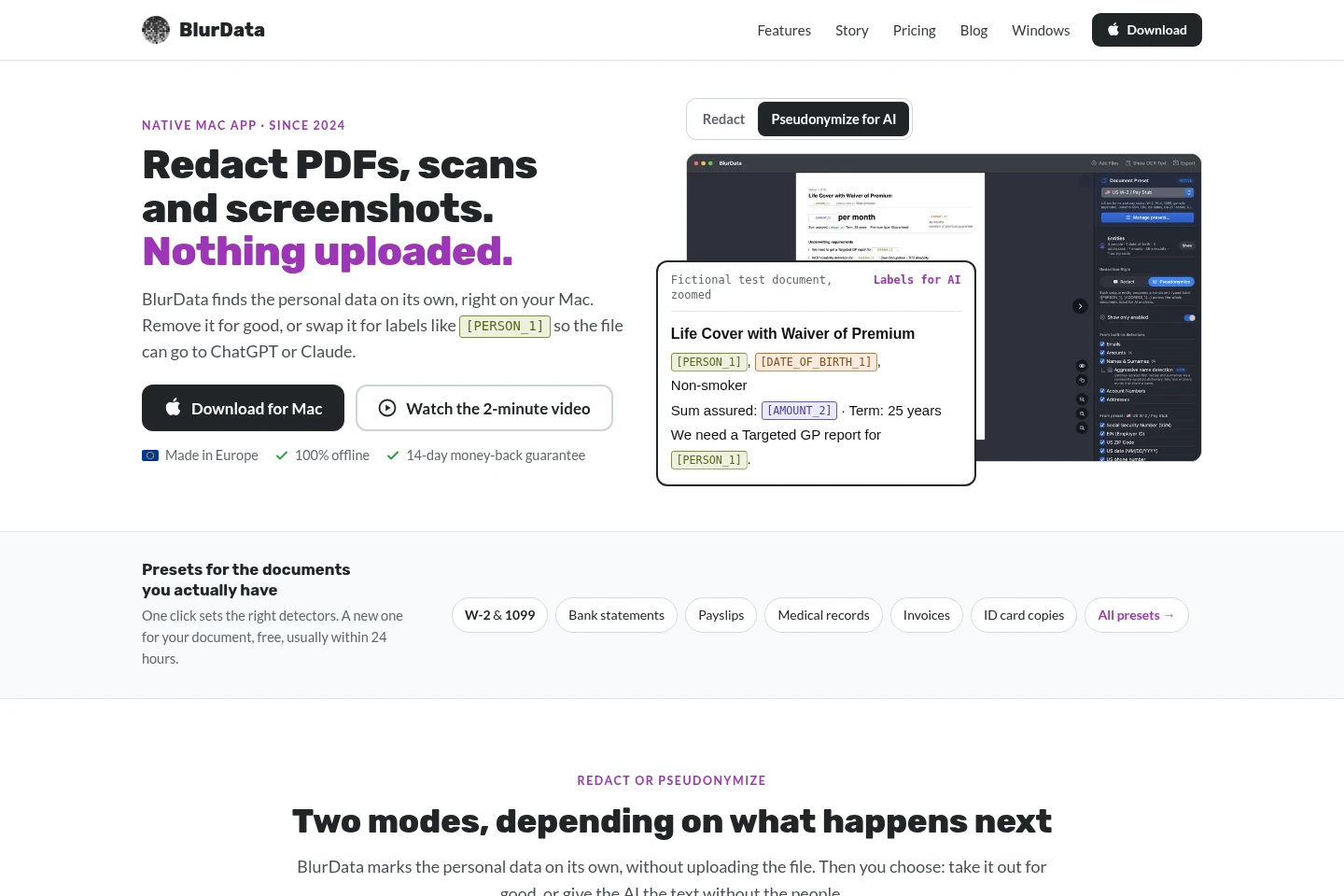
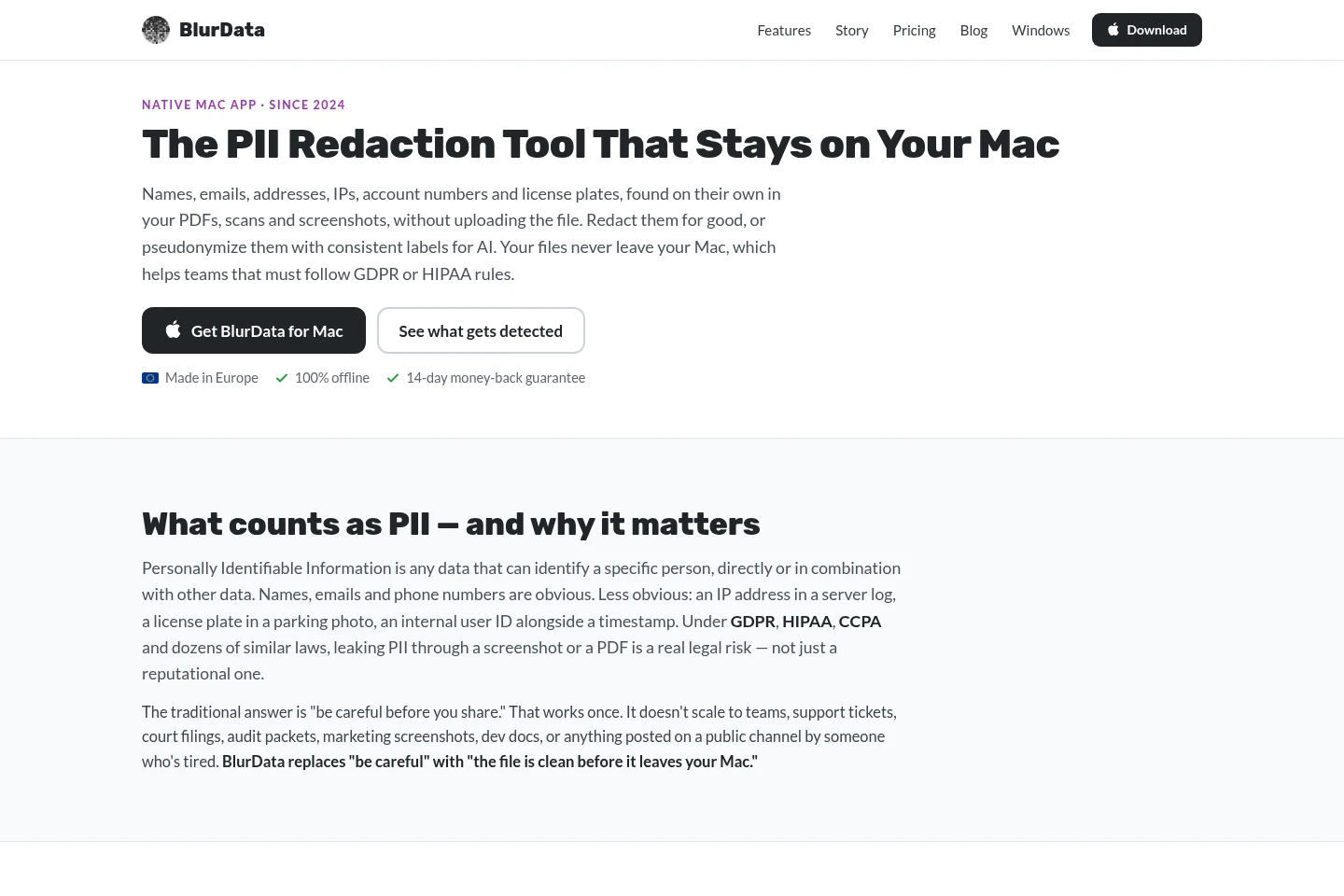
BlurData detects personal data in PDFs, scans, and screenshots on Mac, then lets you remove selected text or replace it with consistent labels for sharing with AI or colleagues. Detection and export run on your Mac without uploading files. A Windows edition is also available, with a free tier and paid Pro plans.
- AI Data Tools
- Data Redaction
- offline PDF redaction
- personal data pseudonymization
- automatic screenshot redaction
Capabilities
Automatic personal data detection
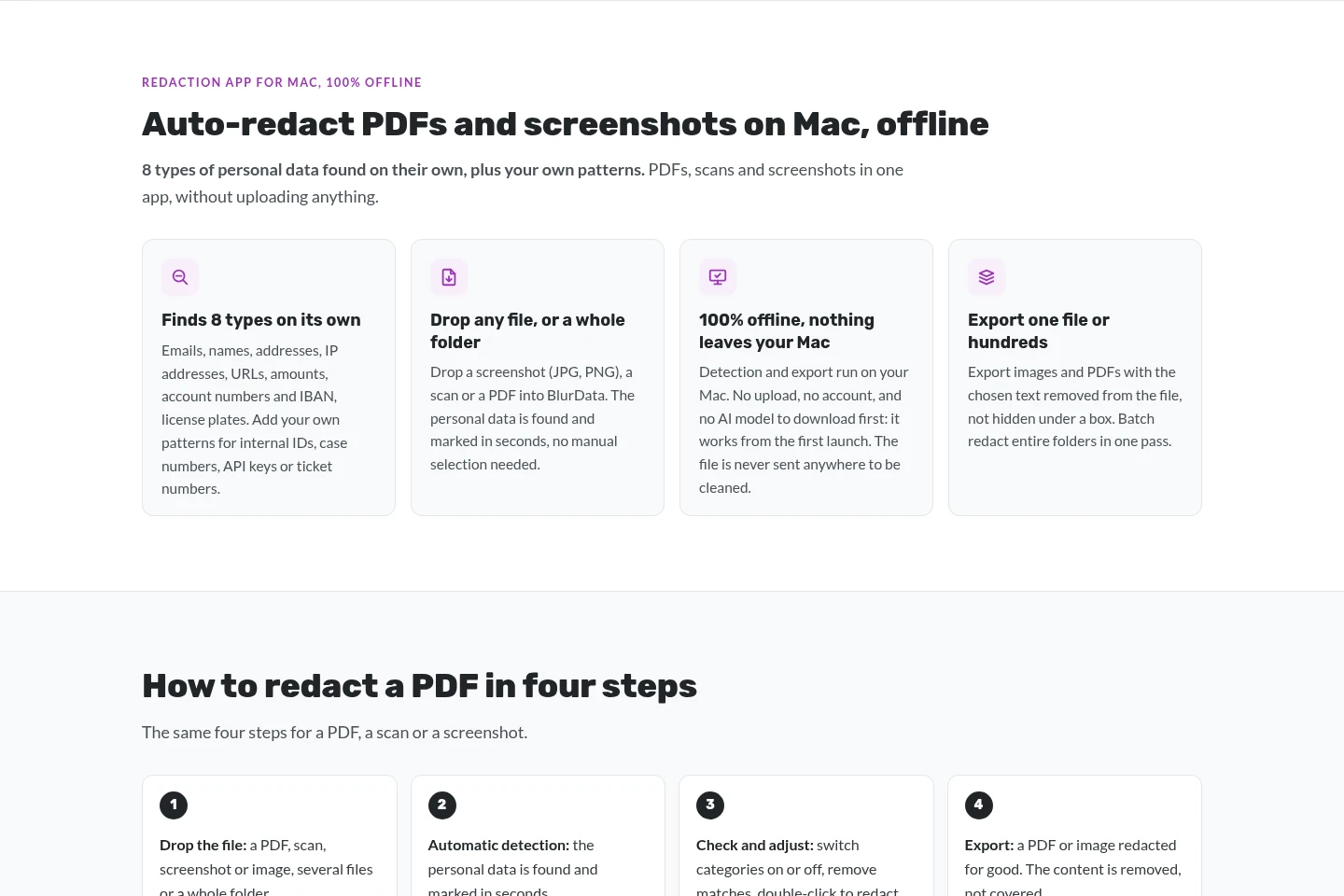
Detects and marks personal data in PDFs, scans, and screenshots, including names, addresses, emails, account numbers, and other built-in categories. Users can add custom patterns, review matches, and adjust categories before exporting.
Permanent file redaction
Removes selected text from PDF files and incorporates covered areas into exported image pixels, rather than placing a removable overlay. Users can choose categories or individual matches, draw boxes, and export individual files or folders.
Consistent pseudonymization
Replaces people, addresses, and amounts with consistent labels across pages so document text remains readable for AI or colleagues. The mapping key stays on the user's device; this mode is available on Mac and in Pro for Windows.
Document detection presets
Applies detector settings suited to recognized document types such as bank statements, payslips, medical records, and invoices. The available presets depend on the edition and platform.
Folder and batch processing
Processes many files or whole folders in one pass where the edition supports it. Mac supports folder batch redaction; Windows Free is limited to one document at a time, while Pro includes multiple files and folders.
Pricing
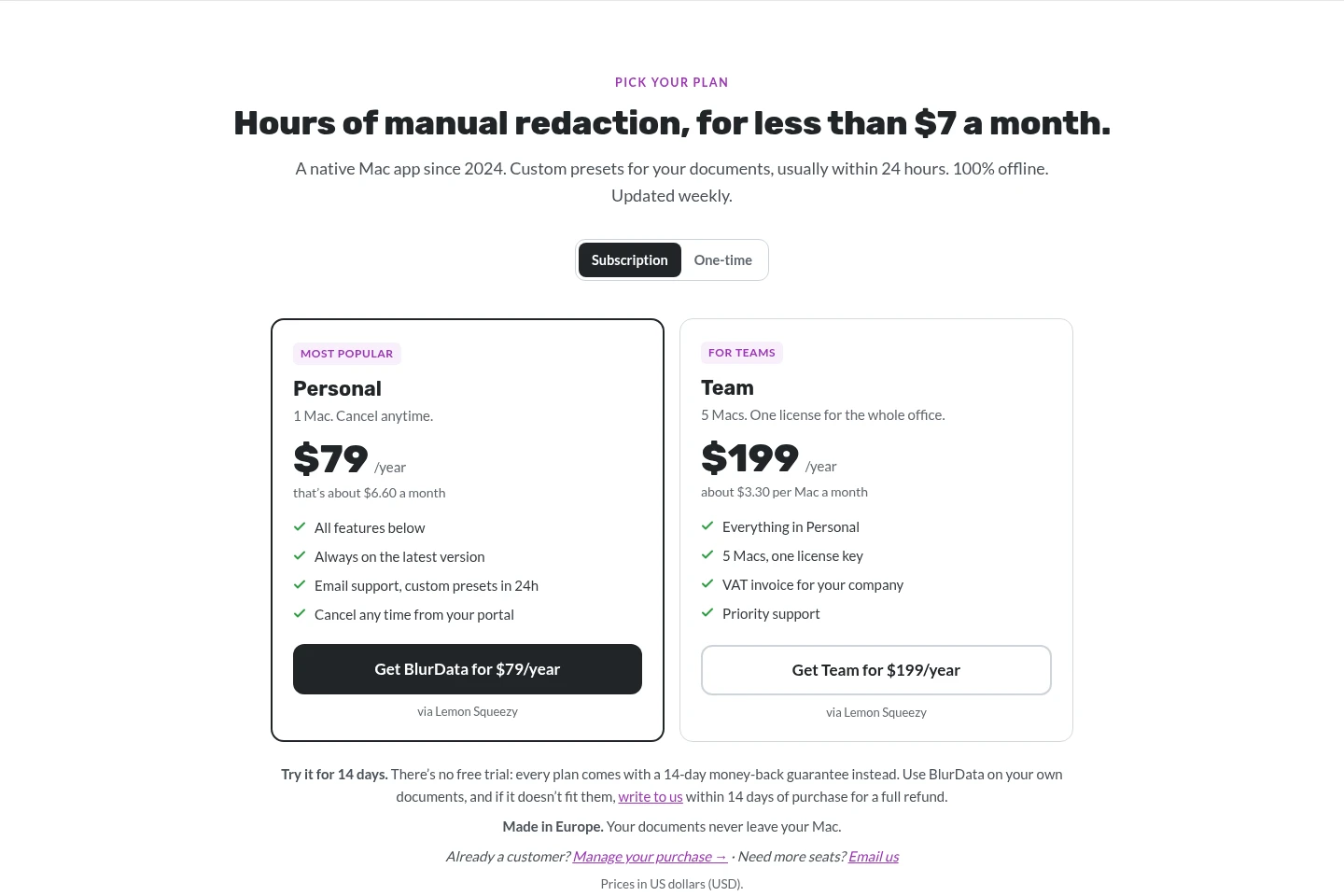
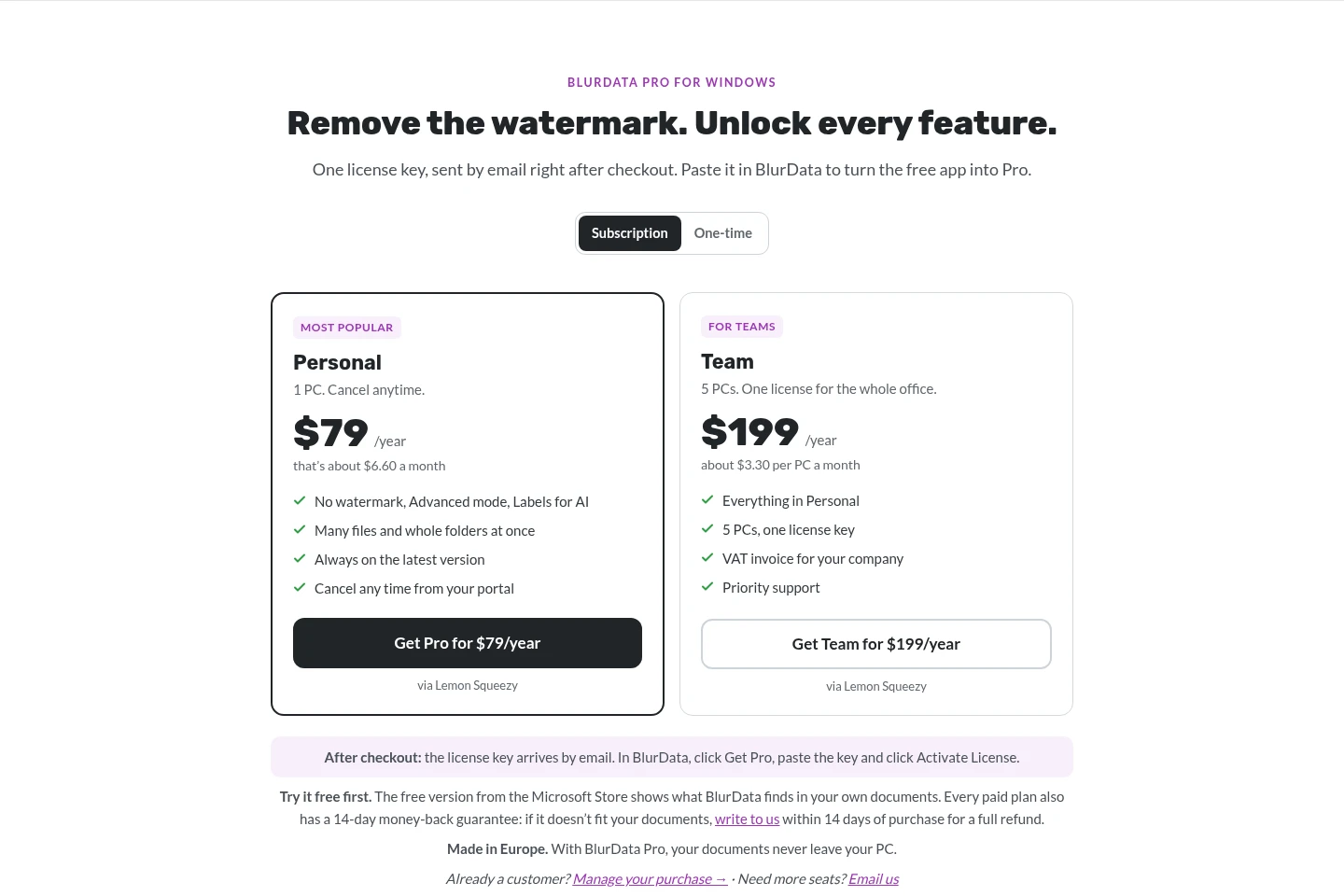
BlurData offers a free Windows tier, annual subscriptions, and one-time purchases. Compare supported computers, watermark removal, advanced detection, AI labels, batch processing, and whether you want a recurring or one-time payment.
| Plan | Price | Included features and limits |
|---|---|---|
| BlurData Free | Free |
|
| BlurData Pro | $79/year or $149 once |
|
| Personal | $79/year or $149 one-time |
|
| Team | $199/year |
|
The Mac and Windows pages show different plan presentations. Annual prices are billed yearly; the displayed monthly equivalents are comparisons, not monthly billing. The Mac Personal one-time purchase includes one year of updates and the app continues to work afterward.
Use cases
Remove personal data before sharing a file
When a PDF, scan, or screenshot needs to be filed, sent, or published without selected personal data, open it in BlurData and review automatically detected matches. Adjust selections, export the cleaned copy, and the chosen text is removed rather than simply hidden.
Share document text with an AI assistant
When an AI assistant or colleague needs to understand a document without seeing real identities, use pseudonymization to replace personal details with consistent labels. The text remains understandable, and the mapping key stays on the Mac.
Redact multiple documents in a folder
When many files require the same redaction workflow, use folder or batch processing in an edition that supports it. BlurData detects matches, allows review, and exports cleaned files; Windows Free handles one document at a time.
Check whether a PDF redaction is permanent
When reviewing an already-redacted PDF, use the free redaction checker in a browser to check whether text remains beneath black bars. The check runs without uploading the file.
Limitations
Windows Free processes one document at a time and adds a “BlurData Free · blurdata.app” watermark to exported files.
Windows Pro is required for Advanced mode, AI labels, and processing many files or whole folders.
Mac processing runs locally; files are not uploaded, and the Mac edition requires a Mac.
Who it is for
People who need to remove personal details from documents before sharing them
People who share document text with AI but want identities replaced by labels
Small offices that need to process document files on several Mac or Windows computers
FAQ
Does BlurData upload documents for redaction?
No. The Mac edition runs detection and export on the Mac, and the Windows edition describes processing on the PC. The free redaction checker also runs in the browser without uploading the file.
Which files can BlurData process?
The product supports PDFs, scans, and screenshots or images. Windows lists PDF, PNG, JPEG, TIFF, WebP, BMP, GIF, and HEIC input formats; format support differs by edition.
Can BlurData replace personal data with labels for AI?
Yes. Pseudonymization replaces details such as people, addresses, or amounts with consistent labels. This feature is described for Mac and is included in Windows Pro.
Is BlurData for Windows free?
BlurData Free is available from the Microsoft Store. Its exports include a watermark and it processes one document at a time; Pro removes the watermark and adds advanced features.
What are the available paid plans?
Windows Pro is offered as Personal for $79 per year or $149 one time, and Team for $199 per year. Mac pricing shown in the supplied pages includes Personal for $149 one time, a $79-per-year plan, and Team for $199 per year.
Comments