

- Monthly visits
- 94,023
- 2026-09
- Monthly growth +7.5%
Astrocartography Calculator - Map your birth chart to the world to find ideal locations for career, relationships, and personal growth
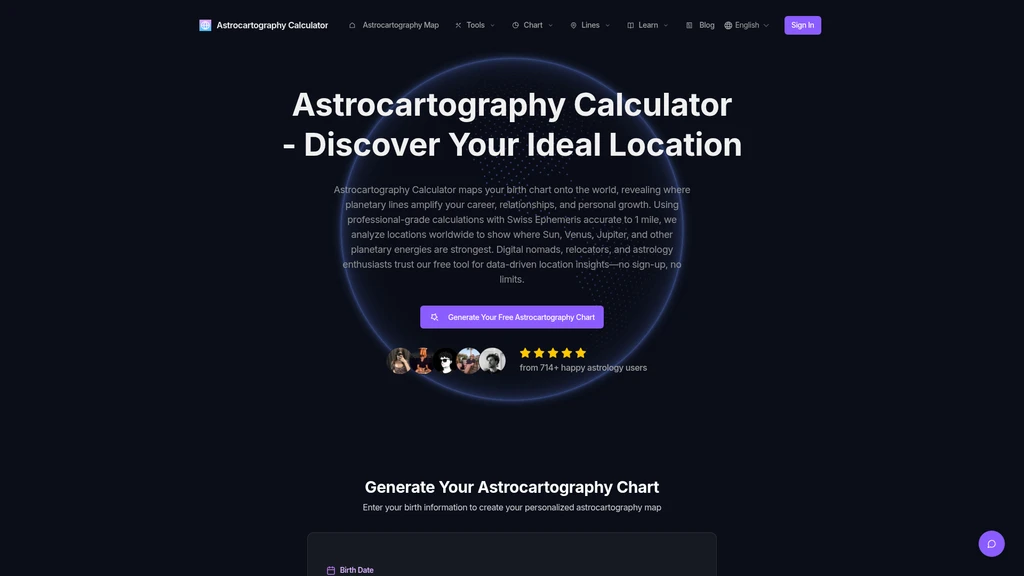
Astrocartography Calculator is a free tool that projects your natal birth chart onto a global map using professional-grade Swiss Ephemeris calculations accurate to 1 mile. It is built for digital nomads, relocators, and astrology enthusiasts who want data-driven location insights without sign-up or usage limits. The tool highlights planetary lines for Sun, Venus, Jupiter, and other celestial bodies to show where geographic locations amplify different life areas such as career visibility, romantic connections, and personal expansion.
- AI Productivity
- Privacy Focused
- Shopify
- Multi-language
120Views

Core Workflow
You can generate a personal astrocartography chart in 4 straightforward steps:
Enter your full birth information, including birth date, exact birth time to the minute, and city. The system automatically pulls timezone and historical daylight saving data for all worldwide locations. If you do not have an exact birth time, you will still see planetary lines for Sun, Moon, Venus and other planets, but not angular ASC, DSC, MC, IC lines.
Select which planetary lines you want to display on the map. You can choose from Sun, Moon, Venus, Mars, Jupiter, Saturn, Uranus, Neptune, and Pluto, and customize which combinations appear.
Explore the interactive global map and access AI-powered interpretations. Click any planetary line or power spot (intersection of two or more lines) to get detailed explanations of how that location influences your career, relationships, health, and creativity.
Export your results as high-resolution PNG, PDF interpretation report, or SVG vector file. All exported files are watermark-free and allowed for commercial use.
Key Features
Professional Precision
The calculator runs on the industry-standard Swiss Ephemeris engine maintained by the Zurich Observatory, delivering calculation accuracy up to 1 mile for dates ranging from 3000 BCE to 3000 CE. It matches the precision of paid professional astrology software used by working astrologers.
Interactive Global Map
The map supports drag, zoom, and switching between satellite, terrain, and political boundary views. You can click any city to immediately see its associated planetary energy distribution. Power spots where multiple planetary lines intersect are automatically highlighted.
Planetary Line Filtering
You can toggle specific planetary lines on and off to match your goals. For example, show only Sun and Jupiter lines to focus on career growth locations, or only Venus and Moon lines to search for cities that support emotional security and relationships. You can save filter presets for quick access later.
Multi-Person Chart Comparison
The system saves your previously generated charts automatically. You can load multiple astrocartography maps at the same time to compare line overlaps between partners, family members, or team members, which simplifies group relocation decisions.
Pricing Structure
The tool offers a permanent free tier with unlimited map generation, 10 AI credits (equal to 1 AI question), interactive map access, and basic planetary line explanations. All paid plans are one-time purchases with no auto-renewal, and credits never expire:
Standard Plan ($9.9): 150 AI credits, 30-day timing preview, PNG and TXT export, suitable for single relocation decisions
Professional Plan ($19.9): 500 AI credits, permanent chat history, full advanced planetary line analysis for Chiron, Lilith, and midpoints, full 30-day timing results
Research Pass ($29.9): 1000 AI credits, 90-day permanent timing access, up to 5 saved research projects, batch export, priority 24-hour email support
User Base
Over 54,000 registered users use this tool, including professional astrologers, digital nomads, relocation consultants, astrology students, and general astrology enthusiasts. The community rating is 4.8 out of 5 based on 714+ verified user reviews.


Comments