

- Monthly visits
- 105,572
- 2026-09
- Monthly growth +67.2%
AI Chat Exporter - Export chats from four AI platforms into reusable documents
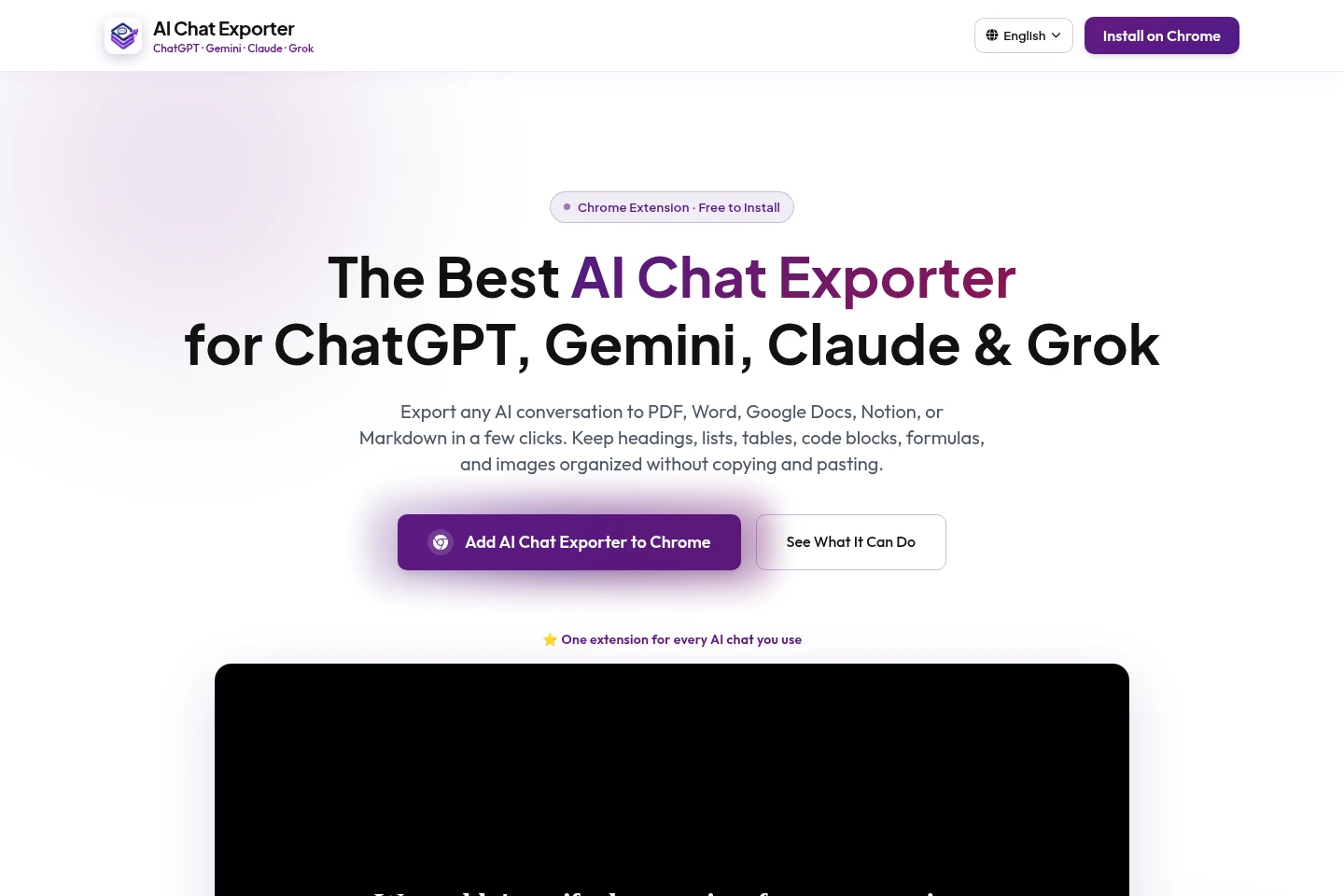
AI Chat Exporter is a Chrome extension for saving conversations from ChatGPT, Gemini, Claude, and Grok. Export a full chat or selected messages to PDF, Word, Google Docs, Notion, or Markdown. Customize font family, size, and text color; supported exports preserve structured content such as tables and code blocks.
- AI Productivity
- File Organization
- AI chat exporter
- export ChatGPT conversations
- save AI chats to PDF
Capabilities
Four-platform chat export
Export conversations from ChatGPT, Gemini, Claude, and Grok to supported document formats. Open a chat in a supported platform, then use the Chrome extension to save its full content or selected messages.
Full conversation export
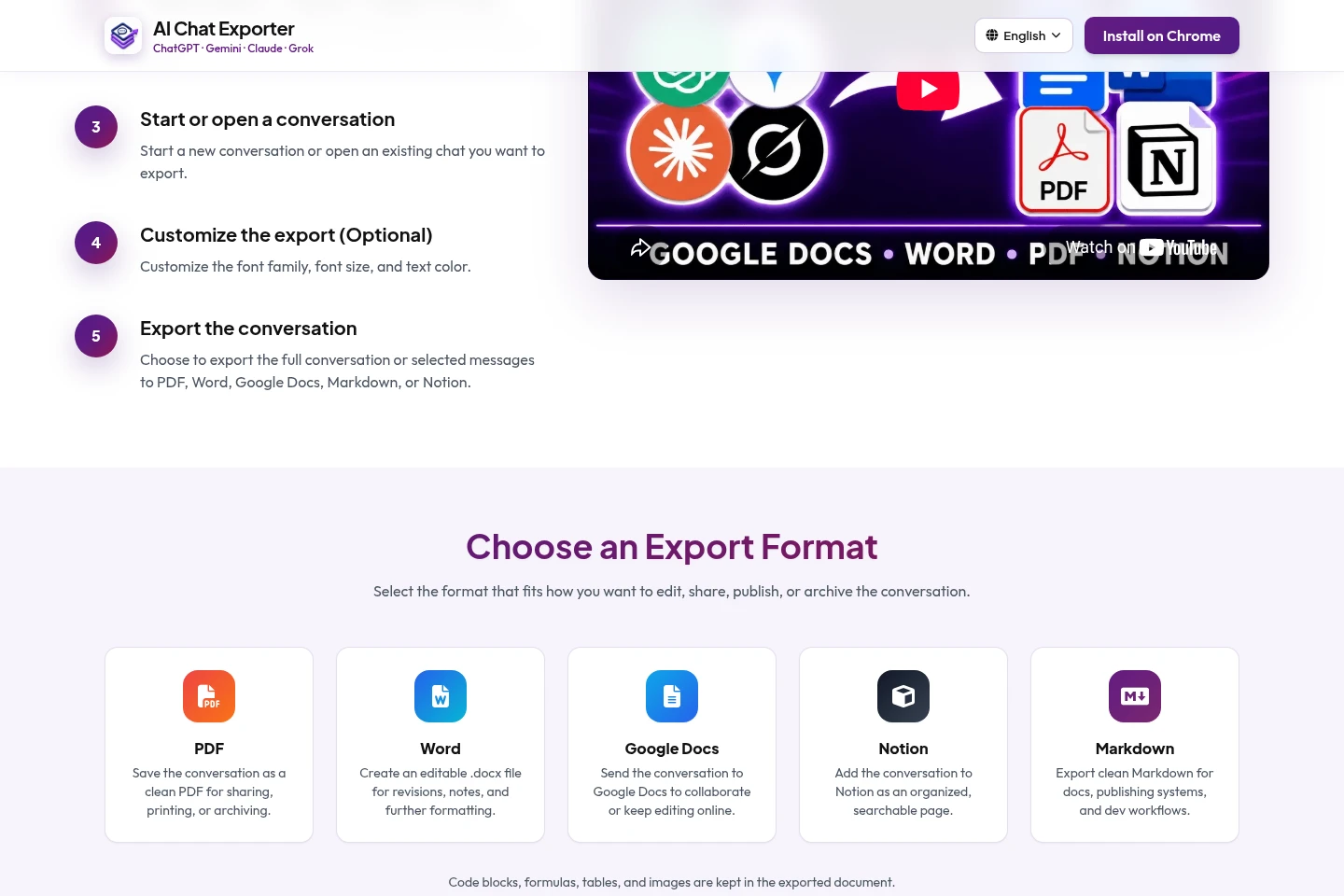
Save an entire conversation without selecting messages individually. Choose PDF, Word, Google Docs, Notion, or Markdown as the destination format.
Selected message export
Export chosen messages or sections rather than a whole thread. Select the relevant content in a supported conversation and save a focused document in an available format.
Export formatting controls
Adjust font family, font size, and text color before exporting. The documentation says images, tables, links, and code blocks are preserved across supported formats; mathematical formulas remain editable in Word exports.
Pricing
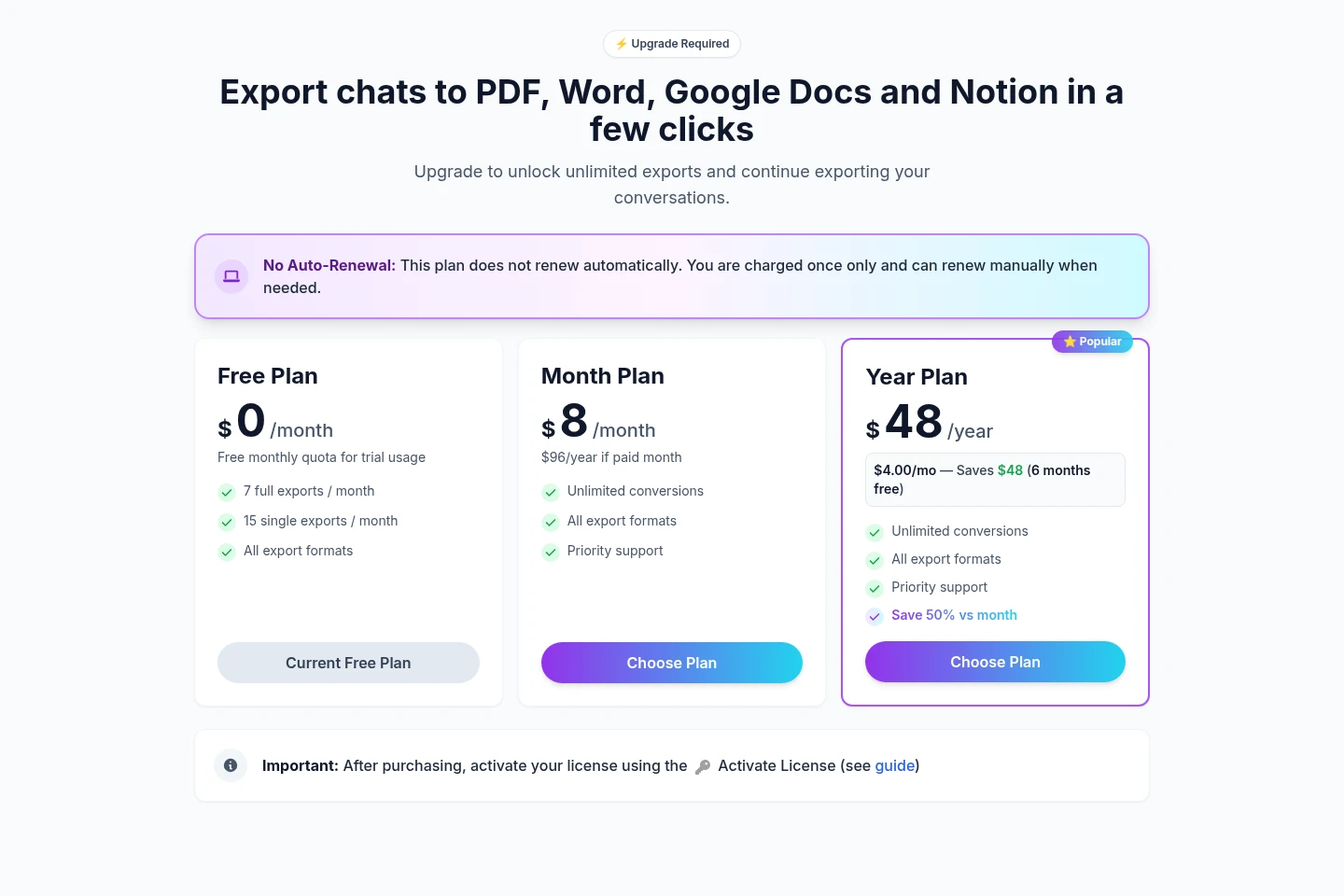
The product has a free plan and two paid plans. Compare monthly export quotas, unlimited conversions, support, and the billing period to choose a plan.
| Plan | Price | Included features and limits |
|---|---|---|
| Free Plan | $0/month |
|
| Month Plan | $8/month |
|
| Year Plan | $48/year |
|
The pricing page says paid plans do not renew automatically: payment is charged once, and renewal is manual when needed. Its Month Plan also displays “$96/year if paid month,” which is unclear and is not treated as a separate billing condition.
Use cases
Archive an AI conversation
When you need to keep a complete AI chat for later reference, open it in ChatGPT, Gemini, Claude, or Grok and export the full thread. Save it as PDF, Word, Google Docs, Notion, or Markdown.
Save selected answers or sections
When only part of a conversation is useful, select individual messages or sections and export those items. The resulting shorter document can be saved in a supported format without copying and pasting.
Continue editing chat content
When you want to revise or collaborate on conversation content outside the AI platform, export it to Word or Google Docs. Notion and Markdown are also available for organized notes and documentation.
Limitations
The extension is identified as a Chrome extension; the supplied pages do not describe support for other browsers.
The Free Plan has monthly export quotas; paid plans list unlimited conversions.
A paid license can be active on only one device at a time; deactivate it on the current device before moving it.
Google Docs and Notion exports may require signing in to those services.
Tables and structured content are supported, but results may vary by AI platform and export format.
Who it is for
Developers saving code and technical discussions
Writers and editors moving drafts into editable documents
Researchers and analysts archiving AI summaries and analyses
Students and academics keeping study explanations for review
FAQ
Which AI platforms can I export conversations from?
ChatGPT, Google Gemini, Claude, and Grok are supported. The extension provides one export workflow across these platforms; additional platform support may be added in future updates.
Which export formats are available?
PDF, Word (.docx), Google Docs, Notion, and Markdown are available. Choose a format when exporting a full conversation or selected messages.
What does the Free Plan include?
The pricing page lists 7 full exports and 15 single exports per month, across all export formats. The homepage FAQ separately states 10 selected-message exports per month, so the supplied pages conflict on that quota.
Do I need an AI Chat Exporter account?
No separate account is required for standard export features. Google Docs and Notion exports may require signing in to those services.
Can I use a paid license on multiple devices?
A paid license can be active on one device at a time. Deactivate or remove it from the current device before activating it on another.
How are the paid plans billed?
The Month Plan is listed at $8/month and the Year Plan at $48/year. The pricing page states that the plan does not renew automatically and is charged once; renewal is manual when needed.
Comments