

- Monthly visits
- 46,972
- 2026-09
- Monthly growth +5.4%
AI Exporter Hub - Export AI conversations and keep supported content together
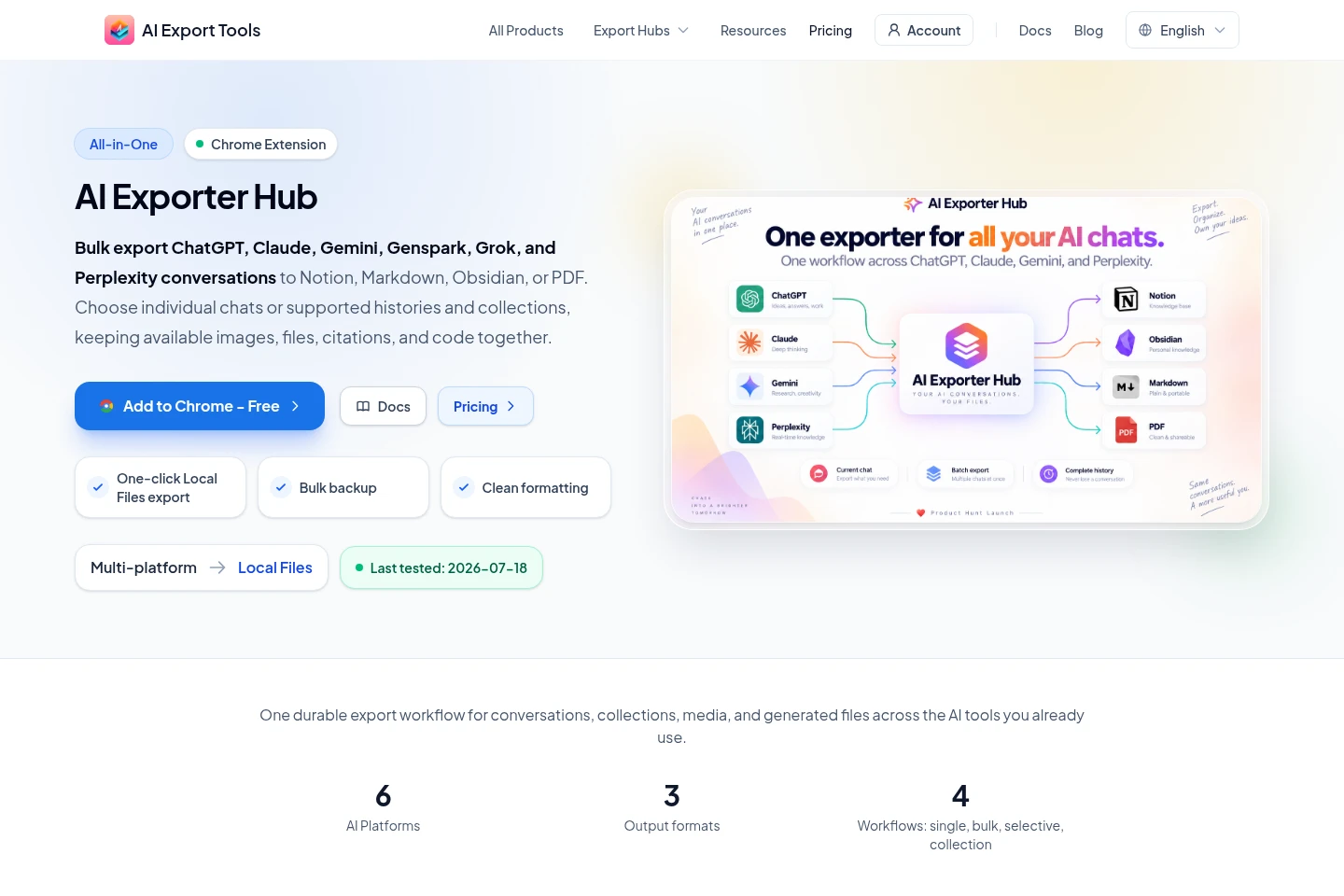
AI Exporter Hub is a Chrome extension for exporting conversations from ChatGPT, Claude, Gemini, Genspark, Grok, and Perplexity. Save individual chats, supported histories, and collections to Notion, Markdown, Obsidian-compatible files, or PDF. Supported images, files, citations, and code can accompany the export; Notion sync requires authorization and a selected destination.
- AI Productivity
- AI Chat Organizers
- File Organization
- AI chat export extension
- bulk AI conversation backup
- export chats to Notion Markdown PDF
Capabilities
Multi-platform conversation export
Exports selected conversations or supported histories from six AI platforms to Notion, Markdown, Obsidian-compatible files, or PDF. Supported platforms are ChatGPT, Claude, Gemini, Genspark, Grok, and Perplexity; available content depends on each source.
Selective and collection export
Finds and exports chosen conversations or supported collections. It can include platform groupings such as Projects, Gems, Hubs, Spaces, and Computer Tasks when available.
Supported media preservation
Keeps supported images, files, citations, code, and generated assets with exported conversations. The source platform must still provide the asset, and supported content varies by platform.
Notion database sync
Writes structured conversation pages and uploads supported files to a Notion destination. Users must authorize their workspace and select a database the integration can access.
Local Markdown and PDF files
Generates Markdown and PDF exports in the browser, with supported attachments stored alongside local files. Markdown and PDF do not require an intermediate cloud workspace.
Pricing
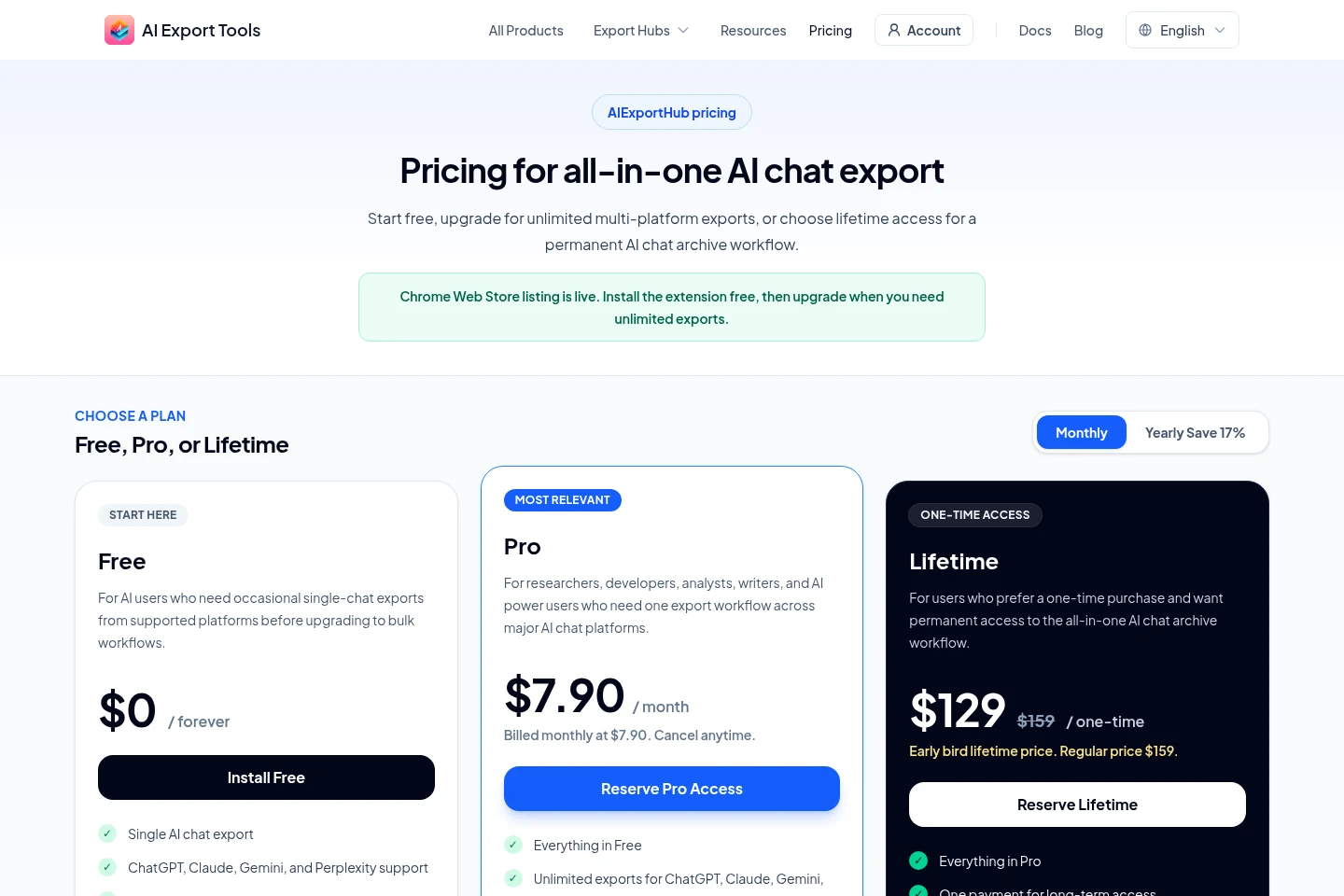
AI Exporter Hub has a free tier, a recurring monthly Pro subscription, and a one-time Lifetime purchase. Compare daily export limits, bulk and multi-platform access, Notion sync, and whether you prefer recurring or one-time payment.
| Plan | Price | Included features and limits |
|---|---|---|
| Free | $0, forever |
|
| Pro | $7.90 per month; billed monthly |
|
| Lifetime | $129 one-time; regular price $159 |
|
Use cases
Archive conversations from multiple AI platforms
When conversations need to be retained outside their original AI service, select individual chats, supported histories, or collections and export them to a chosen destination. The result can be a Notion database, Markdown archive, Obsidian-compatible files, or PDF.
Save research conversations with their supporting material
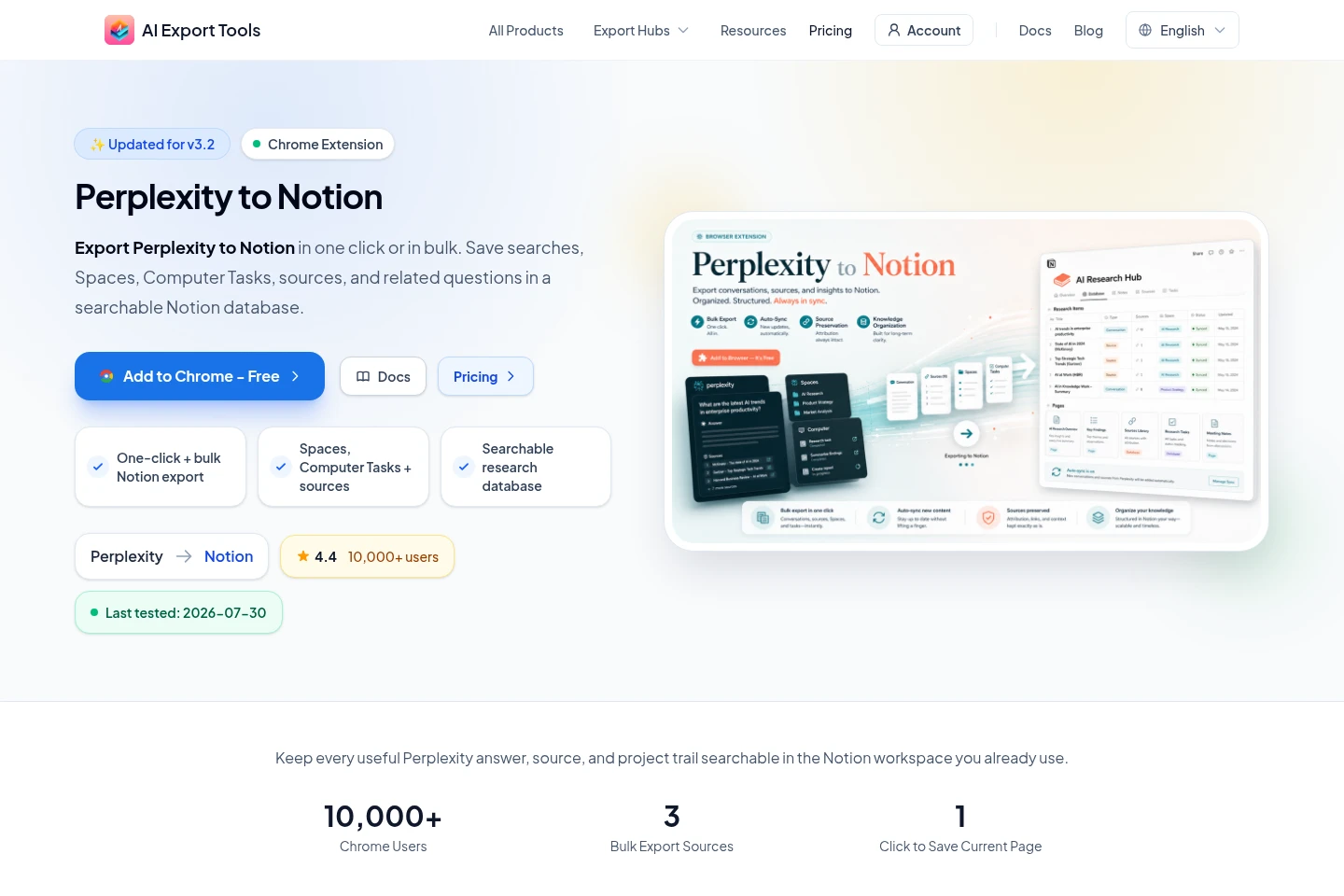
When a Perplexity thread or other supported conversation includes useful sources or assets, export the available content to preserve its context. Supported citations, images, documents, code, or downloadable files are included where the source and export destination allow them.
Create local files for reading and review
When a conversation needs to be read or stored outside a cloud workspace, export it as Markdown or PDF. Files are generated in the browser, and supported non-image attachments can be downloaded alongside the PDF.
Limitations
Conversation details and protected assets require the original source-platform tab to remain open, signed in, and readable by Chrome.
An expired, deleted, or unavailable source asset cannot be exported if the source platform no longer returns it.
Large histories, media-heavy conversations, and uploads take sequential processing time and may encounter platform rate limits.
Notion export requires authorization of the user's workspace and selection of a database the integration can access.
Who it is for
AI users who need a single workflow to archive conversations from several supported platforms.
Researchers and analysts who want to retain supported research threads, citations, and related files.
Obsidian and Markdown users who need portable conversation archives and local attachments.
FAQ
Which AI platforms can AI Exporter Hub export from?
It supports ChatGPT, Claude, Gemini, Genspark, Grok, and Perplexity. The available conversation types and assets differ by platform.
Which export destinations are available?
Exports can go to Notion, Markdown, Obsidian-compatible files, or PDF. Notion requires workspace authorization and a selected accessible database.
Can I export selected chats instead of a complete history?
Yes. The extension supports individual and selective exports, as well as supported histories and collections. Collection types depend on the source platform.
Are Markdown and PDF files sent to an export server?
No. Markdown and PDF files are generated locally in the browser. Notion synchronization occurs only after you authorize your own workspace and select it as the destination.
Comments