

- Monthly visits
- 2,643
- 2026-09
- Monthly growth +970%
XGrowing - Find relevant people on X and engage with controlled automation
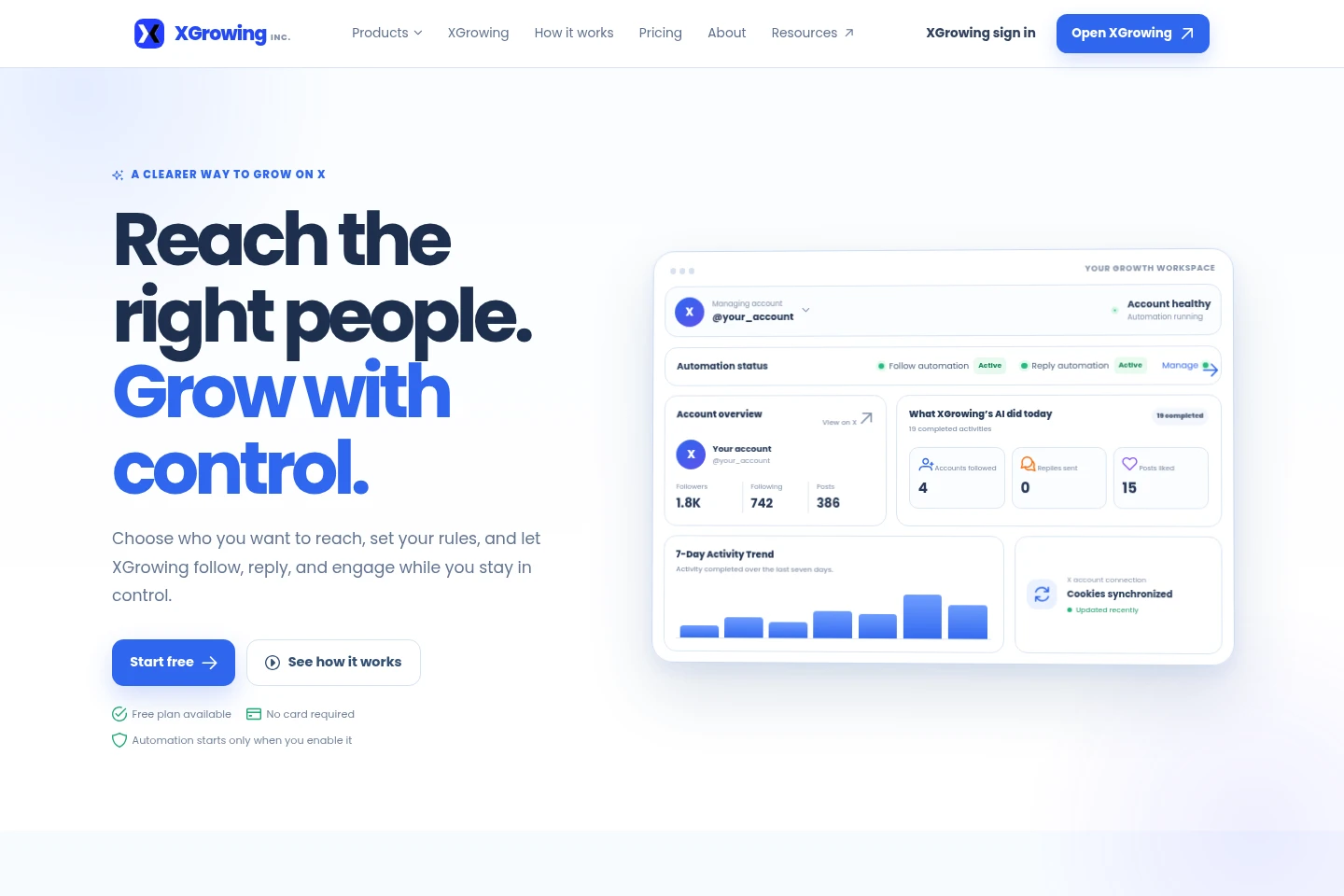
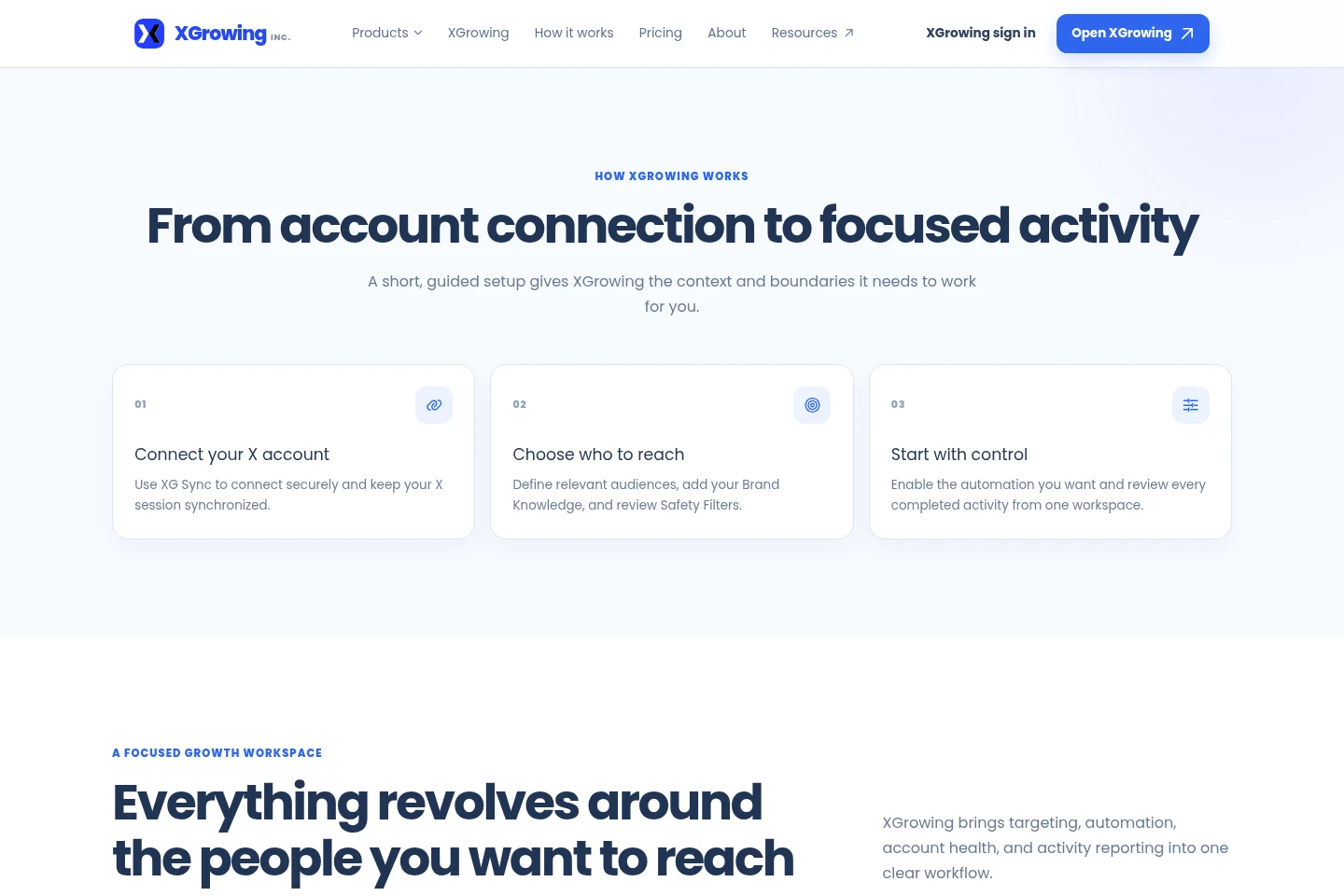
XGrowing is a web workspace for finding relevant X accounts and managing follow and reply automation. Users connect an X account with XG Sync, define audiences and Brand Knowledge, review Safety Filters, enable selected activities, and monitor completed actions and account connection status. Plans apply to one connected X account.
- AI Marketing
- Social Media Management
- Browser Automation
- X growth automation
- X account engagement
- X follow and reply automation
Capabilities
X audience targeting
Builds a focused audience of X accounts to engage with. Users select relevant accounts and recommendations, define audience criteria, and can refine the target group before enabling automation.
Follow and reply automation
Follows selected accounts and sends replies on X. Users enable these activities separately, configure targeting and frequency, and apply Safety Filters; automation starts only after it is enabled.
Activity and account monitoring
Displays completed and skipped actions, account health, and recent activity in the workspace. Users can review activity and connection status for the account they are managing.
X session synchronization
Connects an X account and synchronizes its session through the XG Sync browser extension. The Dashboard reports synchronization status, and activity pauses when the connection cannot be used safely.
Pricing
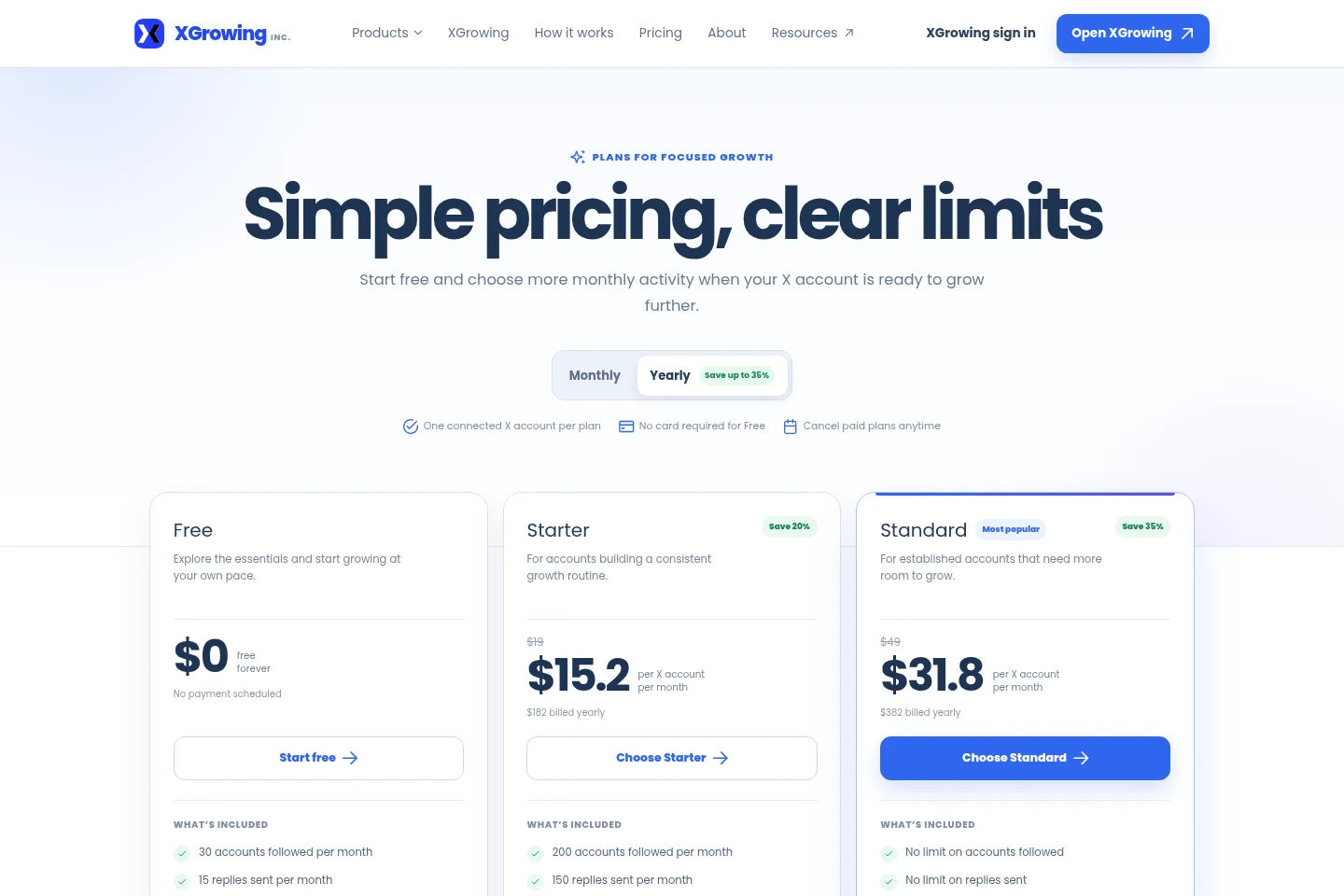
XGrowing offers a permanent Free plan and paid monthly or yearly billing. Compare followed-account and reply limits, included controls, and the billing period; each plan covers one connected X account.
| Plan | Price | Included features and limits |
|---|---|---|
| Free | $0, free forever |
|
| Starter | $19 monthly; $15.20 per month billed yearly, $182 billed yearly |
|
| Standard | $49 monthly; $31.80 per month billed yearly, $382 billed yearly |
|
Paid plans can be canceled anytime. Yearly billing is offered with the stated annual payment amounts; the displayed reduced per-month amounts are conditional on yearly billing. The Free plan requires no card.
Use cases
Choose an audience to engage on X
When a user wants to reach a defined group on X, they can select accounts and recommendations, set audience criteria, and refine the target group. The resulting audience guides the account activity they choose to enable.
Automate selected X account activity
When repetitive following and replying are part of an X workflow, users configure those activities separately, set targeting and frequency, and review Safety Filters before enabling them. XGrowing carries out enabled activities and shows completed actions.
Review account activity and connection status
When users need to check what happened on a connected X account, the workspace displays completed actions, skipped opportunities, account health, and recent activity. Users can also see whether the X session connection needs attention.
Limitations
Each Free, Starter, or Standard plan applies to one connected X account; teams managing multiple accounts are directed to contact sales for a team plan.
Free allows 30 followed accounts and 15 replies per month; Starter allows 200 followed accounts and 150 replies per month. Standard lists no limit for either activity.
XGrowing pauses activity when the X connection cannot be used safely; users must reconnect with XG Sync or use the guided manual fallback.
Who it is for
Founders and small teams seeking consistent X engagement with customers, partners, and relevant industry accounts
Creators and subject-matter experts who want to engage with a defined niche while publishing ideas
Growth and marketing teams that need to define an X audience, set activity boundaries, and review actions in one workspace
Operators managing multiple connected X accounts who need separate account settings and activity
FAQ
What activities can XGrowing automate?
XGrowing can follow relevant accounts, send replies, and like posts based on the targeting and safety settings selected. Follow and reply automation are separate controls.
Can I control which activities run?
Yes. Users can review targeting, frequency, Brand Knowledge, and Safety Filters and enable follow or reply automation separately. Automation starts only when enabled.
What is XG Sync?
XG Sync is the browser extension used to connect an X account and keep its Cookies synchronized. The Dashboard displays the latest synchronization and connection status.
What happens if my X connection needs attention?
XGrowing pauses activity when the connection cannot be used safely. The Dashboard shows the account status; users can reconnect with XG Sync or use the guided manual fallback.
Can I manage more than one X account?
Yes. Users can switch between connected accounts from the top bar. Each Dashboard and its settings remain tied to the account currently being managed.
Comments