

- Monthly visits
- 42,102
- 2026-09
- Monthly growth +5.1%
Xelta AI - Create AI images, videos, audio, and creative campaigns
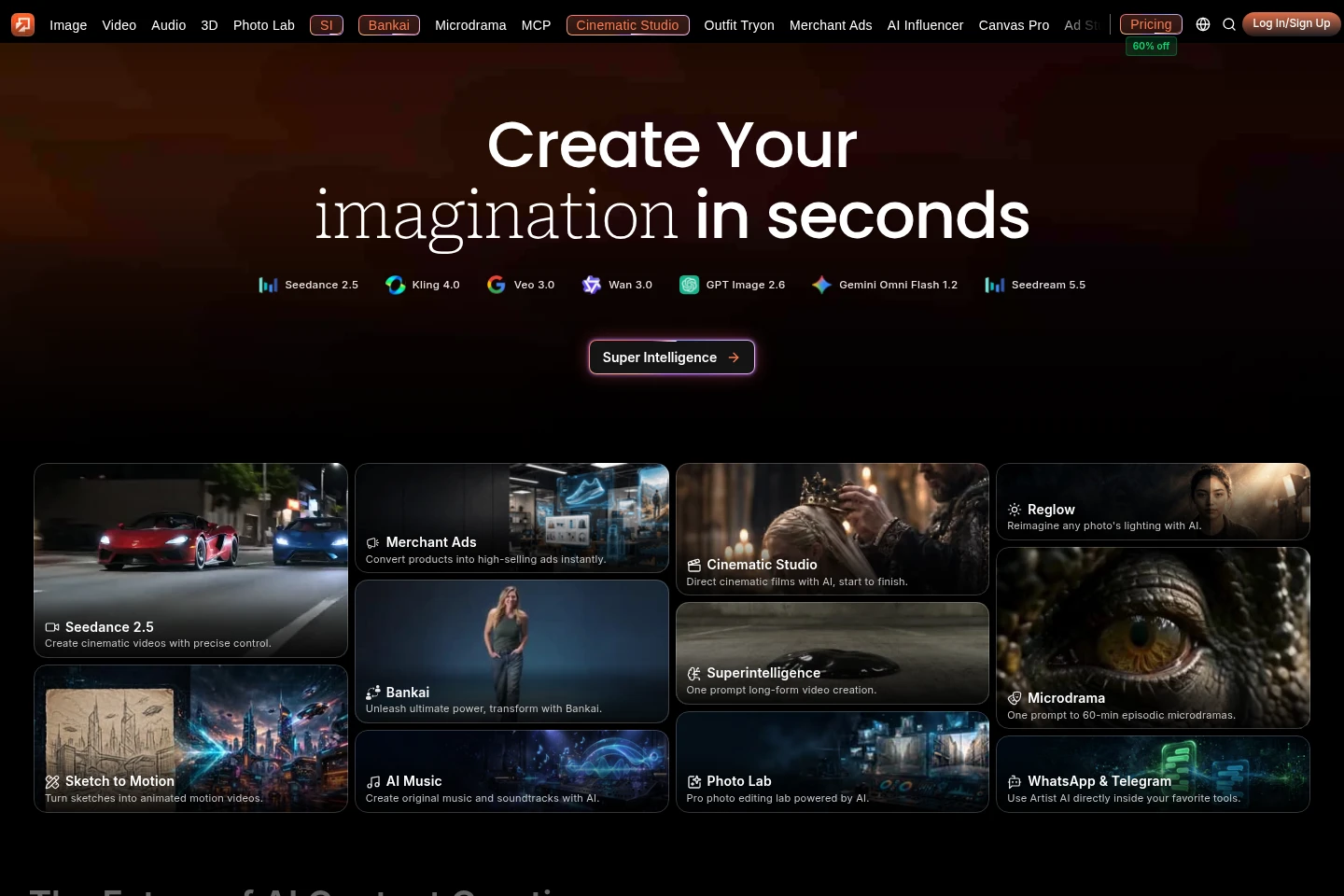
Xelta AI is a hosted creative platform for generating and editing images, videos, audio, and other content. Users can start with text prompts, images, sketches, or video inputs, choose from AI models and creative workflows, and use credit-based plans to produce assets such as animated sketches, marketing ads, and cinematic videos.
- AI Video
- Video Generators
- Image Generators
- Video Editors
- E-commerce
- AI video generator
- AI image creation
- AI creative platform
Capabilities
AI content generation
Generates images, videos, audio, and other creative content from prompts and references. Users can choose from available models and workflows for different media types.
Sketch-to-motion video
Turns sketches, images, or text prompts into animated videos. Users can draw on the browser canvas or upload an image, choose motion and video settings, and generate an MP4; human images and videos are not supported in this workflow.
AI video editing
Modifies existing video content through supported editing workflows. Depending on the model, users can mask areas for inpainting, upscale footage, extend a video, or change visual elements while retaining movement.
AI image generation
Creates images from text prompts using available AI models. The platform lists multiple image-generation models and offers plan-dependent image quotas and privacy settings.
Credit-based generation
Charges credits for generation, with the credit cost depending on the model, mode, and settings. Sketch to Motion displays the exact cost on its Generate button before generation.
Pricing
Xelta offers recurring monthly subscriptions and Flexible Pay As You Go credit purchases. Compare included credits, image and video quotas, model access, privacy settings, and support when choosing a plan.
| Plan | Price | Included features and limits |
|---|---|---|
| Flexible Pay As You Go | $6 or $12 |
|
| Social Media Starter | $9.99 monthly |
|
| Premium | $34.99 monthly |
|
| Creator Pro | $79.99 monthly |
|
Use cases
Create marketing and advertising assets
When a creator or business needs visual material for promotion, they can use image, video, voiceover, and advertising workflows to generate campaign assets. Merchant Ads is presented as a workflow for turning products into ads.
Turn sketches into animated videos
When a user has a drawing, storyboard, image, or scene idea, they can upload or draw it and add a text prompt in Sketch to Motion. The workflow generates an animated video with configurable duration, resolution, aspect ratio, and motion settings.
Generate and edit videos
When a user needs a video from an idea or visual reference, they can select a listed video model and provide text, images, or other supported inputs. Available workflows generate video and may include audio, while editing tools handle tasks such as inpainting, extension, and upscaling.
Limitations
Sketch to Motion does not support human images or videos; its FAQ says the workflow is designed for objects, scenes, abstract concepts, and non-human subjects.
Sketch to Motion accepts image uploads up to 100 MB; its listed image formats are JPG, PNG, WEBP, and BMP.
Sketch to Motion video duration is configurable from 5 to 15 seconds, and its available settings include 720p, 1080p, and 4K resolutions.
Who it is for
Creators who need AI-generated visual, video, or audio content
Marketers and businesses creating ads, promotional videos, or campaign assets
Artists and storyboard creators who want to animate drawings or sketches
FAQ
What can users create with Xelta AI?
Users can generate images, videos, audio, and other creative content through AI workflows. Listed workflows include video creation, image generation, Microdrama, Comic Flow, Photo Lab, and advertising tools.
How does Xelta AI charge for generations?
Generation uses credits, and the cost can vary by model, mode, and settings. Sketch to Motion says its typical cost is 5–15 credits per generation and displays the exact charge before a user starts.
Can Sketch to Motion animate an uploaded image or drawing?
Yes. Users can upload an image, draw on the built-in canvas, or provide a text prompt to generate an animated video. The workflow does not support human images or videos.
Can users use generated content commercially?
The pricing page says commercial usage is included in its paid subscription plans. It also states that generated content can be used commercially, subject to the plan and applicable terms.
What video and image formats does Sketch to Motion support?
Sketch to Motion accepts JPG, PNG, WEBP, and BMP image uploads up to 100 MB, and exports generated videos as MP4. Video inpainting accepts video files in standard formats.
Which subscription plans are listed?
The pricing page lists Social Media Starter, Premium, and Creator Pro subscriptions, as well as Flexible Pay As You Go credit options. The listed subscription prices are $9.99, $34.99, and $79.99 per month, respectively.
Comments