

- Monthly visits
- 0
- 2026-09
Vows on Wedding - Free AI-powered wedding vow writing tool
Staring at a blank page before your wedding? Vows on Wedding helps you write personalized wedding vows that sound like you. Our AI writing tool offers three modes from light polish to full draft generation based on your real memories and promises. Everything stays private and secure your personal stories are never used for AI training or made public. Whether you need a complete ceremony script or a heartfelt thank you card we have you covered.
- AI Writing
- Article Writing
- Privacy Focused
- Template Library
- Content Creation
- Multi-language
418Views
What Is Vows on Wedding
Writing your wedding vows is supposed to be one of the most meaningful parts of your big day. But for many couples, it starts with a blank page, a racing mind, and a nagging question: Where do I even begin?
You want your words to feel authentic — not like a recycled template you found online. You want them to sound like you, not like a Hallmark card. And most importantly, you want to be able to read them aloud without stumbling over stiff phrases or feeling like you're reciting someone else's script.
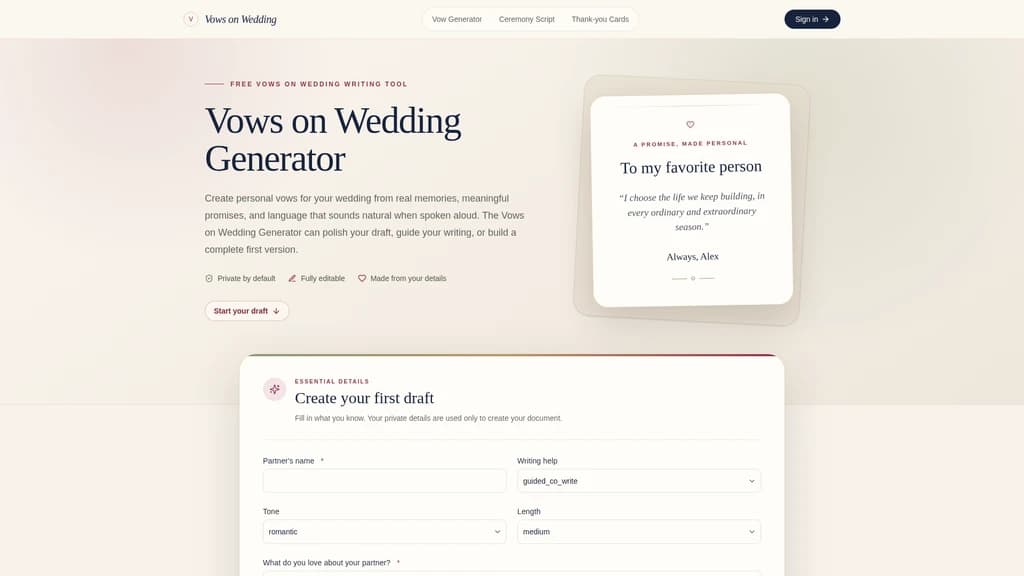
That's exactly where Vows on Wedding comes in. It's a free, AI-powered wedding vow writing tool built to help you craft vows that are deeply personal, naturally spoken, and genuinely yours. Unlike generic templates that spit out one-size-fits-all lines, Vows on Wedding generates content based on your real memories, your unique promises, and the tone that reflects your relationship.
Here's what makes it different:
Three writing modes to meet you where you are — whether you already have a draft, have scattered ideas, or are starting completely from scratch
AI that sticks to the facts — it only uses the details you provide, never making up stories about your relationship
Built-in privacy protection — your vows are never published, never searchable, and never used for AI training
Extended product line — beyond vows, you can also generate wedding ceremony scripts and thank-you cards, all in one place
The tool also optimizes for spoken language, so your vows will flow naturally when you read them out loud. And when you're done editing, you can grab a clean text version or download a print-ready copy for the big day.
Three writing modes — Light polish, Guided co-write, and Full draft cover every need from "I already have a draft" to "I have no idea where to start"
Fact-based AI generation — The AI never invents relationship details; it only works with what you tell it
Complete privacy protection — Your vows are private, unindexed, and never used for training
Extended product line — Also includes ceremony script and thank-you card generators
What Makes Vows on Wedding Stand Out: Core Features
Let's walk through the features that actually make a difference when you're staring down that blank page.
1. Three Levels of Writing Assistance
Not everyone needs the same kind of help. Vows on Wedding gives you three options so you can choose exactly how much AI assistance you want:
Light polish — You already have a draft but feel the language could be smoother. This mode keeps your original ideas and overall structure intact while improving grammar, clarity, transitions, and spoken rhythm. Think of it as a thoughtful editor, not a rewrite.
Guided co-write — You have scattered thoughts but need help organizing them. This mode walks you through your ideas step by step, helping you shape them into a coherent structure without taking over your voice.
Full draft — You're staring at a blank page with no idea where to start. Fill in the basic details about your partner and your relationship, and the AI generates a complete first draft based on your facts — not generic filler.
If you've already written something but it doesn't feel quite right, go with Light polish. If you're completely stuck, Full draft will give you a solid starting point. And if you have bits and pieces of ideas but need help connecting them, Guided co-write is your best bet.
2. AI That Builds on Real Details
This is perhaps the most important feature. Many vow generators sound hollow because the AI fills in generic "romantic" lines that have nothing to do with your actual relationship.
Vows on Wedding takes a different approach. The generation instructions strictly limit the AI to the facts you provide — your partner's name, what you admire about them, your shared memories, the promises you want to make. Then a separate quality check runs before saving, verifying names, promises, tone, and factual accuracy.
You can also use the "avoid topics" feature to specify private jokes, family details, or sensitive subjects that should never appear in your vows. This gives you full control over what the AI generates — and what it doesn't.
3. A Rich Personalization System
The more the AI knows about your relationship, the better your vows will feel. Vows on Wedding offers a comprehensive input system:
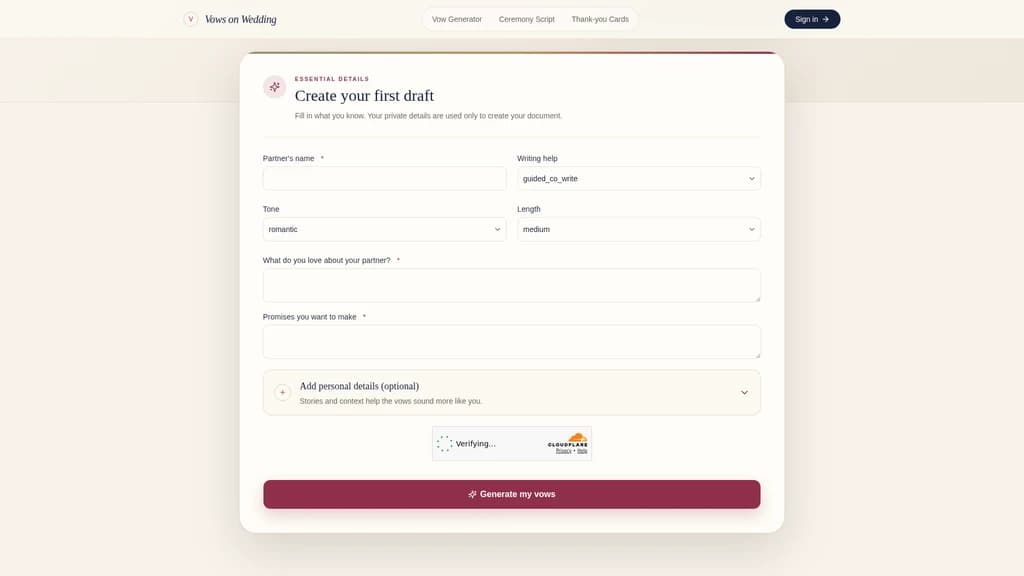
Required fields: Partner's name, what you admire about them, and your promises
Optional fields: Both partners' names, pronouns, wedding date, how long you've been together, how you met, favorite memories, challenges you've overcome together, future dreams, people or pets to mention, qualities to highlight, and topics to avoid
You can also adjust the tone (from heartfelt to lighthearted) and the length to match your ceremony's timing. This level of detail is what turns a generic draft into something that could only belong to the two of you.
4. Spoken-Language Optimization
Reading vows aloud is different from writing them on paper. A sentence that looks beautiful can feel awkward when spoken. Vows on Wedding is designed with this in mind:
Suggested length: 150–450 words (about 1–3 minutes of reading)
Start with a specific memory or scene, not a list of adjectives
Balance reflection with promises — don't just describe your partner, commit to them
Read your draft aloud at normal speaking pace to catch awkward phrasing
Shorten any sentence that leaves you out of breath
These aren't just tips — they're built into how the AI generates content, so your first draft already sounds natural when spoken.
5. Print-Ready Output
Once you're happy with your vows, you need them to be usable on the day. Vows on Wedding lets you copy clean text directly from the editor or download a print-ready version designed for reading during the ceremony. No formatting headaches, no last-minute scrambling.
Who Should Use Vows on Wedding?
This tool works for a wide range of situations. Here are five scenarios where it really shines.
Starting from Scratch
You have so much to say but can't find the right words. Use the Full draft mode, fill in a few details about your partner and your promises, and get a complete first draft in minutes. You'll have a framework to work with instead of a blank page staring back at you.
Already Have a Draft but Want It to Flow Better
You've written something meaningful, but the transitions feel clunky and it doesn't read like you speak. Paste your draft into the Light polish mode. The AI improves clarity and rhythm while keeping your original ideas and personal voice intact.
Privacy-Conscious Couples
You're worried about sharing intimate relationship details with an online tool. Vows on Wedding's privacy-first design means your content stays yours — it's not published, not searchable, not sent to analytics platforms, and not used for AI training. You can share the real stories without worrying about where they'll end up.
Couples Who Need a Specific Style
Traditional templates don't fit your situation — whether it's a remarriage, an LGBTQ+ relationship, or a ceremony with a humorous tone. Vows on Wedding offers six style examples: Romantic, Short, Humorous, Modern Traditional, Remarriage, and LGBTQ+. Browse the examples to find the direction that fits, then use the generator to create a version that's authentically yours.
Start with Romantic or Modern Traditional — they're the most universally adaptable. If you're going for a lighter, more relaxed ceremony atmosphere, the Humorous style is a popular choice that still feels respectful and heartfelt.
Couples Preparing Multiple Wedding Documents
Beyond vows, you also need a ceremony script and thank-you cards. Vows on Wedding's extended product line includes a ceremony script generator (covering the full order: processional, welcome, declaration of intent, vows, ring exchange, pronouncement, recessional) and a thank-you card generator (personalized for different types of gifts). Everything stays in a consistent tone and quality, so you're not jumping between different tools.
Pricing & What You Get
Here's the straightforward truth: Vows on Wedding is currently completely free. There are no paid tiers, no subscription plans, and no hidden charges. All features — from Light polish to Full draft to the ceremony script and thank-you card generators — are available without pulling out your wallet.
What You Need | Available Feature | How It Works |
|---|---|---|
Write vows from scratch | Full draft mode | Fill in basic details and get a complete first draft |
Polish an existing draft | Light polish mode | Keep your original ideas, improve grammar and flow |
Organize scattered ideas | Guided co-write mode | Step-by-step help to shape your thoughts |
Plan the full ceremony | Ceremony script generator | Complete script from processional to recessional |
Write thank-you cards | Thank-you card generator | Personalized messages for different gift types |
You may need to create an account (the privacy policy confirms that generated documents belong to your account), but free users enjoy the same full privacy protections: documents stay private, excluded from search engines, never sent to analytics platforms, and retained with a 30-day recovery window after deletion.
Frequently Asked Questions
Will the AI make up details about my relationship?
No. Vows on Wedding's generation instructions strictly limit the AI to the facts you provide. An independent quality check reviews names, promises, tone, and factual accuracy before saving. That said, we always recommend reading through every line and removing anything that doesn't feel true to your relationship.
Can I use it to polish vows I've already written?
Absolutely. Choose the Light polish mode and paste in your complete draft. This mode preserves your original ideas and overall structure while improving grammar, clarity, transitions, and spoken rhythm. It's ideal when the content is yours but the wording needs a little finesse.
How long should my wedding vows be?
Most personal vows take about 1–3 minutes to read aloud, which translates to roughly 150–450 spoken words. We recommend checking with your officiant for any time constraints, coordinating a similar length with your partner, and using the reading time estimate during editing.
Will my vows be made public or be searchable?
No. Generated documents belong to your account, are excluded from search engine indexing, and don't have public sharing pages. Your relationship details are used only to create your draft and are not sent to analytics platforms.
What styles are available?
Vows on Wedding offers six style examples: Romantic, Short, Humorous, Modern Traditional, Remarriage, and LGBTQ+. The generator also lets you adjust tone and length to match the style that fits your relationship.
Does this cost anything?
Not at the moment. Vows on Wedding is currently a free tool. All writing assistance modes — Light polish, Guided co-write, and Full draft — are available directly with no paid plans or subscriptions in sight.


Comments