


Visily - AI-powered UI design for non-designers
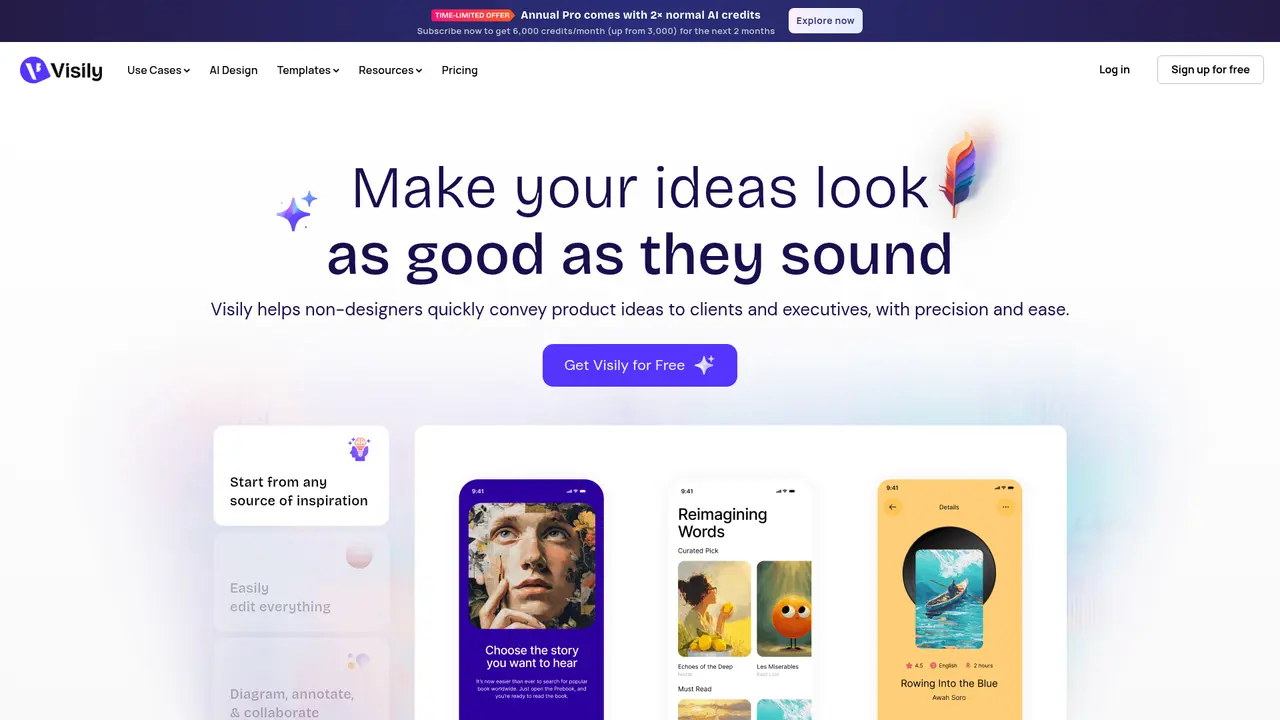
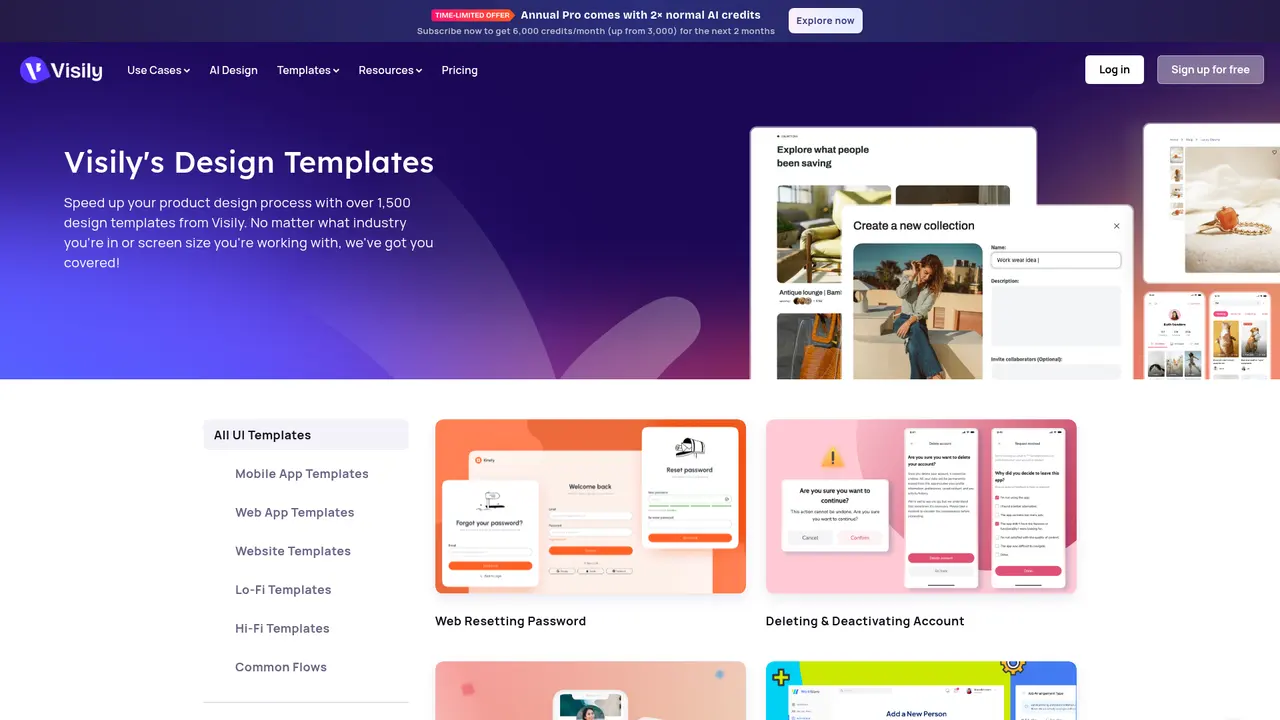
Launched on Feb 23, 2025Visily is an AI-powered UI design tool that enables anyone to create wireframes, prototypes, and diagrams within minutes, regardless of design experience. You can generate designs from text descriptions, screenshots, or sketches, with fully editable outputs. With over 1,000 templates and 200+ new templates released monthly, it's perfect for teams needing to visualize ideas quickly. The platform offers collaborative features and AI-driven style transfer for professional results without the design learning curve.
What Is Visily: AI-Powered Design for Everyone
:::card{type="summary" title="TL;DR"}
- AI-driven UI generation that transforms text, screenshots, or sketches into editable designs
- Zero learning curve—anyone can create wireframes, prototypes, and diagrams in minutes
- Over 1,000 templates with 200+ new ones released monthly
- Trusted by teams at leading companies worldwide :::
You have a brilliant product idea. You can explain it perfectly in words. But when it comes time to show what you mean—your ideas fall flat. The wireframe looks rough. The prototype feels amateur. And spending hours learning Figma just isn't in the cards when you're busy shipping product.
This is the reality for millions of product managers, founders, and business stakeholders every day. You understand the user's needs deeply. You know exactly how the interface should work. The problem is turning those mental images into something visual your team can actually work with.
Visily changes that equation entirely.
Visily is an AI-powered UI design tool built specifically for non-designers. Whether you're a product manager trying to validate a concept, a founder preparing for investor meetings, or a team lead who needs to communicate product vision—Visily lets you create professional-grade wireframes, prototypes, and diagrams in minutes, not hours.
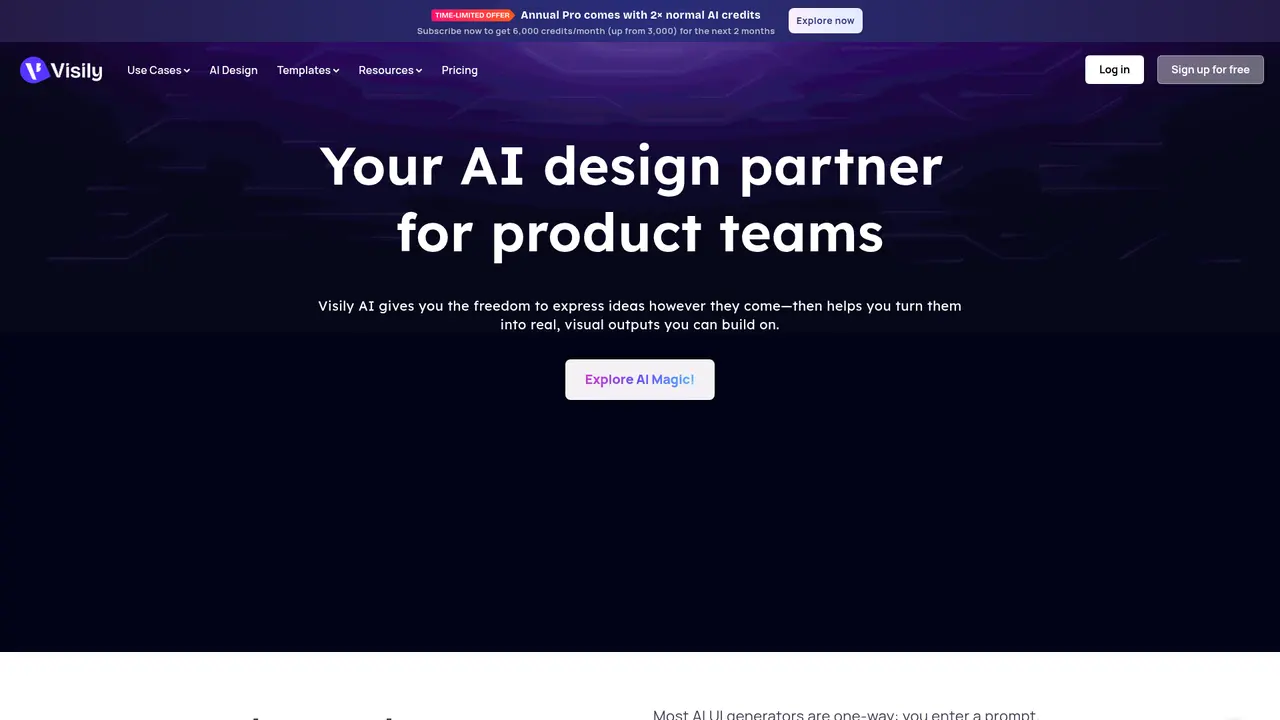
The magic is in how Visily works. Instead of forcing you to learn complex design tools, Visily meets you where you are. Describe what you want in plain language. Upload a screenshot of a competitor's interface you admire. Sketch your idea on paper and snap a photo. Visily's AI understands all of these inputs and transforms them into fully editable UI designs you can tweak, iterate on, and hand off to your team.
What makes Visily different from other AI design tools? The outputs are genuinely usable. This isn't about generating pretty images that disappear once you close the tool. Every element Visily creates is fully editable—move components, change text, adjust layouts, apply different visual themes. You're not getting a static mockup; you're getting a working design foundation.
With a template library exceeding 1,000 resources and new templates added weekly, you have a rich starting point whether you're building a SaaS dashboard, an e-commerce flow, or a mobile app. Companies worldwide—from startups to established enterprises—use Visily to bridge the gap between product ideas and visual execution.
---
Core Features That Actually Make a Difference
:::card{type="tip" title="💡 Getting the Most from AI Credits"} Visily uses a credit system for AI-generated content. Here's a practical tip: start by generating your overall screen layout using text (30 credits), then add individual components as needed (10 credits each). This approach gives you more control while being credit-efficient. You can always regenerate specific elements without affecting your entire design. :::
Text-to-Design: Your Ideas, Instant Visual Form
You don't need design skills to create professional wireframes. Simply describe what you want—"a login screen with email and password fields, a forgot password link, and a sign-up button below"—and Visily generates a complete, structured UI layout matching your description. The AI understands interface patterns, spacing, and component relationships, so the output isn't just visually coherent—it's actually usable.
Screenshot to Design: Turn References Into Starting Points
Have a competitor's app you want to learn from? A design you love but can't use directly? Upload any screenshot and Visily converts it into an editable wireframe. This feature is invaluable for competitive analysis, inspiration gathering, or digitizing hand-drawn sketches. You're not copying—you're using AI to understand the layout structure and recreate it in a format you can modify.
Diagram AI: Visualize Logic Before Building
Product decisions deserve clear thinking. Diagram AI lets you describe user flows, decision trees, or system architectures in plain language, and transforms them into professional charts and diagrams. Use this to validate your product logic, document user journeys, or align stakeholders before anyone writes code.
Auto-Prototyping: From Wireframe to Interactive in Seconds
Static wireframes tell part of the story. Auto-Prototyping analyzes your layout and automatically generates clickable interactions—navigation flows, button responses, screen transitions. You get a testable prototype in moments, ready for user feedback or stakeholder review.
Magic Theme: Apply Visual Styles Effortlessly
Created a wireframe but need it to match your brand? Magic Theme lets you apply new visual styles to any screen or layout with a single click. Change color schemes, typography, spacing—all powered by AI that understands design systems. Iterate through different brand looks in seconds, not hours.
Hi-fi ↔ Lo-fi Switch: The Best of Both Worlds
Sometimes you need the polish. Sometimes you need the speed. Hi-fi ↔ Lo-fi Switch lets you toggle between detailed, high-fidelity designs and clean low-fidelity wireframes within the same project. Present to executives with polished visuals. Brainstorm with your team using simple wireframes. One design, two modes.
Online Sticky Notes: Collaborative Brainstorming
Great products start with great conversations. Visily's sticky notes feature enables real-time collaborative ideation—dump ideas, organize thoughts, vote on directions. Everything stays within the same tool, so your brainstorming flows directly into wireframes without import/export friction.
Screenshot Editor: Annotate and Communicate
Need to mark up a screenshot for your team? Add callouts, arrows, highlights, and comments directly within Visily. Keep everyone aligned without switching tools.
---
Who Is Using Visily: Real Teams, Real Results
Visily serves a wide range of users, from individual contributors to entire organizations. Here's who benefits most:
Product Managers
You're the keeper of the product vision—but translating that vision into design often means endless back-and-forth with designers or wrestling with tools you were never trained to use. Visily changes that dynamic entirely.
John Conneely, Senior Product Manager at Toast, puts it this way: *"Visily allows me to share my ideas without spending hours designing them myself. Now, my entire team uses Visily to collaborate!"*
Instead of describing what you mean with words, you show it. Instead of waiting days for a designer to mock up your concept, you create it in minutes. Your team sees exactly what you envision, and you spend more time solving product problems rather than design problems.
Startup Founders
When you're wearing every hat, speed matters. Before you've raised your first round or hired your first designer, you need to communicate product vision to co-founders, investors, and early customers.
Bart Slaets, Co-Founder & CTO of PayBIX, found exactly this: *"It's very easy to use and a great tool to create mockups and help our business stakeholders visualize what we'll be building."*
With Visily, you can create investor-ready prototypes in an afternoon, not a week. You validate concepts before writing code. You communicate with your team without design bottlenecks.
Designers
Even professional designers find value in Visily. Use it as a rapid ideation tool—skip the tedious initial stages and jump straight to refining AI-generated layouts. Let Visily handle the structural heavy lifting while you focus on polish and details. Many designers keep Visily in their toolkit specifically for quick concept exploration.
Business Stakeholders and Executives
You don't need design skills to participate in product discussions. Visily lets anyone contribute meaningfully to product direction.
Orli Millstein, Director of Content Strategy at DAC, describes the impact: *"Visily has completely changed the way our teams work together on client projects: time previously spent explaining our vision to others is now spent doing deeper creative and strategic work, where it actually matters."*
Instead of nodding along to design presentations you don't fully understand, you see the vision clearly. Instead of relying entirely on designers to translate your ideas, you express them directly.
Development Teams
Developers benefit from clearer specifications. High-fidelity prototypes built in Visily communicate interaction patterns, screen flows, and edge cases more effectively than text requirements or rough sketches. Reduce miscommunication. Ship faster.
Educators and Students
Visily's accessibility makes it ideal for product design education. Students can focus on learning product thinking and user experience principles without getting stuck on tool mastery. Teachers can evaluate thinking, not just visual execution.
:::card{type="tip" title="💡 Finding Your Fit"} If you're the only person in your team who needs to create designs, Visily becomes your communication bridge. You stop being the bottleneck. You share visuals that earn buy-in instead of blank stares. :::
---
Choosing the Right Plan for Your Needs
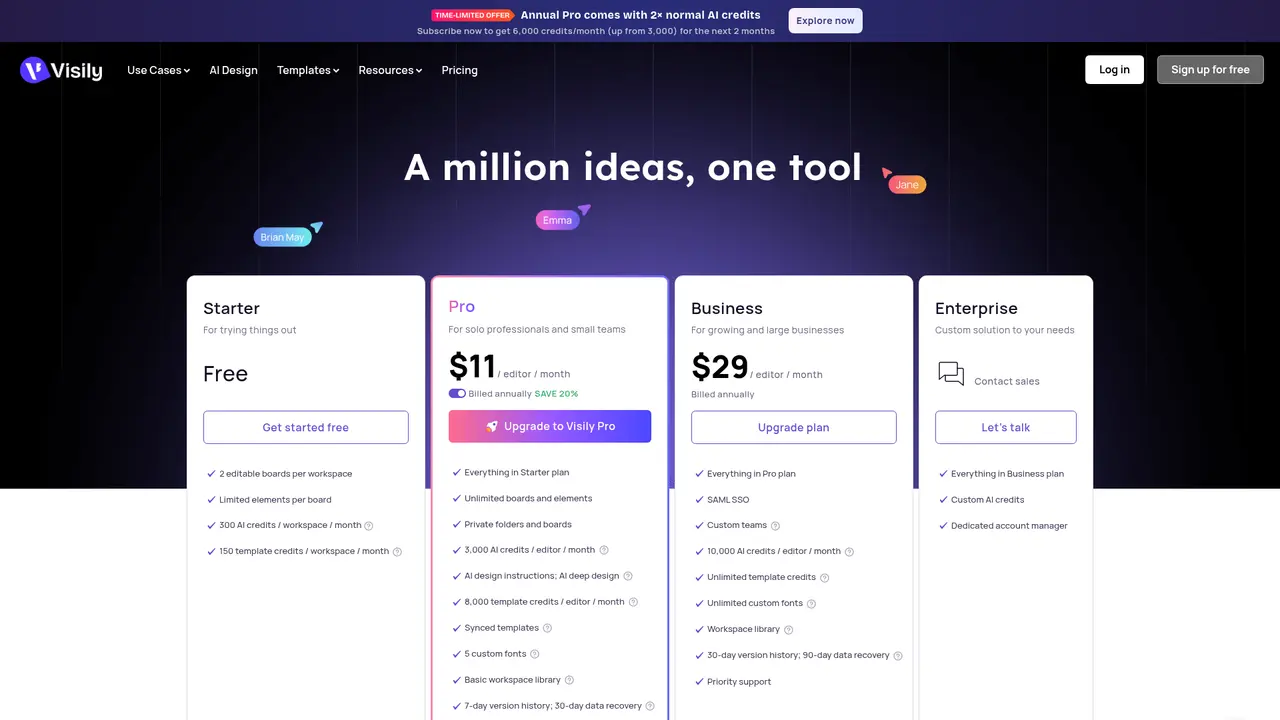
:::card{type="summary" title="Plan Comparison at a Glance"} | Plan | Price | Best For | |------|-------|----------| | Starter | Free | Individual exploration, small projects | | Pro | $11/editor/month (20% off annually) | Growing teams needing more credits and exports | | Business | $29/editor/month | Organizations requiring SSO, version history, and priority support | | Enterprise | Custom | Large organizations with specific AI and data requirements | :::
Starter (Free)
Perfect for exploring Visily and handling light projects. You get 2 editable boards per workspace, 300 AI credits per workspace monthly, and 150 template credits monthly. 24-hour data recovery ensures your work stays safe. This plan is free indefinitely—Visily maintains a free tier permanently.
Best for: Individuals learning the tool, small side projects, initial evaluation.
Pro ($11/editor/month)
Step up your game with unlimited boards and elements. Get 3,000 AI credits per editor monthly—enough for serious project work—plus 8,000 template credits. Export designs without watermarks and access 7-day version history with 30-day data recovery. Annual billing saves you 20%.
Best for: Product managers, founders, and small teams who need to create designs regularly.
Business ($29/editor/month)
Built for organizations that need security and collaboration at scale. SAML SSO protects your team's access. 10,000 AI credits per editor monthly handle intensive usage. Unlimited template credits remove all restrictions. 30-day version history and 90-day data recovery keep your work secure. Priority support ensures fast answers when you need them.
Best for: Companies with multiple teams, organizations requiring SSO compliance, teams that need reliable version control.
Enterprise (Custom)
For large organizations with specific requirements. Custom AI credit allocations, dedicated customer success manager, and configurable data retention policies. Contact Visily directly at support@visily.ai to discuss your needs.
Best for: Large enterprises, organizations with unique security or compliance requirements.
Understanding AI Credit Usage
| Action | Credits Required | |--------|------------------| | Generate Screen | 30 credits | | Generate Component | 10 credits | | Generate Diagram | 10 credits | | Generate Prototype | 10 credits | | Generate Image | 10 credits | | Generate Theme | 5 credits | | Rename Layers | 5 credits | | Fill Content | 5 credits |
This structure lets you budget intelligently. Generate overall layouts first, then add detail incrementally.
---
Frequently Asked Questions
:::card{type="faq" title="What exactly is Visily?"} Visily is an AI-powered design tool that helps anyone quickly ideate, design, and prototype UI and product experiences in minutes—no design skills required. :::
:::card{type="faq" title="Who should use Visily?"} Visily is ideal for anyone who wants to quickly collaborate and create flowcharts, diagrams, wireframes, and prototypes. With virtually no learning curve, your entire team can comment, edit, and brainstorm together within Visily. :::
:::card{type="faq" title="How does Visily use AI?"} AI serves as a collaborative layer throughout your entire workflow. You can mix screenshots, text, and canvas selections in a single prompt. The AI assistant carries context, asks clarifying questions, and works in multiple languages. :::
:::card{type="faq" title="Can non-designers actually use Visily?"} Absolutely. Visily was built specifically for non-designers. The AI features and drag-and-drop editor make it easy for anyone to create high-fidelity wireframes and prototypes. :::
:::card{type="faq" title="Can I generate UI from text descriptions?"} Yes. Describe your idea, screen, or flow in plain language, and Visily AI generates structured UI elements that match your layout description. :::
:::card{type="faq" title="Can I convert screenshots into editable UI?"} Yes. Upload screenshots of existing products, competitor apps, or hand-drawn sketches, and Visily AI converts them into editable wireframes and layouts. :::
:::card{type="faq" title="Does Visily support flowcharts and diagrams?"} Yes. Visily AI can visualize early ideas as charts or flowcharts, then help evolve them into complete UI layouts. :::
:::card{type="faq" title="How long can I use the free version?"} The Starter plan is free permanently. Visily will always offer a free version. :::
:::card{type="faq" title="Does my team need accounts to view designs?"} Anyone can view publicly shared projects and boards without a Visily account. However, commenting and editing require a logged-in Visily account. :::
:::card{type="faq" title="Is there an enterprise plan?"} Yes. Business and Enterprise plans are available for larger organizations. Contact support@visily.ai to discuss your specific requirements. :::
Related Content

Copy.ai Review 2026: AI Copywriting Made Easy
Our honest Copy.ai review for 2026. We test Content Agents, AI Workflows, pricing ($29-$249/mo), and compare it to Jasper and Writesonic. Find out if it's worth it for your marketing team.

Rytr Review 2026: Is This Budget AI Writer Worth It?
Our hands-on Rytr review for 2026. We test features, pricing, content quality, and compare it to Jasper & ChatGPT. Find out if Rytr is the best budget AI writing tool.

Word Changer - Free AI tool to rewrite and improve your writing instantly
Writing always using repetitive words or need to avoid plagiarism? Word Changer is a free AI writing assistant that instantly rewrites any text with richer vocabulary and appropriate tone. Get multiple versions with one click, adjust formality level, check readability - all for free!

Unite - AI-powered platform for romantic fantasies and dream couple moments
Explore romantic fantasies and create special moments for your dream couple. This AI-powered platform lets you generate personalized romantic content and experience exclusive AI-created romantic experiences.
Comments