


Video Highlight - AI-powered video summaries with timestamps in 37+ languages
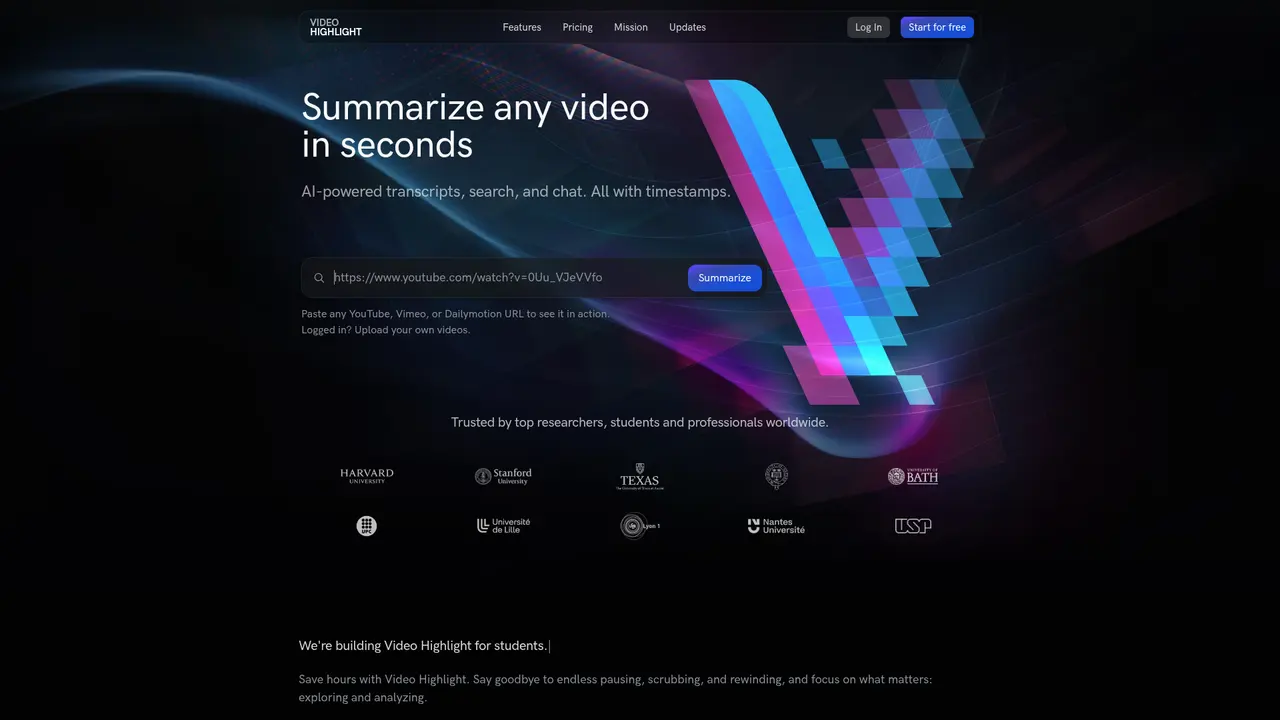
Launched on Feb 23, 2025Video Highlight uses AI to transcribe and summarize videos in 37+ languages. With timestamped summaries, video chat, and smart search, you can extract insights from hours of video content 10x faster. Perfect for researchers, students, and professionals.
What is Video Highlight
You've probably experienced this before: you stumble upon a two-hour lecture or conference talk that looks incredibly valuable, but the thought of sitting through the entire thing feels overwhelming. Maybe you need to find a specific piece of information buried in a recording, or you're a researcher trying to evaluate hundreds of videos for your literature review. The struggle is real—and it's exactly the problem Video Highlight was built to solve.
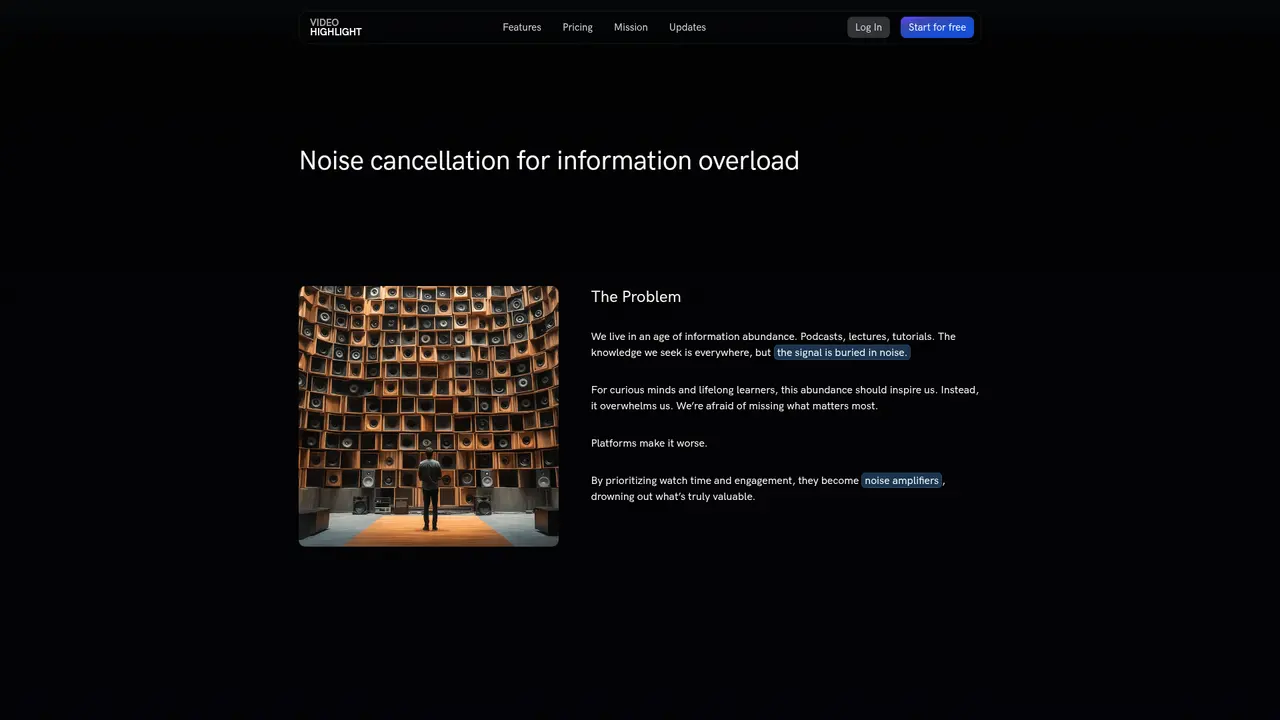
Video has become the lowest-density knowledge medium we have. It's high bandwidth but low information density—you spend hours watching to extract minutes of actual value. This is what we call the "high bandwidth, low knowledge density" problem, and it's only getting worse as video becomes the dominant format for education, research, and professional development.
Video Highlight is an AI-powered tool that transforms how you interact with video content. Instead of passively watching everything from start to finish, you can now extract key insights in minutes. The platform uses advanced large language models and custom-tuned summarization models to generate timestamped summaries and key points from any video—complete with searchable transcripts and the ability to ask questions directly to the video.
What makes Video Highlight different is the real-time streaming approach. While other tools make you wait for the entire processing pipeline to complete, Video Highlight transcribes and summarizes in parallel, delivering results as they're generated. You'll see timestamped key points appear within seconds, and you can click any timestamp to jump directly to that moment in the video.
The platform is trusted by researchers and professionals at world-leading institutions, including Harvard University, Stanford University, Oxford University, and many others. Whether you're a student trying to get more from your course lectures, a researcher surveying the literature, or a professional who needs to extract actionable insights from hours of meeting recordings, Video Highlight helps you cut through the noise and focus on what matters.
:::card{type="summary" title="TL;DR"}
- AI-powered transcription and summarization with timestamps
- Support for 37+ languages
- Video Q&A lets you ask questions and get timestamped answers
- 10x faster insight extraction compared to traditional watching :::
Core Features That Make a Difference
You might be wondering what exactly Video Highlight can do for you. Let me walk you through the key capabilities that users find most valuable.
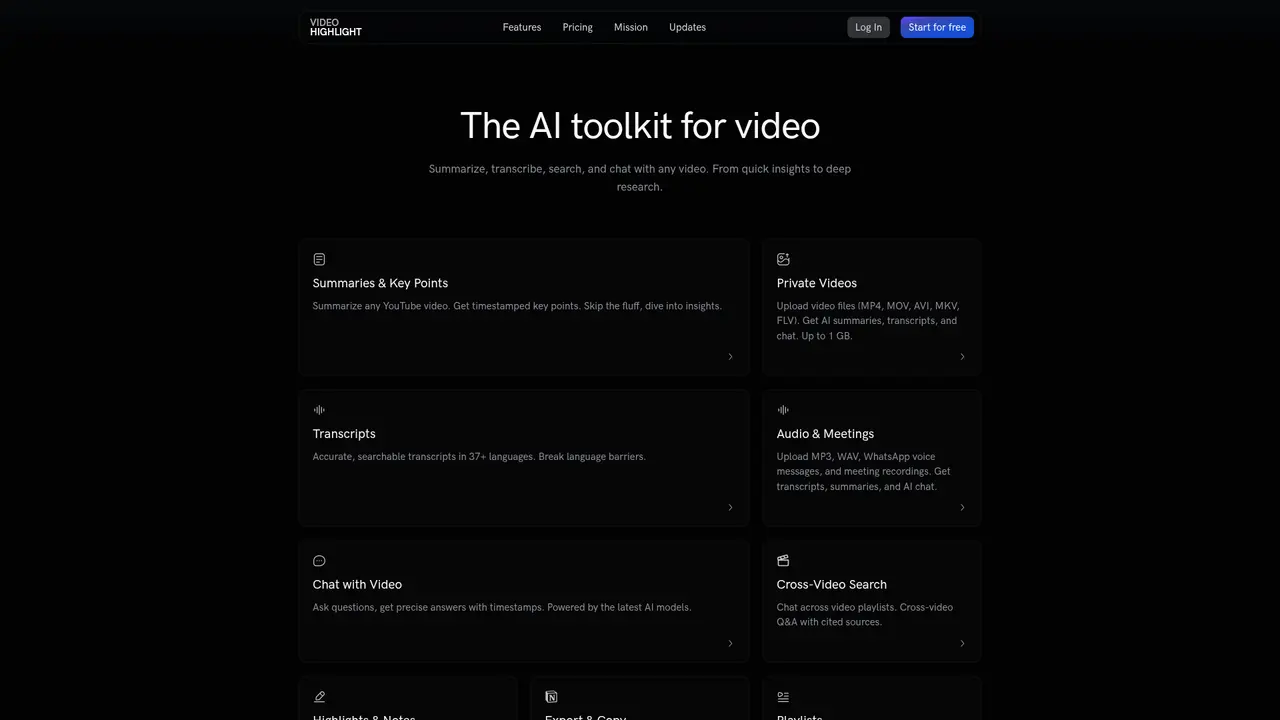
AI Summaries and Key Points are the heart of the platform. You get two formats to choose from: detailed summaries organized by chapters with timestamps, or concise key points for quick scanning. This flexibility means you can either dive deep or quickly assess whether a video is worth your time. The AI understands context across the entire transcript, not just individual sentences, so you get meaningful summaries that capture the video's actual arguments and conclusions.
The Video Transcript feature gives you accurate, searchable text in 37+ languages. The transcription combines speech-to-text technology with AI optimization, meaning you get more accurate results than basic automated transcriptions. This is particularly valuable if you're researching non-English content or need to quote from videos in your work.
Chat with Video is perhaps the most transformative feature. Instead of scrubbing through a timeline trying to find the part where the speaker mentioned your topic, you can simply ask a question in natural language. The AI searches the transcript semantically—not just keyword matching—and returns answers with timestamps and source links. Click the timestamp, and you're instantly at the relevant moment. Users tell us this is 10x faster than manual searching.
For content that isn't publicly available, Private Video Upload lets you process MP4, MOV, MKV, AVI, and FLV files up to 1GB. This is perfect for internal meetings, private tutorials, or client recordings where you need the same AI-powered insights.
If you're working with audio rather than video, the Audio and Meetings feature handles MP3, WAV, M4A, and even WhatsApp voice messages. Meeting recordings, podcast episodes, and voice memos all become searchable andsummarizable.
Cross-Video Search takes your research to the next level. Instead of searching within a single video, you can query your entire video library at once. The AI synthesizes information across multiple videos, citing sources so you can verify and dive deeper. This is invaluable for literature reviews, competitive analysis, or building a personal knowledge base.
The Highlights and Notes feature lets you mark important passages and add your own annotations—just like highlighting in a Kindle book, but for video. These highlights sync across your library and can be exported for later reference.
Finally, Smart Search provides instant search across all your summaries and transcripts. Need to find every mention of a specific concept across your entire video library? One search does it all.
::::grid :::card{type="advantages"}
- 10x Efficiency: Extract key insights in minutes instead of hours
- 37+ Languages: Access global content in your native language
- Real-Time Processing: See results as they're generated, no waiting
- Private Content Support: Process internal videos and audio files
- Export Options: Send summaries to Notion, Readwise, or download as Word/Markdown/CSV ::: :::card{type="disadvantages"}
- Experimental Support: Vimeo and Dailymotion are currently experimental features
- File Size Limits: Private videos capped at 1GB
- Read-Only Summaries: Summaries cannot be edited directly in the platform ::: ::::
Who Is Video Highlight For?
Understanding whether a tool is right for you often comes down to seeing how others in similar situations use it. Here's how different users benefit from Video Highlight.
Academic Researchers often need to evaluate hundreds or even thousands of videos as part of literature reviews. Before Video Highlight, this meant watching hours of content to determine if a source was relevant—a massive time sink. Now, researchers use timestamped key points to quickly assess relevance, then use the chat feature to extract specific citations and quotes directly. Many report cutting their research time in half.
Students face a different challenge: lectures that are too long, with key concepts buried somewhere in the recording. The summary feature lets you jump straight to the most important moments, while the chat function can explain concepts in different words if you missed something the first time. You can stop rewinding and start actually learning.
Educators use Video Highlight to organize course materials efficiently. Rather than rewatching every video to find the perfect clip for your next lecture, you can search across your entire library and extract relevant sections instantly. Build a collection of teaching resources that grows over time.
Content Creators often consume enormous amounts of video content for inspiration and research. The highlight feature lets you mark promising segments as you watch, then export everything to Notion for easy organization. Your "someday" video research becomes an actual, searchable knowledge base.
Professionals deal with recordings of meetings, webinars, and training sessions. Smart search helps you find decisions, action items, and key discussions without watching the entire recording. This is especially valuable for project retrospectives or compliance reviews where you need to find specific information quickly.
Multilingual Researchers finally have a way to access global knowledge. With support for 37+ languages, you can search and summarize videos in languages you don't speak, breaking down barriers that previously limited your research scope.
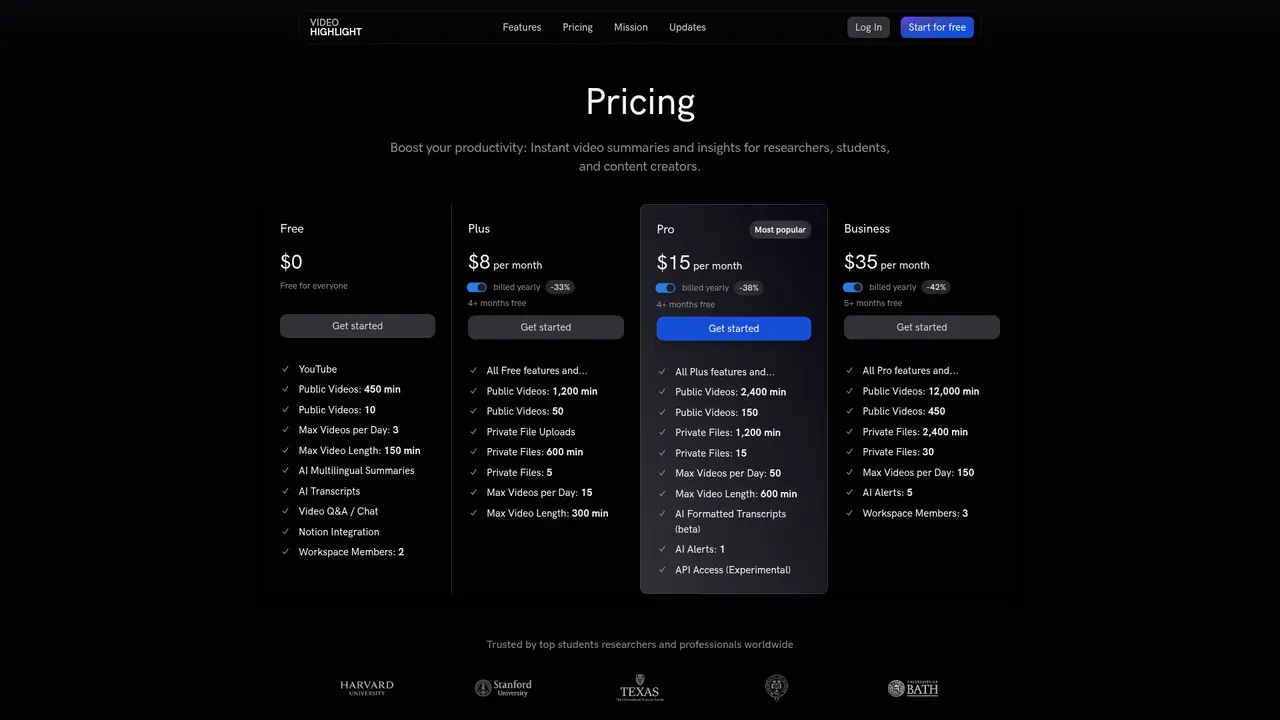
:::card{type="tip" title="Choosing the Right Plan"} If you're primarily doing research, the Plus plan ($8/month) gives you 1,200 minutes of public video and 600 minutes of private content—plenty for individual use. Students can start with the Free plan to get a feel for the tool, then upgrade when you need more capacity. Pro ($15/month) unlocks the full feature set including API access and AI alerts. :::
Getting Started in Minutes
One of the best things about Video Highlight is how quickly you can go from "this looks interesting" to "I have the insights I need." Here's how to get started:
Step 1: Create Your Account Visit videohighlight.com and sign up for free. The registration process takes less than a minute—just an email and password.
Step 2: Add Your First Video Find any YouTube video you want to analyze. Copy the link, paste it into Video Highlight, and watch the magic happen. The system immediately begins transcribing and generating summaries in parallel.
Step 3: Explore and Extract Within seconds, you'll see timestamped key points appear. Click any point to jump to that moment in the video. Or use the chat feature to ask specific questions like "What methodology did the researcher use?" or "What are the main conclusions?"
What You Need Before Starting You'll need a registered account (free signup takes seconds). The Free plan gives you 450 minutes of public video processing, up to 10 videos, with a 150-minute maximum per video—plenty to test the waters.
Best Practice for First-Time Users Start with a video in the 5-10 minute range. This lets you experience the full workflow—summary generation, timestamp navigation, and chat—without waiting for long processing times. Once you're comfortable, move on to longer videos or try uploading private content.
:::card{type="tip" title="Pro Tip"} Use the keyboard shortcut feature to navigate timestamps quickly. Combined with the smart search, this makes even hour-long videos searchable in seconds. :::
Pricing Plans That Scale With Your Needs
Video Highlight uses a straightforward tiered pricing model based on usage volume. Whether you're an individual learner or a team of researchers, there's a plan that fits your needs.
| Plan | Price | Public Video Minutes | Videos | Private Minutes | Max Video Length | Best For | |------|-------|---------------------|--------|----------------|-----------------|----------| | Free | $0 | 450 min | 10 | — | 150 min | Personal trial | | Plus | $8/month | 1,200 min | 50 | 600 min | 300 min | Students & researchers | | Pro | $15/month | 2,400 min | 150 | 1,200 min | 600 min | Power users | | Business | $35/month | 12,000 min | 450 | 2,400 min | 600 min | Team collaboration |
Every plan includes the core features: AI multilingual summaries, AI transcription, video Q&A/chat, Notion integration, playlists and folders, and the ability to download summaries and transcripts.
Premium Features at Higher Tiers The Pro plan and above unlock AI Formatted Transcripts for cleaner, more readable text. AI Alerts let you set up notifications for new content from specific channels or topics—essentially a Google Alerts for video. API access (experimental) lets developers integrate Video Highlight into their own workflows.
Flexible Scaling You can upgrade or downgrade your plan at any time. Billing is usage-based, so you only pay for what you need. This is particularly useful if your needs vary by season—maybe you need more capacity during thesis-writing season and less during the summer.
:::card{type="tip" title="Which Plan Should You Choose?"} For most individual users, the Plus plan at $8/month offers the best value—it gives you triple the minutes of the Free plan plus private file support. If you need the full feature set, AI alerts, or API access, Pro at $15/month unlocks everything. Teams should consider Business for the increased member seats and higher limits. :::
Frequently Asked Questions
:::card{type="faq" title="What are the limits of the free plan?"} The Free plan gives you 450 minutes of public video processing, up to 10 videos, with a daily limit of 3 videos and a maximum video length of 150 minutes. It's perfect for trying out the tool and handling light use cases. :::
:::card{type="faq" title="Which video platforms are supported?"} YouTube is fully supported and works seamlessly. Vimeo and Daliymotion are available as experimental features—they work but may occasionally have edge cases. For private content, you can upload MP4, MOV, MKV, AVI, and FLV files directly. :::
:::card{type="faq" title="How fast is summary generation?"} Video Highlight processes transcription and summarization in parallel, streaming results as they're generated. You'll see timestamped key points within seconds, with complete summaries typically available within a few minutes depending on video length. :::
:::card{type="faq" title="What tools can I export to?"} You can export summaries directly to Notion or Readwise for integration with your existing workflow. Alternatively, you can copy content as Word documents, Markdown, or CSV files for use in other applications. :::
:::card{type="faq" title="How many languages are supported?"} The platform supports 37+ languages for both transcription and summarization. Language support continues to expand as the underlying AI models improve. :::
:::card{type="faq" title="What's the difference between summaries and key points?"} Summaries provide detailed explanations organized by chapters with timestamps—useful when you need the full context. Key points are concise bullet points designed for quick scanning, perfect for rapidly assessing whether a video is worth your time. :::
:::card{type="faq" title="Can I edit the summaries?"} Currently, summaries are read-only. However, you can use the highlight feature to mark important sections, add your own notes, and export everything to external tools for further editing. :::
:::card{type="faq" title="How do I upgrade or downgrade my plan?"} You can change your plan at any time through your account settings. The system will prorate your billing based on your actual usage, so you won't lose any prepaid minutes. :::
Related Content

Copy.ai Review 2026: AI Copywriting Made Easy
Our honest Copy.ai review for 2026. We test Content Agents, AI Workflows, pricing ($29-$249/mo), and compare it to Jasper and Writesonic. Find out if it's worth it for your marketing team.

Rytr Review 2026: Is This Budget AI Writer Worth It?
Our hands-on Rytr review for 2026. We test features, pricing, content quality, and compare it to Jasper & ChatGPT. Find out if Rytr is the best budget AI writing tool.

Word Changer - Free AI tool to rewrite and improve your writing instantly
Writing always using repetitive words or need to avoid plagiarism? Word Changer is a free AI writing assistant that instantly rewrites any text with richer vocabulary and appropriate tone. Get multiple versions with one click, adjust formality level, check readability - all for free!

Unite - AI-powered platform for romantic fantasies and dream couple moments
Explore romantic fantasies and create special moments for your dream couple. This AI-powered platform lets you generate personalized romantic content and experience exclusive AI-created romantic experiences.
Comments