

- Monthly visits
- 10,198
- 2026-10
- Monthly growth +41.4%
TimelyGrader - AI-assisted grading with instructor review
TimelyGrader analyzes student assignments against instructor-defined rubrics and drafts grades and feedback for instructor review. It supports written work, visuals in presentations, spreadsheets, and video assignments. Instructors review and finalize results before grades are returned, and LMS integrations support importing assignments and returning grades.
- AI Education
- Exam Prep
- Education
- AI-assisted grading
- rubric-based feedback
- LMS grading tool

Capabilities
Rubric-based AI grading
The AI analyzes student assignments against instructor-defined rubrics and produces suggested grades with reasoning. Instructors can adjust grading criteria and must review and finalize results before grades are returned.
Personalized assignment feedback
The platform drafts rubric-aligned feedback for student work. Instructors can adjust feedback length, language level, tone, and structure, then review it before returning it to students.
Visual and file analysis
The grader evaluates text and visual elements in assignments and provides grading suggestions and feedback. Supported examples include presentations, charts, diagrams, spreadsheets, PDFs, and common document and video formats.
Spreadsheet analysis
The AI reviews XLSX and CSV files and produces grading suggestions and feedback. It can examine formulas, trends, tables, and data organization, with instructors specifying the focus of the analysis.
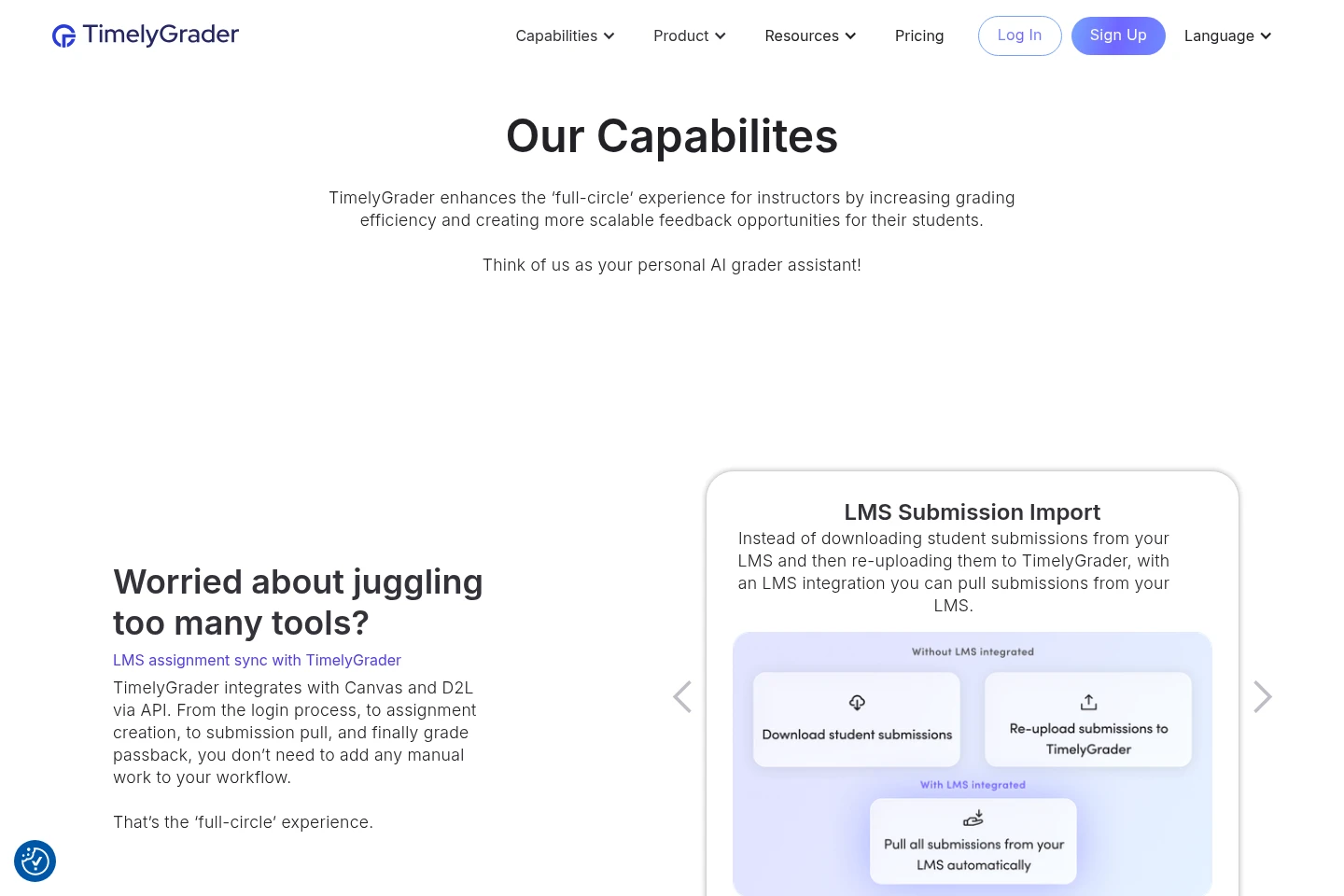
LMS assignment and grade sync
LMS integrations import assignment details and student submissions and transfer grades back to the LMS. The site identifies Canvas and D2L integrations and describes assignment and submission sync and grade passback.
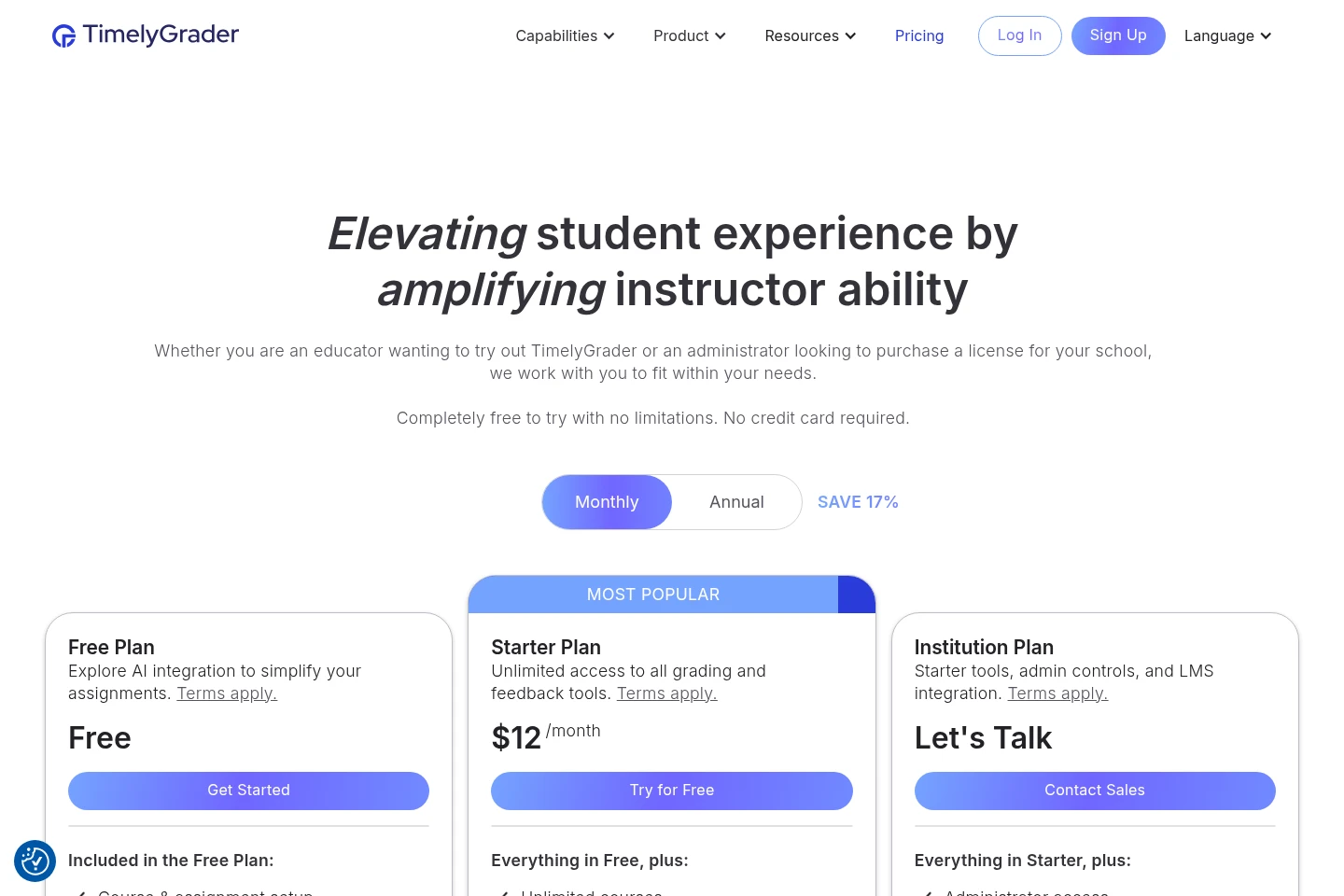
Pricing
TimelyGrader offers a free plan, a paid Starter Plan, and an Institution Plan with sales contact for pricing. Compare grading tools, course and upload access, institutional administration, and LMS features when choosing.
| Plan | Price | Included features and limits |
|---|---|---|
| Free Plan | Free |
|
| Starter Plan | $10/month, billed annually |
|
| Institution Plan | Let's Talk; contact sales |
|
The pricing page shows Monthly and Annual billing options and labels annual pricing as saving 17%. The Starter price displayed for annual billing is $10 per month, billed annually; another captured pricing display shows $12/month without that annual condition.
Use cases
Grade student work against a rubric
When instructors need to assess submitted assignments against defined criteria, they use TimelyGrader to analyze the work and generate suggested grades and rationale. Instructors review and finalize the suggestions before returning grades.
Draft individualized feedback for assignments
When instructors want feedback tailored to each submission, they use the AI feedback tools to draft comments based on their criteria. They can adjust the feedback format and tone, review the draft, and then return it to students.
Assess spreadsheets and visual assignments
When student work includes charts, slide visuals, or structured spreadsheet data, instructors upload supported files for analysis. TimelyGrader examines relevant text and visual or data elements and supplies grading suggestions and feedback for instructor review.
Import assignments and return grades through an LMS
When a course uses an integrated LMS, instructors can import assignment details and submissions into TimelyGrader and transfer grades back. The site names Canvas and D2L among its LMS integrations.
Limitations
Modular Assignments are marked as coming soon, so combining question types into custom modular assessments is not presented as currently available.
Who it is for
Higher-education instructors who need rubric-based grading and individualized feedback for student assignments.
Institution administrators who need course oversight, administrative access, and LMS integration for grading workflows.
Students who need access to assignment feedback tailored to their submitted work.
FAQ
Can TimelyGrader assess assignments beyond essays?
Yes. It supports a range of assignment formats, including presentations, spreadsheets, PDFs, and other documents; the AI can evaluate text and visuals to suggest grades and feedback.
Which spreadsheet files can TimelyGrader analyze?
It can analyze XLSX and CSV files, including formulas, trends, tables, and data organization. Instructors can specify the focus, such as clarity of data presentation or interpretation of results.
Does TimelyGrader assess visual elements in assignments?
Yes. It analyzes visual and written content in presentation slides and can process charts, diagrams, and infographics. The site also describes grading formatting, structure, font size, and page margins.
Are modular assignments currently available?
No. Modular Assignments are marked as coming soon; the proposed feature would let instructors combine question types into a custom assignment structure.
Who makes the final grading decision?
The instructor does. TimelyGrader provides suggested grades and draft feedback, and instructors review and finalize the results before grades are returned.
Comments