

- Monthly visits
- 95,636
- 2026-10
- Monthly growth -34.1%
Timely AI Agent Tracking - Track AI agent time, tokens, costs and work
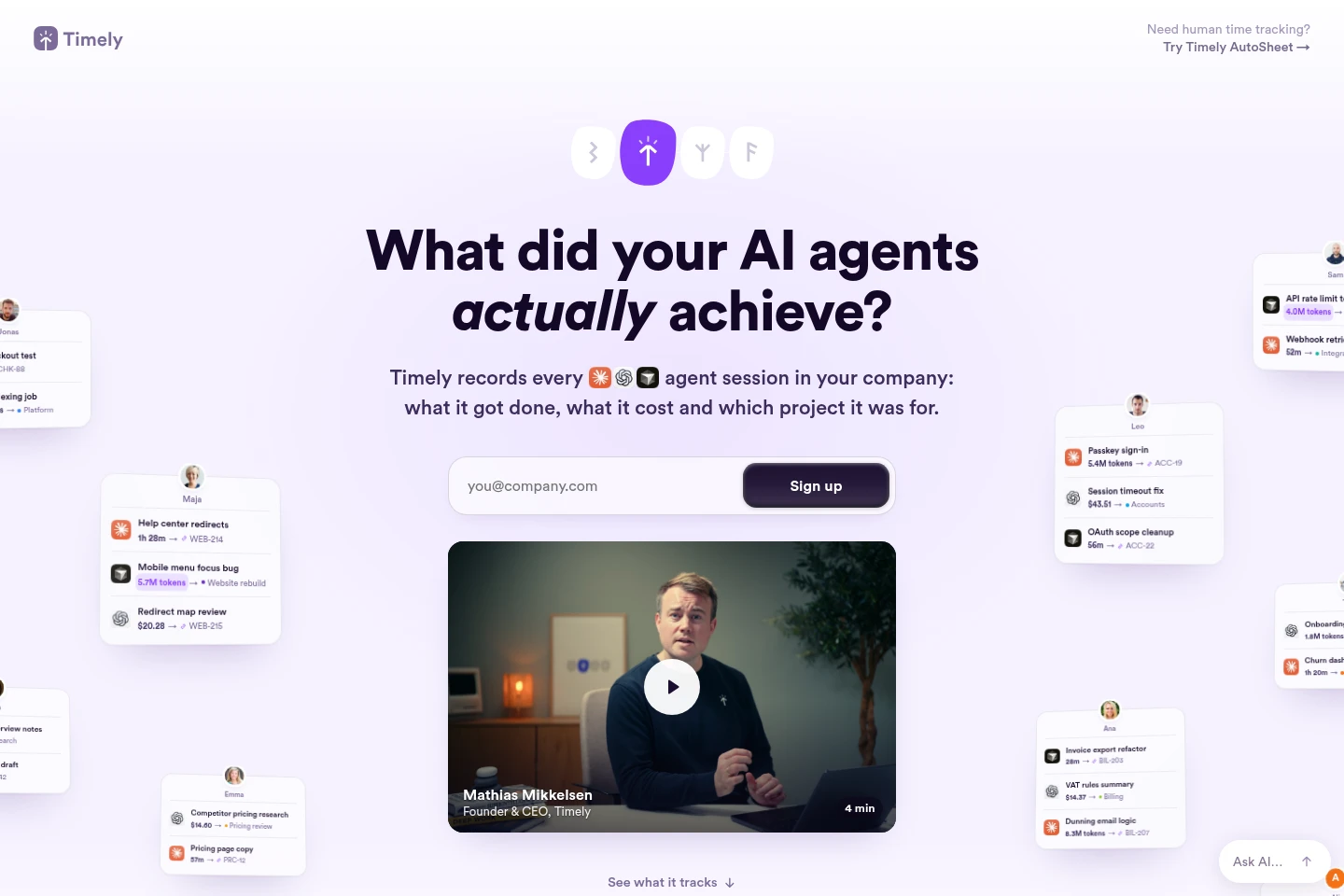
Timely AI Agent Tracking records sessions from Claude, ChatGPT and Cursor agents, including time, tokens, estimated cost, tasks and projects. Teams can review session summaries, relate agent work to human work, and examine costs by project, client, person, model or provider. The product is in beta, with access opening to companies gradually.
- AI Productivity
- AI Usage Management
- Time Tracking
- Project Management
- AI agent cost tracking
- AI agent time tracking
- agent work reporting
Capabilities
AI agent session tracking
Records agent sessions and summarizes the work performed. It captures time, tokens, cost, tasks and projects for sessions from Claude, ChatGPT and Cursor agents.
Agent cost analysis
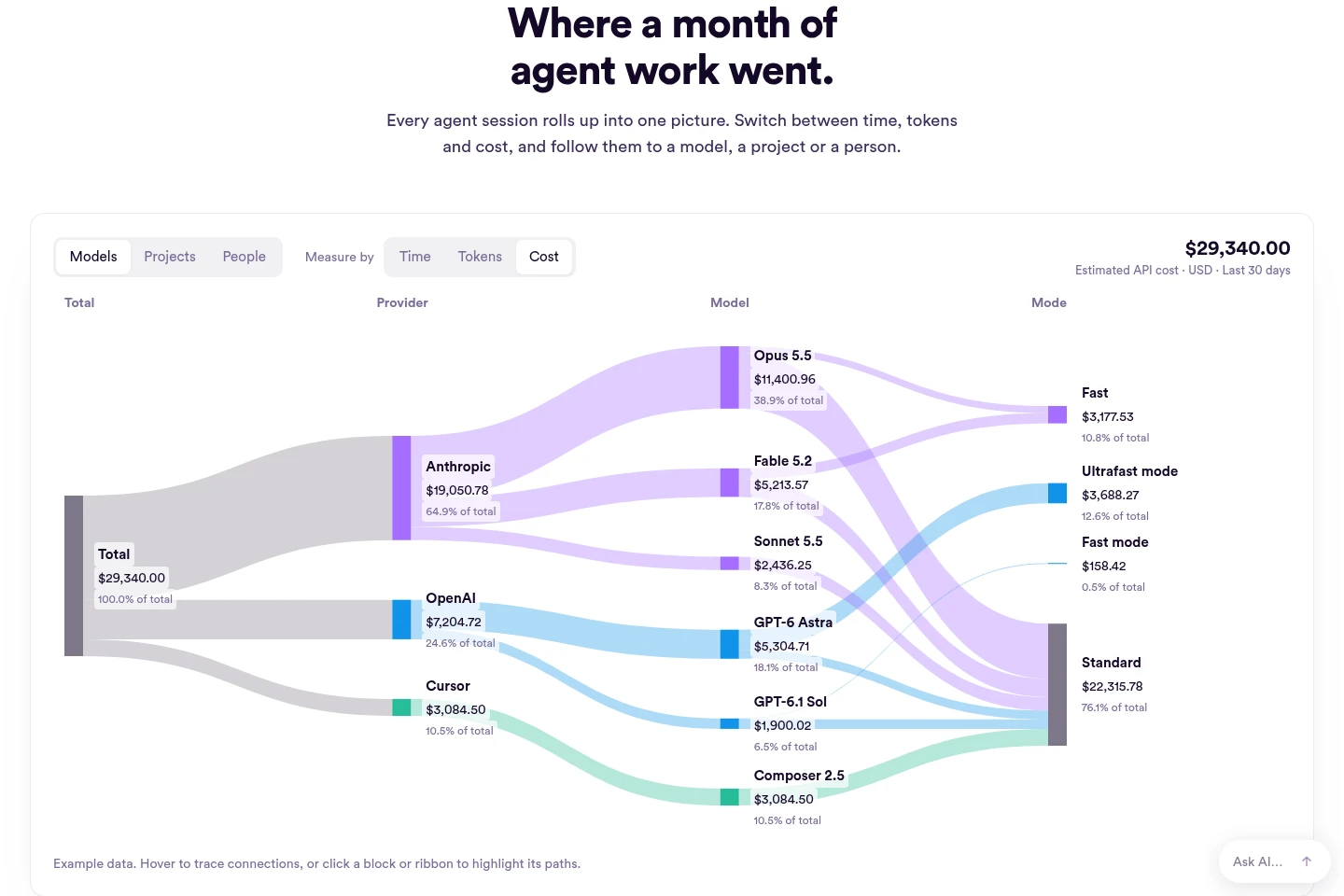
Breaks down estimated API cost alongside time and token totals. Users can examine totals by provider, model, project, client or person and switch the measurement between time, tokens and cost.
Task and project linking
Connects agent sessions with the work items they address. Sessions can be associated with tasks in Jira, Linear, monday.com or Asana and grouped by project or client.
Agent work reporting
Presents agent activity alongside human work and shows spend against completed tasks. It also surfaces sessions with no linked task or nothing shipped, and can show agent time as a client invoice line at a rate the user sets.
Pricing
No plan prices or paid billing terms are stated on the supplied page. Agent Tracking is described as a beta with company access opening gradually; compare availability and product scope when access is offered.
Use cases
Review AI agent spend by project
When a company needs to understand where agent costs are going, teams can review estimated cost by provider, model, project, client or person, and compare it with time and token totals.
Connect agent sessions to project tasks
When teams need agent activity to agree with their project records, they can link sessions to Jira, Linear, monday.com or Asana tasks and review the work, time and session summary together.
Prepare client invoices for agent time
When client work includes AI agent activity, users can track agent time as a separate invoice line and set the rate used for that line.
Limitations
Agent Tracking is in beta, and access is being opened to companies a few at a time.
The displayed monthly cost breakdown is identified as example data, not a statement of a user's actual costs.
Who it is for
Companies using AI coding and chat agents that need to account for their work and costs
Project and client managers who need agent time and spend organized by task or account
Teams reviewing AI budgets, tool usage and agent work alongside human work
FAQ
Which AI agent tools does Timely track?
The page names Claude, ChatGPT and Cursor agents. It describes recording their sessions, including the work performed, cost and associated project.
What information does a session record?
A session can include time, tokens, cost, tasks and projects, with a written summary of the work. The walkthrough also shows the session being captured while it runs.
How can teams review agent costs?
Teams can switch the report between time, tokens and cost, then follow totals by provider, model, project or person. The page also shows client-level reporting.
Is Agent Tracking generally available?
No. Agent Tracking is in beta, and Timely says it is letting companies in a few at a time. People can sign up to be notified when access opens.
Can sessions be connected to project management tasks?
Yes. The page identifies Jira, Linear, monday.com and Asana as task links, so agent sessions can be tied to the work items they addressed.
Comments