

- Monthly visits
- 0
- 2026-09
- Monthly growth -100%
Subtitly - Live captions displayed in your Mac’s notch
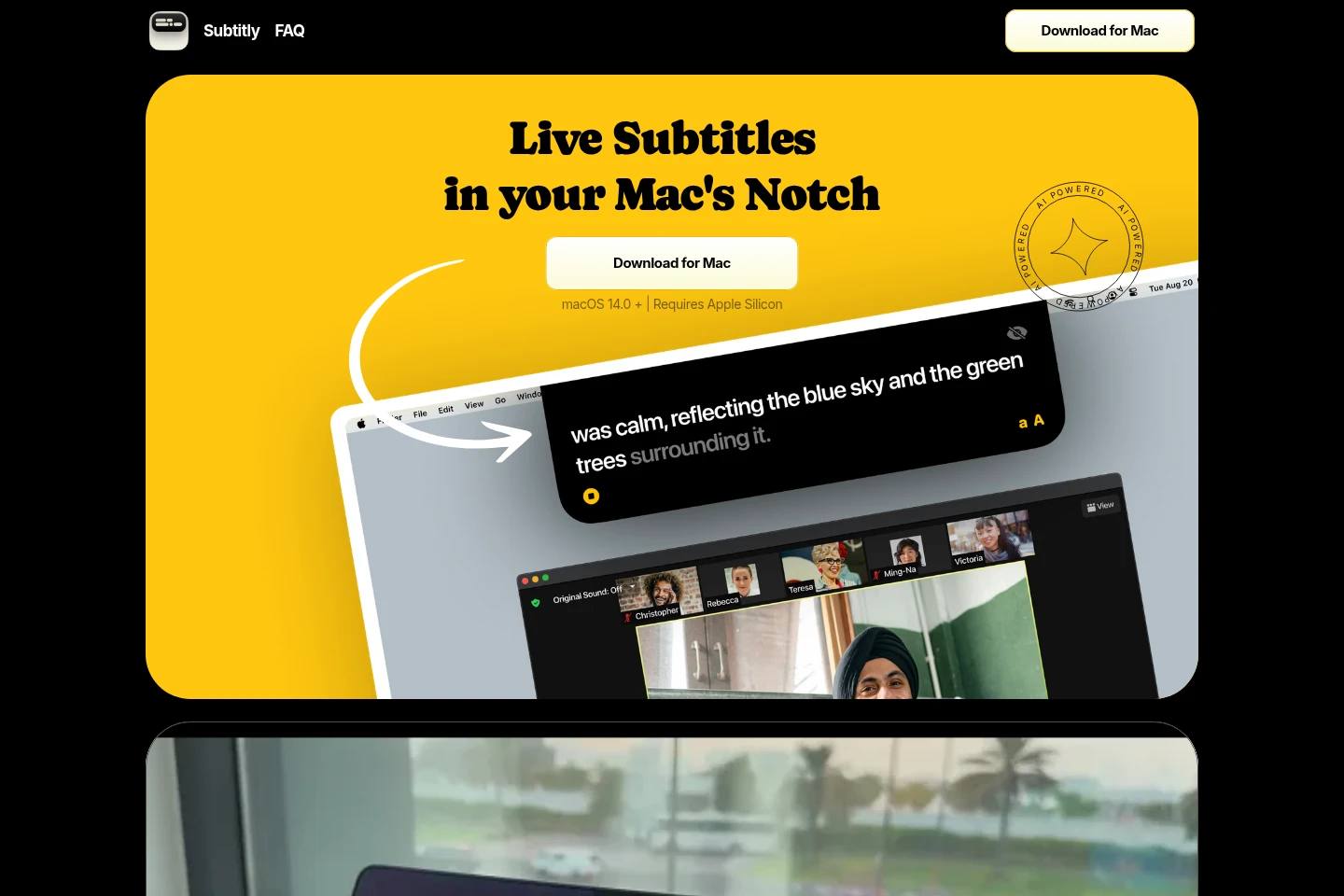
Subtitly displays live subtitles in the notch of supported Macs and works with calls, streams, videos, and other audio. Users can save recordings for later analysis and use translation features. The app requires macOS 14.0 or later and an Apple Silicon Mac. On-device AI processing, live translation, and vocabulary insights are marked as coming soon.
- AI Video
- Subtitle Generators
- Transcription
- Translators
- Mac live captions
- notch subtitles
- meeting transcription
Capabilities
Live audio captions
Displays live subtitles in the notch of a supported Mac. It works with calls, streams, videos, and other audio; use requires macOS 14.0 or later and Apple Silicon.
Recording storage
Saves recordings for later analysis and improvement. Recordings are created from audio used with the app; the supplied pages do not specify storage limits or retention conditions.
Translation
Lets users translate when they want. The page separately marks live translation and vocabulary insights as coming soon, so those specific functions are not presented as currently available.
Pricing
Subtitly is offered as a one-time lifetime purchase. Compare the displayed purchase price and lifetime access; the page shows $99.99 alongside $199.
| Plan | Price | Included features and limits |
|---|---|---|
| Lifetime | $99.99 one-time |
|
Use cases
Follow spoken audio with live captions
When following a call, stream, video, or other audio is difficult, use Subtitly to display live subtitles in the Mac’s notch. A Mac running macOS 14.0 or later with Apple Silicon is required.
Review saved recordings for analysis
When a user wants to revisit audio after listening, save a recording with Subtitly and use it for analysis or improvement. The page does not specify recording limits or the available analysis tools.
Translate subtitle content when needed
When a user wants to understand content in another language, Subtitly offers translation on demand. Live translation is listed as coming soon, and the page does not identify supported languages.
Limitations
The app requires macOS 14.0 or later and a Mac with Apple Silicon.
On-device AI processing, live translation, and vocabulary insights are marked as coming soon, not currently available features.
Who it is for
People following calls and media in a non-native language
Mac users who want live captions for calls, streams, videos, or other audio
FAQ
What does Subtitly do?
Subtitly displays live subtitles in the notch of a supported Mac. It works with calls, streams, videos, and other audio.
Which Mac is required to use Subtitly?
A Mac with Apple Silicon running macOS 14.0 or later is required. The page does not specify support for Intel Macs or earlier macOS versions.
What languages does Subtitly support?
The supplied page does not identify supported languages. It mentions translation, but does not list languages.
How does Subtitly handle my data?
The page does not explain current data handling. On-device AI processing is marked as coming soon, so it should not be treated as a description of current processing.
Comments