
- Monthly visits
- 13,772
- 2026-10
Silk - A desktop AI assistant that works across your apps
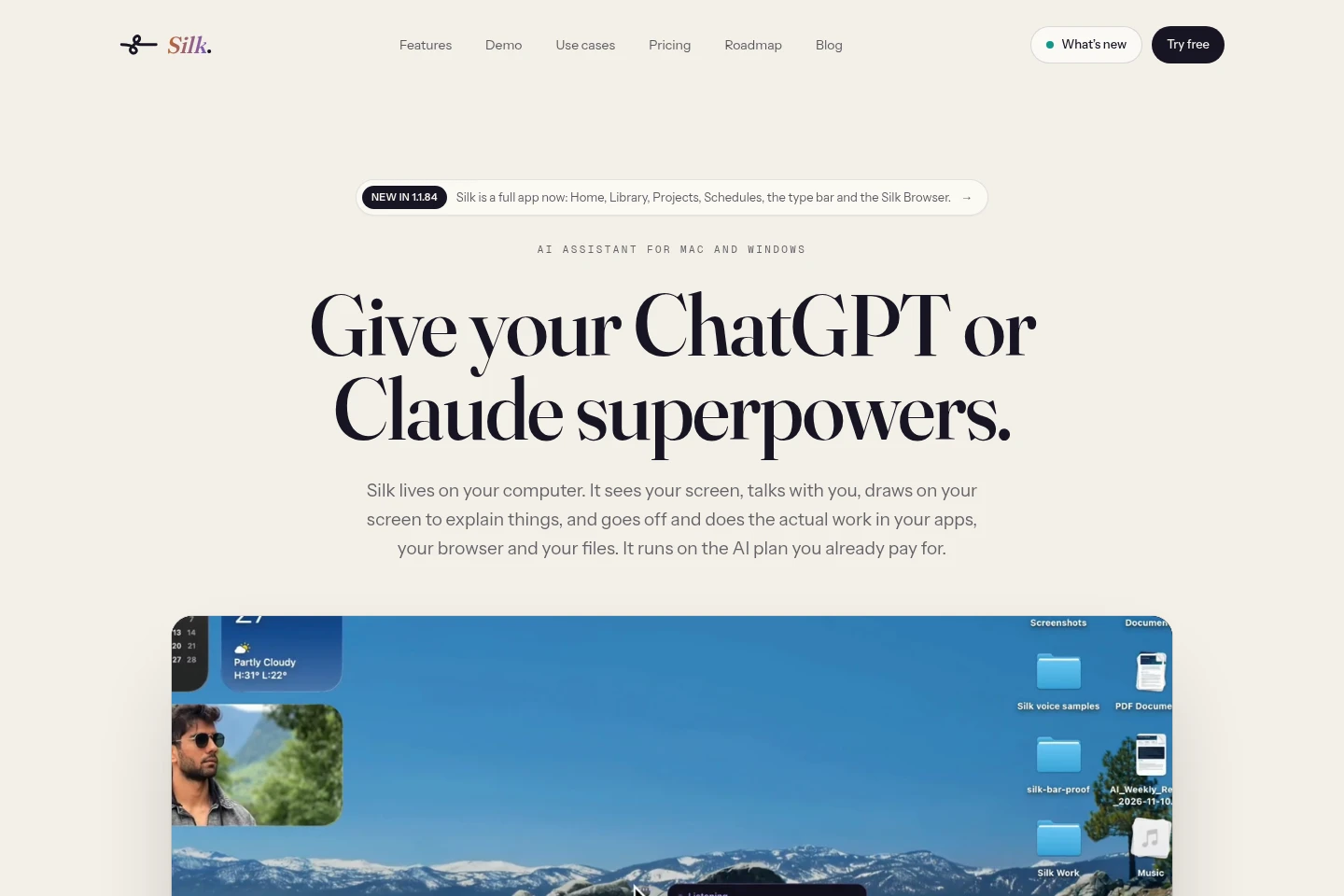
Silk is a desktop AI assistant for Mac and Windows. It can see and explain your screen, operate apps and a Chrome profile, and run tasks in the background while you work. It creates files, reads web pages, connects to other apps, and supports scheduled tasks, reusable skills, projects, and resumable conversation history. Use a ChatGPT or Claude plan, or connect an OpenRouter key.
- AI Agents
- General AI Agents
- Desktop Automation
- MCP Servers
- desktop AI assistant
- AI computer agent
- Mac Windows automation
Capabilities
Background task execution
Runs multi-step jobs in apps and the browser, then saves completed files to a folder. Users can follow a live plan, add queued instructions, and run multiple tasks at once on paid plans.
Screen-based guidance
Explains what is visible on screen with spoken answers and visual annotations. It can circle controls, draw arrows and charts, and create interactive 3D models.
App and MCP connections
Connects to more than 40 named apps with one-click connections and supports adding MCP servers. Silk can use these connections while carrying out tasks.
Reusable skills
Provides 41 built-in skills for tasks such as newsletters, invoices, and lead lists, and can write new skills on request. Users can also save a completed run or teach a skill by demonstrating it.
Scheduled tasks
Schedules tasks described in plain language, such as emailing orders on weekdays. Tasks run on schedule while the computer is on and Silk is open.
Pricing
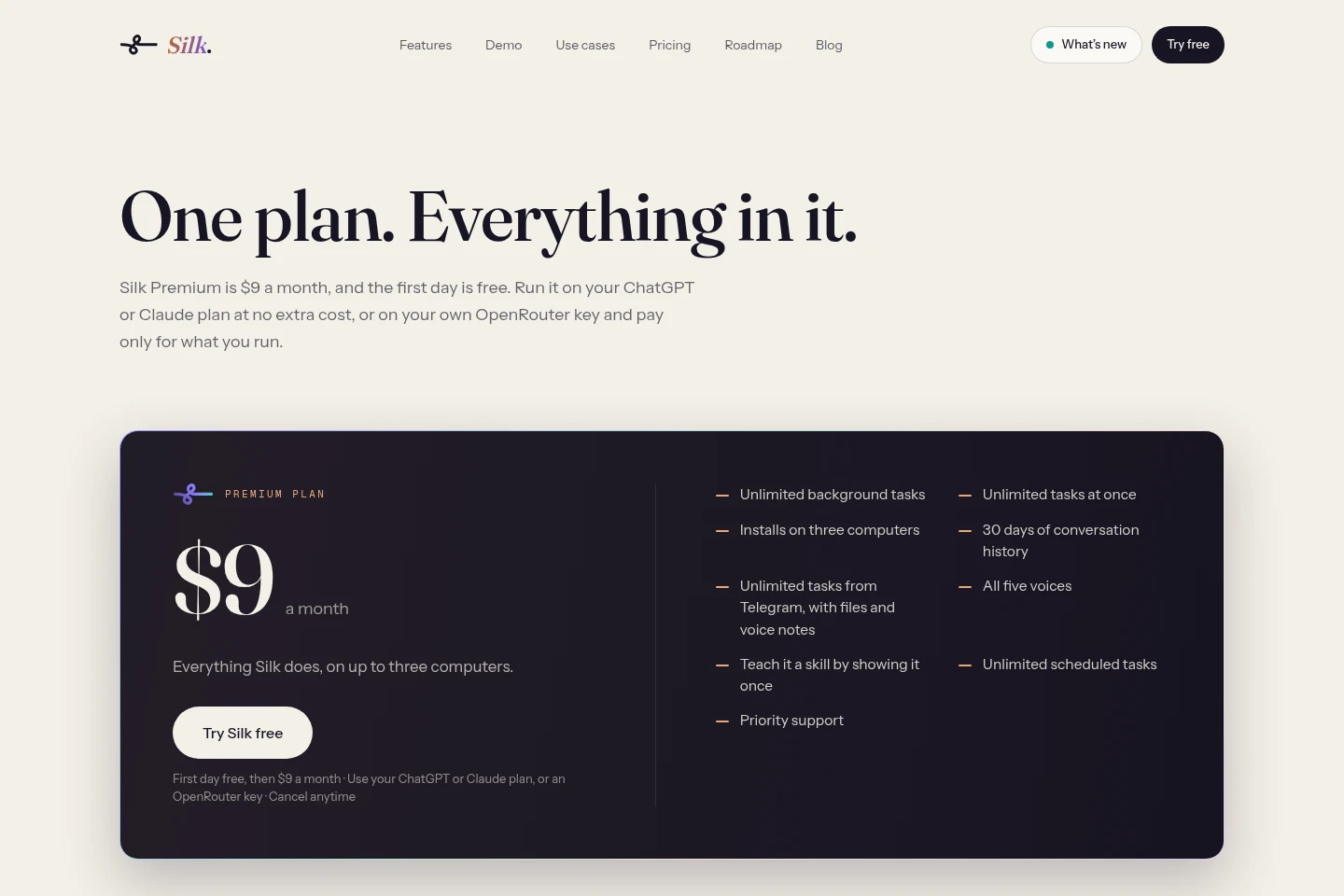
Silk offers a paid recurring Premium Plan, with the first day free. Compare the included task, schedule, history, device, and support allowances, and account for separate model usage when using an OpenRouter key.
| Plan | Price | Included features and limits |
|---|---|---|
| Premium Plan | $9 a month; first day free |
|
Using a ChatGPT or Claude plan adds no extra Silk model charge. With an OpenRouter key, model usage is billed separately according to usage; Silk says costs depend on the selected model.
Use cases
Create files while other work continues
When a report, spreadsheet, document, PDF, code file, or image needs to be prepared, hand the task to Silk and return to other work. Silk runs the job in the background and saves the finished file in a folder.
Complete tasks in apps and websites
When work requires changing a website, uploading a file, or using an app, Silk can operate the apps on the computer and a separate Chrome profile. It can use saved logins and asks the user to handle a password when a site requires one.
Research information across web pages
When a task requires web research, Silk searches and reads pages, or examines the page already open when asked. It can use the findings in a background job and save resulting files to a folder.
Schedule recurring computer tasks
When a task should recur at a specified time, describe the schedule in plain language. Silk runs the job while the computer is on and Silk is open; Telegram can also be used to schedule and check jobs.
Limitations
Scheduled tasks run only while the computer is on and Silk is open.
Silk hands password entry to the user when a website requires a password.
Silk’s suggestion cards can read and draft, but do not send, post, or spend.
Moving a licence to a new computer requires signing out on the old one; use is limited to three computers at a time.
Who it is for
Solo entrepreneurs who want computer-based work carried out across their apps
People who handle recurring file, browser, and app tasks on Mac or Windows
ChatGPT or Claude users who want an assistant to take actions in their computer apps
FAQ
What does Silk cost?
The Premium Plan costs $9 a month, with the first day free. ChatGPT or Claude plan use has no extra Silk model charge; using an OpenRouter key is billed by usage.
Which AI accounts or keys can I use?
You can sign in with a ChatGPT account on Free, Go, or Plus, a Claude Pro or Max plan, or connect an OpenRouter key. OpenRouter supports models including Claude, GPT, and Gemini.
Can I cancel the Premium Plan?
Yes. Cancel any time from your account, and access continues through the end of the month you paid for.
How many computers can use my Silk licence?
The Premium Plan can be installed on up to three computers at a time. To move to another computer, sign out on the old one and sign in on the new one.
Does Silk work when my computer is off?
No. Scheduled jobs run while your computer is on and Silk is open.
Comments