

- Monthly visits
- 3,324
- 2026-09
- Monthly growth +282.9%
SearchByVideo - Search inside your videos and jump to the moment
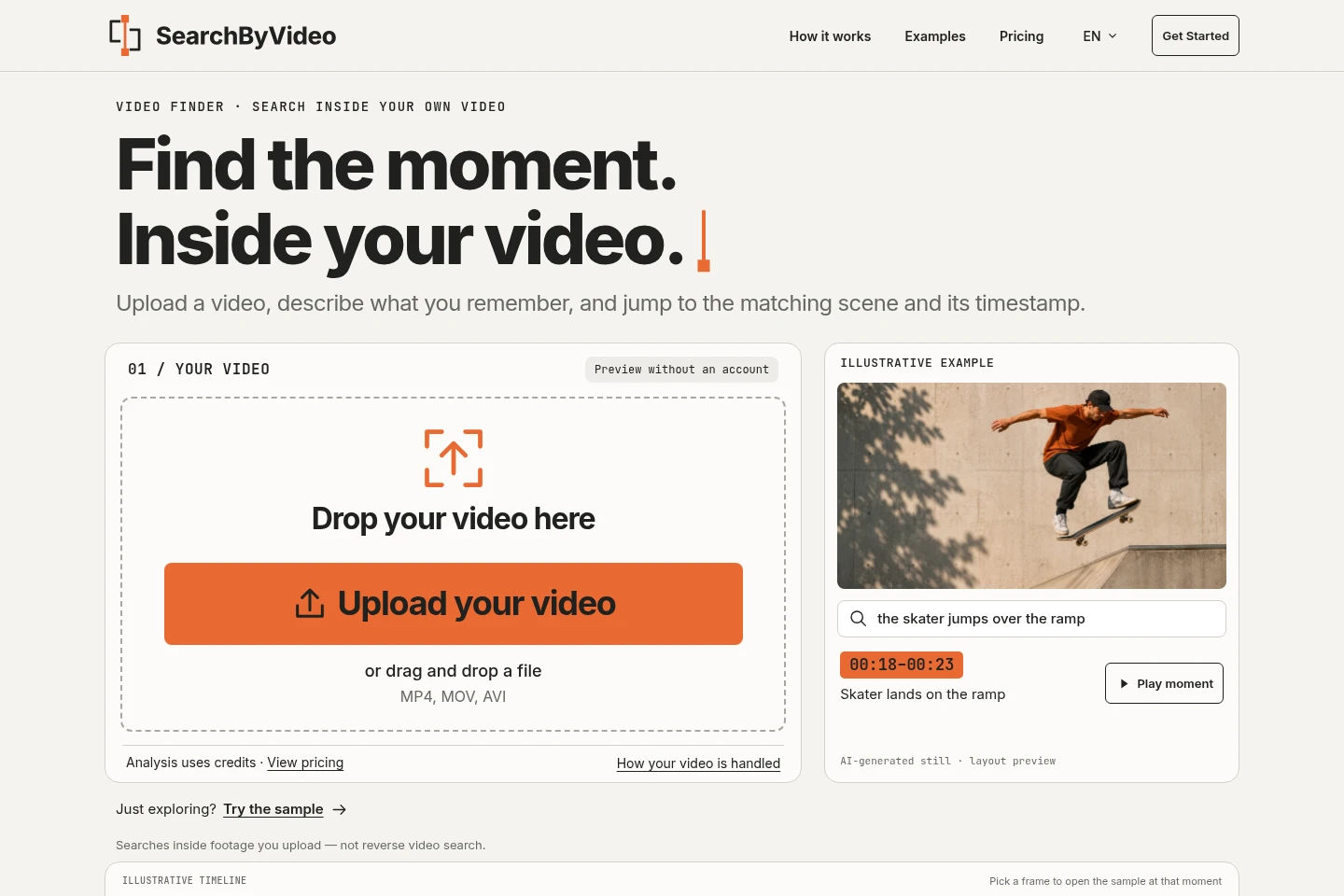
SearchByVideo analyzes uploaded video footage and creates timestamped descriptions of its segments. Describe a scene, object, action, sound, or on-screen text in plain language to find matching moments and jump to them in the player. It searches videos you upload; it is not a reverse video search or a clip editor.
- AI Data Tools
- Video Summarizers
- Clip Makers
- AI video search
- search inside video
- find video moments

Capabilities
Plain-language scene search
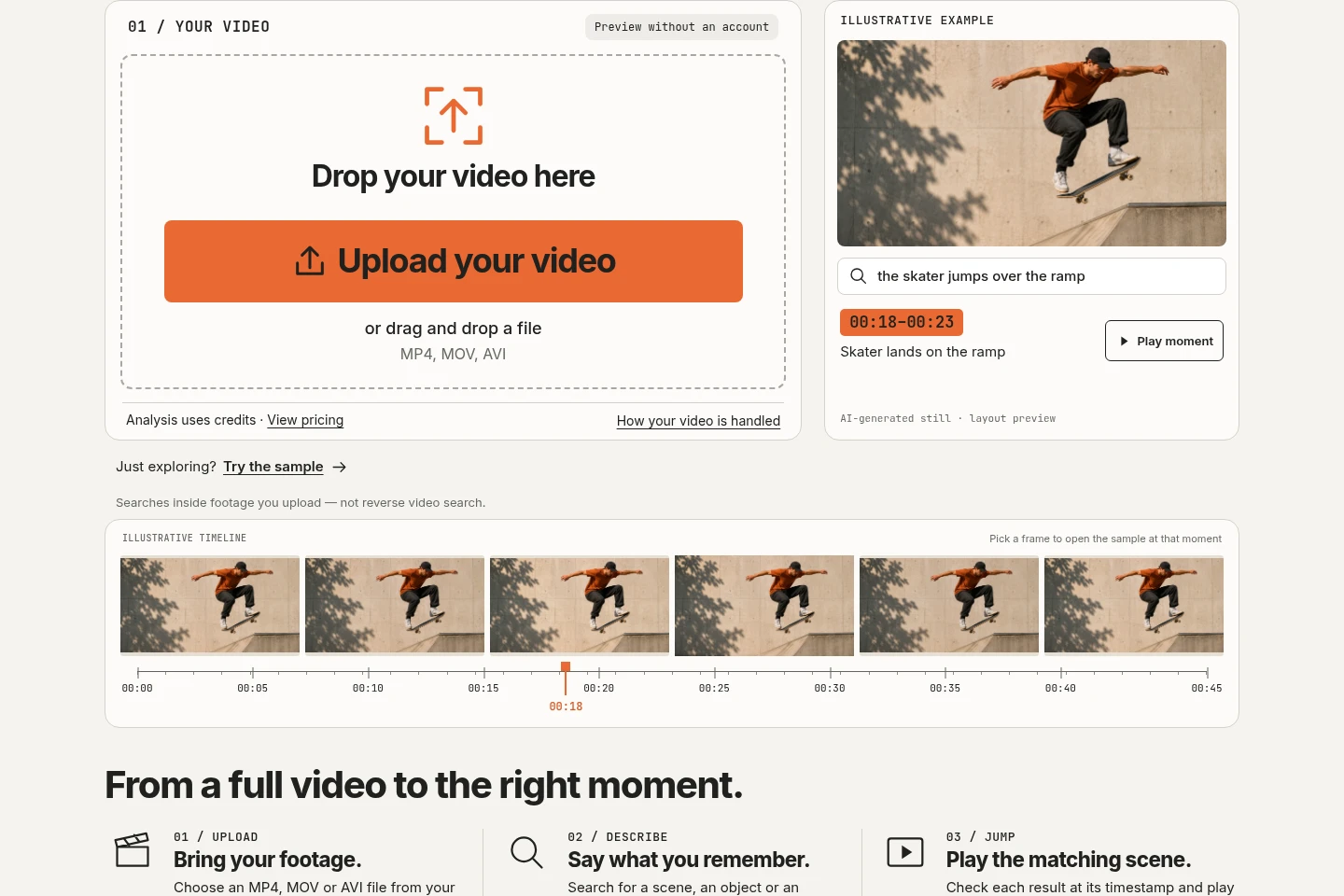
Finds matching segments and returns their timestamps and descriptions. Enter a natural-language description of a scene, person, action, object, or setting; the video must first be analyzed.
On-screen text search
Finds segments containing text visible in the video and returns their timestamps. Search for slide titles, captions, signs, or labels after the footage has been analyzed.
Audio and visual indexing
Creates timestamped descriptions from video picture and sound for later searching. Upload a supported video and the AI analyzes people, actions, objects, settings, text, speech, sounds, and music.
Timestamped result playback
Moves the player to the start of a matching segment so you can inspect its context and note the timestamp. Results are confidence-scored, and low-scoring off-topic segments are hidden.
Pricing
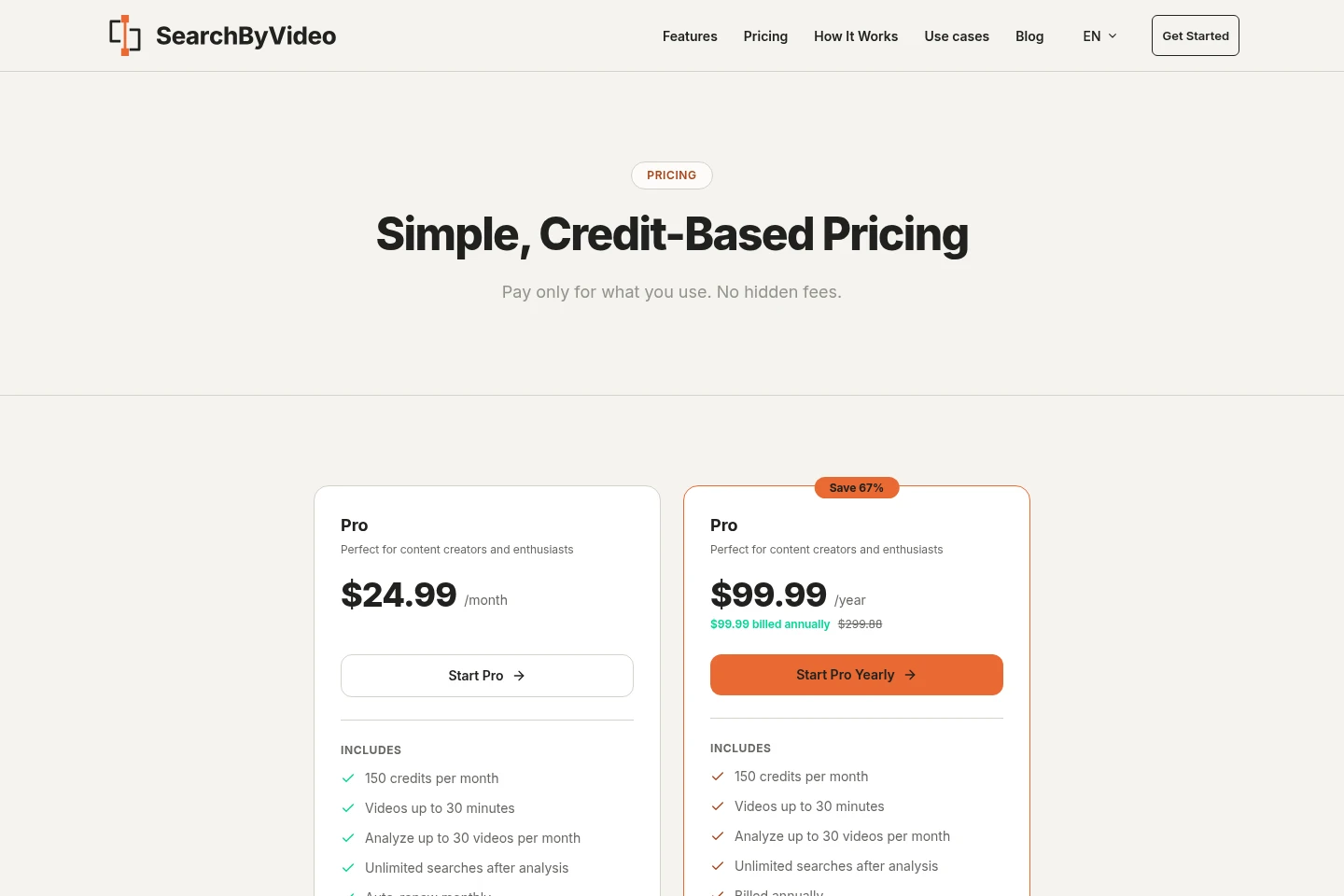
Pro is a paid subscription, billed monthly or annually. Compare the included monthly credits, video length limit, and analysis allowance; searches on an analyzed video are included at no extra credit cost.
| Plan | Price | Included features and limits |
|---|---|---|
| Pro | $24.99/month or $99.99/year, billed annually |
|
The first subscription has a 7-day money-back guarantee. Plans can be changed at any time; upgrading gives immediate access to the new plan's features.
Use cases
Find a specific shot in raw footage
When editing a recording, describe a remembered reaction, action, or b-roll shot. SearchByVideo returns a matching segment and timestamp so you can check it in the player and trim it in your own editor.
Locate a point in a recorded lecture
When you need a concept or slide from a recorded lecture or webinar, describe what appears or happens. Search the analyzed recording and jump to a matching timestamp.
Retrieve a moment from a video archive
When looking for a particular event in personal or shared recordings, describe the scene, object, or action. Search the analyzed video and use the returned timestamp to revisit that moment.
Limitations
Only MP4, MOV, and AVI uploads are supported; WebM files must be converted to MP4 first.
Videos are limited to 30 minutes on Pro and 5 minutes without an active subscription; longer videos are rejected before credits are charged.
Each new video analysis costs 5 credits regardless of length; searching an already analyzed video costs no additional credits.
Each analysis must finish within the server's 120-second limit; credits are automatically returned if analysis fails or finds nothing.
Uploaded video files are deleted after 7 days, although the search index remains available.
SearchByVideo does not perform reverse video search, cut or export clips, or provide a public API; users trim clips in their own editor.
Who it is for
Video creators and editors who need to locate specific shots in raw footage
Educators and students who need to revisit moments in recorded lectures or webinars
People with personal or shared video archives who need to retrieve a particular recorded moment
FAQ
What does SearchByVideo do?
It searches inside videos you upload. After AI analysis describes picture and sound segment by segment, enter a plain-language description to find matching timestamps and jump to those moments.
What can I search for in a video?
You can search for scenes, objects, actions, people, settings, and on-screen text. Analysis also describes speech, sounds, and music; searching works on silent footage too.
Which video formats and lengths are supported?
MP4, MOV, and AVI are supported; WebM is not. Videos can be up to 30 minutes on Pro or 5 minutes without an active subscription, and longer files are rejected before credits are charged.
How do credits and repeat searches work?
A new video analysis costs 5 credits regardless of video length. Further searches on that analyzed video cost no additional credits, and monthly credits expire at the end of each billing cycle.
How long are uploaded videos kept?
Uploaded video files are deleted automatically after 7 days, while their search index remains available. Contact support to request earlier deletion of an analysis or account data.
Does SearchByVideo find a clip's source or edit the clip?
No. It searches footage you upload and returns timestamps; it does not find where a clip came from on the web or cut, export, or download clips. Use your own editor to trim footage.
Comments