

- Monthly visits
- 1,873
- 2026-10
- Monthly growth +116.5%
Rirekisy - Create a Japanese résumé and download it as a PDF
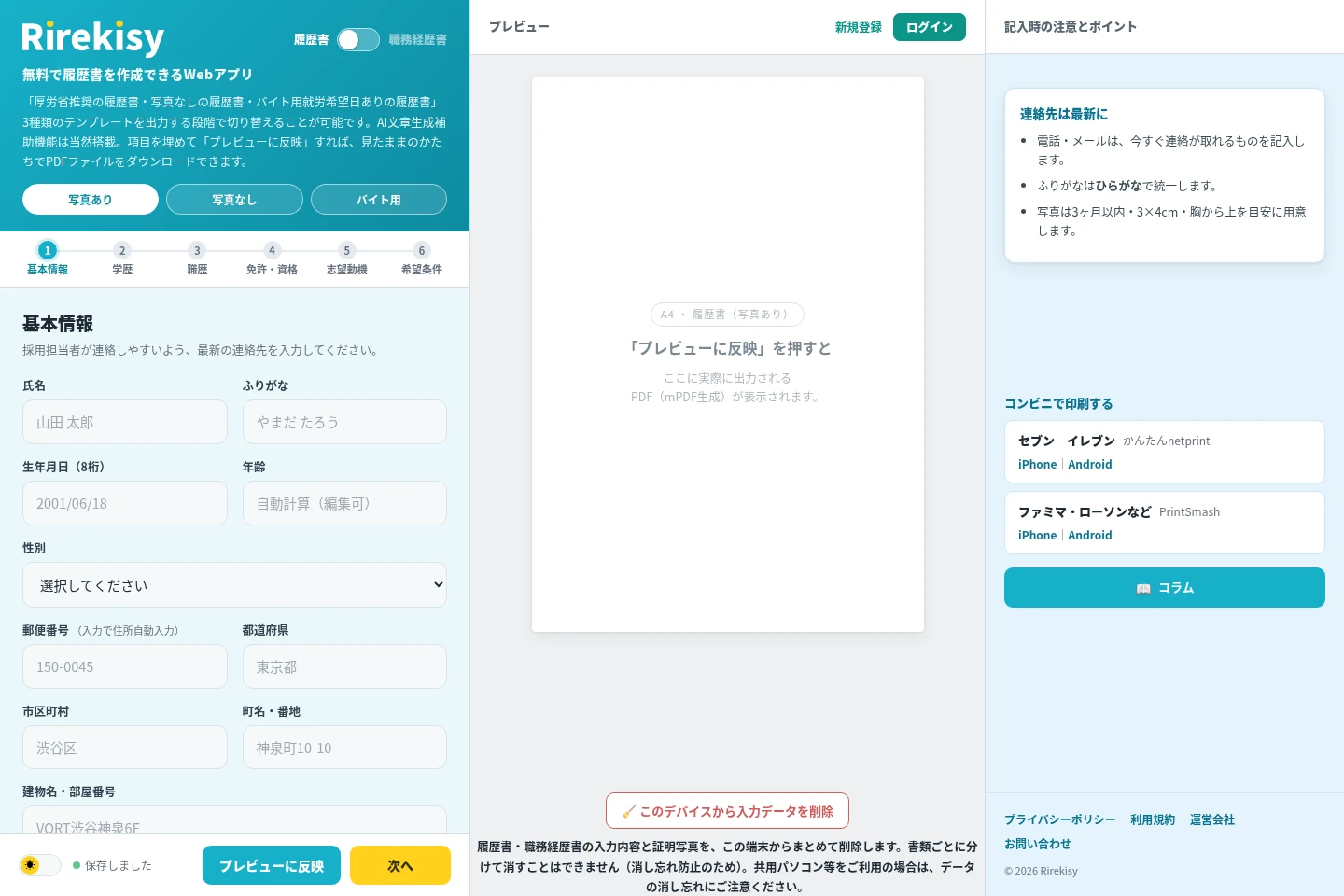
Rirekisy is a free web app for creating Japanese résumés on a phone or computer. It supports templates with or without a photo and a part-time job template, assists with résumé writing using AI, and can process a selfie into a recruitment-style ID photo. Review the document in a preview and download it as a PDF.
- AI Career
- Resume Builders
- Headshot Generators
- Writing Assistants
- Japanese résumé maker
- AI résumé photo editing
- résumé PDF generator
Capabilities
Japanese résumé templates
Create a résumé using one of three templates, including a Ministry of Health, Labour and Welfare-recommended format, a no-photo format, and a part-time job format. Choose the template when preparing the output.
AI writing assistance
Get AI assistance drafting résumé text, including the motivation, skills, and self-promotion section. Enter the relevant information and use the AI writing action in that section.
AI ID photo editing
Turn an uploaded or camera-captured photo into a recruitment-style ID photo. The AI applies a suit, pale blue background, and lighting correction without changing the face; photo processing takes about 10–30 seconds.
PDF preview and download
Preview the completed résumé and download it as a PDF. Enter the form details, apply them to the preview, and choose the required template; the site also allows output without creating an account.
Education year calculation
Calculate standard school entry and graduation years from the entered birth date. Users can adjust the education history, including whether to include junior high school and how to handle enrollment duration or gaps.
Pricing
Rirekisy is free to use, with no paid plans listed on the supplied pages. Choose the résumé template and photo option that fit the application; AI writing assistance, ID-photo processing, and PDF download are described as free.
Use cases
Create a résumé for a job application
When preparing a Japanese job application, enter personal details, education, work history, qualifications, and desired conditions. Choose a photo or no-photo template, check the preview, and download the résumé as a PDF.
Prepare a part-time job résumé
When applying for part-time work, use the dedicated template to record preferred workdays, hours, start date, and weekly workdays. Review the completed document and download it as a PDF.
Make a recruitment-style ID photo
When a résumé needs an ID photo, upload a phone photo or take one with the camera, adjust its position, and request AI processing. The result uses a suit, pale blue background, and lighting correction without changing the face.
Limitations
The AI ID-photo processing changes clothing, background, and lighting, but the site says it does not change the face.
The AI ID-photo processing takes about 10–30 seconds, according to the site.
When deleting saved form data from a device, the résumé data and ID photo are deleted together; they cannot be deleted separately.
The education-year calculation supplies standard years, and the school name must be edited afterward.
Who it is for
People preparing a Japanese résumé for a job application
Applicants who need to state preferred shifts on a part-time job résumé
Job applicants who want to create and export a résumé from a phone
FAQ
Can I create a résumé without an account?
Yes. The site offers an option to output a résumé without creating an account. Account registration is needed to save created document data for later reissue.
What résumé formats can I choose?
You can choose among three formats at output: a Ministry of Health, Labour and Welfare-recommended résumé, a résumé without a photo, and a part-time job résumé with preferred workdays.
What does the AI do to an ID photo?
It creates a recruitment-style photo by applying a suit, pale blue background, and lighting correction. The site says the face is not changed, and processing takes about 10–30 seconds.
Can I save my résumé and issue it again later?
Yes. Registering for an account lets you save created document data and reissue it later. The site also provides an option to output without creating an account.
Can I delete the information saved on my device?
Yes. The site provides an option to delete résumé and work-history input and the ID photo from the device. They are deleted together, not separately.
Comments