

- Monthly visits
- 1,969
- 2026-09
- Monthly growth -4%
RenamerX - Rename and organize files with local AI
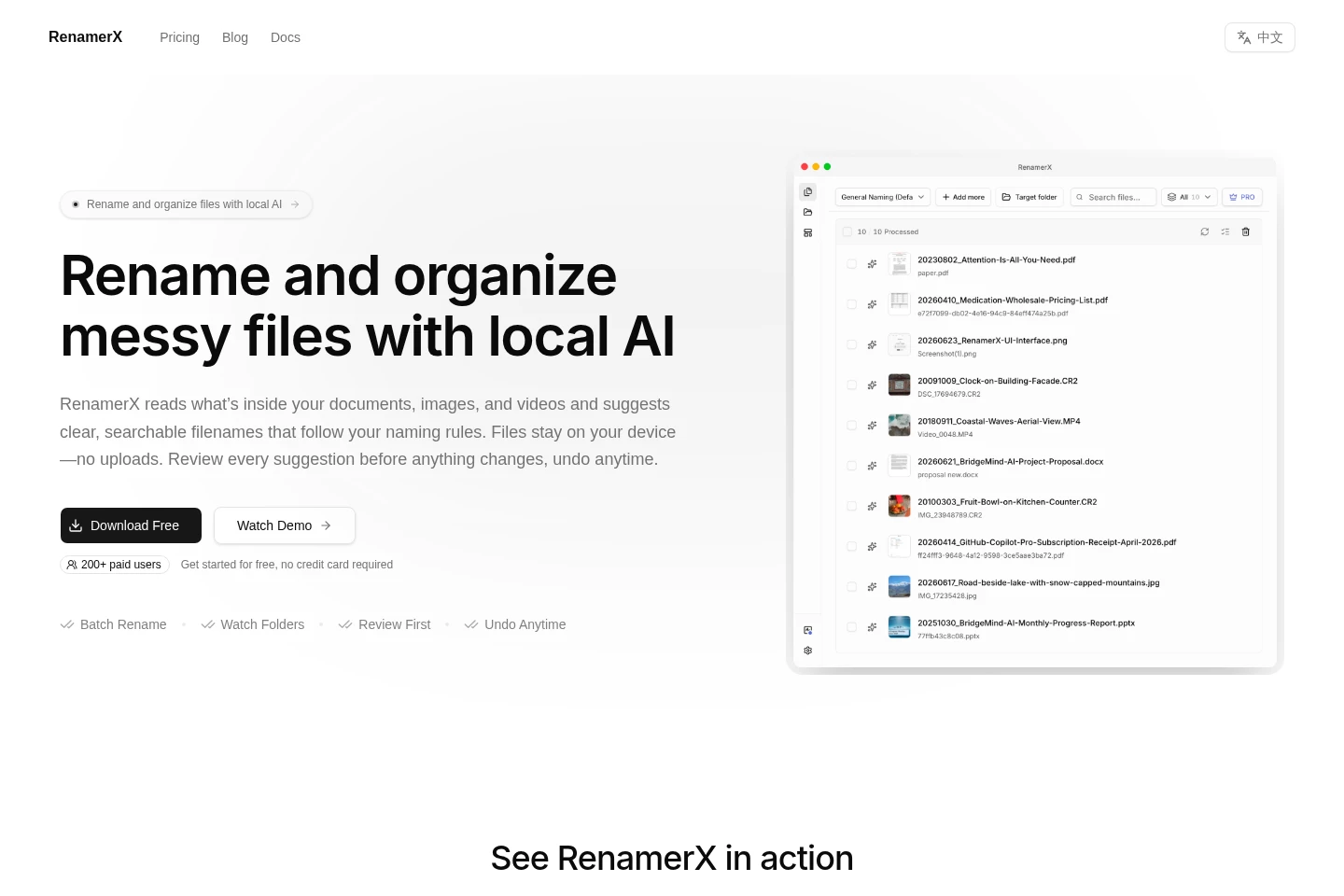
RenamerX reads content in documents, images, and videos to suggest filenames that follow reusable naming templates. Review and edit suggestions before applying batch changes, organize files into folders, and undo changes when needed. Files stay on your device; watch folders can process settled incoming files automatically.
- AI Productivity
- File Organization
- AI file renamer
- local file organizer
- batch file renaming
Capabilities
Content-based file naming
Reads document, image, and video content and suggests filenames using a naming template. Users define fields such as dates, clients, or amounts, then review and edit suggestions before applying them.
Batch file organization
Renames files in bulk and can place them into Subject, Type, or Project folders. Users add files or folders, review proposed changes, and apply or undo the resulting organization.
Watch-folder automation
Monitors selected folders and can process incoming files after file activity settles. Users can review suggestions first or use Auto Apply, which is available on Pro.
Pricing
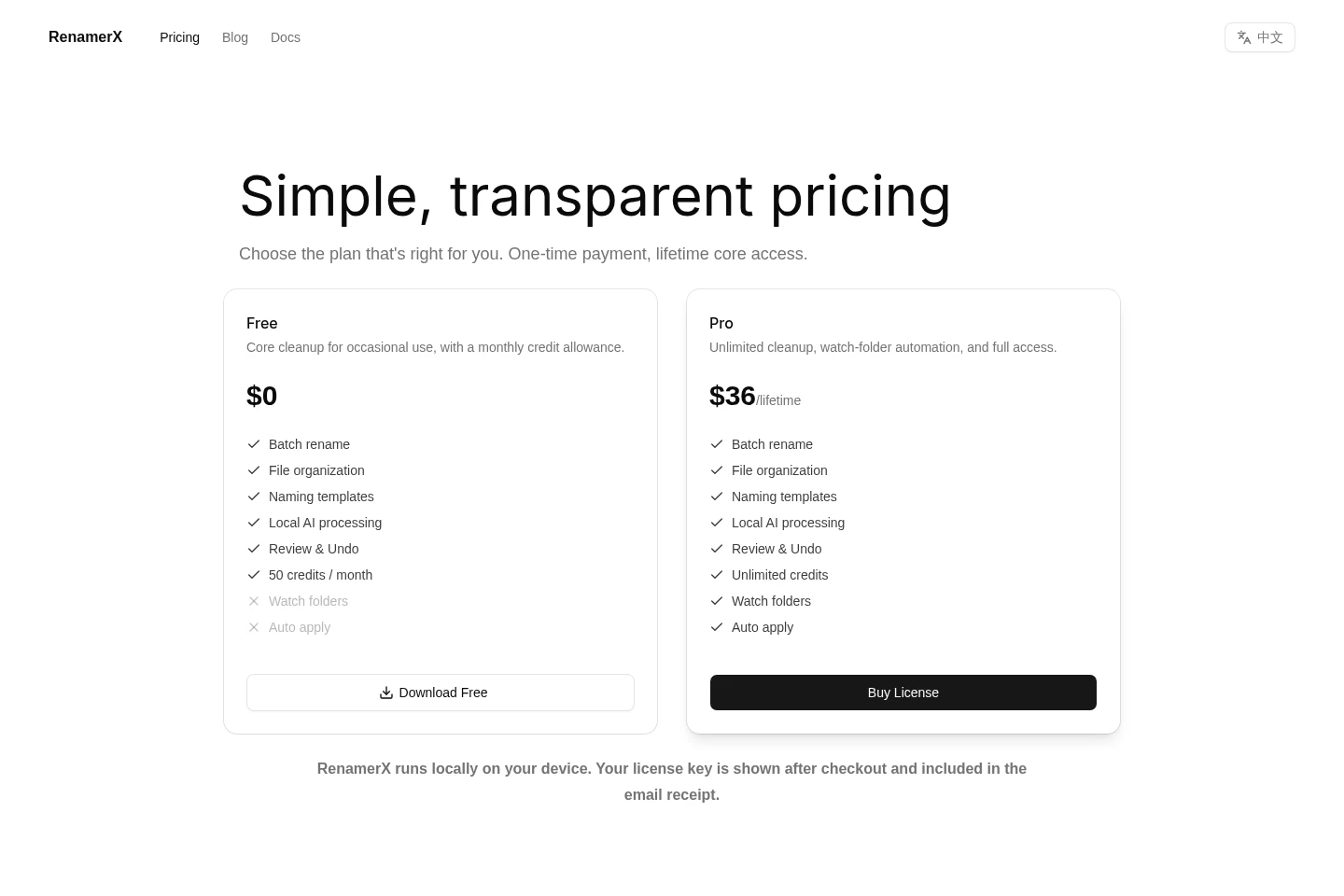
RenamerX offers a free plan and a paid Pro lifetime license, billed as a one-time purchase. Compare the monthly credit allowance, unlimited credits, and whether you need Watch folders or Auto Apply.
| Plan | Price | Included features and limits |
|---|---|---|
| Free | $0 |
|
| Pro | $36/lifetime |
|
The license key appears after checkout and is included in the email receipt. Core features keep working forever.
Use cases
Clean up a collection of messy files
When documents, images, or videos have unclear names, add a batch or folder to RenamerX and choose a naming template. Review the suggested names, correct exceptions, and apply the changes in bulk.
Organize files arriving in watched folders
When files regularly arrive in a folder, configure a watch folder to process them after they settle. RenamerX can suggest consistent names and organize files into folders; Pro includes Auto Apply.
Limitations
Built-in Local AI runs on Apple silicon and Windows x64 PCs with a compatible GPU; setup checks compatibility and downloads about 3.4 GB of model files.
The Free plan allows 50 credits per month and does not include Watch folders or Auto Apply.
Watch-folder Auto Apply is a Pro feature; the Free plan lists Watch folders and Auto Apply as unavailable.
Who it is for
People who manage personal or small-team collections of documents, images, and videos
Users who receive files repeatedly and need consistent naming and folder organization
FAQ
Do files get uploaded when RenamerX processes them?
RenamerX says files stay on your device and are not uploaded automatically. Built-in Local AI processes files locally; connecting optional cloud providers such as OpenAI or Google Gemini uses those providers.
Can I review and undo filename changes?
Yes. Suggestions can be reviewed and edited before changes are applied, and applied changes can be undone. The review-first workflow is separate from Pro's Auto Apply option.
What are the Free and Pro plan prices?
Free costs $0 and includes 50 credits per month. Pro costs $36 for a lifetime license and includes unlimited credits; the purchase is a one-time payment.
Which computers can run built-in Local AI?
Built-in Local AI runs on Apple silicon and Windows x64 PCs with a compatible GPU. It downloads about 3.4 GB of model files, and RenamerX checks compatibility during setup.
Comments