


RemoveHandwriting - AI-powered handwriting removal tool for images and PDFs
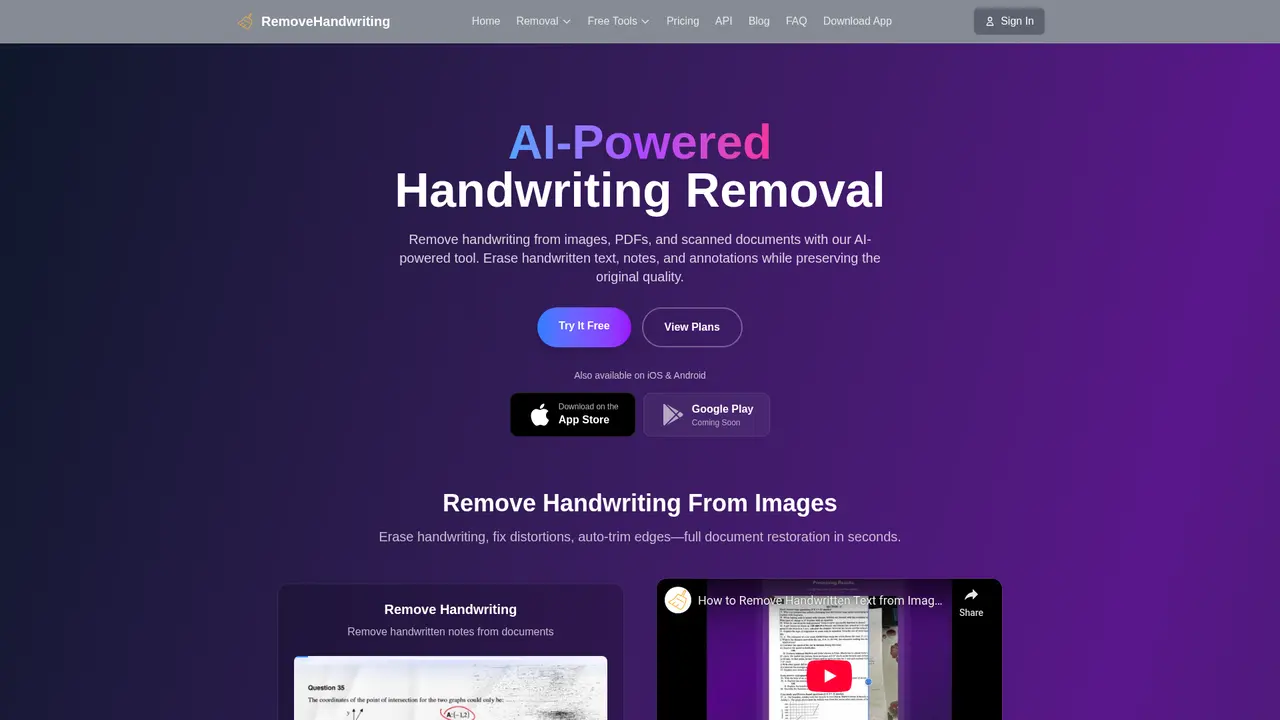
Launched on Feb 18, 2025Remove handwritten notes from images and PDFs using AI technology in just 5-10 seconds. With 95%+ accuracy, automatic document correction, and shadow removal. Includes free credits for new users and strict privacy protection.
Eliminate Handwriting from Documents in Seconds—Here's How
Ever spent hours meticulously erasing handwritten answers from a stack of graded exam papers, only to end up with smudged pages and wasted time? Or watched your child struggle with a workbook they've already completed, knowing there's no way to reuse it for practice? You're not alone—and this is exactly the problem RemoveHandwriting was built to solve.
:::card{type="summary" title="TL;DR"}
- AI-Powered Handwriting Removal: Removes handwritten content from images and PDFs in 5-10 seconds with 95%+ accuracy
- End-to-End Document Repair: Auto-corrects倾斜 documents, removes shadows, stains, and creases
- Privacy-First: Files automatically deleted after processing, never stored or used for AI training
- **Trusted by 10,000+ users globally with 4.9/5 average rating :::
The Frustration Is Real—And Solvable
Imagine you're a teacher returning from grading 150 final exams. Each paper is filled with your handwritten comments and student answers. Now imagine you need clean copies for next year's students. The traditional approach? Hours with an eraser, or expensive professional scanning services. The result? Inconsistent quality and exhausted time.
Now picture a corporate archivist dealing with decades of historical documents—contracts, meeting notes, client files—all buried under layers of handwritten annotations. Digitizing these should mean preserving the valuable printed content while removing the messy handwritten overlays. Instead, it's often a nightmare of manual editing.
Or consider the parent with a child in elementary school. Workbooks, worksheets, practice problems—they pile up completed, impossible to reuse. You buy new books constantly, spending money unnecessarily when the content is identical.
These aren't rare edge cases. They represent millions of documents processed every day by people who simply want clean, reusable digital versions of their papers.
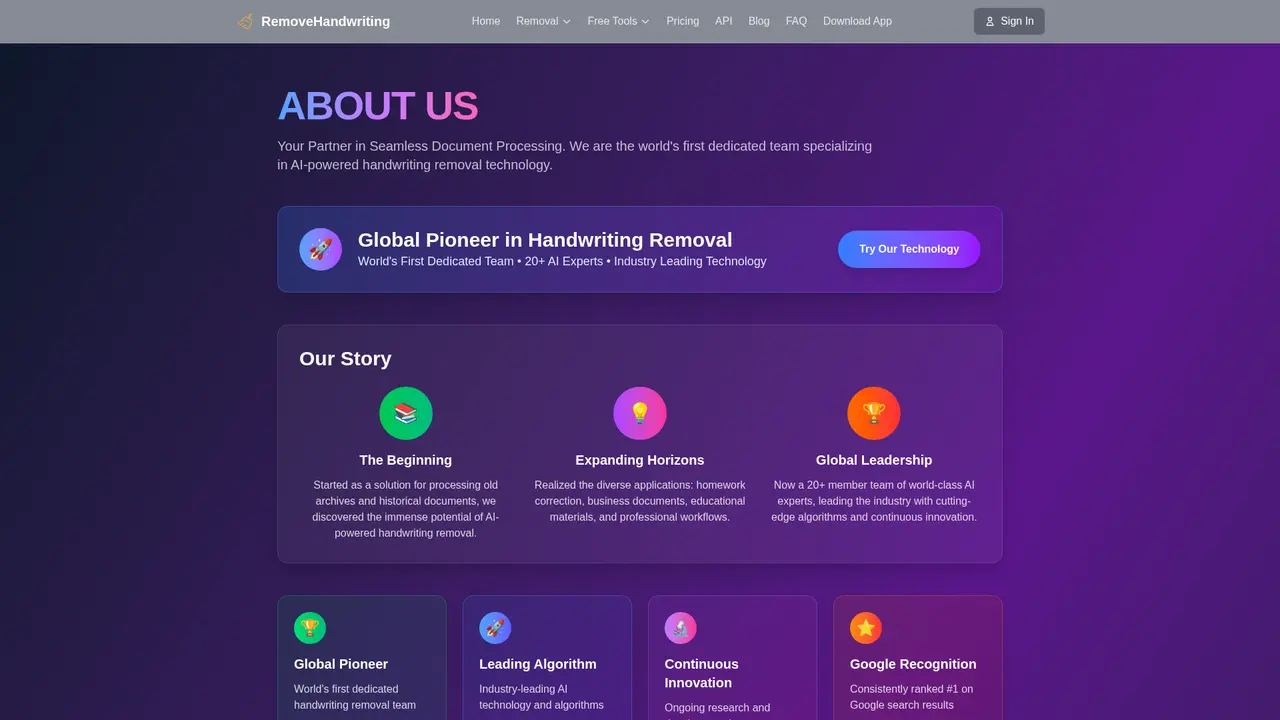
Meet RemoveHandwriting: The World's First Dedicated Handwriting Removal AI
RemoveHandwriting is an AI-powered tool specifically designed to identify and eliminate handwritten content from images and PDFs—while preserving everything else. Unlike generic image editing software that treats all content the same, our proprietary deep learning algorithms understand the difference between handwriting and printed text. They recognize handwriting patterns, strokes, and variations with remarkable precision.
But we didn't stop at just removing handwriting. We built a complete document repair toolkit:
- Auto-correction straightens tilted pages and repairs curled edges from scanning
- Shadow and stain removal restores old, damaged documents to readable condition
- Batch processing handles dozens of documents simultaneously
- Manual editing gives you precise control when you need it
The result is a clean, professional document in just 5-10 seconds. No expertise required. No expensive software. Just upload, wait, and download.
Why Thousands Choose RemoveHandwriting
We're not exaggerating when we say this tool transforms workflows. With over 10,000 active users worldwide processing millions of documents monthly, we've become the go-to solution for everyone from individual teachers to Fortune 500 companies. Our 4.9/5 rating reflects real results: people save hours every week, reduce costs significantly, and finally achieve the clean document archives they've needed.
We're proud to be recognized by leading institutions—from Harvard and Stanford to Microsoft and Google—and we're just getting started.
---
Core Features That Make the Difference
What makes RemoveHandwriting genuinely different isn't just one feature—it's the combination of powerful AI technology with thoughtful, user-centered design. Here's what you actually get when you start using the platform.
AI-Powered Handwriting Removal
The flagship feature that started everything. Our self-developed deep learning algorithm has been trained on millions of documents to precisely distinguish between handwriting and printed text. Whether it's ballpoint pen, pencil marks, highlighter strokes, or fountain pen, our AI recognizes it and removes it cleanly—leaving your printed content intact.
What this means for you: Upload a photo of a graded essay, wait 5-10 seconds, and download a clean copy with only the printed text visible. Perfect for reusing exam papers, clearing student workbooks, or archiving documents. The 95%+ accuracy rate means most documents require zero manual intervention.
Batch Processing
Why process one document at a time when you have fifty? Our batch processing feature lets you upload multiple images at once. The system queues them automatically and processes them in parallel, optimizing resources for maximum efficiency.
What this means for you: Teachers uploading a entire class's worth of quizzes. HR departments processing stacks of completed forms. Archivists tackling entire filing cabinets. You upload, walk away, and collect your processed files when ready.
PDF Handwriting Removal
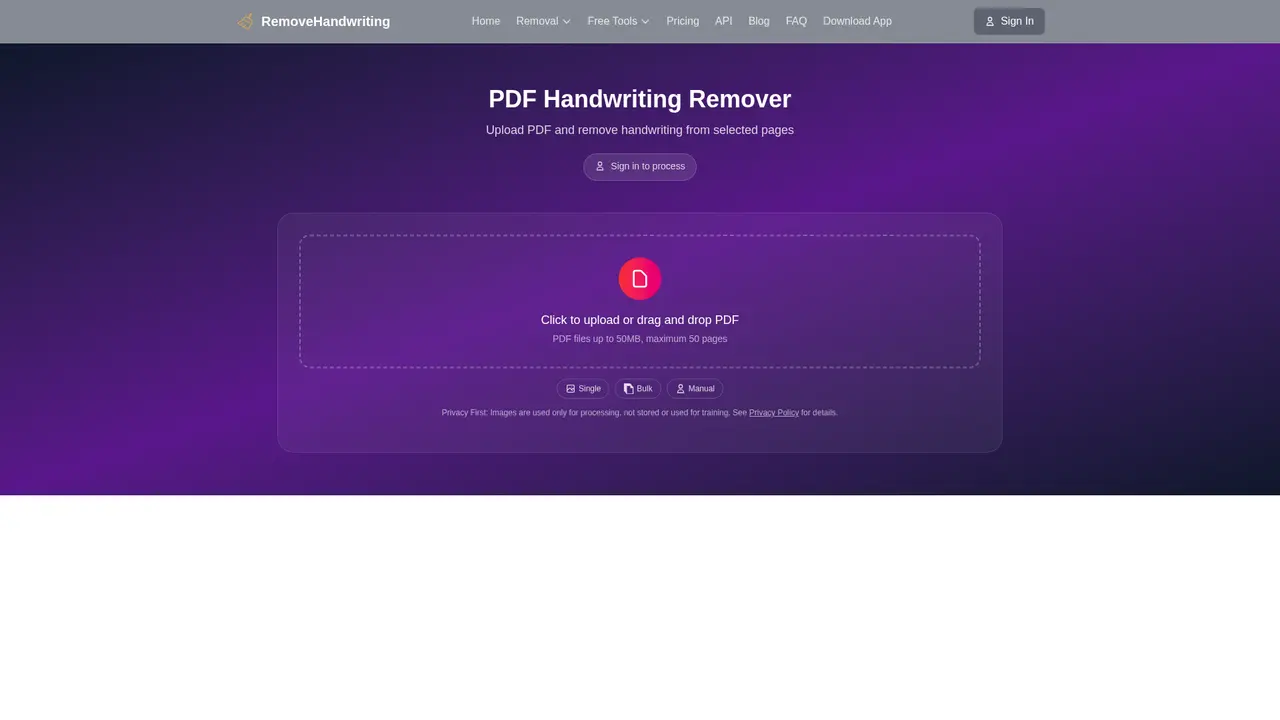
PDFs require special handling, and we've built an entire dedicated workflow just for them. Upload any scanned PDF, select the specific pages needing processing, and receive a clean PDF back. Multi-page contracts, entire textbooks, lengthy legal documents—handle them all without converting to images first.
What this means for you: No more converting PDF to image, processing, then reconstructing. One upload, page selection, and download. The final PDF maintains your original quality and formatting.
Automatic Document Correction
Scanned documents often arrive at odd angles, with curved edges from book scanning or shadows from poor lighting. Our auto-correction feature detects document boundaries, straightens tilted pages, and repairs those frustrating curved edges automatically.
What this means for you: Snap a photo of a document at any angle, and the system fixes it. No more manual rotation or cropping. What was once an unusable scan becomes a perfectly aligned, professional-looking file.
Shadow and Stain Removal
Old documents tell important stories, but their physical condition often obscures the content. Our image enhancement algorithms remove background shadows, water stains, fold marks, and general wear—revealing the readable text underneath.
What this means for you: Heritage archives become searchable. Family documents become legible. Historical records become usable for research. That 50-year-old handwritten letter doesn't need to stay faded and difficult to read.
Manual Editing Mode
AI isn't perfect—and that's okay. Some documents have content that shouldn't be removed: a specific annotation, a handwritten signature, marginal notes that carry meaning. Our manual editing mode lets you refine the AI's work after processing, adjusting exactly what stays and what goes.
What this means for you: Complete control over the final output. Like a digital eraser that works with precision, not against your needs. Handle complex documents with confidence.
::::grid :::card{type="advantages"}
- Precision: 95%+ accuracy means minimal manual corrections needed
- Speed: 5-10 second processing beats manual editing by hours
- Versatility: Handles images and PDFs, typed text and graphics
- Privacy: Files deleted immediately, never stored or trained on
- Accessibility: Free tier available, mobile apps coming soon ::: :::card{type="disadvantages"}
- Accuracy varies: Complex layouts or unusual fonts may need manual review
- Credit system: Heavy users need to monitor credit usage
- Internet required: Needs connectivity to process documents ::: ::::
Free Tools Included
Beyond the core features, we offer complementary free tools: convert images to PDF or split existing PDFs. Lightweight utilities that round out your document management needs—at no cost.
---
Who Is RemoveHandwriting For?
Wondering whether this tool fits your specific situation? Here's how different people use RemoveHandwriting in their daily work—and maybe you'll see yourself here.
:::card{type="tip" title="💡 Not sure which category fits you?"} Start with our free 3 Credits—no credit card required. Upload one document, see the results, then decide if a subscription makes sense for your volume. :::
Educators and Teachers
Every teacher knows the cycle: grade papers, erase answers, copy clean versions, repeat. It's tedious, time-consuming, and frankly, not the best use of your expertise. With RemoveHandwriting, you upload photos of graded quizzes, and seconds later have pristine copies ready for next year's students.
The real impact: What took hours now takes minutes. You reclaim time for actual teaching—and your department budget appreciates not printing fresh copies constantly.
Students
Finished your workbook but want to practice again? Your parents won't buy a new copy? Scan the pages, remove your answers, and you've got a fresh practice set. Perfect for exam prep when you want to re-test yourself on material you've already seen.
The real impact: Save money on new books. Get unlimited practice opportunities from resources you already have.
Enterprise Document Managers
Organizations accumulate decades of paper documents—contracts with handwritten amendments, old files with historical annotations, scanned records needing digitization. Batch processing handles the volume, and the AI ensures consistent quality across thousands of files.
The real impact: Finally achieve the clean digital archive you've been chasing. Searchable, organized, professional—without hiring temporary staff for manual cleanup.
Archivists and Librarians
Historical documents often arrive damaged: faded ink, water stains, fold lines from decades of storage. Our repair features don't just remove handwriting—they restore legibility to compromised materials, making research possible where it wasn't before.
The real impact: Preserve history more accurately. Make collections accessible to researchers who otherwise couldn't use them.
Business Professionals
Contracts often include handwritten modifications, initials in margins, or notes that need to be removed for final versions. RemoveHandwriting handles these nuanced requirements precisely, preserving the printed contract while clearing the handwritten elements.
The real impact: Clean, professional document versions for archiving. Clear communication without ambiguity.
Parents and Families
Kids complete worksheets, coloring pages, and workbooks constantly. Rather than constantly purchasing new materials, scan and clean the documents for reuse. Print blank versions for younger siblings or create a digital archive of their work.
The real impact: Reduce household expenses on consumable educational materials. Environmental benefit of less paper waste.
---
Getting Started in Minutes
Ready to try RemoveHandwriting? Here's exactly how to begin—whether you're processing your first document or integrating our API into your enterprise workflow.
Step 1: Create Your Free Account
Visit removehandwriting.com and sign up. New users automatically receive 3 free Credits—enough to process three documents and see the quality firsthand. No credit card required for registration.
Step 2: Upload Your First Document
Navigate to the upload page. Drag and drop your image (JPG, PNG, JPEG supported) or select a PDF. For PDFs, choose which specific pages need processing—the system handles multi-page documents intelligently.
Step 3: Let AI Work Its Magic
Within 5-10 seconds, our system processes your document. You'll see a preview showing exactly what was removed and what remains. Most documents are perfect at this stage.
Step 4: Fine-Tune If Needed
Not satisfied? Switch to manual editing mode. Click and drag to erase additional content or restore things that shouldn't have been removed. Think of it as having both AI precision and human judgment available.
Step 5: Download Your Clean Document
One click and you have your processed file. It's that simple.
:::card{type="tip" title="💡 Pro Tip for Best Results"} Ensure your upload is clear and well-lit. Photos taken directly above the document at even lighting produce the best results. Use our auto-correction feature if the original is tilted or has shadows. :::
For Higher Volumes
- Batch Processing: Visit our bulk processing page to upload dozens of files at once
- API Integration: Developers can integrate directly via our API (documentation at removehandwriting.com/api-doc), starting at $99 for businesses needing automated workflows
- Free Tools: Don't forget our free utilities—Images to PDF and Split PDF—at no additional cost
Mobile Experience
Need to process documents on the go? Our mobile apps for iOS and Android are available, bringing the same powerful AI to your smartphone. Scan, process, and share directly from anywhere.
---
Transparent Pricing That Works for Everyone
We believe powerful AI document tools shouldn't require enterprise budgets. Here's exactly what you get at each tier—and our honest recommendation for choosing the right one.
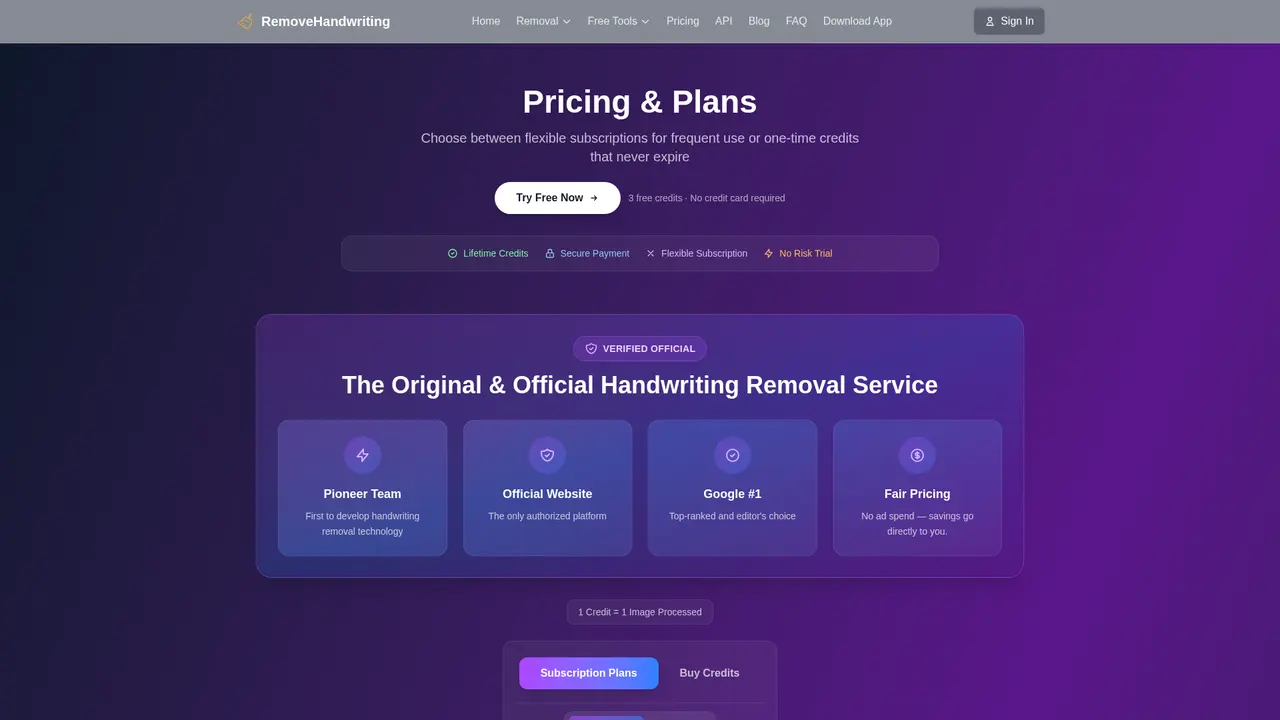
:::card{type="summary" title="Pricing at a Glance"} | Plan | Price | Credits | Best For | |------|-------|---------|----------| | Monthly | $3.9/month | 60 Credits | Light users, trying it out | | Quarterly | $10.9/quarter | 180 Credits | Regular usage | | Annual | $39.9/year | 720 Credits | Heavy users, best value | :::
Understanding Credits
One Credit processes one image or one PDF page. A typical document (one page, one image) costs one Credit. Multi-page PDFs consume credits equal to the pages you process.
Which Plan Should You Choose?
Monthly ($3.9/month, 60 Credits): This is your starting point. If you process fewer than 20 documents per month, this plan covers your needs comfortably. Try it risk-free with our 7-day money-back guarantee.
Quarterly ($10.9/quarter, 180 Credits): For teachers with regular assignment cycles or businesses processing weekly documents. You get a small discount over monthly, and 180 Credits covers most moderate workflows.
Annual ($39.9/year, 720 Credits): For power users. At just $3.33/month, this is our best value. Teachers managing multiple classes, organizations with ongoing digitization projects, or anyone who processes documents regularly should choose this tier. Annual subscribers also get priority processing queue—your documents jump to the front of the line.
Earn Free Credits
Referral Program: Every friend who signs up using your referral link earns you 10 Credits. There's no limit to how many people you can refer. Share your link, build your credit balance.
Enterprise Options
Need API integration for automated workflows? Our API service starts at $99 with custom volume packages available. Visit removehandwriting.com/api-doc for documentation.
Money-Back Guarantee
Not satisfied? Contact us within 7 days of purchase for a full refund—no questions asked. We're confident you'll love the results, but we don't want you paying for something that doesn't meet your needs.
---
Frequently Asked Questions
:::card{type="faq" title="What exactly is RemoveHandwriting?"} RemoveHandwriting is an AI-driven tool that automatically erases handwritten content from images and PDFs while preserving printed text, graphics, and formatting. Beyond handwriting removal, it includes document auto-correction, shadow and stain removal, and manual editing capabilities. :::
:::card{type="faq" title="Is it really free to try?"} Yes. New users receive 3 free Credits upon registration—no credit card required. These let you process up to 3 documents and evaluate the quality before subscribing. After that, plans start at $3.9/month. :::
:::card{type="faq" title="What file formats do you support?"} We support common image formats (JPG, PNG, JPEG) and PDF documents. For PDFs, you can select specific pages to process rather than processing the entire document. :::
:::card{type="faq" title="How long does processing take?"} Most documents process in 5-10 seconds. Complex PDFs with many pages may take slightly longer, but our parallel processing ensures minimal waiting. Annual subscribers get priority queue access for even faster turnaround. :::
:::card{type="faq" title="How accurate is the AI?"} Our system achieves 95%+ accuracy on standard documents with clear printing and typical handwriting. Unusual fonts, extremely messy handwriting, or complex layouts with mixed content may require manual review. Most users find the AI handles their documents perfectly without any edits needed. :::
:::card{type="faq" title="Is my data actually secure?"} Absolutely. Your privacy is our top priority. Files are automatically deleted immediately after processing—they're never stored on our servers, never shared, and never used to train our AI models. We maintain ISO 27001 compliance, SOC 2 Type II certification, and full GDPR compliance. Your documents remain yours, always. :::
:::card{type="faq" title="Do you offer API access?"} Yes. Our API service starts at $99 and is designed for enterprise integration needs. Whether you need automated batch processing or custom workflow integration, visit removehandwriting.com/api-doc for full documentation. :::
:::card{type="faq" title="How can I earn free Credits?"} Our referral program gives you 10 Credits for each friend who signs up using your unique referral link. Share widely—there's no limit on how many Credits you can earn. Your friends get started with free Credits too, everyone wins. :::
Related Content

Copy.ai Review 2026: AI Copywriting Made Easy
Our honest Copy.ai review for 2026. We test Content Agents, AI Workflows, pricing ($29-$249/mo), and compare it to Jasper and Writesonic. Find out if it's worth it for your marketing team.

Rytr Review 2026: Is This Budget AI Writer Worth It?
Our hands-on Rytr review for 2026. We test features, pricing, content quality, and compare it to Jasper & ChatGPT. Find out if Rytr is the best budget AI writing tool.

Word Changer - Free AI tool to rewrite and improve your writing instantly
Writing always using repetitive words or need to avoid plagiarism? Word Changer is a free AI writing assistant that instantly rewrites any text with richer vocabulary and appropriate tone. Get multiple versions with one click, adjust formality level, check readability - all for free!

Unite - AI-powered platform for romantic fantasies and dream couple moments
Explore romantic fantasies and create special moments for your dream couple. This AI-powered platform lets you generate personalized romantic content and experience exclusive AI-created romantic experiences.
Comments