
- Monthly visits
- 2,697
- 2026-09
- Monthly growth +761.7%
Proposa - Create, share and track client proposals in one workspace
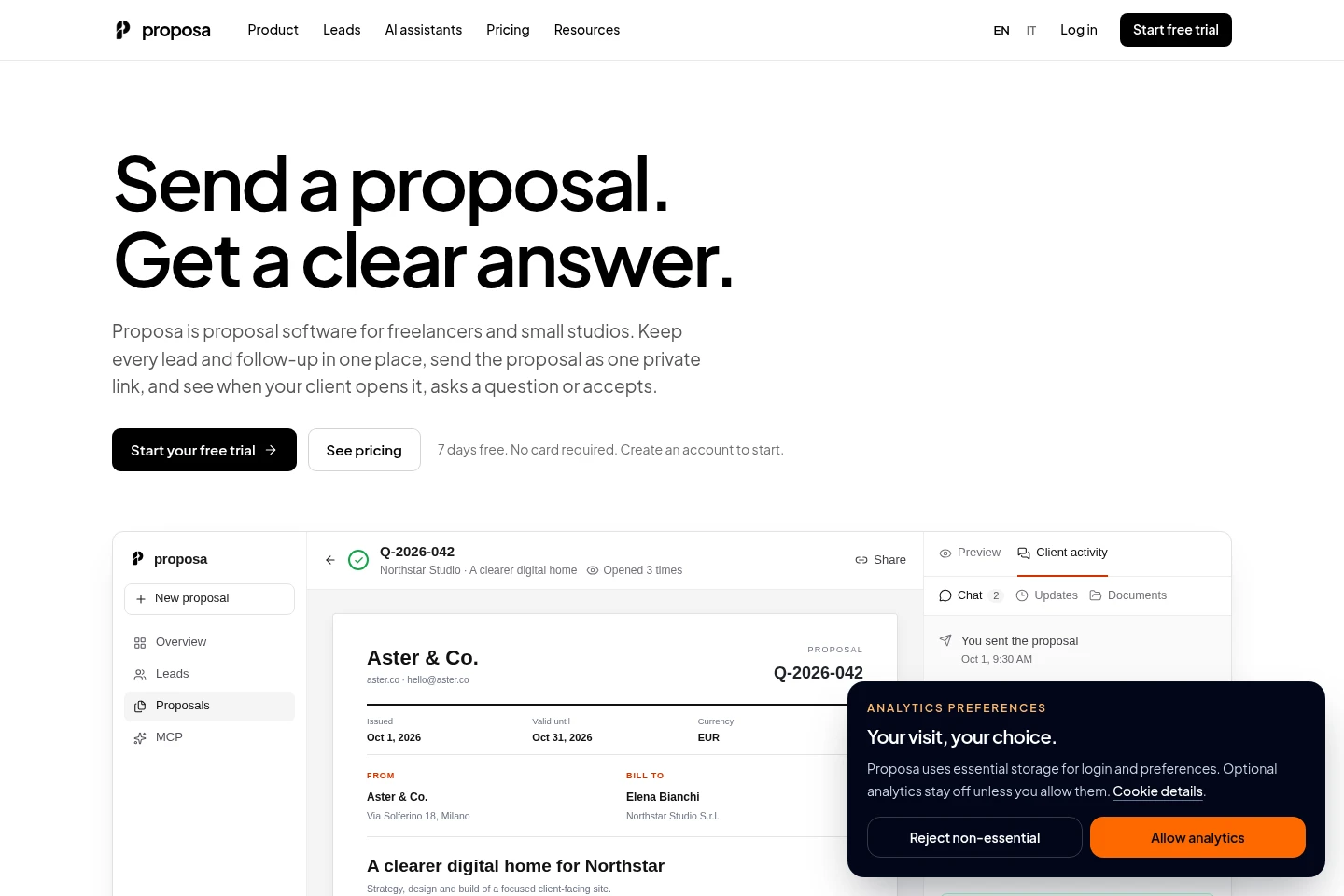
Proposa helps freelancers and small studios manage leads and proposals in one client workspace. Draft proposals in the editor or with an MCP-compatible AI assistant, customize them with branding and payment terms, then share a private link. Track opens, questions and decisions, and continue using the link for project updates and uploaded deliverables.
- AI Business Tools
- CRM
- Document Generators
- proposal management software
- freelance proposal tool
- MCP proposal drafting
Capabilities
Proposal creation and branding
Create and customize proposals, then generate a shareable client link and PDF. Use the editor, saved clients and services, one of four templates, and your logo, colors, fonts, currency, taxes and payment terms.
Lead pipeline and follow-ups
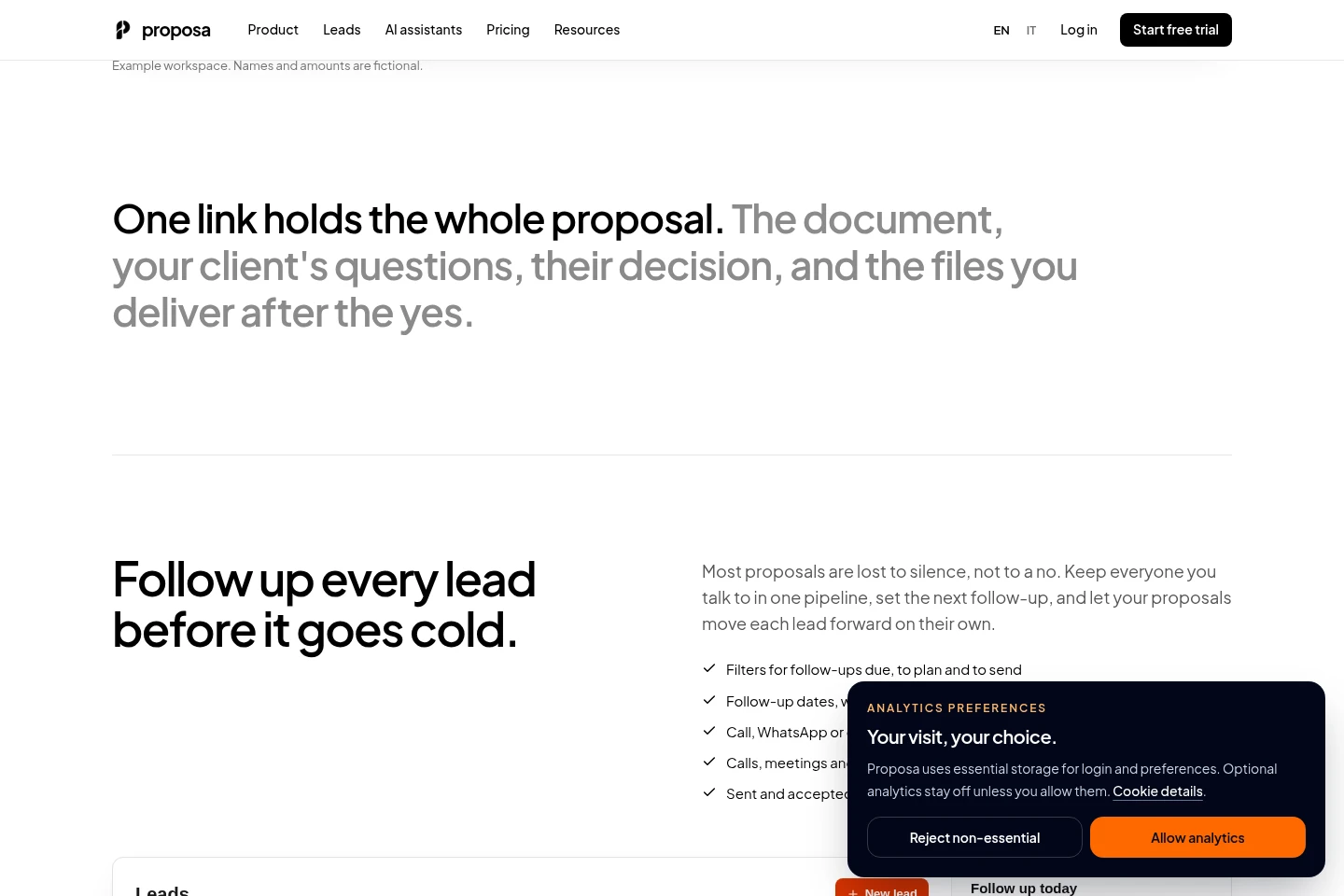
Organize leads by stage and schedule follow-ups. Record calls, meetings and notes, filter due and overdue follow-ups, and advance stages when proposals are drafted, sent or accepted.
Client proposal tracking
Track proposal opens, replies and client decisions in the workspace. Clients can read or download a proposal, ask questions, and accept or reject it through its private link without creating an account.
MCP-assisted proposal drafting
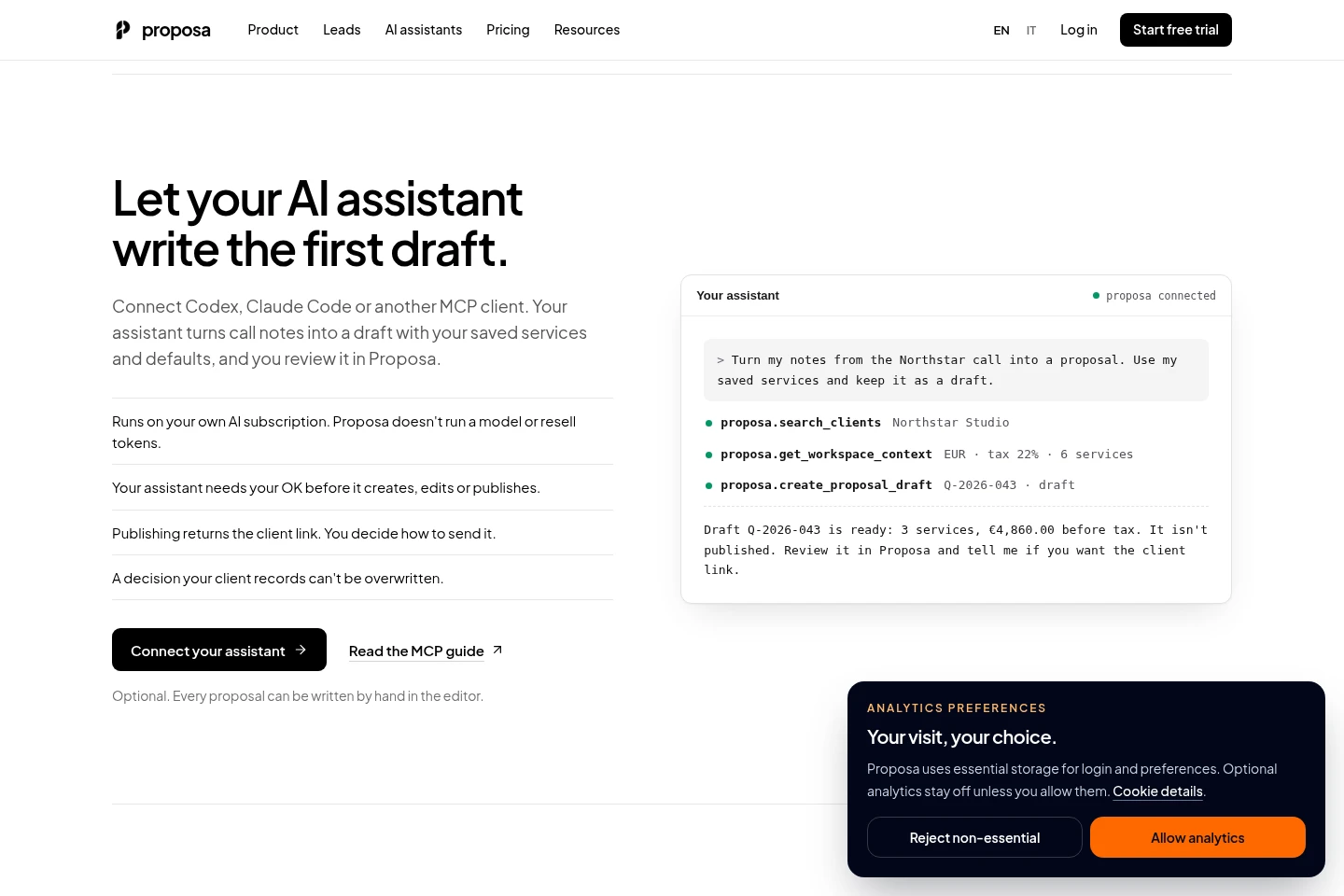
Create proposal drafts from call notes through an MCP-compatible assistant. The assistant can use saved services and workspace defaults, but requires your approval for creating, editing or publishing; AI runs on your own subscription.
Pricing
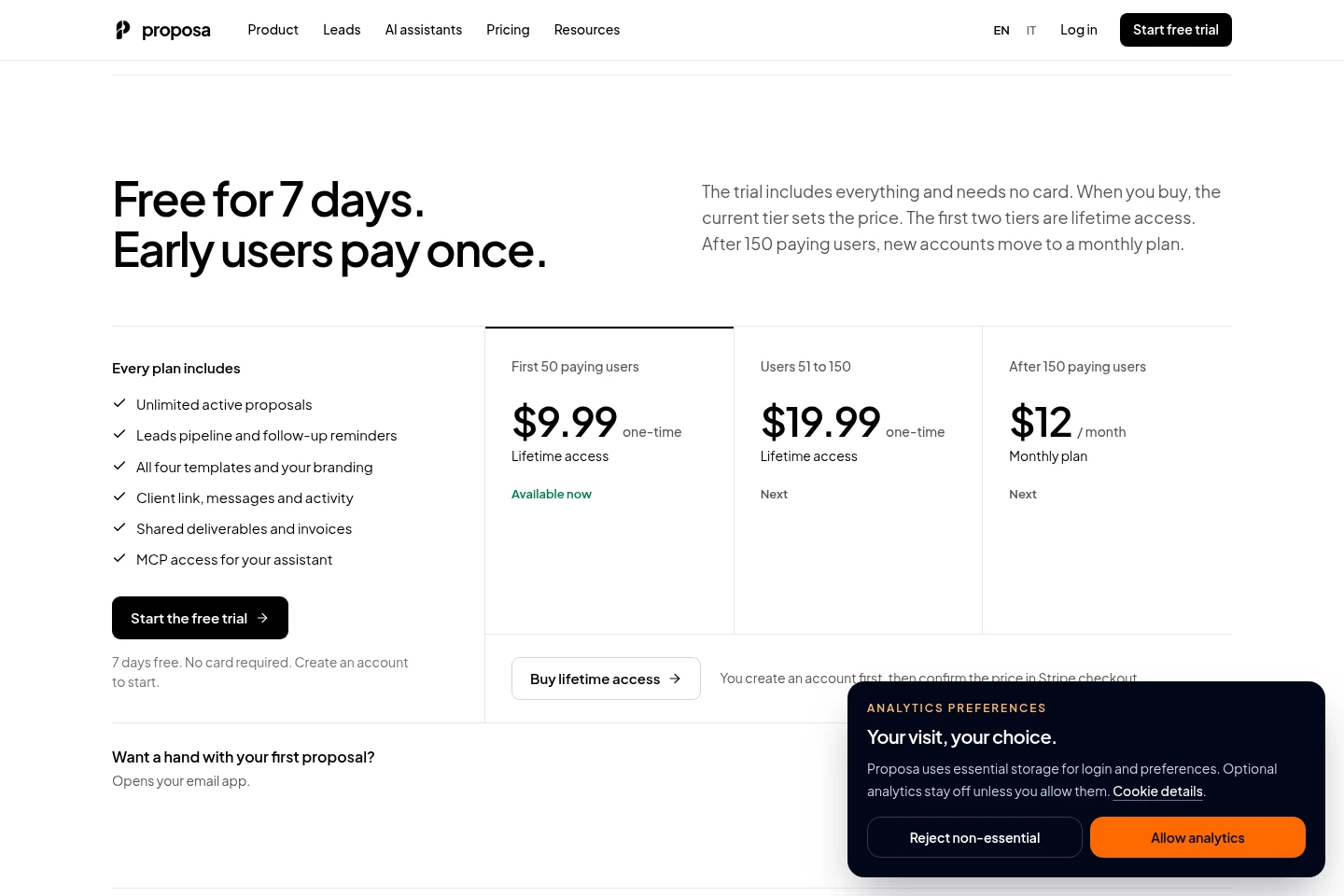
Proposa offers a seven-day free trial, followed by a one-time lifetime purchase for the first two tiers or a monthly plan after 150 paying users. Compare the current tier and its price before checkout.
| Plan | Price | Included features and limits |
|---|---|---|
| First 50 paying users | $9.99 one-time |
|
| Users 51 to 150 | $19.99 one-time |
|
| After 150 paying users | $12 per month |
|
The seven-day trial includes everything, requires no card and does not charge automatically. Create an account first; Stripe checkout displays the current tier and final price before payment. All plans include four templates, branding, client links, messages, activity, shared deliverables and invoices.
Use cases
Prepare and send a client proposal
When a freelancer or small studio needs to scope and price client work, they can draft a proposal in the editor, apply branding and terms, and share a private link or PDF. The client can review it, ask questions, and record a decision on the link.
Organize leads and schedule follow-ups
When several prospects need follow-up before or after a proposal, users can place leads in pipeline stages, log calls, meetings and notes, and set follow-up dates. Due and overdue lists show which lead needs attention.
Draft proposals from call notes
When a user wants an initial proposal based on a client conversation, an MCP-compatible assistant can turn call notes into a draft using saved services and defaults. The user reviews the draft in Proposa and controls whether it is published and shared.
Continue client work after acceptance
After a client accepts a proposal, users can keep the same link for messages and project updates, and upload deliverables and invoices. Proposa records the decision but does not create invoices or collect client payments.
Limitations
The AI assistant uses the user's own AI subscription; Proposa does not run a model or resell tokens.
An assistant needs the user's approval before it creates, edits or publishes a proposal, and the user chooses how to send the returned client link.
Clients do not need an account to use a proposal link, but Proposa does not create invoices or collect payments from clients.
Who it is for
Freelancers who prepare and follow up on client proposals
Small studios managing leads, proposals and client updates
FAQ
How do I start the free trial?
Create a Proposa account to start the seven-day trial. No card is required, and the trial does not charge automatically; checkout shows the current tier and final price before purchase.
Does my client need an account?
No. Clients can open the private link to read or download the proposal, accept or reject it, and send questions on the same page.
Do I have to use AI?
No. You can write and edit proposals in the Proposa editor. If you connect an MCP-compatible assistant, it uses your own AI subscription; Proposa does not run a model on your notes or resell tokens.
Can my assistant send the proposal?
No, not by itself. With your confirmation, it can publish the proposal and return the private link; you decide how to send that link.
Can I track leads before sending a proposal?
Yes. Add leads, move them through stages, log calls and meetings, and schedule follow-ups. Drafting, sending or accepting a linked proposal advances the lead stage.
What happens after a client accepts?
The decision is recorded in your workspace, and the same link remains available for messages, project updates, and files you upload. Proposa does not create invoices or collect client payments.
Comments