

- Monthly visits
- 1,798
- 2026-09
- Monthly growth +544.4%
Praxivara - AI assistant, agents and web apps for business work
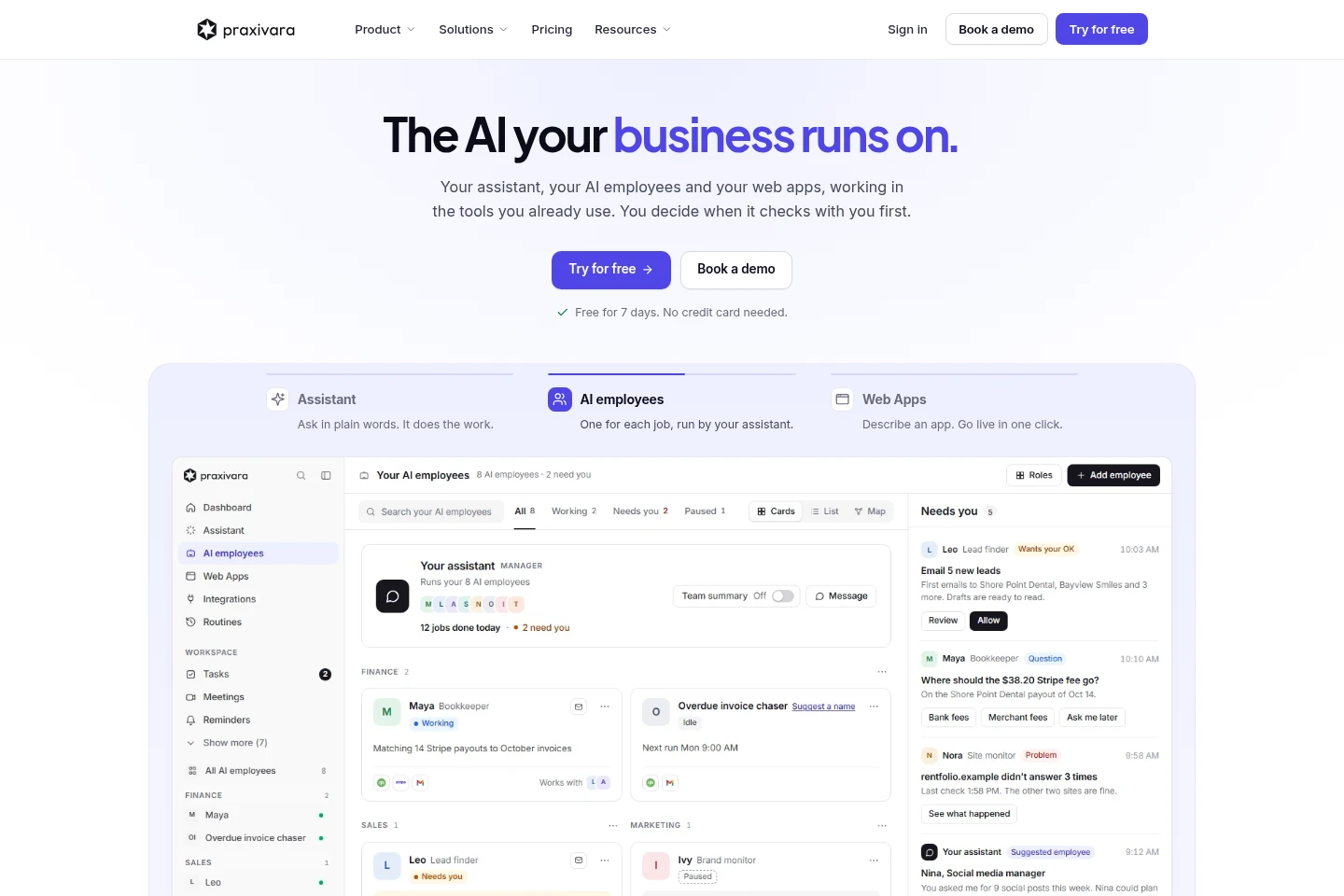
Praxivara combines an AI assistant, AI employees, web apps and a workspace. Connect business tools, give instructions by text, call, email or the app, and choose when work needs approval. Agents can handle recurring jobs, while the assistant works across connected tools and channels.
- AI Agents
- General AI Agents
- Workflow Automation
- App Builders
- AI business assistant
- AI employees and agents
- business automation web apps
Capabilities
Cross-channel AI assistant
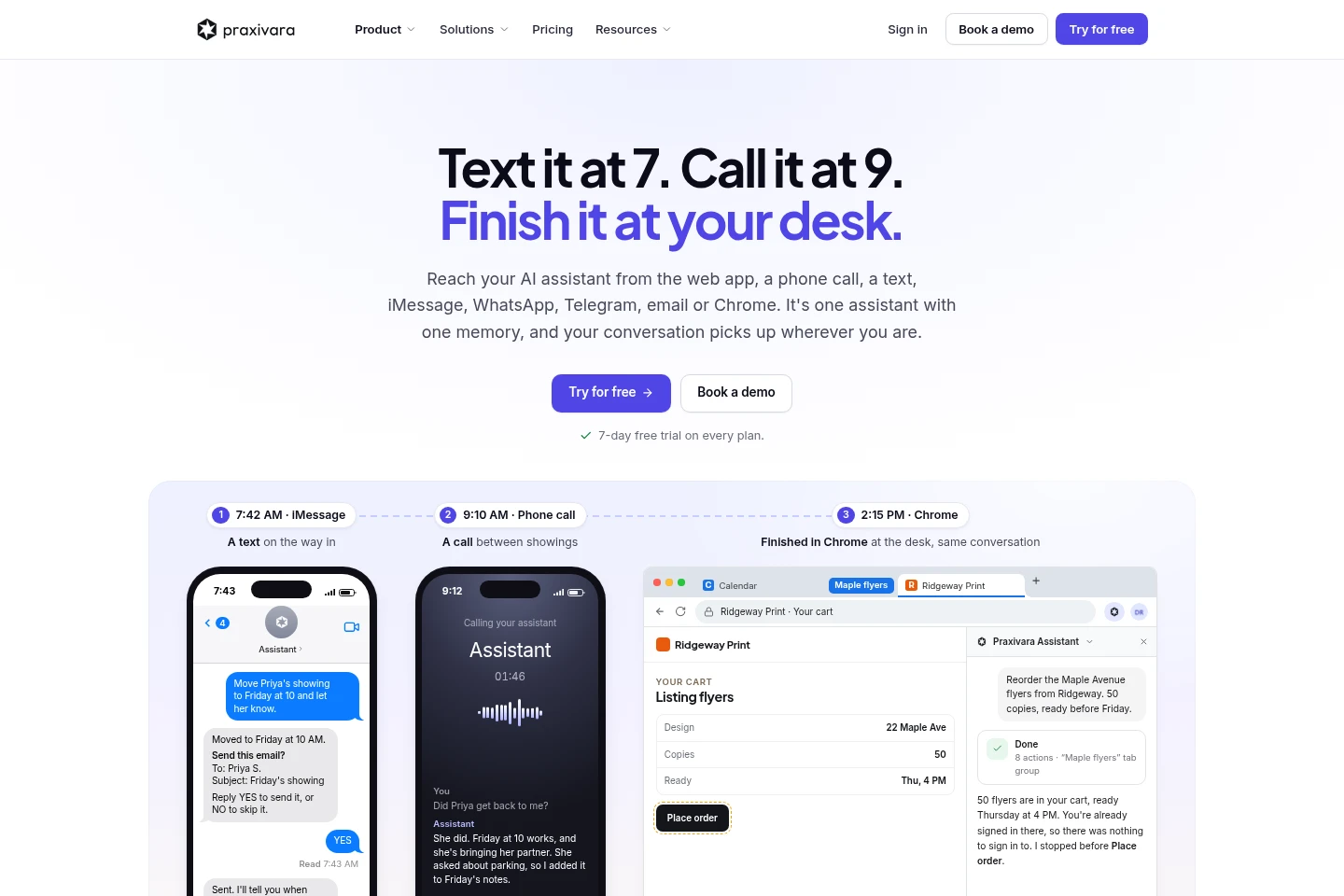
The assistant carries out business tasks and returns results across supported channels. Reach it through the web app, phone calls, text, email, messaging services or Chrome, and choose when it should request approval.
Recurring AI agents
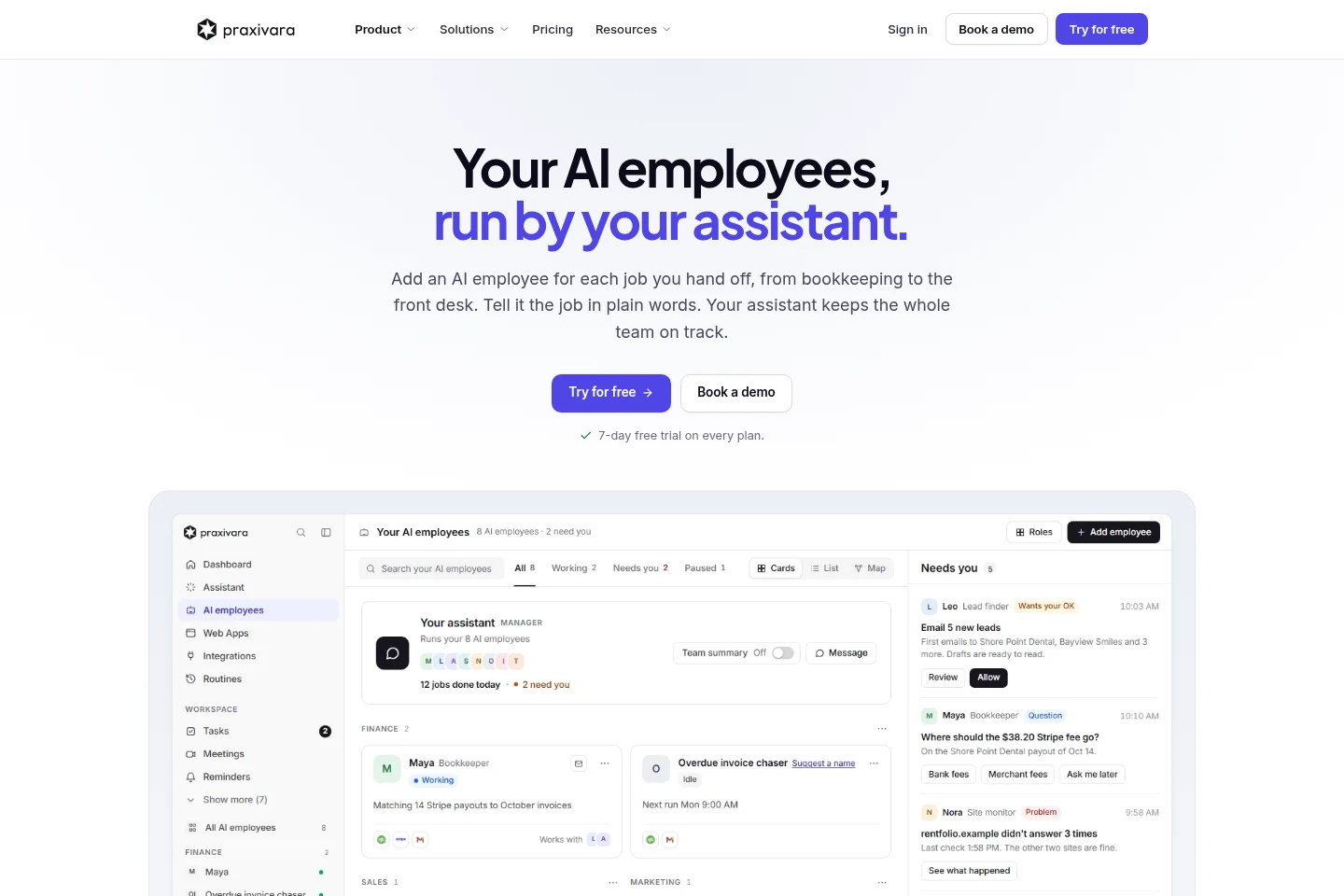
Agents run assigned jobs repeatedly and report to the assistant. Describe a job in plain words, connect the relevant apps, and set whether changes require your approval.
Actions in connected apps
The assistant performs work in connected business tools and produces updates or finished documents. Connect available integrations, then request tasks such as sending email, booking meetings, updating a CRM or creating invoices.
Prompt-based web apps
Users describe a web app and can bring it live from the platform. The available number of web apps depends on the selected plan.
Approval controls
Approval settings determine when the assistant pauses before making changes. Configure checks for every change, only when needed, or less frequently; the assistant always asks before sending an email.
Pricing
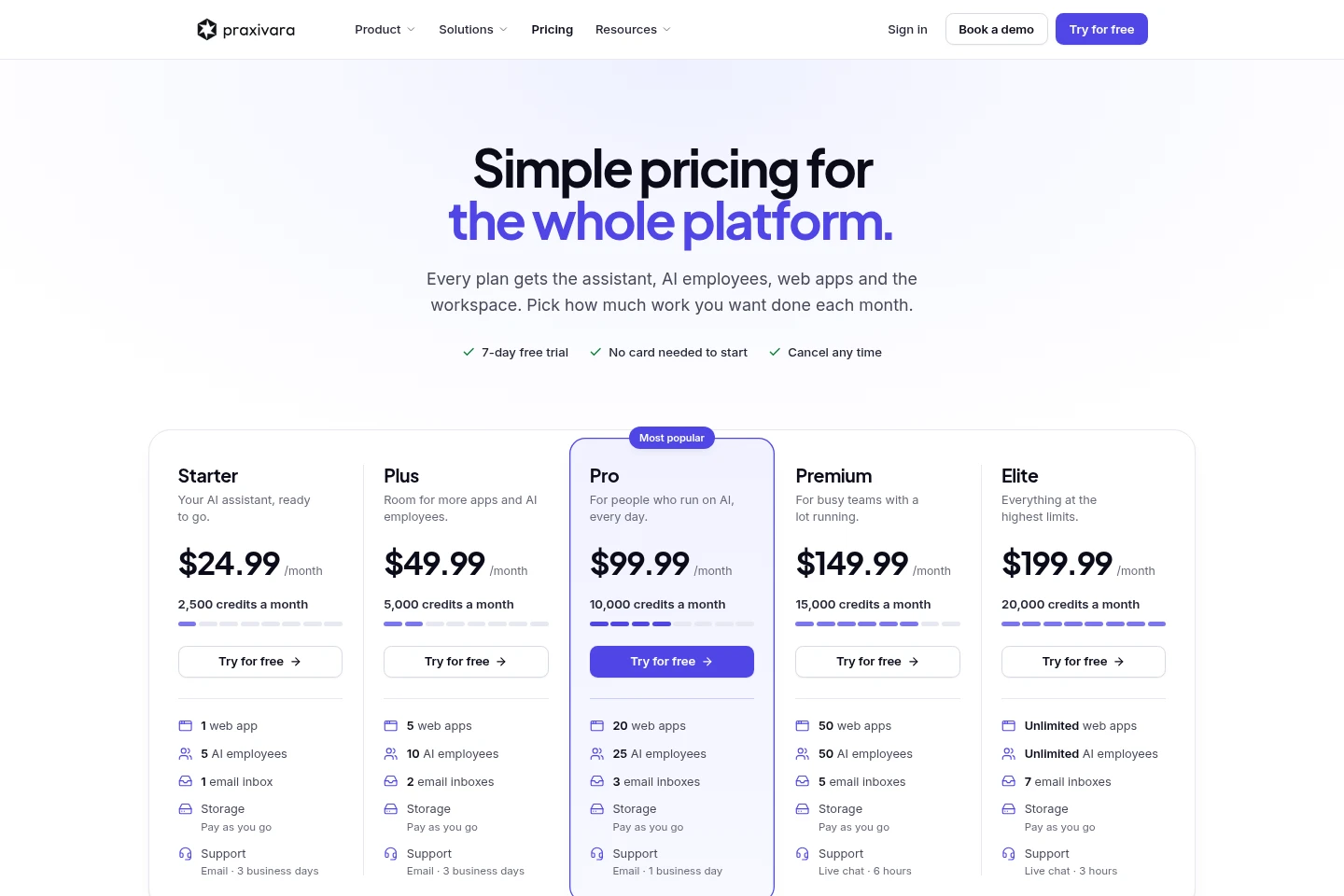
Praxivara is paid by monthly subscription, with a 7-day free trial. Compare monthly credits, web app and AI employee limits, inbox counts and support response times when choosing a plan.
| Plan | Price | Included features and limits |
|---|---|---|
| Starter | $24.99 per month |
|
| Plus | $49.99 per month |
|
| Pro | $99.99 per month |
|
| Premium | $149.99 per month |
|
| Elite | $199.99 per month |
|
The pricing page says no card is needed to start and customers can cancel at any time. Credits can be added at any time, and upgrades take effect right away.
Use cases
Handle business requests across channels
When a task arrives away from the desk, send it by text, call, email or another supported channel. The assistant can carry the conversation across channels, work in connected tools and return a summary of what changed.
Automate repeated team jobs
When a team repeats the same operational work, describe the job once and assign it to an agent. The agent runs it on a recurring basis, while the assistant keeps the work on track and can request approval.
Create and manage web apps
When a business needs a web app, describe the app through Praxivara and bring it live from the platform. Plan limits determine how many web apps are available.
Limitations
The available number of web apps, AI employees, email inboxes and monthly credits depends on the selected plan.
The Chrome extension works with sites where the user is already signed in, and its actions can be configured to request approval.
Storage on the Starter plan is pay as you go.
The listed email support response time varies by plan, and some plans provide live chat instead.
Who it is for
Small business operators handling recurring administrative work
Operations and support teams coordinating requests across business tools
Business owners who need simple web apps alongside AI-assisted workflows
FAQ
Is a free trial available?
Yes. The pricing page offers a 7-day free trial, and says no card is needed to start. It also says customers can cancel at any time.
What is included in every plan?
Every plan includes the assistant, AI employees, web apps and the workspace. Plans differ in monthly credits and the limits for web apps, AI employees, inboxes and support.
How much does each plan cost?
Starter is $24.99 per month, Plus $49.99, Pro $99.99, Premium $149.99 and Elite $199.99. Each plan includes a different monthly credit allowance and feature limits.
Can the assistant ask before taking action?
Yes. Approval settings can require a check before every change, only when it matters, or almost never. The assistant always asks before sending an email.
Which channels can I use to reach the assistant?
The listed channels include the web app, phone calls, text, iMessage, WhatsApp, Telegram, email and Chrome. The same assistant can continue a conversation across channels.
Comments