Potto AI
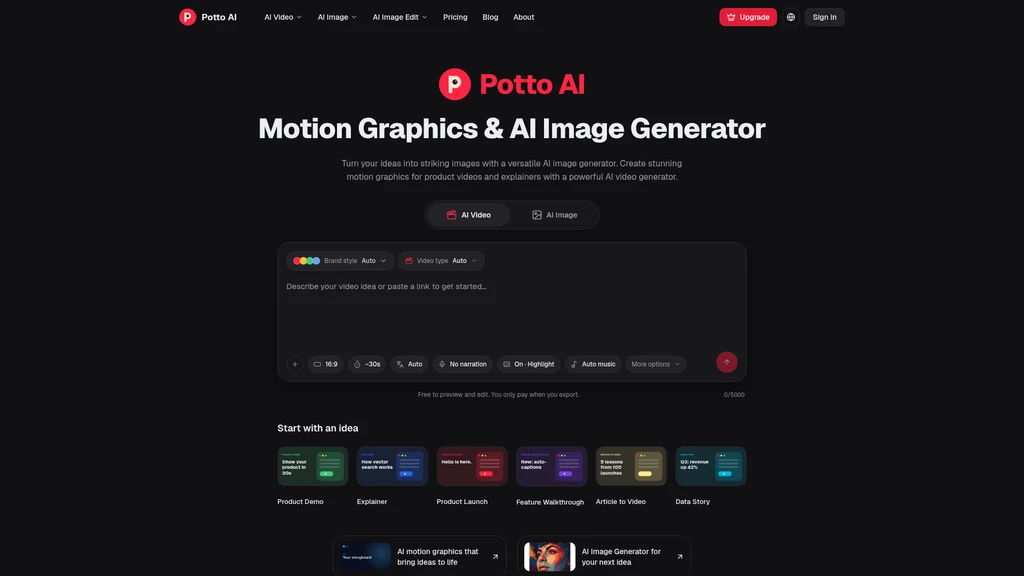
Potto AI is a combined AI motion graphics and image generation platform that lets users create product videos, explainers, and custom visuals from text prompts or reference images, with a full suite of built-in image editing tools to refine assets all in one workspace.
Core Capabilities
Potto AI supports two primary creation workflows, plus integrated editing tools to refine outputs without switching between separate services:
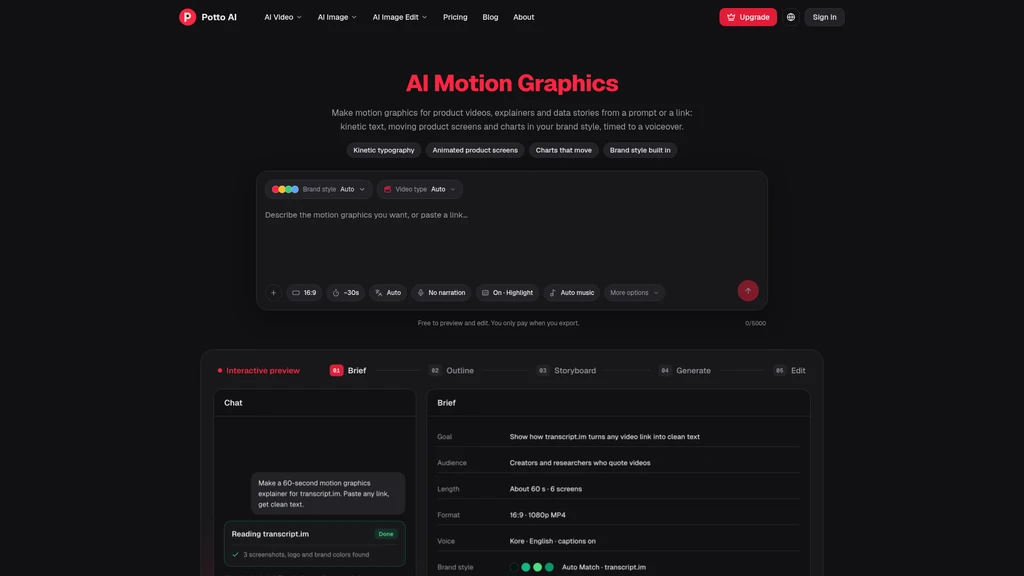
AI motion graphics generation: Build templated animated sequences for product demos, explainers, product launches, feature walkthroughs, article-to-video conversions, and data stories. The platform organizes text, screenshots, and illustrations into structured scenes that guide viewer attention over time.
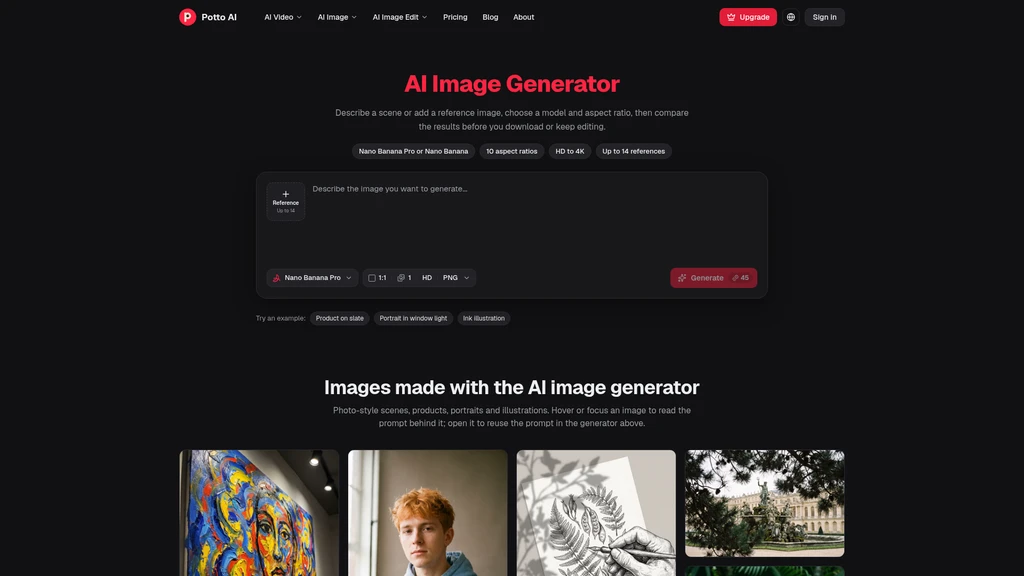
AI image generation: Create custom visuals from text prompts, or use uploaded reference images to guide generation toward a specific subject, style, or composition. Multiple AI models are available to support different use cases, from photo-style product shots to illustrations and character concepts.
Integrated image editing tools: Refine generated or uploaded images using the AI Image Editor, Uncrop, AI Background Remover, AI Image Upscaler, and AI Watermark Remover.
Motion graphics customization: Add narration, captions, and music to video sequences, and select from multiple supported aspect ratios (wide 16:9, vertical 9:16, square 1:1) for both motion graphics and generated images.
Preview and export: Review full motion graphics sequences and image edits for free before finalizing work. Export completed motion graphics as MP4 files, and download finished images directly from the workspace.
Standard Workflows
The platform is designed to keep creation and refinement in a single interface, with no upfront cost for drafting:
Motion graphics workflow: Start with a brief, topic, or uploaded source material such as product screenshots. The platform generates a proposed storyboard, which you can review and adjust to reorder scenes, refine messaging, and adjust visuals. Add narration, captions, and music, then preview the full sequence before exporting the final MP4.
Image generation workflow: Begin with a text prompt describing the desired subject, style, and composition, or upload a reference image to guide the output. Select your preferred AI model, aspect ratio, and resolution, then generate results. You can revise the prompt, generate new variations, or use the dedicated editing tools to make targeted changes to a selected output.
Intended Audiences
Potto AI is built for users who need to produce consistent visual content without specialized motion design or advanced image editing expertise, including:
Content creators building social media assets and educational clips
Product teams creating launch announcements and feature walkthroughs
Marketers developing campaign visuals and short explainer content
Educators turning articles or lesson topics into shareable visual sequences
Small business owners producing promotional assets without external design support
Designers exploring visual directions and refining draft assets quickly
Pricing and Credit System
Potto AI operates on a freemium model, with no charges for previewing, editing, or drafting content. Credits are only consumed when exporting final MP4 motion graphics or downloading completed images. Two paid subscription tiers are available:
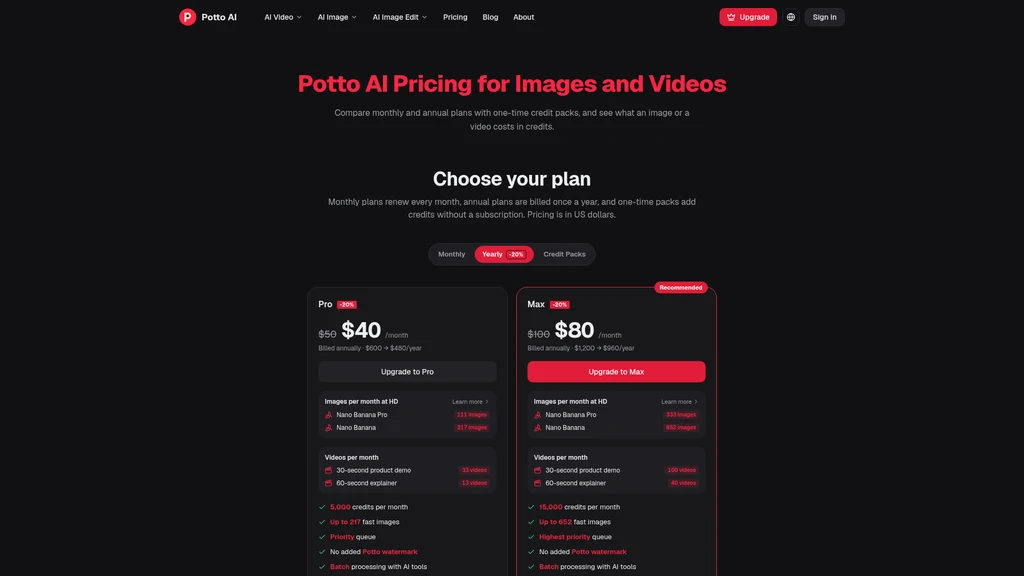
Pro Plan: $50 per month for monthly billing, or $40 per month (20% off) for annual billing, with 5,000 monthly credits. The plan supports up to 217 fast images, 3 30-second product demos, and 13 60-second explainers, plus priority queue access, no Potto watermark, batch processing, and no public gallery listing.
Max Plan: $100 per month for monthly billing, or $80 per month (20% off) for annual billing, with 15,000 monthly credits. The plan supports up to 652 fast images, 100 30-second product demos, and 40 60-second explainers, plus highest priority queue access, no Potto watermark, batch processing, and no public gallery listing.
Image counts vary based on the selected AI model and output resolution, while video allowances are calculated for 30-second product demos and 60-second explainers that include narration and 3 illustrations. All image and video allowances are estimates demonstrating alternative ways to use the shared monthly credit balance, not separate, independent pools of credits that can all be spent at once.
Supported Limitations
Potto AI is purpose-built for templated motion graphics and AI image generation, with clear constraints to set accurate expectations for users:
Motion graphics are templated, scene-based compositions, not unrestricted custom animation timelines or generated live-action footage. The platform does not support full keyframe animation or talking avatar generation.
AI image generation results may contain inaccuracies in lettering, facial features, or fine product details. Higher resolution outputs add pixel density but do not correct misplaced objects or inaccurate text.
Reference images guide generation but do not guarantee exact copies of subjects, logos, or fine details. Users must review all outputs against their source material before sharing.
All motion graphics examples shown on the platform are illustrative compositions built with sample material and fictional brands, not real customer results. Image prompt examples are provided as creative references, not guarantees of identical outputs.
Users are responsible for verifying factual claims in their own explainer content, and confirming that all uploaded reference material is used with appropriate permission.





Comments