

Pony Realism - Open community model for photorealistic AI image generation
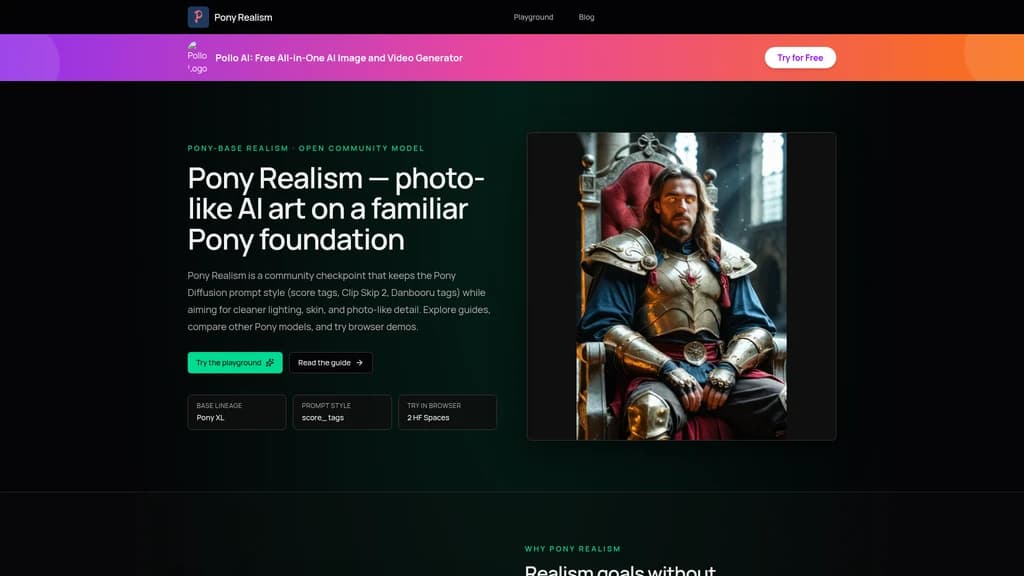
Tired of AI images that look unmistakably artificial? Pony Realism delivers photograph-quality outputs with natural lighting, lifelike skin texture, and detailed hands and feet. Built on the Pony Diffusion V6 XL ecosystem, this open community model keeps the familiar score tag prompting system so you don't have to relearn anything. With over 60 million views and 556K downloads on Civitai, it is the go-to checkpoint for creators who demand realism without sacrificing the Pony workflow they already know.
- AI Image
- Image Generation
- Stable Diffusion
- Custom Training
- Open Source
546Views

What Is Pony Realism? Let's Start with the Problem of Photorealism
If you've spent any time with AI image generators, you've probably noticed the same issue: a lot of the images just look like AI. The skin has that unmistakable plastic sheen. The lighting feels flat and artificial. Hands? Let's not talk about hands. It's frustrating because the technology is clearly powerful, but the output keeps reminding you it was generated by a machine.
This is the core problem Pony Realism was built to solve.
From "AI-Looking" to Photo-Real
Pony Realism is a specialized AI image generation checkpoint (a model file you load into your image generation software) built on the Stable Diffusion XL (SDXL) architecture. More specifically, it's part of the Pony Diffusion V6 XL ecosystem — but with a very specific mission.
Think of Pony Diffusion V6 XL as a general-purpose model that can do a bit of everything: anime, animals, stylized art, and some realism. Pony Realism, on the other hand, is the specialist. It focuses entirely on one thing: producing images that look like they were taken with a camera, not generated by an algorithm.
The key insight here is that it achieves this without asking you to learn a new way of prompting. If you already know how to use Pony Diffusion's score tag system (things like score_9, score_8_up, score_7_up), you can use exactly the same prompts and get much more realistic results.
Why Does This Matter?
The gap between "good AI image" and "believable photo" is where most models struggle. Pony Realism narrows that gap significantly by optimizing for:
Natural skin texture — no more plastic-looking faces
Realistic lighting — shadows and highlights that behave like real-world light
Accurate hands and feet — fewer anatomical errors
Night scenes and complex lighting — areas where many models fail
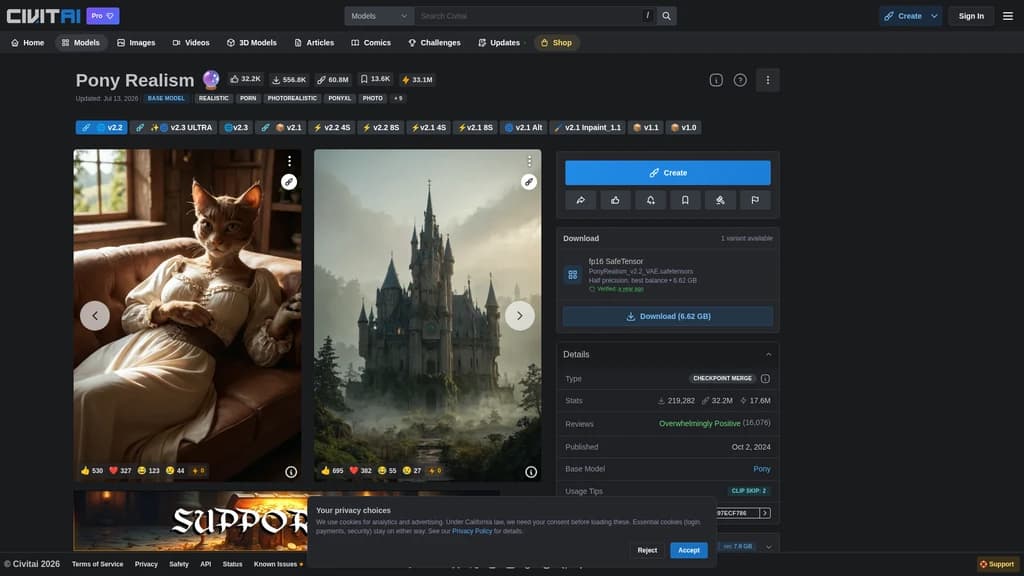
And the community has spoken. On Civitai, the model has accumulated over 60.8 million views, 556.8 thousand downloads, and 32.2 thousand favorites — making it one of the most popular realism-focused models in the Pony ecosystem.
Photorealistic output: Optimized for camera-like realism, especially in portraits and scenes
Full Pony prompt compatibility: Zero learning curve if you already use Pony Diffusion's score tag system
Multi-version ecosystem: Mainline v2.x for quality, Lightning/Hyper for speed, ULTRA for experimentation
Completely free and open-source: No paid tiers, no subscriptions, no hidden costs
What Can Pony Realism Actually Do? Core Capabilities Explained
Let's walk through the key features one by one. For each, we'll look at what problem it solves, how it works under the hood, and what that means for you as a user.
1. Photorealistic Output — The Flagship Feature
The problem it solves: Most AI models produce images with an unmistakable "AI look" — overly smooth skin, inconsistent lighting, and anatomical oddities. If you've ever generated a portrait and thought "this looks fake," you know exactly what we're talking about.
How it works: Pony Realism was fine-tuned (through a process called model merging) starting from Pony Diffusion V6 XL. The creator, ZyloO, specifically optimized the model's behavior around key elements that make images look real: skin texture, natural lighting, hand and foot anatomy, and accurate rendering of night scenes. It's not a fundamentally different architecture — it's the same SDXL base — but the training emphasis is shifted toward realism.
What you get: When you use Pony Realism, a prompt like score_9, score_8_up, score_7_up, BREAK, portrait of a woman with freckles, natural lighting produces an image that looks closer to a camera portrait than an AI generation. The skin has texture. The light falls naturally. The details hold up under scrutiny.
2. Full Pony Prompt Compatibility — No Relearning Required
The problem it solves: One of the biggest barriers to switching models is the learning curve. If you've spent time mastering Pony Diffusion's prompt system, the last thing you want is to start from scratch.
How it works: Pony Realism is built on the same tag-mapping foundation as Pony Diffusion V6 XL. That means it understands the same score tags (like score_9, score_8_up, score_7_up), the same Clip Skip setting (2), and the same Danbooru-style tags. Your positive prompt starts with score_9, score_8_up, score_7_up, BREAK, and your negative prompt includes score_4, score_5, score_6. You also use female and male instead of woman and man.
What you get: You can literally copy a prompt that worked in Pony Diffusion V6 XL, paste it into Pony Realism, and get a more realistic result. The workflow doesn't change — only the output does.
3. Multiple Versions for Different Needs
The problem it solves: Different tasks need different tools. Sometimes you want maximum quality. Other times you need speed for rapid iteration. And sometimes you want to experiment with the latest experimental features.
How it works: The Pony Realism ecosystem includes several version lines:
Mainline v2.x (like v2.2 and v2.3): The stable, quality-focused versions. Use these when you want the best possible output.
Lightning and Hyper variants: Optimized for speed. These can produce good results in just 4–8 sampling steps, compared to the 30+ steps recommended for mainline versions. Great for rapid prototyping.
ULTRA experimental line: A testbed for new approaches to natural lighting and skin detail. These versions push the boundaries but may be less consistent.
Inpaint version: Specifically optimized for inpainting tasks (editing specific parts of an image).
What you get: A practical workflow might look like this: use Lightning for quick idea exploration, switch to mainline for final refinement, and try ULTRA when you want to experiment with new looks.
4. Community LoRA Ecosystem — Extend What's Possible
The problem it solves: No single base model can do everything perfectly. Sometimes you need specialized enhancements — better skin detail, a cinematic look, or richer backgrounds.
How it works: The community has created a growing library of LoRA (Low-Rank Adaptation) models that work specifically with Pony Realism. Think of LoRAs as lightweight add-ons that modify the model's output without changing the base weights. Some popular ones include:
Pony Realism Enhancer — general realism boost
Pony Skin Enhancer — skin texture refinement
Pony Fur Enhancer — fur and hair optimization
Cinematic Shot — movie-like visual style
Background Detail Enhancer — richer backgrounds
What you get: You can stack different LoRAs depending on what you're trying to achieve, giving you fine-grained control over the output style without needing to train a custom model.
5. Run It Locally or in the Cloud
The problem it solves: High-quality AI image generation usually requires a decent GPU. Not everyone has one.
How it works: Pony Realism offers two paths:
Local (requires 8GB+ VRAM): Download the 6.62GB fp16 SafeTensor file and load it into ComfyUI, Forge, Automatic1111, or any SDXL-compatible tool. Just drop it in your
checkpoints/folder — it comes with a built-in VAE, so no extra downloads needed.Cloud (zero hardware): Two Hugging Face Spaces offer free browser-based demos where you can try the model without installing anything.
What you get: Local users get full control, no queues, and fast generation. Cloud users get zero-cost access to test the model before committing any resources.
Who Should Use Pony Realism? Real-World Scenarios
Let's look at specific situations where this model shines. If any of these sound like you, Pony Realism is worth your time.
Scenario 1: Digital Artists Who Want Realistic Portraits
The problem: You're creating digital portraits, but every AI model you try gives you that glossy, obviously-generated look. The skin is too smooth. The lighting feels wrong. You want something that could pass for a camera shot.
The solution: Pony Realism's optimization for skin texture, natural lighting, and facial detail means your portrait prompts produce images that feel photographically grounded. With the right score tag setup and descriptive terms, you can get results that look like a real photoshoot.
The effect: Portraits that capture skin texture, facial asymmetry, and natural catchlights in the eyes — the details that separate "AI art" from "believable photography."
Scenario 2: Pony Diffusion Veterans Who Want More Realism
The problem: You've been using Pony Diffusion for a while. You've mastered the score tag system. But you want your outputs to look more realistic, and you don't want to learn a whole new prompting system to get there.
The solution: Pony Realism is built for exactly this transition. Your existing prompts, your existing workflow, your existing tags — they all work exactly the same way. The only difference is the output shifts from stylized/anime toward photographic.
The effect: Zero relearning. Same muscle memory. Better results. You can literally copy-paste your Pony Diffusion prompts and see an immediate improvement in realism.
Scenario 3: Content Creators Needing Product Photography
The problem: Professional product photography is expensive. You need high-quality product shots for your website, social media, or marketing materials, but you can't justify the cost — or the logistics — of a full photo shoot.
The solution: Pony Realism handles material rendering well — think glass, metal, fabric, and product lighting. You can generate product images that look studio-quality, with realistic shadows, reflections, and textures.
The effect: Cost-effective product visuals that don't scream "AI-generated." Useful for e-commerce, advertising mockups, or concept visualization.
Scenario 4: Beginners Without a GPU Who Want to Try AI Image Generation
The problem: You've heard about AI image generation. You're curious. But you don't have a gaming-grade GPU, and you're not sure if it's worth investing in hardware just to try it out.
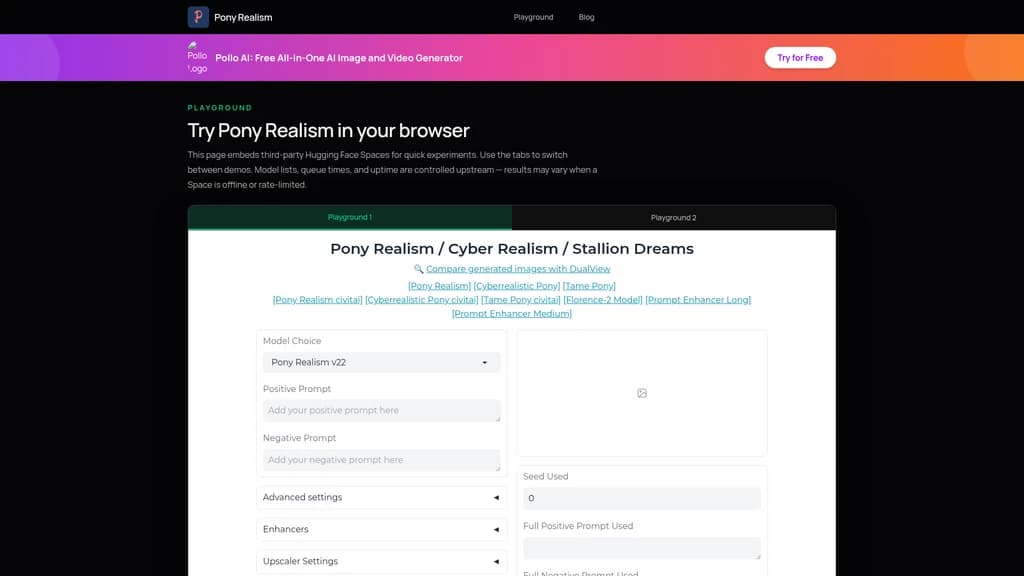
The solution: The Hugging Face Spaces playgrounds let you use Pony Realism directly in your browser. No installation, no GPU required, no cost. You just type your prompt and wait for the queue.
If you don't have a GPU, head to the Playground page first. The Hugging Face Spaces give you a free, zero-install way to test Pony Realism with real prompts. Try a few generations, see if the output matches what you're looking for, and only then consider local deployment.
The effect: You can evaluate whether the model meets your needs before spending any money or time on setup. Zero risk entry point.
Scenario 5: Creative Professionals Doing Rapid Prototyping
The problem: When you're iterating on ideas, speed matters. Waiting 30+ seconds per generation breaks creative flow and slows down exploration.
The solution: Use the Lightning or Hyper variants of Pony Realism, which can produce usable results in 4-8 steps. Start with these to explore compositions, poses, and lighting ideas quickly. Once you've found a direction you like, switch to the mainline version for the final high-quality render.
The effect: A two-phase workflow: fast exploration with the speed variants, then quality refinement with the mainline version. Best of both worlds.
Quick Start: From Zero to Your First Image in 10 Minutes
Here are two paths depending on whether you have a GPU or not. Pick the one that fits your situation.
Path 1: Try It Online (No GPU Required)
This is the fastest way to see what Pony Realism can do.
Step 1: Visit one of the Hugging Face Spaces playgrounds:
Step 2: In the prompt box, enter a positive prompt starting with the standard Pony score tags:
score_9, score_8_up, score_7_up, BREAK, portrait of a female with freckles, soft natural lighting, realistic skin textureAnd in the negative prompt:
score_4, score_5, score_6Step 3: Click generate and wait for the queue. The result will appear in a few seconds to a minute depending on demand.
That's it. Zero installation. Zero cost. Zero hardware requirements.
The online playgrounds are hosted by third-party Hugging Face Spaces, not by Pony Realism directly. Queue times and availability are controlled by the upstream service. If one Space is busy, try the other.
Path 2: Local Deployment (Requires GPU)
If you have a GPU and want full control, follow these steps.
Step 1: Download the model
Visit the Civitai model page
Download the fp16 SafeTensor file (6.62 GB)
No need to download a separate VAE — it's built into the model
Step 2: Install in your tool
For ComfyUI: Place the file in
ComfyUI/models/checkpoints/For Automatic1111: Place it in
stable-diffusion-webui/models/Stable-diffusion/For Forge: Same as Automatic1111
Step 3: Set the recommended parameters
Steps: 30 or higher (lower for speed variants)
CFG Scale: 6–7
Clip Skip: 2 (essential for Pony models)
Resolution: 1024px or higher on the longest side
Step 4: Choose your sampler
Recommended: Euler A, DPM++ 2M SDE Karras, DPM++ 2S a Karras, DPM++ SDE Karras, DPM2 A
Avoid: DPM++ 2M Karras (known to produce worse results with this model)
Step 5: Write your prompt
Positive: score_9, score_8_up, score_7_up, BREAK, [your description]
Negative: score_4, score_5, score_6
Hardware note: You'll need at least 8GB of VRAM for SDXL-class models. Most NVIDIA RTX 20-series and above cards will work. If you're unsure, start with the online playground to test, then deploy locally if you're happy with the results.
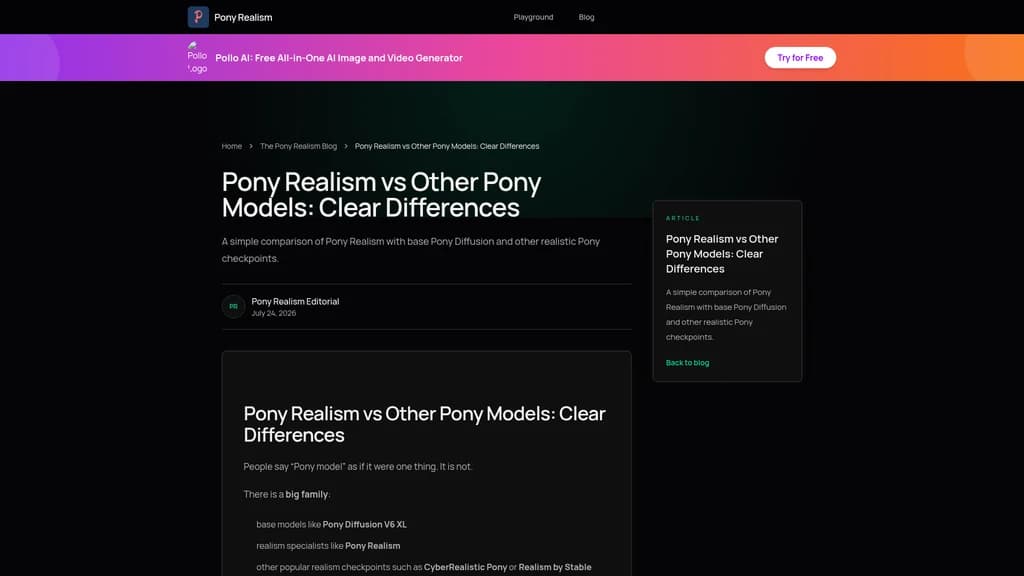
Pony Realism vs. Other Realism Models: How to Choose
If you're in the market for a realistic Pony model, you'll quickly find there are several options. Let's look at how Pony Realism stacks up and how to make the right choice for your needs.
The "Big Three" Realism-Focused Pony Models
The community has identified three standout models in this category:
Pony Realism (by ZyloO) — Balanced realism with a polished look
CyberRealistic Pony (by Cyberdelia) — Emphasizes texture detail and cinematic feel
Realism by Stable Yogi (Pony) — Another strong contender in the realism space
Each has its own strengths, and the "best" one ultimately depends on your personal preference and use case.
Where Pony Realism Excels
Pony Realism positions itself as the balanced realism specialist. What does that mean in practice?
It prioritizes consistent, polished output across a wide range of prompts — not just portraits, but scenes, products, and environments
It has one of the richest ecosystems of community LoRAs designed specifically for it
The multi-version lineup (mainline + speed + experimental) gives you flexibility that some competitors don't offer
It's completely free with no strings attached
The Comparison
Seamless Pony prompt compatibility: Zero learning curve for existing Pony Diffusion users
Rich community LoRA ecosystem: Multiple specialized enhancers available
Multi-version lineup: Mainline for quality, Lightning/Hyper for speed, ULTRA for experimentation
Completely free and open-source: No paid tiers, no subscriptions, no credit systems
Merge model, not a base model: Built through model merging rather than trained from scratch, which can sometimes limit theoretical upside
ULTRA versions are experimental: The cutting-edge variants may have inconsistent results
Requires Pony prompt knowledge: New users need to learn the score tag system to get optimal results
How to Decide
The honest answer is: try both. Use the same prompt on Pony Realism and CyberRealistic Pony, generate a few images, and see which style you prefer. There's no objective "better" — there's only what matches your creative vision.
Compared to base Pony Diffusion V6 XL, the choice is clearer: if you want realistic output, Pony Realism is the specialist that outperforms its generalist parent in this specific domain.
Frequently Asked Questions
What's the difference between Pony Realism and regular Pony Diffusion?
This is the most common question, and the answer is straightforward. Pony Diffusion V6 XL is a general-purpose model that can handle many styles — anime, animals, stylized art, and some realism. Pony Realism is a specialized version that focuses entirely on photorealistic output.
Think of it this way: Pony Diffusion is like a camera that can shoot in auto mode for any situation. Pony Realism is a prime lens optimized specifically for portrait photography. Both take pictures, but one has a very specific purpose.
First, they share the same prompt system — score tags, Clip Skip 2, Danbooru labels — so your workflows transfer perfectly. Second, the difference is entirely in the output style: where Pony Diffusion might give you a stylized or slightly "AI-ish" image, Pony Realism pushes toward photographic believability. Third, this specialization means Pony Realism may not be the best choice if you want anime or heavily stylized outputs — for those, the general Pony Diffusion would be a better fit.
What hardware do I need to run Pony Realism?
The hardware requirements depend on whether you're running locally or using the online playground.
For local deployment: You need at least 8GB of VRAM on your GPU. The model file itself is 6.62 GB (fp16 SafeTensor format), and the remaining memory handles the computation during generation. Most NVIDIA RTX 20-series cards and above should work. If you're on a laptop with integrated graphics or a lower-end GPU, local deployment will likely not be practical.
For cloud use: No hardware required. The Hugging Face Spaces playgrounds run on remote servers. You just need a web browser and an internet connection.
Here's the practical advice: If you're not sure whether your GPU is sufficient, start with the online playground. Test the model. If you like the results and want faster, queue-free generation, then consider local deployment. There's no risk in starting with the cloud option since it's free.
Is Pony Realism really free? Are there paid versions?
Yes — completely free, with no paid versions whatsoever.
First, the model weights are distributed for free through Civitai and Hugging Face. There's no paywall, no "Pro" tier, no credit system, and no subscription. Second, the website (ponyrealism.com) is a lightweight informational site with no accounts, no checkout pages, and no payment processing. Third, all versions — mainline, Lightning, Hyper, ULTRA, Inpaint — are equally free.
The model is a community project by creator ZyloO, released openly for anyone to use. The only "cost" is your time to learn the prompt system and, if you choose local deployment, your hardware investment.
Which version should I use? v2.2, v2.3, or ULTRA?
The short answer: start with v2.2 mainline. Here's a more detailed breakdown.
For beginners: Start with v2.2. It's the stable, polished mainline version. The results are consistent, the quality is proven, and you'll get a clear sense of what the model can do without dealing with experimental quirks.
For speed: Use the Lightning or Hyper variants. These can generate quality results in 4-8 steps instead of the usual 30+. They're perfect for rapid prototyping and idea exploration. The trade-off is slightly lower peak quality compared to the mainline versions.
For experimentation: Try the ULTRA version. It's an experimental line that pushes toward even more natural lighting and skin detail. The results can be impressive, but consistency may vary — that's the nature of experimental builds.
The recommended workflow: Use Lightning for quick idea exploration, then switch to v2.2 mainline for final refinement. All versions are available to try for free on the online playgrounds, so you can compare before committing.
How do I write prompts for Pony Realism? Is it like regular Stable Diffusion?
No — it uses the Pony family's score tag system, which is different from standard Stable Diffusion prompting. If you've used regular SD models, you'll need to learn a few specific conventions.
First, your positive prompt must start with the score tags in this order:
score_9, score_8_up, score_7_up, BREAKThen add your descriptive tags. For example:
score_9, score_8_up, score_7_up, BREAK, portrait of a female with freckles, soft lighting, realistic skin textureSecond, your negative prompt should include:
score_4, score_5, score_6These tell the model what not to produce.
Third, use Danbooru-style tags for descriptions. Instead of "a woman with long hair," use "female, long hair." The model understands single-word and underscore-connected tags best. Use female/male instead of woman/man.
Fourth, set Clip Skip to 2 — this is critical for Pony models to work correctly.
Fifth, keep individual prompt weights at or below 1.5. Higher weights can destabilize the output.
The good news: once you learn these conventions, they work across all Pony-family models, so the knowledge transfers.
Can I use Pony Realism commercially?
The commercial usage rights depend on the license declared on the Civitai model page by the creator, ZyloO.
First, the model is distributed through Civitai, and the specific license terms are stated on the model card at https://civitai.com/models/372465/pony-realism. You must read those terms to understand what's permitted. Second, the ponyrealism.com website is an informational site and does not grant any model usage licenses — it's purely a reference resource. Third, different versions of the model may have different licenses, so check the terms for the specific version you're using.
Bottom line: Before any commercial use, go to the Civitai page, find the license information, and read it carefully. When in doubt, contact the creator through the available channels.
Does the Pony Realism website collect my data?
The website is designed to be a lightweight informational site with minimal data collection.
First, the site has no user account system — no registration, no login, no dashboard. There's nothing to sign up for. Second, like most websites, it may collect standard technical data (IP address, browser type, pages visited) through normal operation. Third, if you send an email to [email protected], the team will see the contents of your email, but it's only used to respond to your inquiry — it's not used for AI training or sold to third parties.
The Playground is a different matter — it's hosted by third-party Hugging Face Spaces, not by Pony Realism. Your use of those Spaces is governed by Hugging Face's own privacy policy, not Pony Realism's.
The site's privacy policy also explicitly states that it does not use private emails for AI model training, does not sell personal information, and the site uses HTTPS with Cloudflare infrastructure for security.


Comments