

- Monthly visits
- 5,008
- 2026-09
- Monthly growth +139.8%
Pebble - Grant budgeting, reporting, and analytics for nonprofits
Pebble is a nonprofit operations platform for managing grant budgets, reporting, and operational analytics. It connects organizational data, helps teams compare budgets with actuals, track grant performance and program outcomes, and build reports using templates, drag-and-drop tools, and AI assistance. Pricing is arranged in three plans, with plan details available by contacting sales.
- AI Data Tools
- Data Analysis
- Data Visualization
- Predictive Analytics
- nonprofit grant budgeting
- nonprofit reporting software
- grant performance analytics
Capabilities
Grant budgeting
Plan and monitor budgets across grants, with grant performance tracking and budget-versus-actual comparisons. Teams can review accounting data, identify potential deficits, and anticipate budget changes.
Reporting Studio
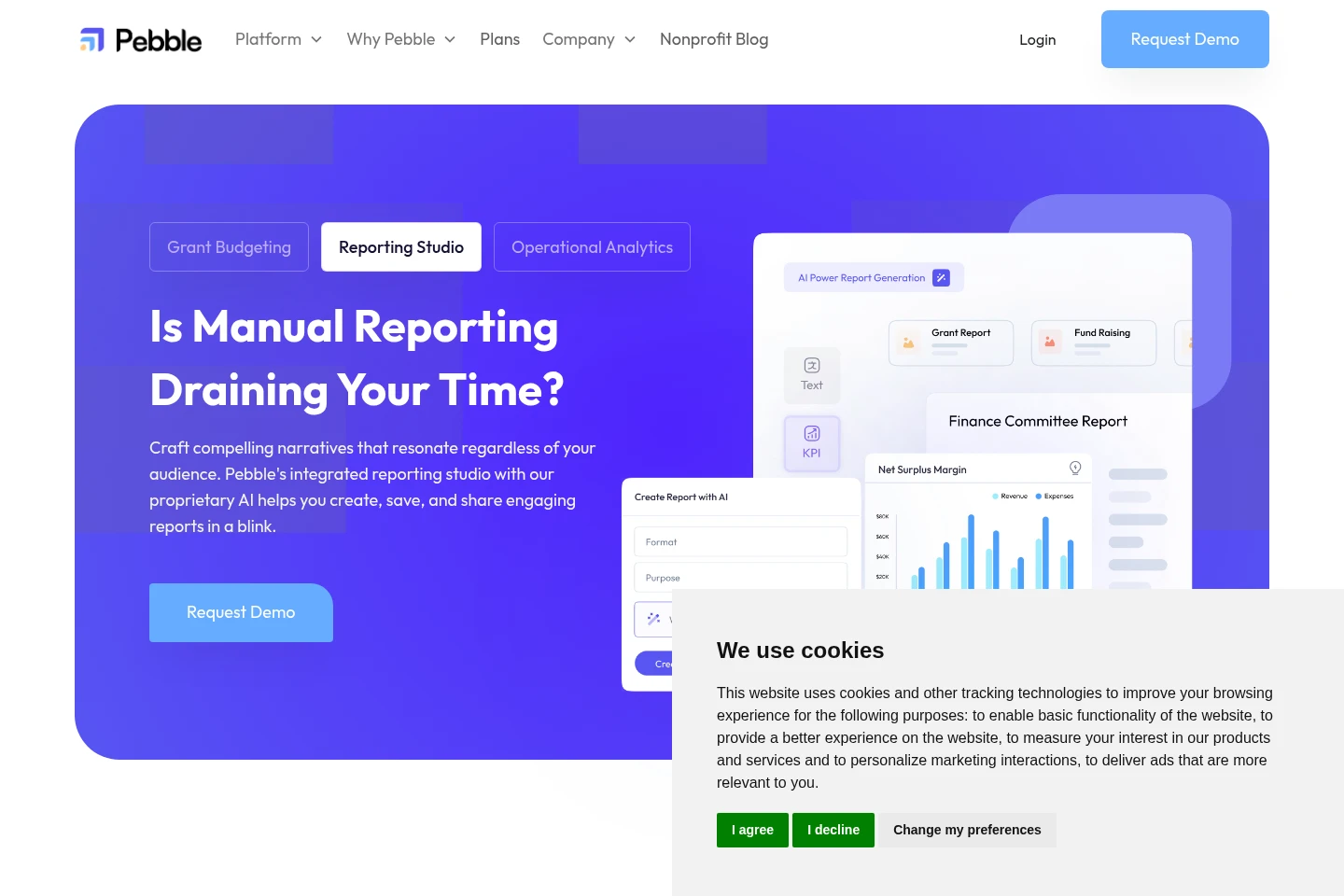
Build, customize, collaborate on, and share reports using templates and drag-and-drop analytics. Users can automate recurring reports, publish live reports, and use AI assistance to generate report content.
Operational analytics
Analyze financial and program data through metrics, custom KPIs, and trend analysis. Teams can segment information, quantify program outcomes, and use Pebble AI to help surface patterns and insights.
Systems integrations
Connect organizational data from accounting, donor-management, and collaboration tools. Integrated data supports budget tracking, reporting, and analysis in a unified platform.
Pricing
Pebble offers three plans for nonprofits, with plan selection based on organization size and required capabilities. Compare included users, concurrent budgets, access controls, integrations, training, and support; contact sales for plan pricing.
| Plan | Price | Included features and limits |
|---|---|---|
| Essential Impact | Contact sales for pricing |
|
| Advanced Mission | Contact sales for pricing |
|
| Strategic Vision | Contact sales for pricing |
|
Use cases
Monitor grant budgets and spending
When nonprofit teams need to oversee multiple grants, they can compare budgets with actual transactions, review grant performance, and identify potential shortfalls. Accounting-system integration helps keep budget information connected to organizational data.
Prepare and share stakeholder reports
When teams must produce recurring reports for funders, boards, or internal stakeholders, they can start from templates, add analytics, collaborate, and publish live reports. AI assistance can help generate report content.
Analyze programs and outcomes
When nonprofit leaders need to understand performance across programs, funding sources, or mission areas, they can examine operational data, create or track KPIs, and quantify program outcomes using analytics and Pebble AI.
Limitations
The Essential Impact plan provides full access for all users only; detailed permission controls are described for the Strategic Vision plan.
Who it is for
Nonprofit executive directors overseeing grants, spending, and organizational outcomes
Nonprofit program directors and managers responsible for program budgets and performance
Nonprofit finance teams preparing reports and analyzing financial and program data
FAQ
How does Pebble help nonprofits manage grants?
Pebble brings grant budgeting, reporting, and operational analytics into one platform. Teams can monitor grant spending, compare budgets with actuals, track performance, and identify potential deficits.
Can teams create recurring reports?
Yes. Teams can use custom templates for recurring reporting requirements and automate report generation. Reporting Studio also supports drag-and-drop analytics, collaboration, and live report publishing.
Does Pebble include AI features?
Yes. Pebble AI can help analyze data, surface patterns, and assist with report generation. The Reporting Studio page labels the AI Report Builder as Beta.
How many users are included in each plan?
The plans page lists 10 users for Essential Impact, 15 users for Advanced Mission, and unlimited users for Strategic Vision.
How can I get plan pricing?
The plans page directs prospective customers to contact sales or schedule a demo. It presents the plan names and features but no numerical plan prices in the supplied page content.
Comments