

- Monthly visits
- 1,906
- 2026-10
- Monthly growth +2,702.9%
PDFPeer - Ask questions and get summaries from your PDFs
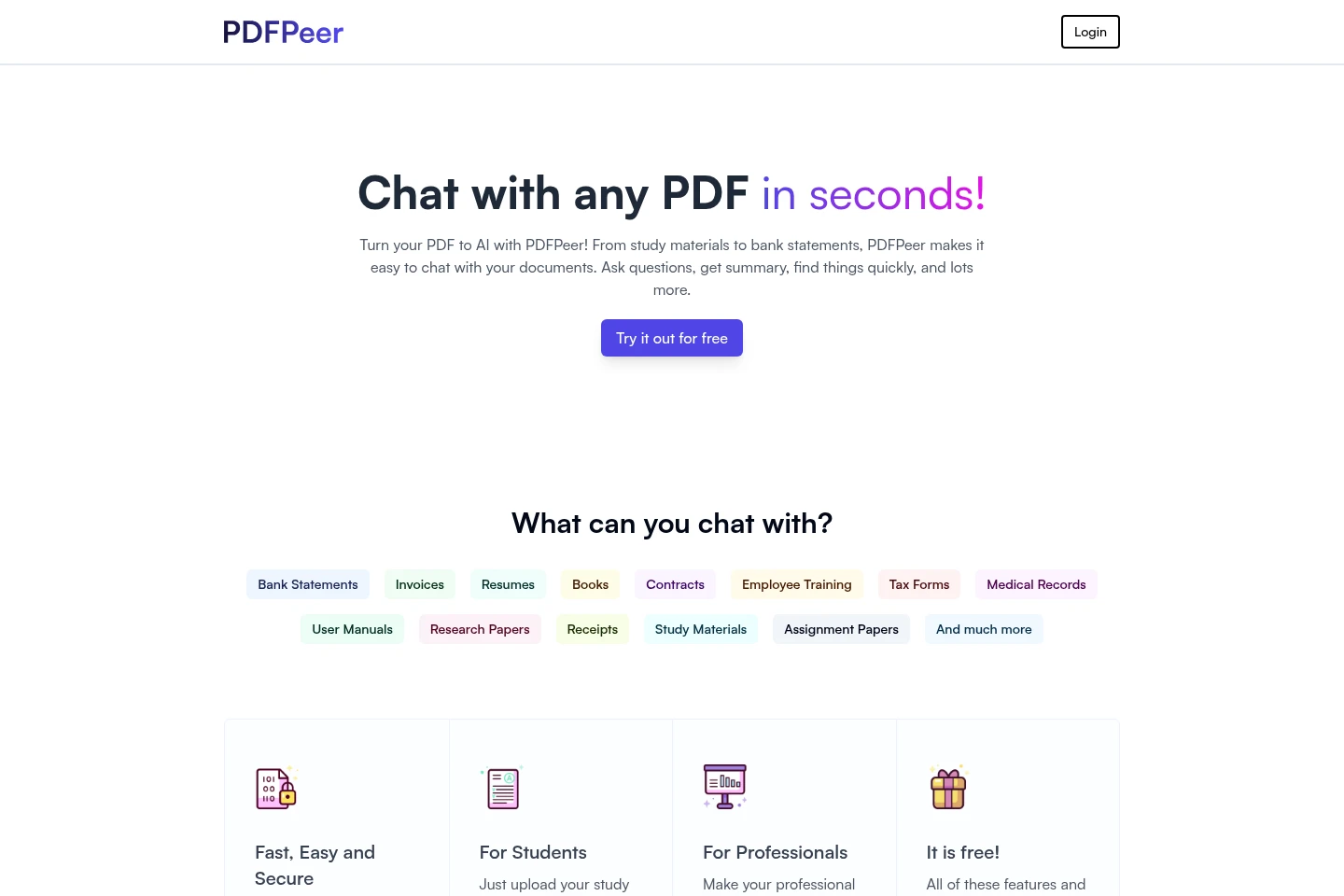
PDFPeer lets you upload PDFs and chat with their contents. Ask questions, request summaries, and find information in documents such as study materials, contracts, resumes, and bank statements. The Free plan limits each PDF by file size and page count and caps daily questions; paid options include unlimited access and a one-time lifetime deal.
- AI Productivity
- Chat with PDF
- chat with PDF
- PDF summarizer
- ask questions about PDFs
Capabilities
Chat with PDF contents
Ask questions about an uploaded PDF and receive answers based on its contents. Upload a document, then enter questions in the chat; the Free plan limits each document and daily questions.
Summarize PDF documents
Request a summary of an uploaded PDF to review its contents. Upload a document and ask PDFPeer for a summary; the Free plan allows one PDF, up to 10 MB and 200 pages.
Find information in PDFs
Ask PDFPeer to locate information in uploaded documents, including resumes and study materials. The Free plan limits daily questions, while the Unlimited Plan advertises unlimited questions and PDFs.
Pricing
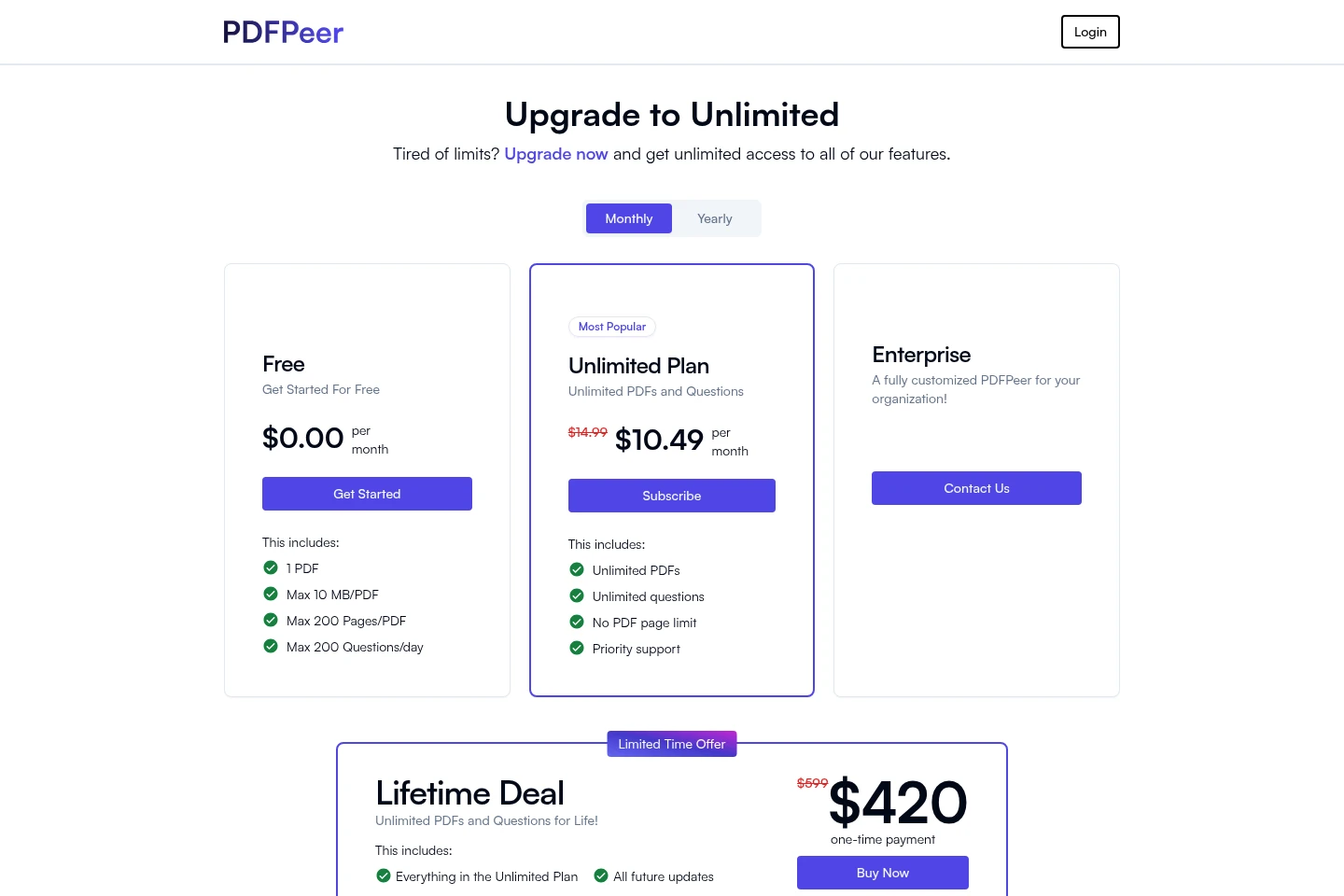
PDFPeer offers a free plan, a paid Unlimited Plan, a customized Enterprise option, and a one-time Lifetime Deal. Compare PDF and question limits, support, customization, and included updates; the Unlimited Plan page displays monthly and yearly billing options.
| Plan | Price | Included features and limits |
|---|---|---|
| Free | $0.00 per month |
|
| Unlimited Plan | $14.99 and $10.49 displayed; billing interval for each amount is unspecified |
|
| Enterprise | Contact for pricing |
|
Use cases
Review study materials and lecture notes
When preparing from lengthy study materials, upload a PDF and ask questions about its contents or request a summary. The responses help surface information from the uploaded document.
Review contracts and workplace documents
When working with contracts, financial reports, manuals, or training documents, upload a PDF and ask questions or request a summary. PDFPeer provides responses based on the document's contents.
Summarize resumes in a PDF
When reviewing resumes combined into a PDF, upload the file and ask for a summary or relevant candidate information. The site describes this use for finding relevant candidates.
Limitations
On the Free plan, only one PDF is included, with a maximum size of 10 MB and 200 pages per PDF.
On the Free plan, users can ask a maximum of 200 questions per day.
Who it is for
Students who need to ask questions about study PDFs and lecture notes
Professionals who need to query or summarize contracts, reports, and other work PDFs
Recruiters who need to summarize resumes and find relevant candidate information in PDFs
FAQ
What can I do with a PDF in PDFPeer?
You can chat with an uploaded PDF, ask questions, request a summary, and find information in its contents. The site lists documents such as books, contracts, resumes, and study materials.
What are the Free plan limits?
The Free plan includes one PDF, with a maximum of 10 MB and 200 pages per PDF, and allows up to 200 questions per day.
What does the Unlimited Plan include?
The Unlimited Plan lists unlimited PDFs and questions, no PDF page limit, and priority support. Its pricing page displays $14.99 and $10.49 alongside monthly and yearly billing options, without specifying the payment interval for each displayed amount.
Is there a one-time purchase option?
Yes. The Lifetime Deal is described as a one-time payment and includes unlimited PDFs and questions, everything in the Unlimited Plan, and future updates. The page displays $599 and $420 as the deal prices.
Can an organization get a customized PDFPeer?
Yes. The Enterprise option is described as a fully customized PDFPeer for an organization, and the pricing page provides a Contact Us option.

Comments