

MuseGen - Create royalty free studio quality AI music in seconds
You no longer need professional music skills to make original tracks. MuseGen is an advanced AI music generator for all users regardless of your musical background. It supports text-to-music generation, precise audio editing and smart mastering. All outputs are 100% royalty free for personal and commercial use. You can get studio-quality songs in just a few clicks.
151Views
What is MuseGen AI Music Generator
If you have ever spent hours browsing royalty-free music libraries just to find a track that vaguely matches the vibe of your latest TikTok video, or quoted $500+ from a local composer for a 30-second corporate intro you need by the end of the week, you already know the common pain points most content creators and small business owners face. Good, original music that fits your project does not have to require years of instrumental training, thousands of dollars in studio gear, or a professional producer on your team roster. That is exactly the gap MuseGen AI Music Generator was built to fill.
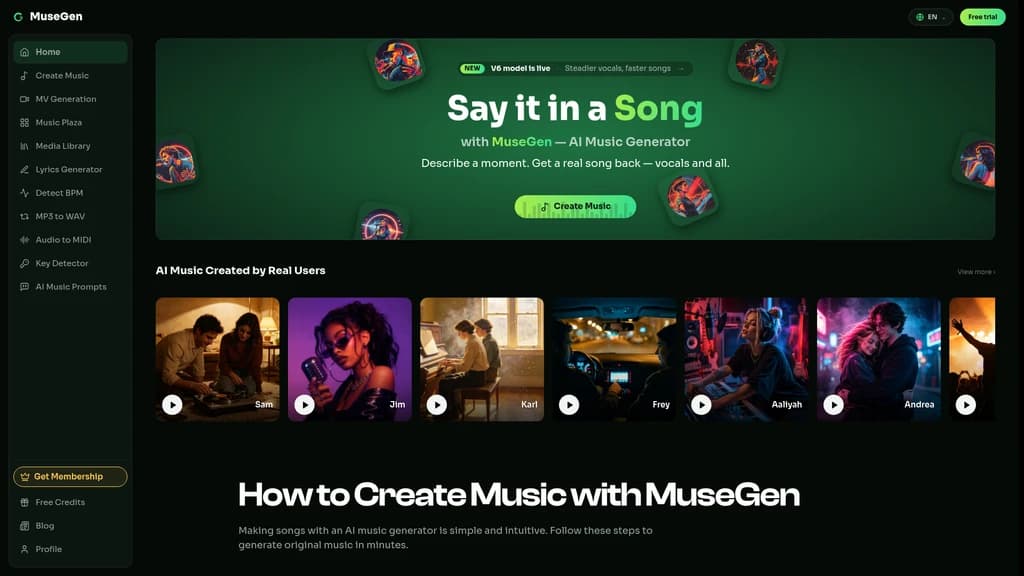
MuseGen is an advanced AI music generation platform designed for every user, no matter your existing musical background. It lets you generate full, studio-quality original songs in seconds, with a simple workflow that starts from a single text prompt. Every track you create on the platform comes with 100% royalty-free rights, so you can use it for both personal and commercial projects without worrying about copyright claims or hidden licensing fees. It has already been featured on top AI tool recommendation lists including Fazier and Twelve Tools, recognized for its consistent output quality and user-friendly design.
Zero music skill requirement: No instruments, production experience, or music theory knowledge needed to create complete tracks
Full copyright commercial use: Every generated track is 100% royalty-free for any personal or commercial application
Studio quality output: Professional, artifact-free audio that matches the finish of tracks produced in dedicated recording studios
Core Functions of MuseGen AI Music Generator
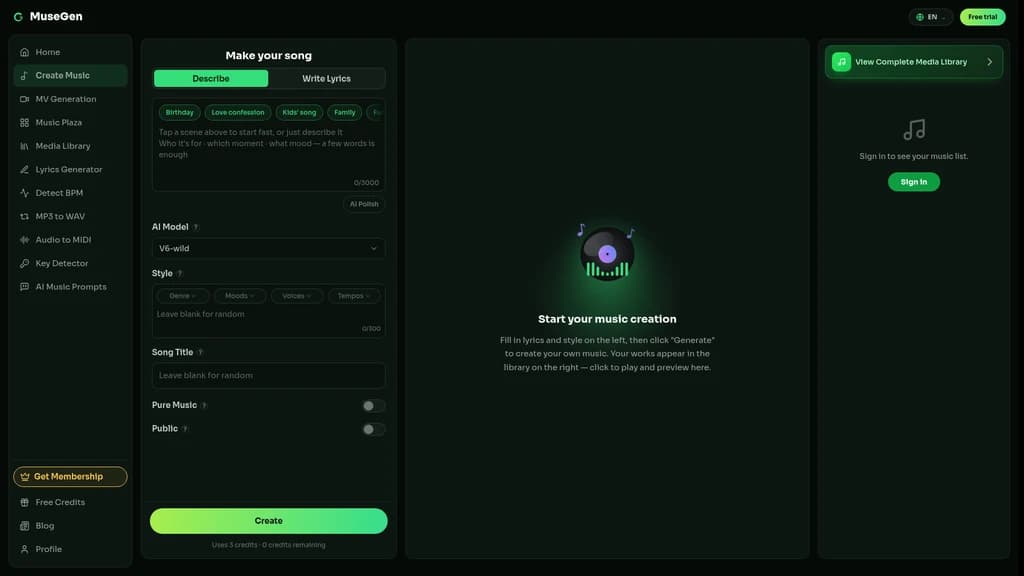
Every feature on MuseGen is built to remove the friction between your initial creative idea and a finished, usable music track. You can use it to turn a one-sentence thought into a complete original song in seconds, no extra tools or prior practice required. Its text-to-music engine understands natural descriptions of mood, style, or even specific lyrical content, so you can type in prompts like "warm lo-fi study beats with soft piano and faint rain sounds" or "hard-hitting 140 BPM EDM drop for festival sets" and get a full structured song back in moments.
You can pick from dozens of popular genres and styles, including pop, jazz, classical, hip-hop, and cinematic scores, and adjust every part of the final output manually if you want. The precise track editing tools let you trim specific sections, regenerate only the drum or bass line without altering the rest of the song, extend the chorus to fit longer video segments, and separate individual audio stems for further tweaks. You can also use the built-in AI vocal and lyric generator to write full lyrics for your tracks, and export standard WAV files for post-production work in your preferred DAW. The smart mixing and mastering feature runs automatically after generation, applying professional audio balancing to make sure every export sounds polished and ready to publish immediately.
Coherent full-song structure with natural transitions between intro, verse, chorus, and bridge, no jarring cuts or disjointed segments
Section-level editing control, so you do not have to regenerate the entire track just to fix one 8-second part
Built-in smart mastering eliminates the need for separate third-party mixing plugins for most standard use cases
All core editing and generation tools sit in the same platform, no need to jump between multiple separate services
STEM and MIDI export functionality is not yet available, scheduled for a future platform update
There is no native real-time collaborative editing for teams working on the same track simultaneously
The maximum track length per generation is capped, you will need to use the extend tool to work on longer compositions
MuseGen AI Music Generator Application Scenarios
MuseGen fits a wide range of professional and personal creative workflows, and it does not matter if you generate one track a month or 10 new tracks a week. For social media creators, you can make exclusive, perfectly matched background music for your TikTok, YouTube, and Instagram posts, so you will never have to settle for overused generic library tracks or deal with unexpected copyright strikes after you upload. For game and app developers, you can generate loopable ambient soundtracks that match specific in-game environments, no big studio budget required.
Video production teams can build custom timed background scores for advertisements, short films, and branded content, adjusted perfectly to cut timelines instead of forcing edits to fit a pre-existing track. Podcasters can create unique opening themes, transition stingers, and low-volume continuous background music that sets their show apart from every other podcast in their niche. Business users can produce branded exclusive music for corporate presentations, product demos, and trade show reels that align fully with their brand identity. Independent music producers can use MuseGen to quickly draft new ideas and get past creative blocks, shortening the initial concept phase of every new project.
If you only need occasional short background music for your personal social media posts, start by testing the core text-to-music tool with simple prompts. If you are working on a game or long-form video project, plan 2 to 3 extra generation rounds to adjust BPM and section length to match your exact timing requirements, and export WAV files for post-editing flexibility.
MuseGen AI Music Generator Pricing Plans
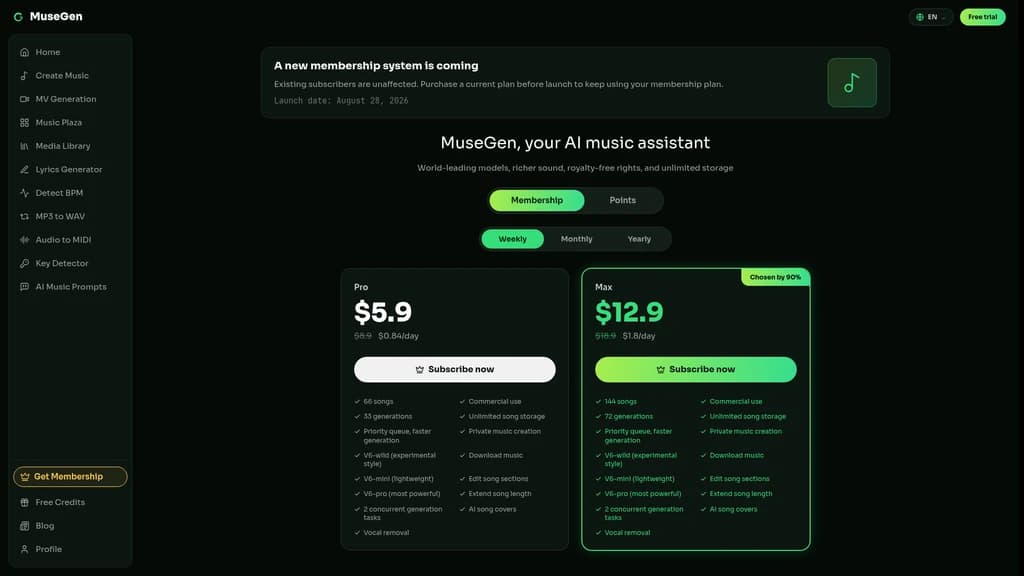
MuseGen offers two tiered paid subscription plans, designed with clear usage limits to match different creation volumes without hidden fees or surprise overage charges. Both plans unlock full commercial use rights for all tracks you generate, and include priority queue access to reduce waiting time during peak usage hours.
Plan | Monthly Price | Monthly Song Limit | Generation Count | Download Formats | Concurrent Tasks | Exclusive Functions |
|---|---|---|---|---|---|---|
Pro | $5.9 | 66 | 33 | MP3 / WAV | 2 | Private creation, V6 models, section editing, length extension, AI covers, vocal removal, unlimited storage |
Max | $12.9 | 144 | 72 | MP3 / WAV | 5 | All Pro features plus higher monthly generation and song limits |
We recommend the Pro plan for individual YouTube creators, hobbyist podcasters, and small startup teams that need up to a couple of new tracks per week for regular content output. It covers almost all common use cases, and works out to a fraction of the cost of hiring even a freelance composer for a single custom track. We recommend the Max plan for full-time music producers, video production agencies, and commercial teams that run multiple client projects at the same time. The higher concurrent task limit means you can queue up different generations for separate projects without waiting for each one to finish before starting the next.
Real User Feedback for MuseGen AI Music Generator
Users across different industries have shared consistent feedback about how MuseGen cuts down redundant workflow time and removes budget barriers for music creation. Alex Rivera, a full-time music producer, noted that he now creates backing tracks for client demos in one evening, a process that used to take him a full week of manual arrangement and recording, lifting his overall project turnaround speed by more than 80%. Samantha Lee, a YouTube lifestyle creator with 120k subscribers, shared that since she switched to generating all her background music on MuseGen, she has had zero copyright strikes on her uploaded content, a problem that used to affect 2 out of 10 of her older uploads. Raj Patel, an indie game developer working on a 2D exploration title, said he completed all the loopable ambient soundtracks for his game on his limited solo dev budget, without cutting any corners on audio quality.
The most frequently mentioned high praise points from active users include the consistent coherent song structure that rarely produces messy, disjointed results, the zero-hassle commercial license terms, and the fact that no extra plugins are required to get studio-ready audio. Users have also noted current areas for improvement, including the lack of full MIDI export and a slightly steeper learning curve for advanced section editing. The platform currently holds a 4.7/5 average user satisfaction rating across independent AI tool review platforms.
Common Questions
Do I need professional musical background to use MuseGen?
No. MuseGen is built specifically for users with zero music theory knowledge or production experience. The interface guides you through every step of the generation process, and you can create a full finished song using nothing but a simple text description.
Can I generate pure instrumental music without vocals?
Yes. You can toggle vocal mode on or off for any generation, so you can create full tracks with AI generated singing, or completely clean instrumental versions without any vocal elements at all.
What audio file formats can I download?
All paid subscription users can export their finished tracks as standard MP3 and high-quality WAV files. STEM and MIDI export functionality is currently in development and will be released in a coming platform update.
Can I use the generated music for commercial projects?
Yes. Every single track created with MuseGen comes with 100% royalty-free commercial usage rights. You can use it for client work, video ads, game releases, streaming content, and any other commercial application without paying extra licensing fees.
Does it support generating vocals in multiple languages?
Yes. MuseGen supports multi-language vocal generation, so you can create songs with vocals in a wide range of languages for regional or global audience projects.


Comments