

- Monthly visits
- 0
- 2026-09
MeinaMix - Beautiful anime art with minimal prompting
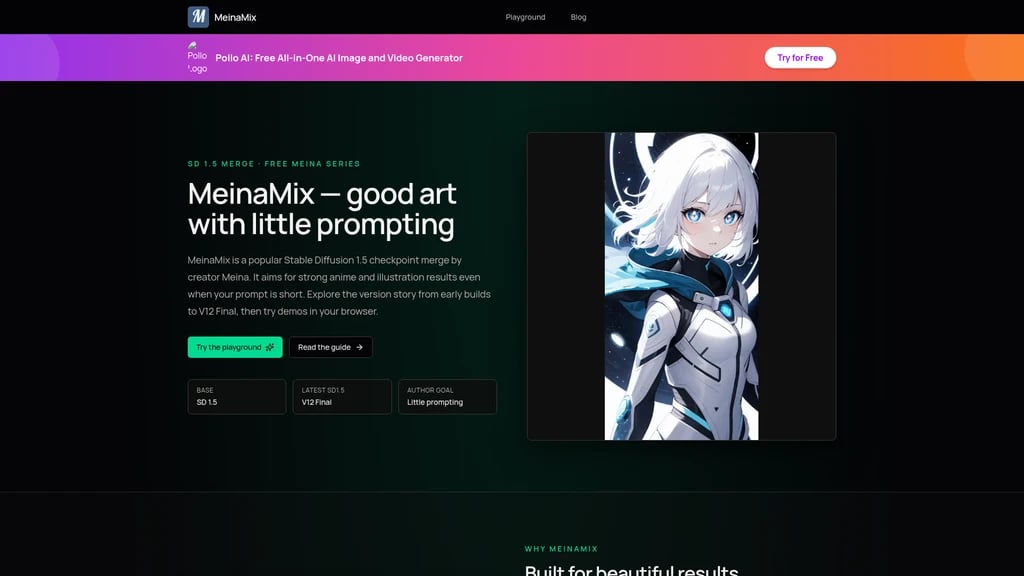
Struggling to write long complex prompts for AI image generation? MeinaMix is a free open-source Stable Diffusion 1.5 checkpoint merge that delivers stunning anime and illustration-style images with just a few words. Built through expert block-weighted merges of multiple models, it covers anime, portrait, landscape, and semi-realistic styles. With over 530k downloads and 40k likes on Civitai, it's widely recognized as one of the best SD 1.5 checkpoints. The V12 Final version offers enhanced stability and creativity with softer negative prompts. Best of all, the creator promises MeinaMix will ALWAYS be free.
- AI Image
- Image Generation
- Self-hosted
- Stable Diffusion
- Custom Training
- Open Source
559Views
What Is MeinaMix? Let's Start With "Good Art With Little Prompting"
If you've ever tried AI image generation, you've probably run into this wall: you need to write a long, elaborate prompt in English — sometimes a full paragraph — just to get something that looks decent. It feels less like creating art and more like wrestling with a machine that doesn't understand what you mean. For many beginners, that's where the excitement ends before it even begins.
Enter MeinaMix, a Stable Diffusion 1.5 Checkpoint Merge model designed around a refreshingly simple philosophy: "Little Prompting, Strong Art." In other words, you don't need to be a prompt engineering expert to generate beautiful anime-style illustrations. A few well-chosen words can do the trick.
But how does it achieve this? Instead of training a model from scratch — which requires massive datasets and expensive compute — MeinaMix uses a technique called block-weighted merging. Think of it like blending multiple specialized recipes together: it combines the strengths of several existing models — including MeinaPastel, PastelMix, Facebomb, and more — by carefully weighting different parts of each one. The result is a model that inherently "understands" anime aesthetics, reducing your need to over-explain in your prompts.
The community has taken notice. On Civitai, one of the largest AI model platforms, MeinaMix has racked up:
530,000+ total downloads
40,000+ likes (over 99K across all versions)
3,000+ reviews from real users
It's widely regarded as one of the best SD 1.5 anime checkpoints available — a reputation earned through consistent quality and a long history of iterative improvement.
Short prompts, great results — You don't need complex prompt engineering to generate high-quality anime art
Completely free — The creator has committed that MeinaMix will "ALWAYS be FREE"
Multi-style coverage — Handles anime, portraits, landscapes, and semi-realistic illustration styles
What Can MeinaMix Do? Let's Look Under the Hood
You might be wondering, "Okay, it's good with short prompts. But what else does it bring to the table?" Let's walk through the core capabilities that make MeinaMix stand out — not as a list of features, but as answers to real problems.
1. Little Prompting — The Problem of "How Do I Describe This?"
What it solves: The biggest barrier for new AI artists is prompt engineering. Writing prompts like a professional feels like learning a second language.
How it works: By merging multiple models with careful block-weighted strategies, MeinaMix builds a stronger internal understanding of common visual concepts — a character's pose, a lighting style, a color palette. So even if you just write "girl in a garden, sunset," it can fill in the details gracefully.
What you can do with it: Stop worrying about perfect wording. Type a short description, hit generate, and see what comes out. Iterate from there. It's like having an illustrator who "gets" what you mean even when you're not perfectly precise.
2. Style Coverage — From Anime to Semi-Realistic
What it solves: Many models are one-trick ponies. They do anime well, but landscapes look muddy. Or they do portraits well, but full-body shots break.
How it works: MeinaMix blends models like MeinaPastel (soft pastel aesthetics), PastelMix (illustration quality), and Facebomb (facial realism), giving it a wide stylistic range.
What you can do with it: Whether you're designing a 2D anime character, painting a semi-realistic portrait, or generating a scenic landscape background — all within the same model. No need to switch checkpoints constantly.
3. Long Version History — V2 Through V12 Final
What it solves: Every artist has preferences. Some love the "vibe" of an older version; others want the latest improvements.
How it works: Each major version (V5, V7, V11, V12 Final) was released as an independent .safetensors file with its own character. V7 improved hands and dark scenes. V11 refined faces and eyes. V12 Final is the most stable and creative — and it requires lighter negative prompts than earlier versions.
What you can do with it: Download any version you like. Want the raw energy of V5? It's still available. Prefer the refined stability of V12 Final? That's there too. You're not locked into any single "flavor."
4. Hires.Fix — Saving Faces When Characters Are Far Away
What it solves: When a character is in full-body shot or a group scene, faces often become blurry or distorted. This is a common pain point across many SD 1.5 models.
How it works: MeinaMix works with R-ESRGAN 4x+ Anime6B upscaler. The recommended setup is 10 steps with a denoising strength of 0.3–0.6.
What you can do with it: The creator's instruction is clear: if your character is far away, you must use Hires.Fix. Enable it in your SD tool, set the upscaler, and watch distant faces go from smudged to sharp.
5. Soft Negative Prompting (V12 Final)
What it solves: Strong negative prompts can suppress creativity. If you write too many "bad this, bad that" terms, the output becomes safe but boring.
How it works: V12 Final is stable enough that you don't need harsh negatives. Use light negatives like (worst quality, low quality) to keep creative energy flowing. Use stronger negatives only when you want more realistic outputs.
What you can do with it: Start with minimal negative prompts. Only add more if you see specific artifacts. It's a more relaxed, creative-friendly workflow.
Short prompts, great output — Ideal for beginners and rapid ideation
Completely free — No hidden costs, no subscriptions
Low-spec friendly — 1.99 GB model works on GTX 1650 and similar GPUs
SD 1.5 only — Not compatible with SDXL; future development is on MeinaXL
Requires local setup or third-party Playground — No official all-in-one app
Who's Using MeinaMix? Real Scenarios, Real Results
Rather than telling you "this product is great for everyone," let's look at specific situations where MeinaMix shines. You might find yourself in one of these stories.
Scenario 1: The AI Art Beginner
The problem: You're excited about AI art but overwhelmed by long tutorials on prompt engineering. Every time you try to generate something, it comes out looking nothing like what you imagined.
The solution: MeinaMix's "Little Prompting" approach means you can start with something as simple as "anime girl with blue hair, smiling" and get a usable result. You don't need to memorize the perfect keyword formula.
What happens next: Within your first session, you get something you're happy with. That sense of achievement keeps you going, and you gradually learn to refine your prompts — but the pressure is off from day one.
Scenario 2: The Anime Character Designer
The problem: You need to iterate through character concepts quickly. Training a LoRA for every idea is time-consuming and technical.
The solution: Open MeinaMix in your SD tool, write a few descriptive tags ("red cape, white hair, serious expression, full body"), and generate. Each run gives you a new interpretation.
What happens next: In minutes, you have a dozen character variations — different poses, expressions, angles. Pick the ones you like and refine further.
Scenario 3: The Low-Spec Hardware User
The problem: You have a GTX 1650 or similar entry-level GPU. SDXL models are out of reach, and even some SD 1.5 models struggle.
The solution: MeinaMix is built on SD 1.5 and comes in at just 1.99 GB (fp16 pruned version). It's optimized for modest hardware.
What happens next: Users report it works well even on lower-end PCs with low CFG sampling. One community member called it "definitely my top pick for SD 1.5" specifically for this reason.
Scenario 4: The Commercial Illustrator
The problem: You need a steady supply of high-quality anime-style assets for your projects. You're also worried about licensing — can you legally use AI-generated images in commercial work?
The solution: MeinaMix uses the CreativeML Open RAIL-M license, which permits commercial use of generated images. The only requirement is crediting the model source.
What happens next: You generate professional-grade illustration assets at zero model cost, with clear legal boundaries. No surprises, no hidden fees.
Scenario 5: The Traveling Creator
The problem: You're away from your main workstation. No local GPU, no SD environment. But inspiration strikes.
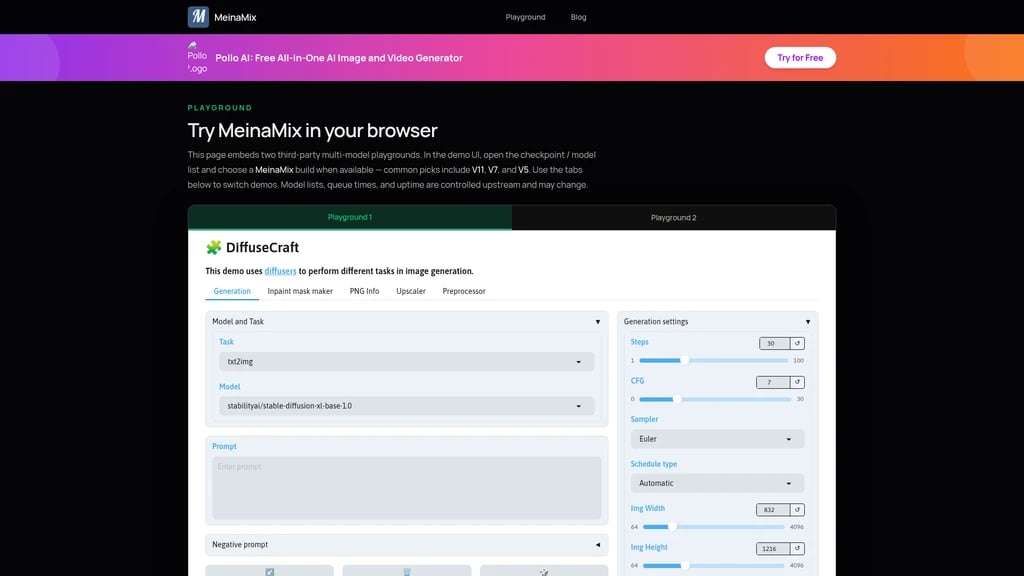
The solution: Visit meinamix.com/playground. Select MeinaMix V11, V7, or V5, type your prompt, and generate right in your browser.
What happens next: You're creating from a coffee shop, a hotel room, or anywhere with an internet connection. When you're back at your main machine, download the model for full local power.
Visit meinamix.com/playground, select MeinaMix V11, V7, or V5 from the model list, and start generating in your browser. It's the fastest way to see what MeinaMix can do — no GPU, no setup, no commitment.
Getting Started: 5 Minutes to Your First MeinaMix Image
Ready to try it? You have two paths, depending on your setup.
Path 1: Local Deployment (For Full Control)
Before you begin: Make sure you have one of these SD tools installed — Automatic1111, Forge, or ComfyUI. Any of them will work.
Step 1: Download the model
Head to the MeinaMix page on Civitai
Download the .safetensors file (fp16 pruned version, ~1.99 GB)
Step 2: Place the file
Locate your SD tool's
models/Stable-diffusionfolderMove the downloaded
.safetensorsfile into this directory
Step 3: Switch and generate
Restart or refresh your SD tool
Find MeinaMix in the model dropdown menu
Type a prompt and click generate
Path 2: Browser Playground (For Quick Testing)
Visit meinamix.com/playground
Select the MeinaMix tab (V11, V7, or V5)
Enter your prompt and generate — no installation needed
Author's Recommended Settings
Parameter | Recommended Value |
|---|---|
Clip Skip | 2 |
Sampler | DPM++ SDE Karras (20-30 steps) or Euler a (40-60 steps) |
CFG Scale | 4–9 |
Resolution (Portrait) | 512×768 or 512×1024 |
Resolution (Landscape) | 768×512, 1024×512, or 1536×512 |
Hires.Fix Upscaler | R-ESRGAN 4x+ Anime6B |
Hires.Fix Steps | ~10 steps |
Hires.Fix Denoising | 0.3–0.6 |
Sample Negative Prompt | (worst quality, low quality), (zombie, interlocked fingers) |
Start with DPM++ SDE Karras, 20 steps, CFG 7. This gives you fast, good-quality results. Once you're comfortable, experiment with other samplers and CFG values to find your preferred style.
MeinaMix Pricing: It's Free. Always Has Been. Always Will Be.
Let's address the question directly: How much does MeinaMix cost?
The answer: $0. Nothing. Zero.
The creator, Meina, has stated clearly: "MeinaMix and the other of Meinas will ALWAYS be FREE." This isn't a "free tier" or a "limited offer." It's a permanent commitment. The official website is a lightweight information site — no user accounts, no payment plans, no credit wallets, no checkout flow.
Here's the complete breakdown:
Plan | Cost | What You Get | Best For |
|---|---|---|---|
Model Files | Free | All MeinaMix versions (V2–V12 Final) as .safetensors files | Local deployment users |
Official Website | Free | Product info, blog, Playground access | All users |
Playground Trial | Free (queue time depends on upstream) | Online generation experience | Users without a GPU, quick testing |
Commercial Use | Free (with credit required) | CreativeML Open RAIL-M license | Commercial illustrators, studios |
You can download every version, use the website, generate in the playground, and sell the images you create — all without paying a cent. The only requirement for commercial use is to credit the original model source.
Model cost: $0 (free)
Website cost: $0 (free)
Commercial use: Free (with attribution required)
Author's promise: "ALWAYS be FREE"
Frequently Asked Questions
Is MeinaMix really free? Will it ever charge in the future?
First, let's look at the creator's own words. Meina has explicitly stated: "MeinaMix and the other of Meinas will ALWAYS be FREE." This isn't a marketing promise with fine print — it's a commitment that has held true since V2.
Second, consider the business model. The website is a lightweight information site. There are no user accounts, no subscription plans, no credit systems, and no checkout flow. The Terms of Service explicitly state the current charge amount is $0.
Third, understand the motivation. The model is hosted on Civitai (a free platform), and the website is supported through optional Google AdSense and partner links. There's no pressure to monetize the model itself.
In short: yes, MeinaMix is genuinely free, and there's no evidence this will change.
I've never used AI art tools. Is MeinaMix beginner-friendly?
This is exactly the audience MeinaMix was designed for. Let me explain why.
First, the core philosophy is "Little Prompting, Strong Art." The model is built so that short, simple prompts produce good results. You don't need to learn the art of prompt engineering before you can create something you're proud of.
Second, you can start without installing anything. Visit meinamix.com/playground, pick a version, and start generating in your browser. Zero setup. Zero technical knowledge required.
Third, the community is large and supportive. With 3,000+ reviews and 530,000+ downloads on Civitai, there are plenty of shared prompts and examples to learn from.
Start with the Playground. Once you're comfortable, download the model for local use. The learning curve is gentle by design.
What's the difference between V12 Final, V11, and V7? Which should I choose?
Each version has its own "flavor," so let me break them down.
V7 (March 2023): This version focused on improving hands, dark scenes, lighting, camera angles, and fine details. If you're working on scenes with tricky lighting or need better hand anatomy, V7 is a solid choice.
V11 (July 2023): This version improved face and eye quality significantly — to the point where you often don't need hires fix for close-ups. It also reduced over-dark outputs and lowered random prompt bias.
V12 Final (October 2024): This is the SD 1.5 final version. It's more stable and more creative than previous versions, and it requires lighter negative prompts. You can use simple negatives like (worst quality, low quality) and still get great results.
My recommendation for beginners: Start with V12 Final. It's the most stable, most forgiving, and requires the least tweaking. If you find yourself missing the "character" of an older version, you can always download it separately — they all coexist independently.
Can I use MeinaMix images in commercial projects? Do I need to pay royalties?
Let me walk through this step by step.
First, the license type. MeinaMix uses the CreativeML Open RAIL-M license. This is a permissive open license specifically designed for AI models. It allows you to use the model and generate images freely.
Second, commercial use. Yes, you can use images generated with MeinaMix in commercial projects — including illustrations for products, marketing materials, book covers, and more. You do not need to pay royalties or licensing fees to the creator.
Third, the one requirement. You must provide credit/attribution to the model source. This means acknowledging that the image was generated using MeinaMix (or citing the model's origin). It's similar to how you'd credit a Creative Commons image.
Fourth, what's prohibited. The license explicitly prohibits harmful uses including CSAM (child sexual abuse material), non-consensual intimate imagery, harmful deepfakes, and harassment. These are standard restrictions in ethical AI licenses.
In summary: commercial use is allowed, no payment required, just give credit where it's due.
I have a GTX 1650. Can my computer run MeinaMix?
Short answer: Yes, it can. Here's why.
First, the model size. MeinaMix is built on Stable Diffusion 1.5, which is significantly lighter than SDXL models. The recommended download is the fp16 pruned .safetensors version, which is about 1.99 GB — well within the range of consumer GPUs.
Second, real user experience. Multiple community members have reported that MeinaMix works well on lower-end hardware. One user specifically mentioned it performed well on their setup with "low CFG sampling." Another called it "definitely my top pick for SD 1.5" specifically because of its accessibility.
Third, if your GPU truly can't handle it (which is rare for SD 1.5), you still have the Playground option. Visit meinamix.com/playground to generate in your browser without any local hardware requirements.
Fourth, some optimization tips: Use lower resolutions to start (512×512 or 512×768), keep CFG around 7, and try the DPM++ SDE Karras sampler at 20 steps. This combination is lightweight and effective.
What's the best parameter setup you recommend?
The creator has shared detailed recommendations, but let me give you a starting point and explain why it works.
For beginners: Start with Clip Skip 2 + DPM++ SDE Karras at 20 steps + CFG 7. This combination gives you fast generation (20 steps is quick) with good quality. DPM++ SDE Karras handles anime styles particularly well.
When to adjust:
If you want more detail at the cost of speed: try Euler a at 40–60 steps
If the image looks too soft: increase CFG toward 9
If the image looks oversaturated or harsh: lower CFG toward 4
For close-up portraits: 512×768 or 512×1024 work well
For landscapes or full-body shots: 768×512 or wider
Critical tip for distant characters: If your character is in a full-body shot or far from the camera, you must enable Hires.Fix. Use R-ESRGAN 4x+ Anime6B as the upscaler, about 10 steps, with denoising strength between 0.3 and 0.6. Without this, distant faces will be blurry.
For negative prompts: Start light. Something like (worst quality, low quality) is usually enough with V12 Final. Only add stronger negatives (like (zombie, interlocked fingers)) if you see specific artifacts.
Is MeinaMix SD 1.5 or SDXL? Will it ever upgrade?
Let me clarify the roadmap.
First, the current status. V12 Final is the last version of MeinaMix for Stable Diffusion 1.5. It was released in October 2024 as a final, polished iteration. All SD 1.5 versions — from V2 through V12 Final — remain available and fully functional.
Second, the future. The creator has moved on to SDXL development with a new series called MeinaXL. This is a separate model line built for the more advanced SDXL architecture.
Third, what this means for you. If you're using SD 1.5 tools (Automatic1111, Forge, ComfyUI with SD 1.5), the existing MeinaMix versions will continue to work perfectly. They're not being deprecated or retired. If you want to move to SDXL, you can explore the MeinaXL series as a natural upgrade path.
Fourth, the good news. Since all versions remain available, you're not forced to upgrade. You can keep using V12 Final on SD 1.5 for years to come, or transition to MeinaXL at your own pace.


Comments